Solved

Report Picking of Pick List Lines via REST-API

  • September 27, 2024
  • 3 replies
  • 272 views

Forum|alt.badge.img+4
  • Do Gooder (Customer)

Hi,

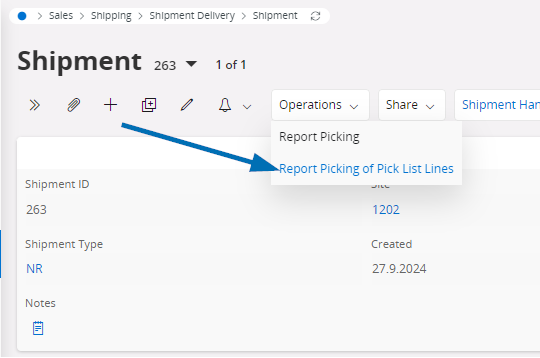
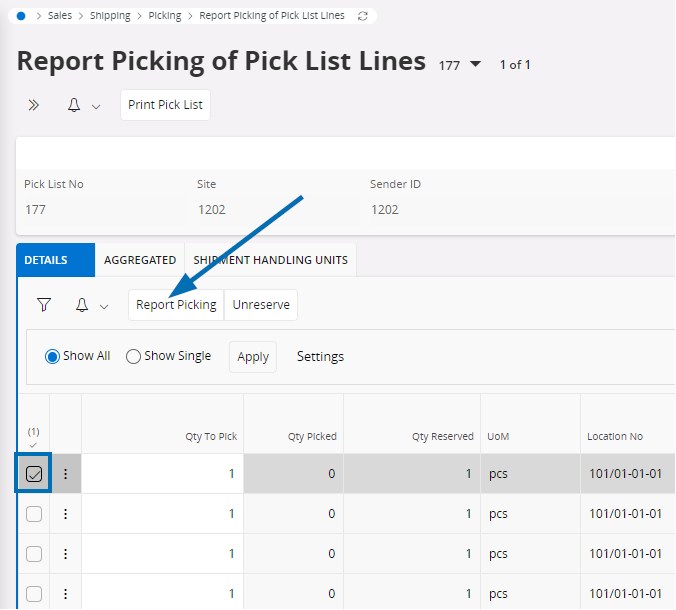
we would like to report the picking via the REST API in the shipping process. (I know how the API basically works and we have already been able to implement other interfaces with it). As we often have shipping processes with more than 100 parts and do not pick them in one day, we would like to confirm the picking item by item. This works in the web interface via ‘Report Picking of Pick List Lines’:
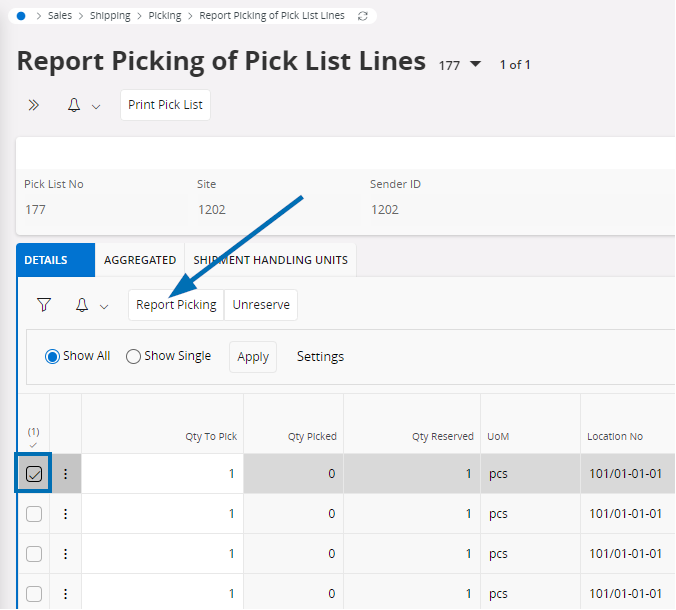
 

When I display the history in the ‘Log Window’, ‘ReportPickingOfPickListLines.svc/FndTempLobs’ is called up. Here I cannot enter the line, article, location, lot or quantity. It is unclear to me how IFS works at this point.

I then looked at the functionality for the mobile scanners (Warehouse Data Collection):
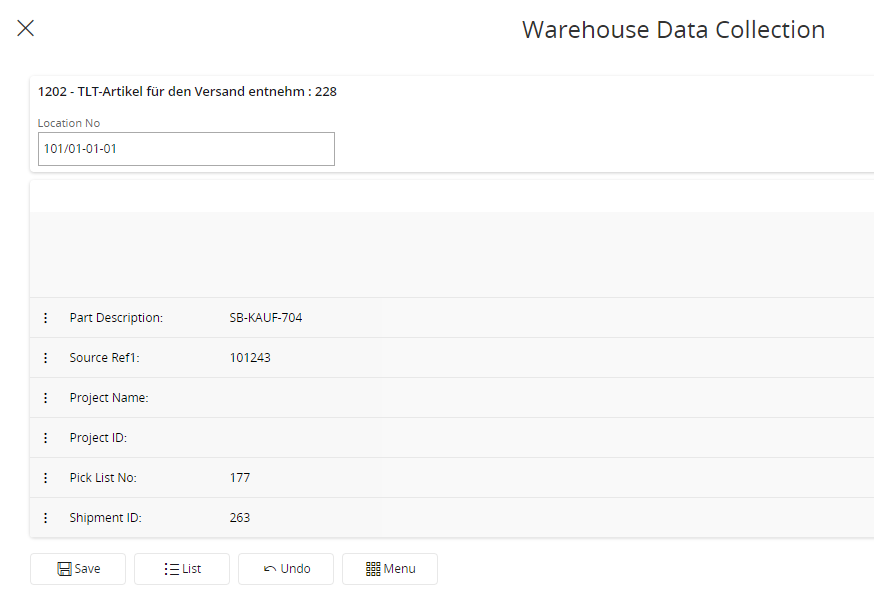
You have to confirm each step individually, which is too much for us. That's why we want to simplify the whole process for the user via the REST API. But again, I don't understand the REST API. For example, ‘WarehouseDataCollectionHandling.svc/ScanningClientVirtualSet(Objkey=’2311377A5396A86CE0636379A10A222A‘)/IfsApp.WarehouseDataCollectionHandling.ScanningClientVirtual_Save’ is called with the body ‘{’DataItemValue": “101/01-01-01”}’

Then the same call with the body ‘{’DataItemValue‘: “SB-KAUF-704”}’. It seems that IFS has a defined sequence here. I have rebuilt all calls and I always get the HttpStatus “OK” or “NoContent”. However, the entry is still not saved.


Isn't there an API function that can be given the required parameters to report a line? The function should do the same as ‘Report Picking’:
Or are there other places in IFS where you can pick the items individually?
Best answer by hoehn

Hi Roel,

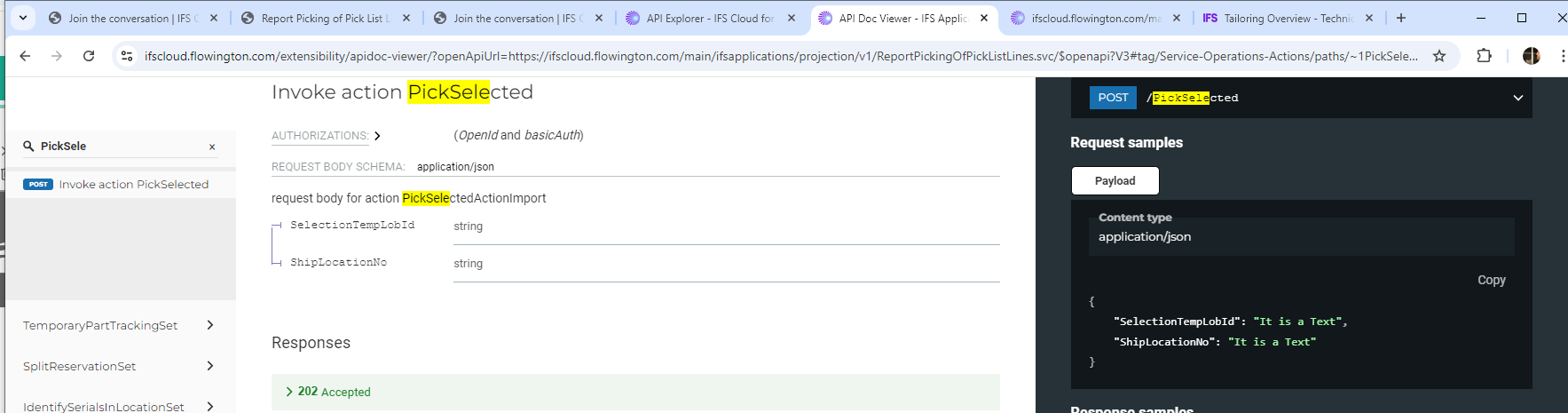
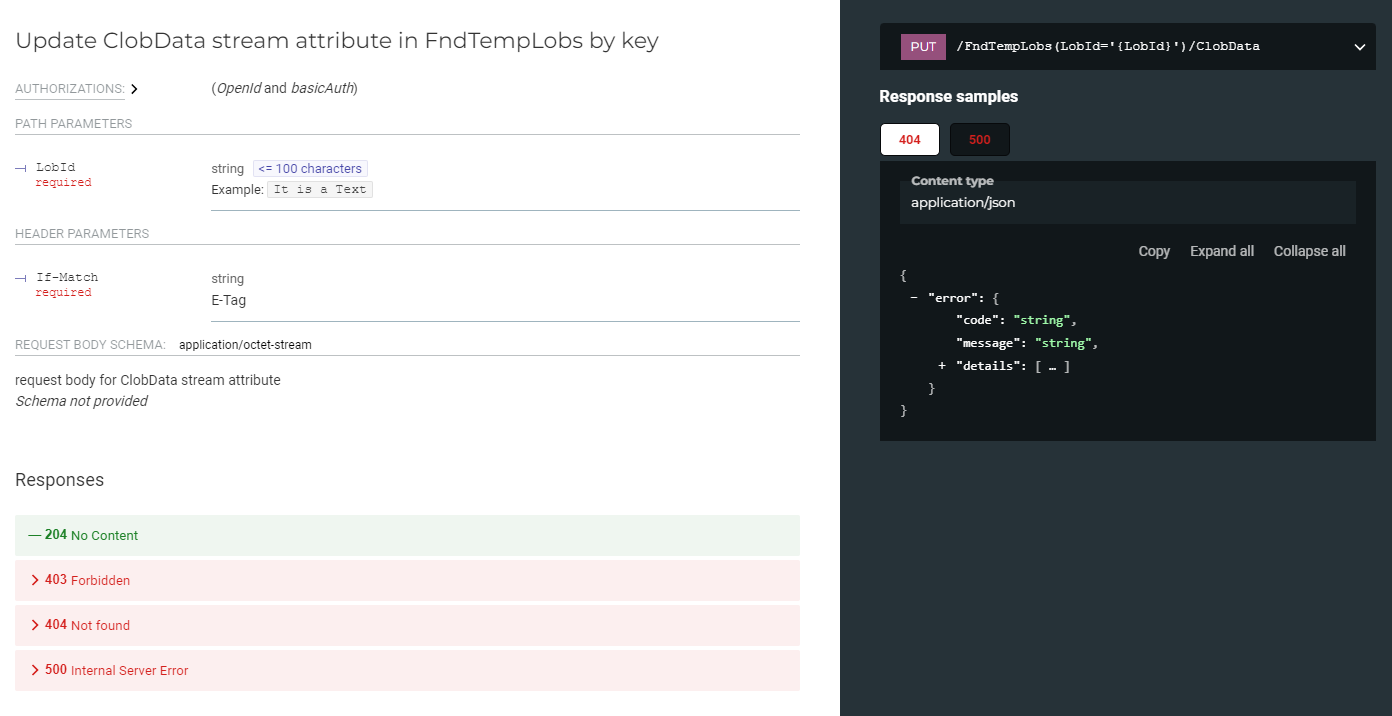
thanks for the tip to take a closer look at the API. You can find out how to create a ‘FndTempLobs’ and execute the POST call ‘PickSelected’ in the ‘Log Windows’. What you cannot see via the API/Log Window is how to fill the FndTempLobs-Object or what the CLOB content should look like:


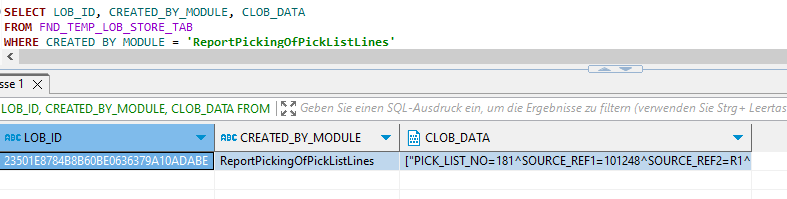
A look at ‘FND_TEMP_LOB_STORE_TAB’ helped me here and I was able to rebuild the function:

Many thanks for your advice

3 replies

ROVECH
Hero (Partner)
Forum|alt.badge.img+7
  • Hero (Partner)
  • September 27, 2024

Hi Daniel, we at Novacura encounter this way of working on the backend side of IFS Cloud regularly. In short, this particular process is done in a series of REST calls: first the relevant information is collected in a temporal large object, and ultimately it is posted with this action, where the TempLob refers to all that information like line, qty, location etc.:

Hope this helps you in the right direction - it is definitely feasible to execute these kind of processes via the IFS API, but you need the right toolset for it.

Best regards, Roel


Forum|alt.badge.img+4
  • Author
  • Do Gooder (Customer)
  • Answer
  • September 30, 2024

Hi Roel,

thanks for the tip to take a closer look at the API. You can find out how to create a ‘FndTempLobs’ and execute the POST call ‘PickSelected’ in the ‘Log Windows’. What you cannot see via the API/Log Window is how to fill the FndTempLobs-Object or what the CLOB content should look like:


A look at ‘FND_TEMP_LOB_STORE_TAB’ helped me here and I was able to rebuild the function:

Many thanks for your advice


Forum|alt.badge.img+17
  • Hero (Employee)
  • May 13, 2026

Just some comments about how the mobile scanit client works. Its a small dummy client where most of the logic resides in the server logic that feeds the client with the info on what next data item is that the user need to give a value for. And the value user saves is first only saved on the data capture session line table, when the session is finished the picking plsql server api method will be called for each dataset collected so its not using any REST API here.

Yes it has a sequence it follows, that you configure in the Data Collection Configuration page. The default configuration have some stops for the user to enter values, since most customers wants to be sure that warehouse worker is picking the right object, but it could be configured with very little input if needed so it runs thru the session with very little user interaction. It could be enough to enter pick list number and which pick list line or aggregated line/handling unit you want to handle, the rest could be gathered from that information.