Solved

Report Designer Company Footer

  • June 4, 2026
  • 2 replies
  • 16 views

Forum|alt.badge.img+9

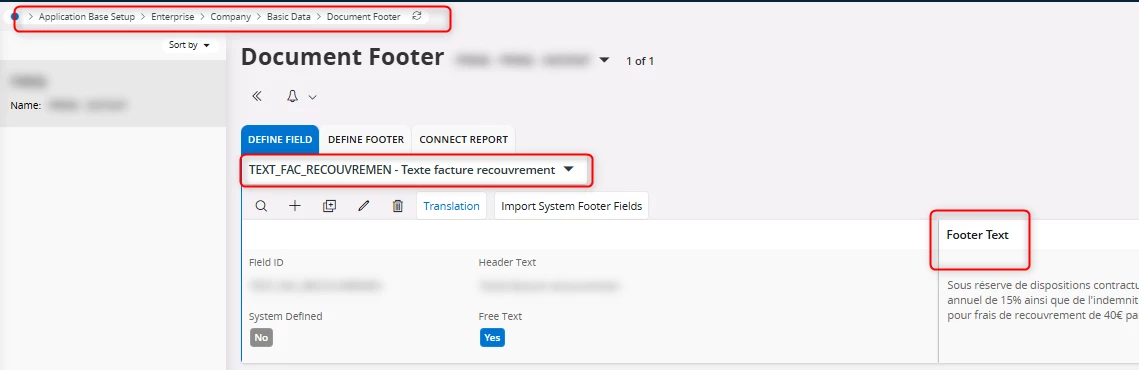
Could someone please advise how to add the company footer in Report Designer for instant invoice for example please?

Do we need to create a custom field to retrieve the value, or is there another way to access it directly ? if so may i have guidance on the how to please?


Best answer by Furkan Zengin

Hello ​@N.GEORGI 

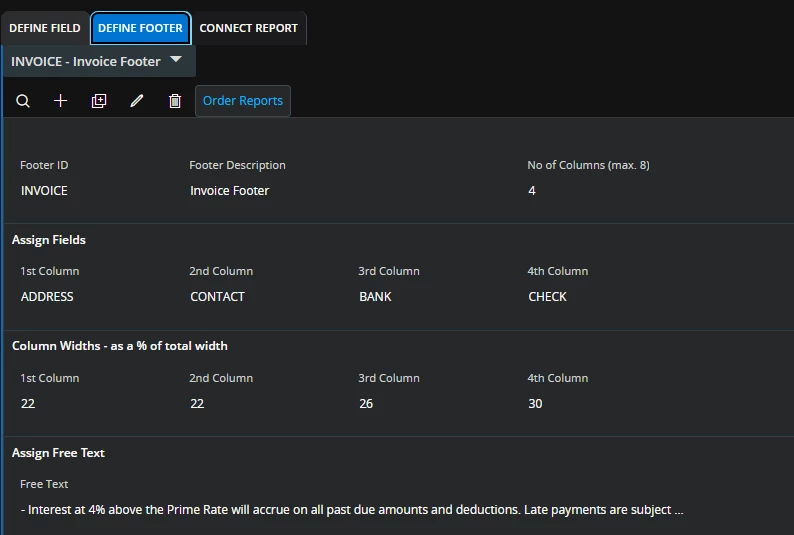
Go to next tab define footer layout. see example below.


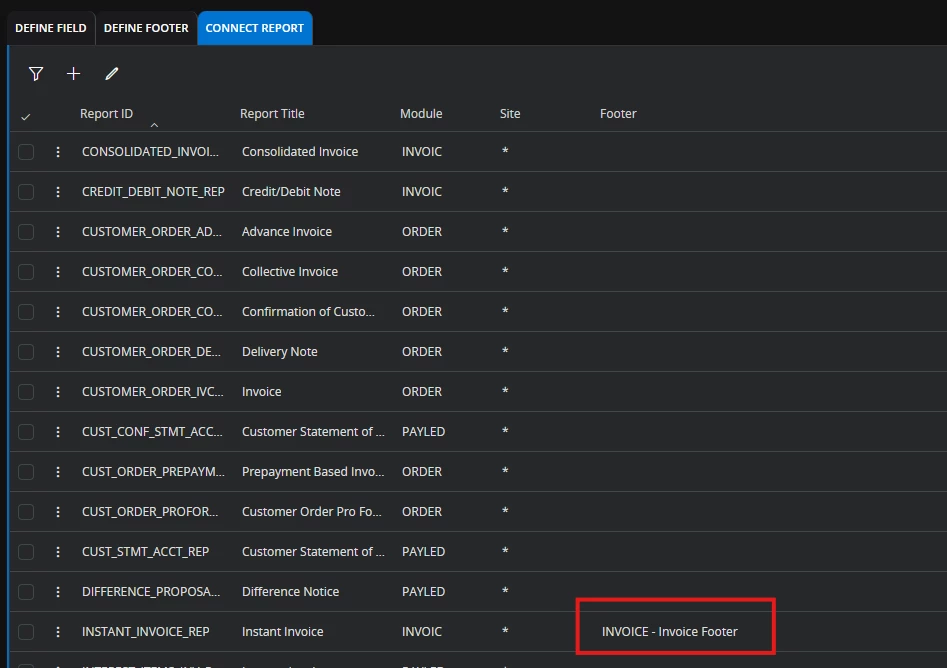
After that go to connect report and match your footer with the report.


It will be automatically presented when you print the report.


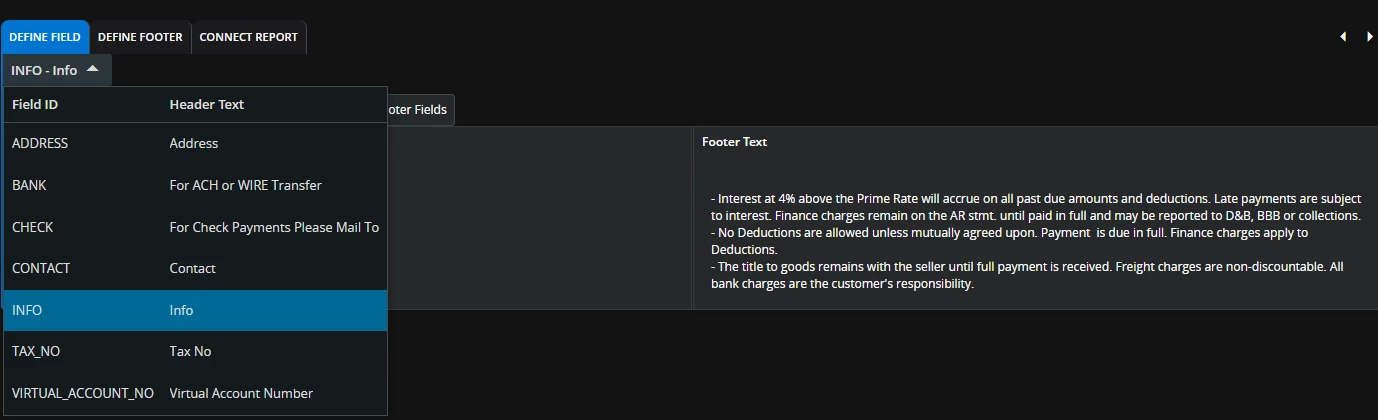
Here you can see fields for the footer that I created


Hope this helps

2 replies

Furkan Zengin
Ultimate Hero (Partner)
Forum|alt.badge.img+21
  • Ultimate Hero (Partner)
  • Answer
  • June 4, 2026

Hello ​@N.GEORGI 

Go to next tab define footer layout. see example below.


After that go to connect report and match your footer with the report.


It will be automatically presented when you print the report.


Here you can see fields for the footer that I created


Hope this helps


Forum|alt.badge.img+9
  • Author
  • Hero (Customer)
  • June 4, 2026

that did it for me, thank you ​@Furkan Zengin