


Question

Reminder Letter email attachment issue

  • July 1, 2026
  • 1 reply
  • 26 views

Forum|alt.badge.img+6

Hi,

We created an Email type Custom Event Action using PDF_REPORT_CREATED Event to send out Reminder Letters to customers. We are using the standard IFS report in Apps 10. 

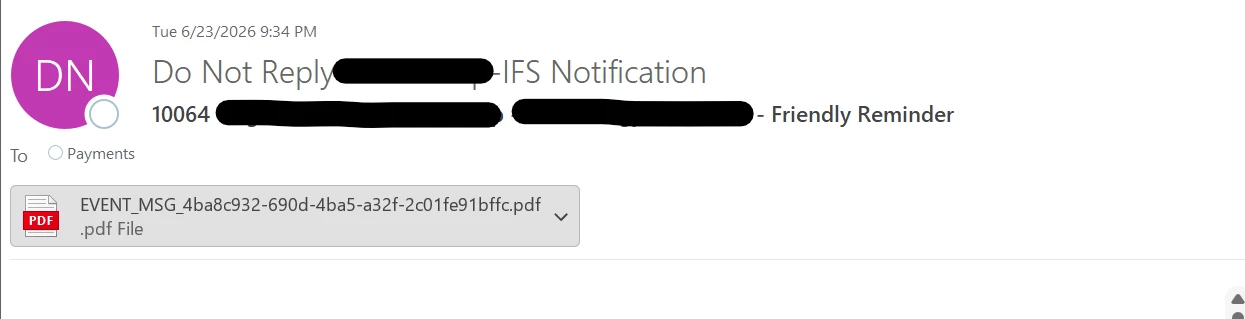
The Custom Event is triggered successfully, and the email is sent with the attachment. However, the attachment filename in some emails appears to have an incorrect format.
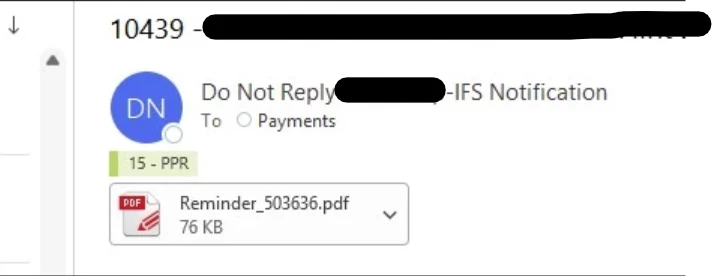
The attachment filename should be in the format shown below. 
 

Any reason for this issue?

1 reply

Forum|alt.badge.img+6
  • Do Gooder (Employee)
  • July 28, 2026

Hi,

Based on the behavior shown in the screenshots, the report itself appears to be generated correctly, but the email attachment name is sometimes falling back to the internal Event Action attachment name format (EVENT_MSG_<GUID>.pdf) rather than the operational report filename (Reminder_<ID>.pdf).

In Apps 10, when a PDF_REPORT_CREATED Custom Event triggers an Email action, the attachment name is determined by the reporting/event framework. If the original report filename cannot be resolved at the time the email is generated, the framework may use a generated event message filename instead, which typically follows the format:

EVENT_MSG_<GUID>.pdf

The fact that some emails contain the expected filename while others use the EVENT_MSG format suggests that the PDF generation is successful, but the attachment naming information is not always being passed through consistently to the Event Action.

A few things to check:

  • Verify whether all Reminder Letters are being generated using the same report rule and layout.
  • Review the Custom Event definition and confirm whether the attachment is being sourced directly from the report archive or from the event message payload.
  • Check if the issue occurs only for specific customers, languages, output channels, or report execution scenarios.
  • Compare the corresponding entries in Archive Reports for a working and non-working example to see whether the archived PDF itself has the expected filename.

From previous investigations, this is typically related to how the Event Action retrieves the generated PDF rather than an issue with the Reminder Letter report layout itself.

If you can provide:

  • IFS Apps version and Update level
  • A working Report ID / Result Key
  • A non-working Report ID / Result Key

the community may be able to determine more.

