Question

Quick Report - “Dashboard” and “Web Report” types

  • November 12, 2025
  • 4 replies
  • 80 views

Forum|alt.badge.img+14

Hello everyone,

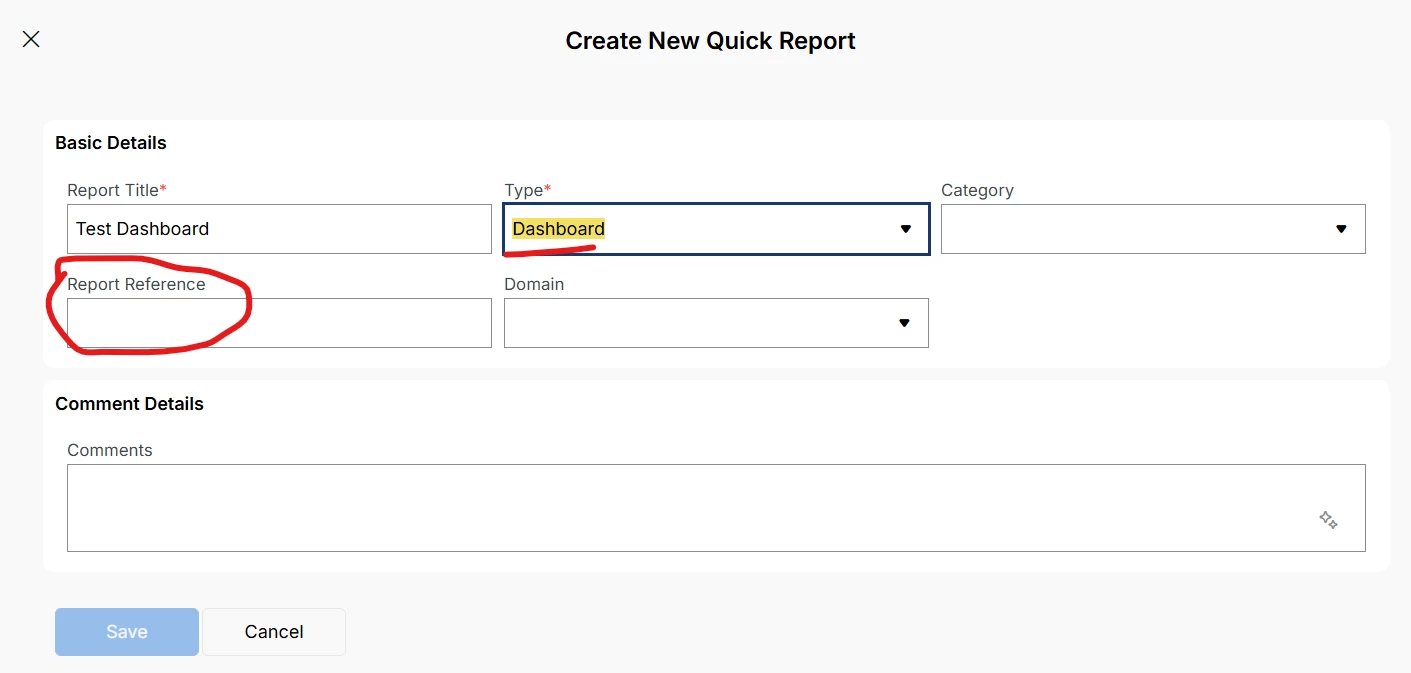
I would like to know what these two types of Quick Report in IFS Cloud correspond to : 

I believe they were present in IFS Applications 10... are they now deprecated?

Thank you.

4 replies

Forum|alt.badge.img+14
  • Author
  • Hero (Partner)
  • November 18, 2025

Can we have some feedback on this topic, please? Thank you!


Forum|alt.badge.img+8
  • Sidekick (Employee)
  • September 15, 2026

I have the same question. When I select the type “Dashboard,” how should I set the “Report Reference”? Alternatively, could you explain the purpose of this type of Quick Report?


Hi ​@TheoB do you have any updates on this?


Thank you for your help.

Best regards


ashen_malaka_ranasinghe
Superhero (Employee)
Forum|alt.badge.img+14

Hi ​@TheoB ,

Here is the consolidated guidance for each type so you have it immediately:

Type What it does Status in IFS Cloud 26.1.3
Dashboard Embeds an existing IFS Dashboard as a Quick Report. The dashboard is selected by name and rendered within the Quick Reports framework. Supported
Web Report Acts as a URL redirect to an external reporting server or web application. IFS itself does not generate report output; it simply navigates to the configured URL. Functional - only useful if you have an external reporting endpoint configured.
MS Report SSRS (SQL Server Reporting Services)-based reports. Deprecated as of 25R2. Retained for backward compatibility with legacy reports. New MS Reports should not be created.
Query Builder Legacy ad-hoc query tool predating the current Query Designer. No longer supported. Retained for backward compatibility. New reports should use Query Designer or SQL Quick Reports instead.
Query Designer The current recommended approach for ad-hoc reporting. Built on the IFS Entity Model - supports joins, filters, sorting and aggregations without requiring SQL. Fully supported. Recommended for new ad-hoc reports. See: Query Designer documentation
SQL Custom SQL-based ad-hoc reports with substitution variable support. Supported - note a 4,000-character SQL limit applies. Best practices are covered in KB0090245.


In summary: for any new ad-hoc reporting needs, Query Designer is the path to follow. MS Report and Query Builder are present only to avoid breaking existing reports, and no new ones should be created using those types.


Forum|alt.badge.img+8
  • Sidekick (Employee)
  • September 15, 2026

Hi ​@ashen_malaka_ranasinghe

Thanks you.

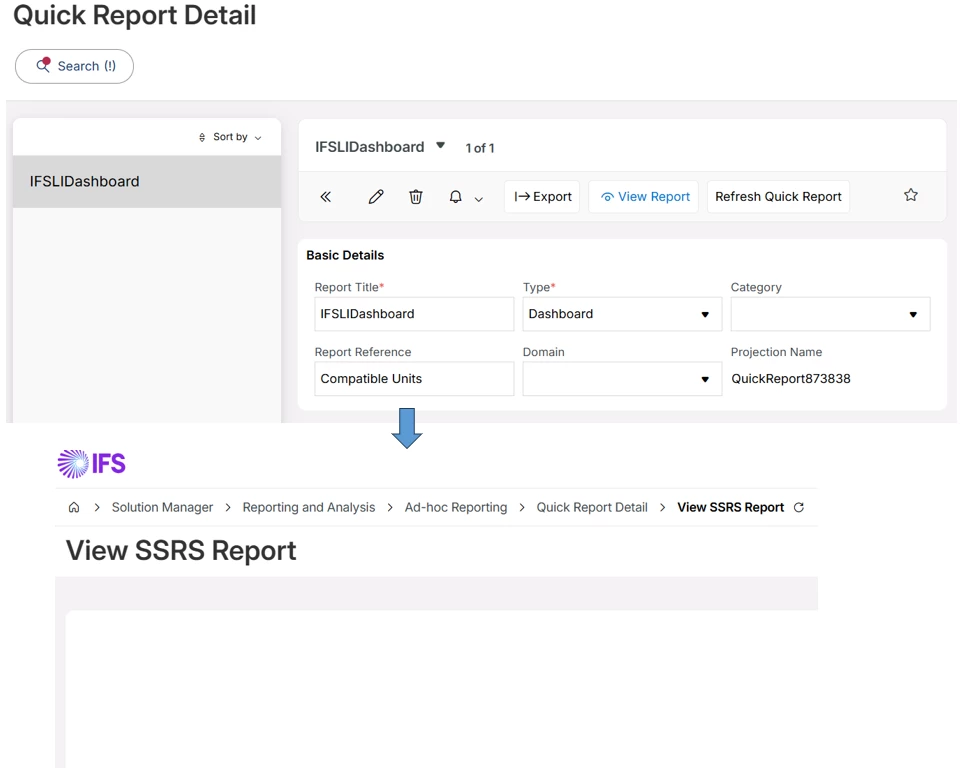
I tested Dashboard type in IFS Cloud 25.2.5.

  • Type = Dashboard
  • Report Reference = Compatible Units (existing Lobby name)

The Quick Report is created successfully, but View Report does not display anything and no error message is shown.

Could you please clarify:

  1. You mentioned that the dashboard is selected by name. What exact value should be entered in Report Reference?
  2. Does Dashboard Quick Report work with the current Lobby framework in IFS Cloud 26.1.3?
  3. Is there a working example of a Dashboard Quick Report configuration?

Thanks & Best regards,

Feng