Question

Product documentation link in IFS Cloud 24R1 doesn't work

  • September 12, 2024
  • 3 replies
  • 246 views

Forum|alt.badge.img+3

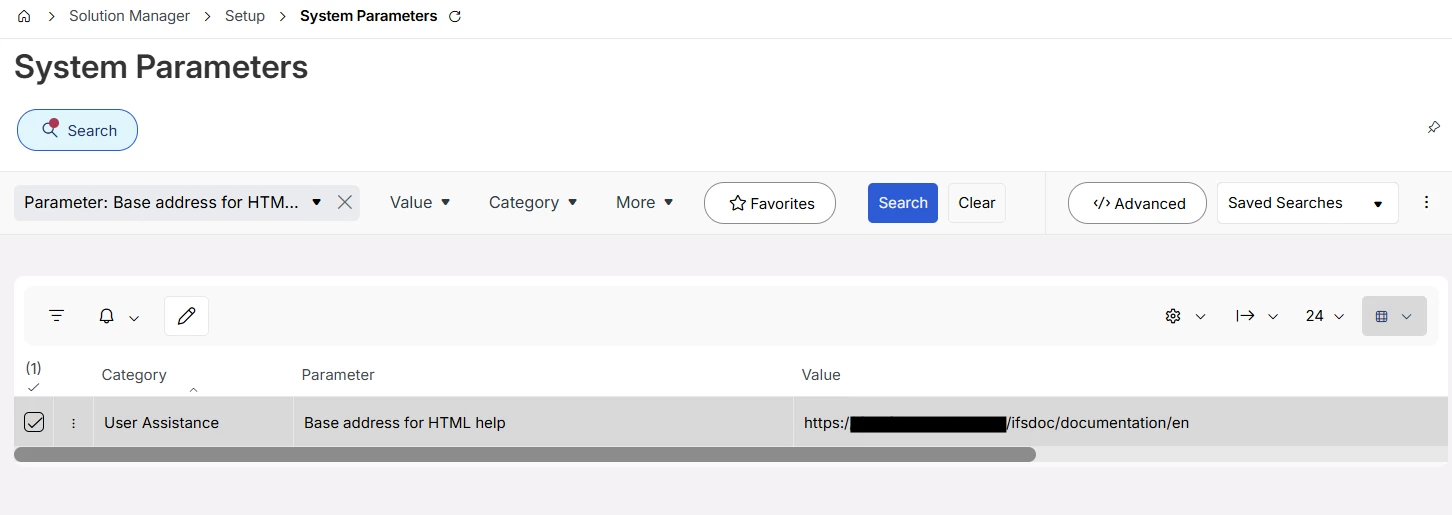
I have a test environment deployed as our company is getting ready to upgrade from Apps 10 to Cloud 24R1 (remote). The landing page contains a number of links, including to Product Documentation and Technical Documentation. I know the link to Technical Documentation can be changed in the ifscloud-values.yaml file, but there seems to be no parameter for Product Documentation, and the System Parameter Base address for HTML help seems to have no effect.


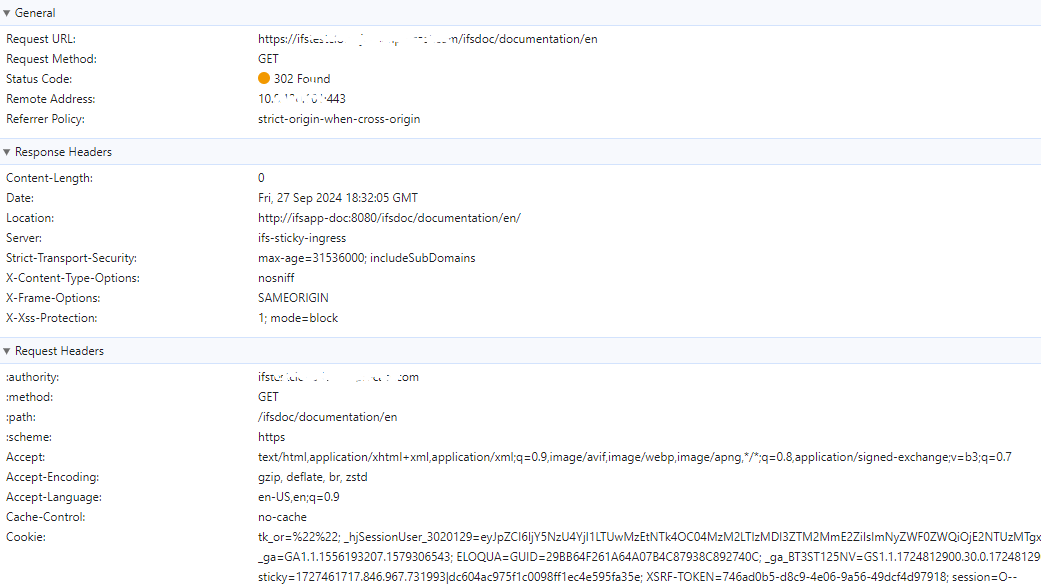
The problem is, the Product Documentation link navigates to a location like https://mytestifs.example.com/ifsdoc/documentation/en, and in normal circumstances, the web server would redirect to https://mytestifs.example.com/ifsdoc/documentation/en/ (with a trailing slash), but our server redirects to http://ifsapp-doc:8080/ifsdoc/documentation/en/, which of course doesn’t work. If I manually type in the URL with the trailing slash, the IFS Cloud Documentation pages comes up just fine.

Has anyone else experienced this?

3 replies

maheshmuz
Hero (Partner)
Forum|alt.badge.img+11
  • Hero (Partner)
  • September 27, 2024

Have you resolved the issue? We are also experiencing the same problem in the 24R1 environment, which may indicate a potential issue with the 24R1 release.


Forum|alt.badge.img+3
  • Author
  • Do Gooder (Customer)
  • September 27, 2024

Hi maheshmuz,

No, I haven’t opened a case or found a resolution for this issue. I will likely open a case soon. I suppose the easiest thing to do would be for developers to add a trailing slash to the link, but the server really should respond with the correct host name in the redirect URL.


Forum|alt.badge.img+7
  • Sidekick (Customer)
  • August 6, 2026

Hi


Had the same issue in IFS Cloud 25R2 SU8.

The issue was resolved by configuring the Base address for HTML help system parameter with the following value:

<Base URL>/ifsdoc/documentation/en


Prerequisite: Ensure that the ifsapp-doc pod is running.

No additional parameters needed to be added to the ifscloud-values.yaml file.

It did not appear that the Base address for IFS Cloud Technical Documentation system parameter was being used for Technical help pages.

Interestingly, help links for Technical Documentation pages (for example, System Parameters) worked correctly even when the Base address for IFS Cloud Technical Documentation system parameter was not set properly