I have a requirement of creating CSV file in IFS 10 and sending it to external services .
I need to send the file using SFTP connector(integration)
Does anybody have an Idea on how to create a csv file and send it through Clob variable in PLSQL_Server_Api. Any sample code would help.
Regards,
Thej
Best answer by heibde
Hi,
it’s extremly simple to send csv files in Apps 10:
define a variable cvs_ of datatype CLOB and fill it with the content of the csv file.
call Plsqlap_Server_API.Post_Outbound_BizAPI(bizapi_name_ => '', xml_ => csv_, sender_ => 'IFS', receiver_ => '<any value for identifying it in routing condition, e, g. MY_CSV>');
it’s extremly simple to send csv files in Apps 10:
define a variable cvs_ of datatype CLOB and fill it with the content of the csv file.
call Plsqlap_Server_API.Post_Outbound_BizAPI(bizapi_name_ => '', xml_ => csv_, sender_ => 'IFS', receiver_ => '<any value for identifying it in routing condition, e, g. MY_CSV>');
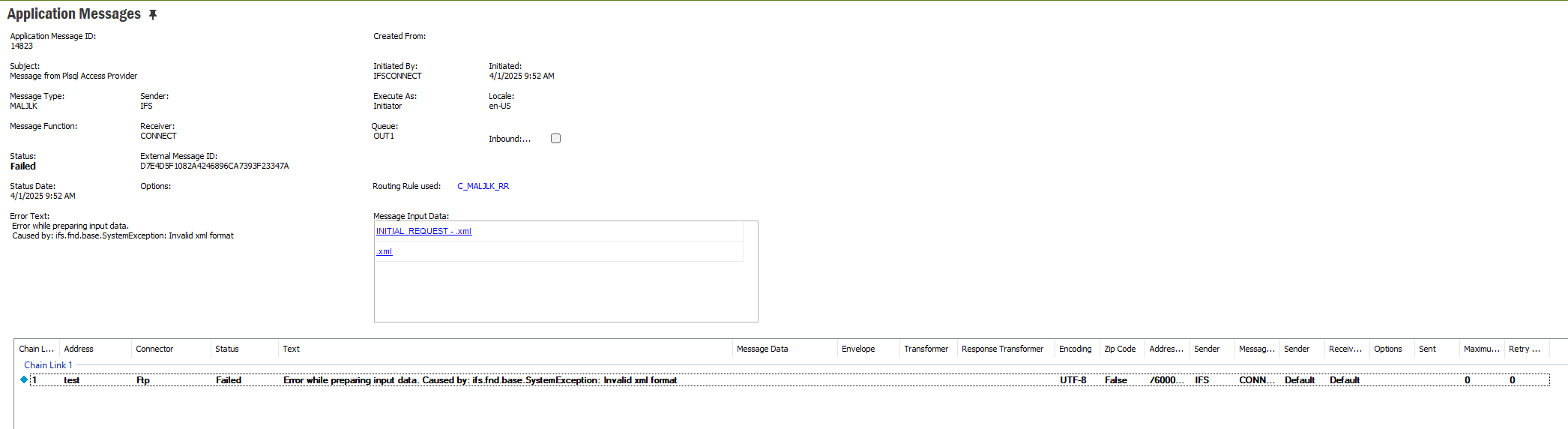
Thank you for providing the sample file. I have identified the root cause of the issue.
Initially, I implemented the solution in the APPS10 UPD0 version, where the CSV file format was not supported. I then reimplemented the same solution in the APPS10 UPD21 environment, and the CSV file was successfully transferred without any issues.
It is possible that the CSV file format was not supported in earlier UPD versions.
What was the specific reason to use the Transformer? input file always get empty for me. I didnt use a transformer. was that the why you build the msg_ like this and use the transformer. so msg_ is initially the csv structured clob and you re assigning message in this way to transform it to csv?. The mentioned transformers usage is like below
What was the specific reason to use the Transformer? input file always get empty for me. I didnt use a transformer. was that the why you build the msg_ like this and use the transformer. so msg_ is initially the csv structured clob and you re assigning message in this way to transform it to csv?. The mentioned transformers usage is like below
can you please share the way you created the csv
‘msg_’ in the example above contains the CSV.
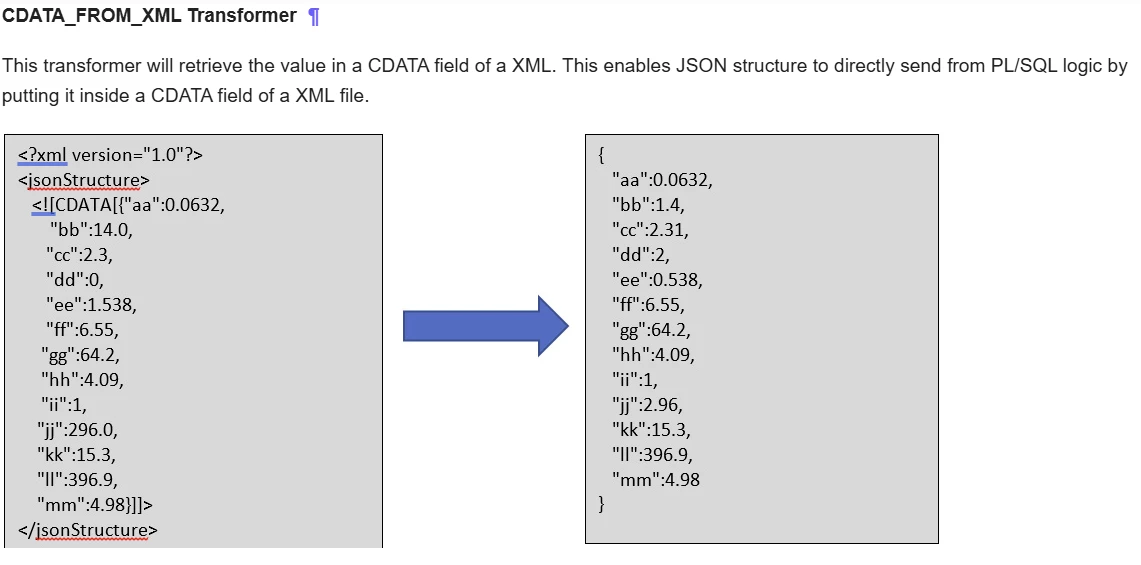
You use whatever method in PL/SQL you want, for instance plain string concatenation, to put together a string (msg_) and then create a ‘dummy’ xml structure around it (see above, with ‘ShopOrdDataToMES’, containing a CDATA element to be able pass it through the mechanisms of file sending in IFS. It is quite irrelevant what way you do the string construction of CSV, that is just a string, usually with new line characters in it if you want a good looking CSV.
The transformer has a key role here, because it extract the contents of CDATA and output that as the new content that will become a file.
What was the specific reason to use the Transformer? input file always get empty for me. I didnt use a transformer. was that the why you build the msg_ like this and use the transformer. so msg_ is initially the csv structured clob and you re assigning message in this way to transform it to csv?. The mentioned transformers usage is like below
can you please share the way you created the csv
‘msg_’ in the example above contains the CSV.
You use whatever method in PL/SQL you want, for instance plain string concatenation, to put together a string (msg_) and then create a ‘dummy’ xml structure around it (see above, with ‘ShopOrdDataToMES’, containing a CDATA element to be able pass it through the mechanisms of file sending in IFS. It is quite irrelevant what way you do the string construction of CSV, that is just a string, usually with new line characters in it if you want a good looking CSV.
The transformer has a key role here, because it extract the contents of CDATA and output that as the new content that will become a file.
I can’t see the reason for complicating a very straight forward and easy task with a CDATA field, and all this business with a transformer, in order to make it work in IFS Cloud.
The only change you need to do relative the original answer for Apps 10, is to use a different method when posting your CLOB variable, since the method Post_Outbound_BizAPI was obsoleted with the first IFS Cloud release.
Send out a text file, IFS Cloud version:
Create a clob as per usual, representing the content of the text-file you want, and then just call this method:
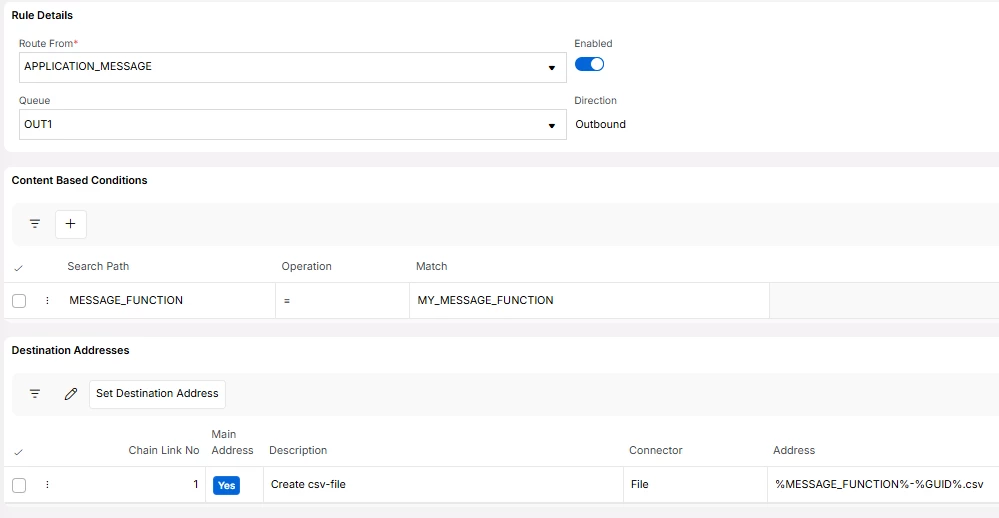
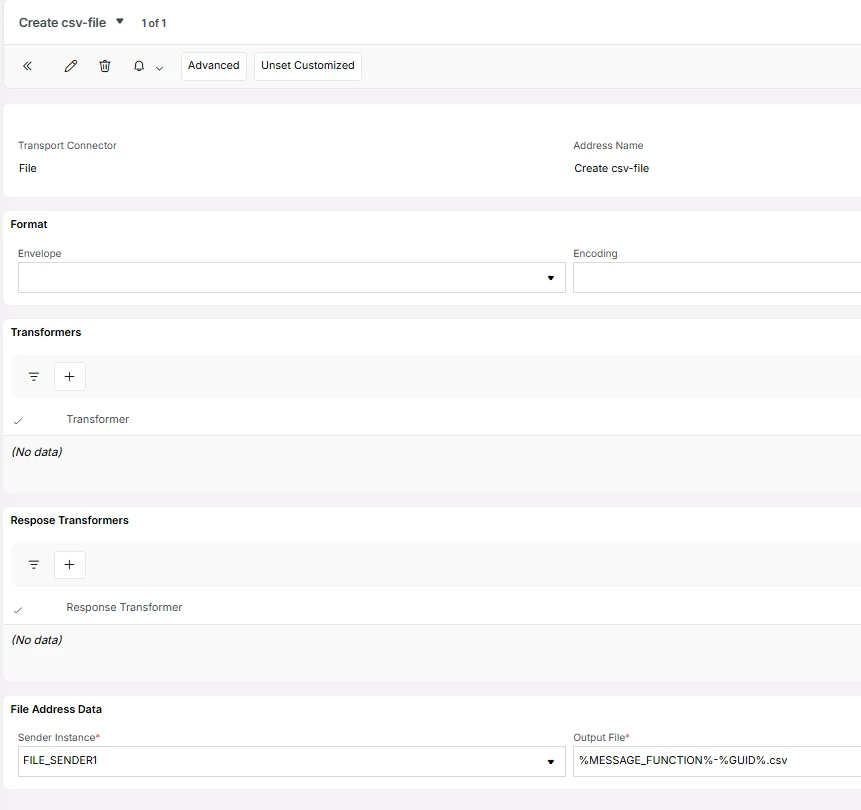
Set up an outbound routing rule and connect an outbound address in IFS Connect.
Leave the Envelope empty and set the output file name according to your requirements. The content of the file is a plain text file.
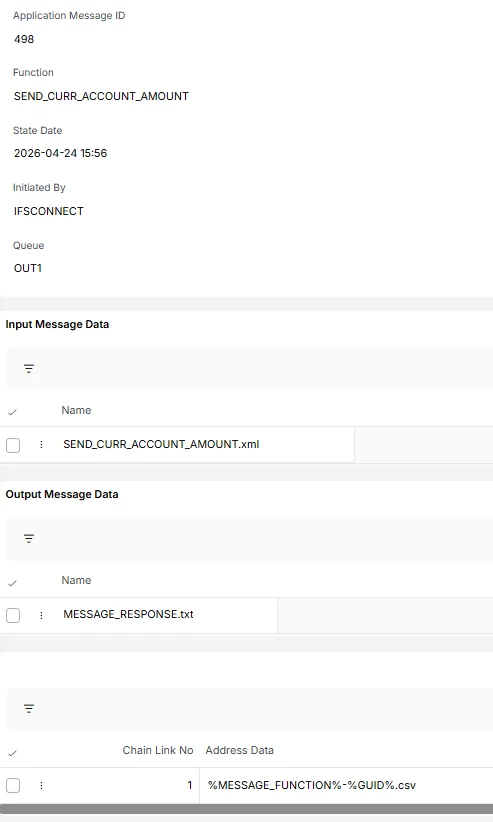
In the Application Message page, the Input Message Data section, the name of the file created will be <MESSAGE_FUNCTION>.xml, but it will still be a plain text file.