The Expression Builder and SQL Function Support in Query Designer, introduced with IFS Cloud 25R2, are game‑changers for anyone working with queries. Instead of writing custom SQL or depending on external tweaks, you can now build queries directly combining attributes, static values, operators, functions, and even groups all inside a simple drag‑and‑drop interface.
Why You’ll Love It
- Build queries without coding.
- Mix and match attributes, static values, functions, and operators.
- Validate and preview your expressions instantly.
- Keep it simple with up to five operands/operators per expression.
- Organize smarter with groups to structure your logic.
What You Can Use
Expression Builder supports:
- Static Values → e.g., 'ACTIVE', 'BLOCKED', numeric thresholds.
- Attributes → like FirstName, LastName, Country, CreationDate.
- Functions → SUBSTR, ROUND, TRUNC, TO_CHAR, TO_NUMBER, SYSDATE.
- Operators →Concatenation ( ||), Addition (+), Subtraction (-), Division (/), Multiplication (*).
- Groups → to combine multiple elements neatly.
Examples in Action
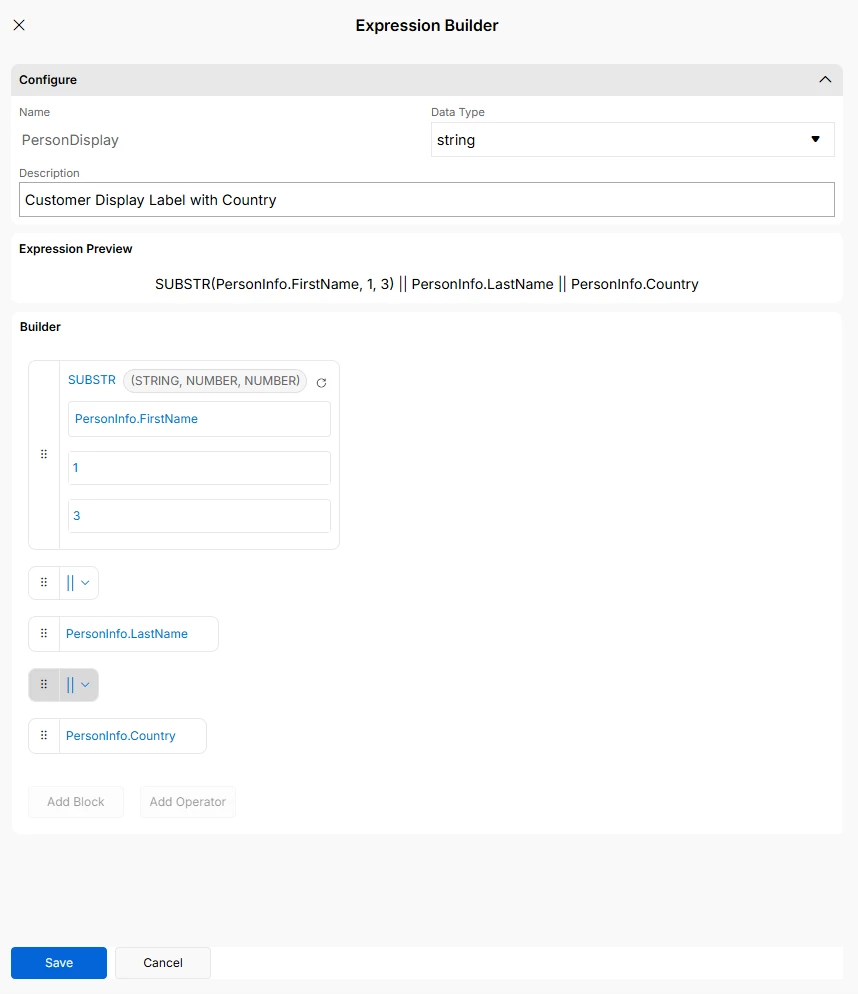
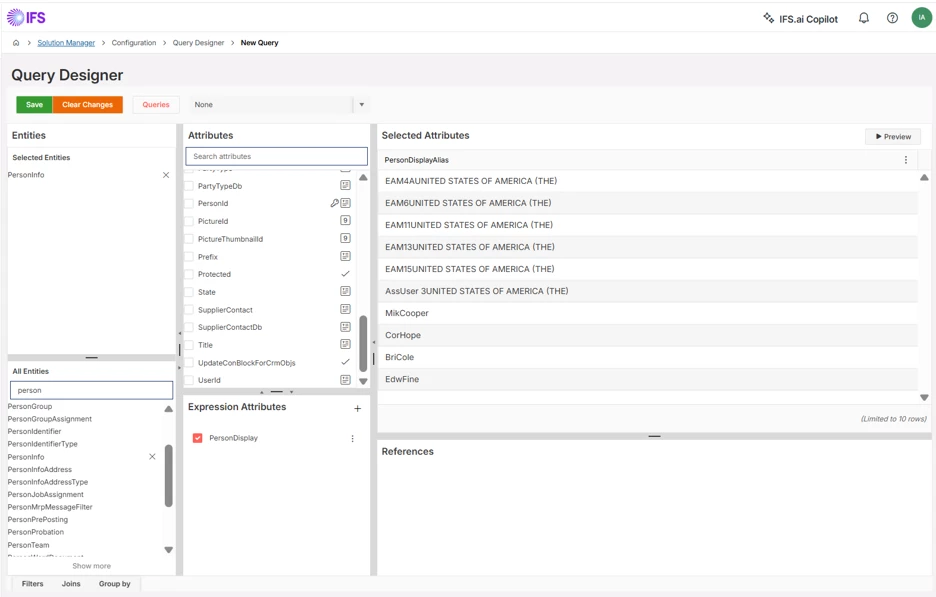
1. String Formatting by extracting a portion of a string with SUBSTR
SUBSTR(FirstName, 1, 3) || LastName || Country
Output: JohSmithFrance.
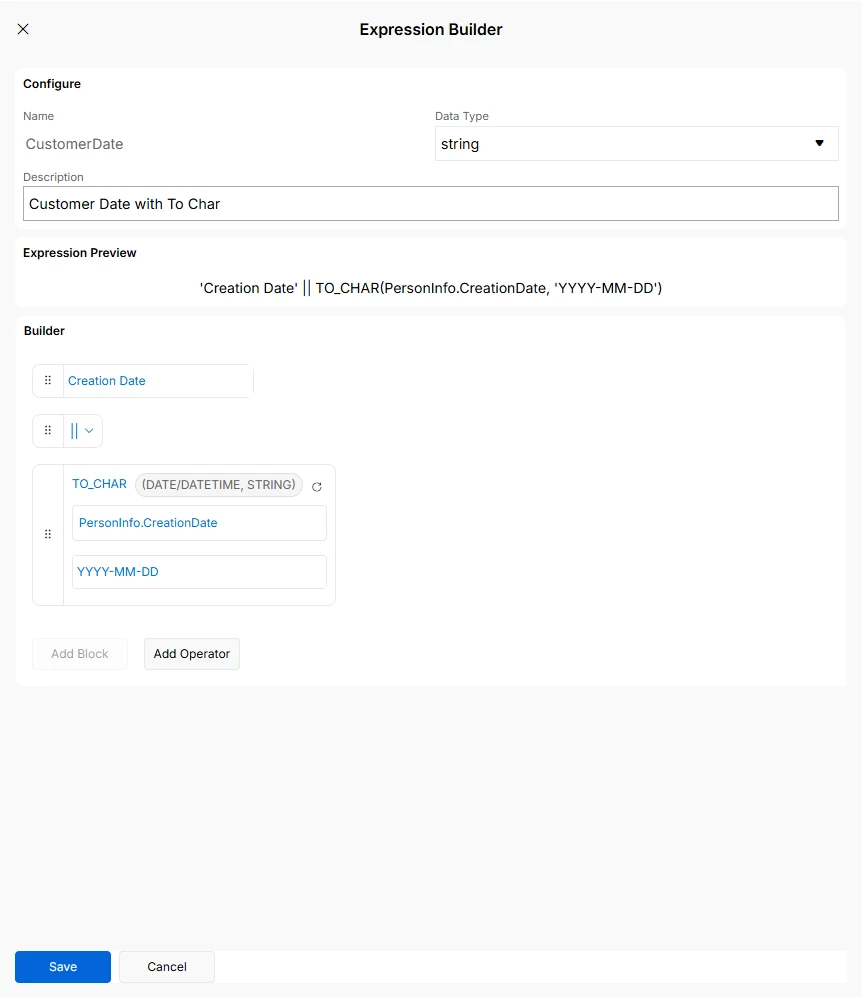
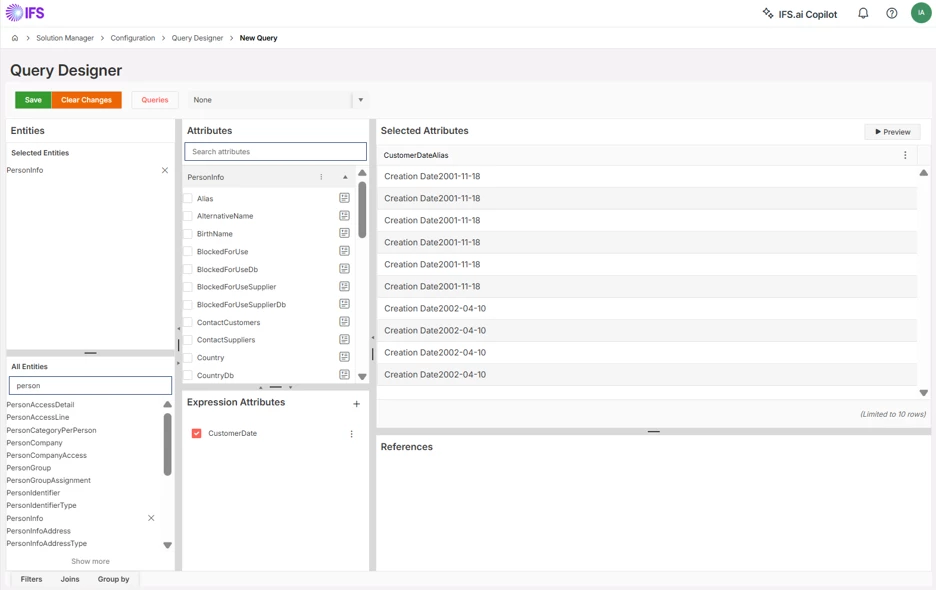
2. Date Formatting with TO_CHAR + CreationDate
TO_CHAR(CreationDate, 'YYYY-MM-DD')
Output: 2026-06-12.
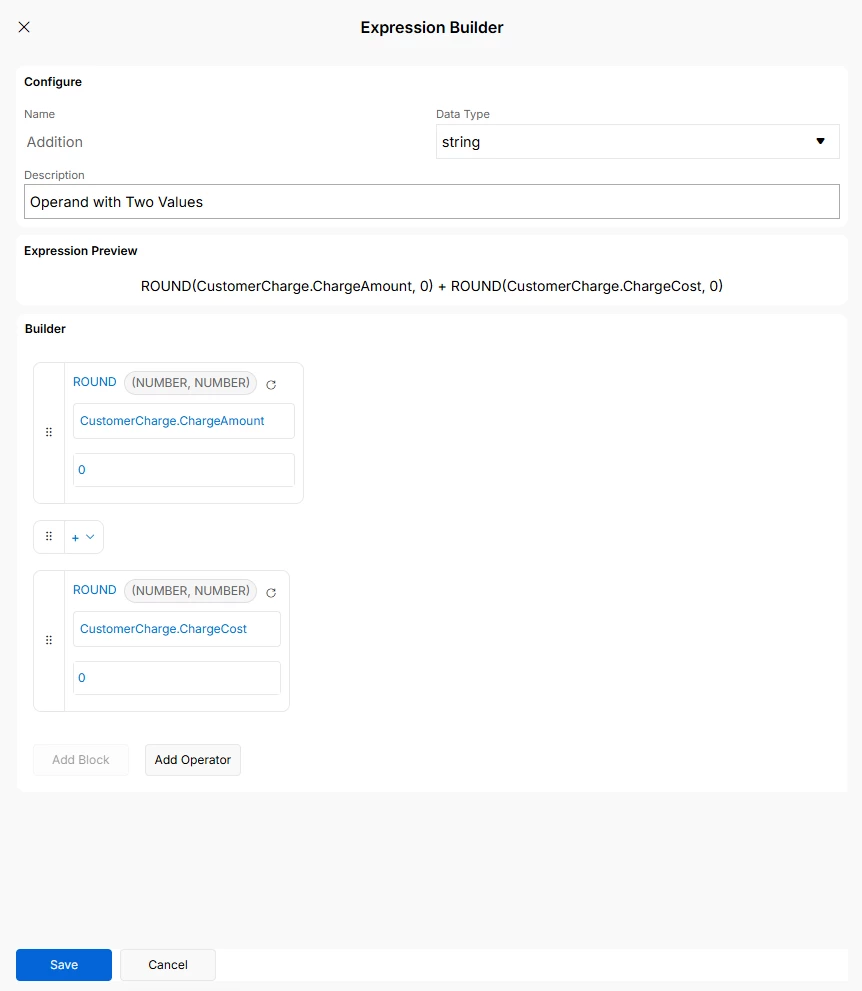
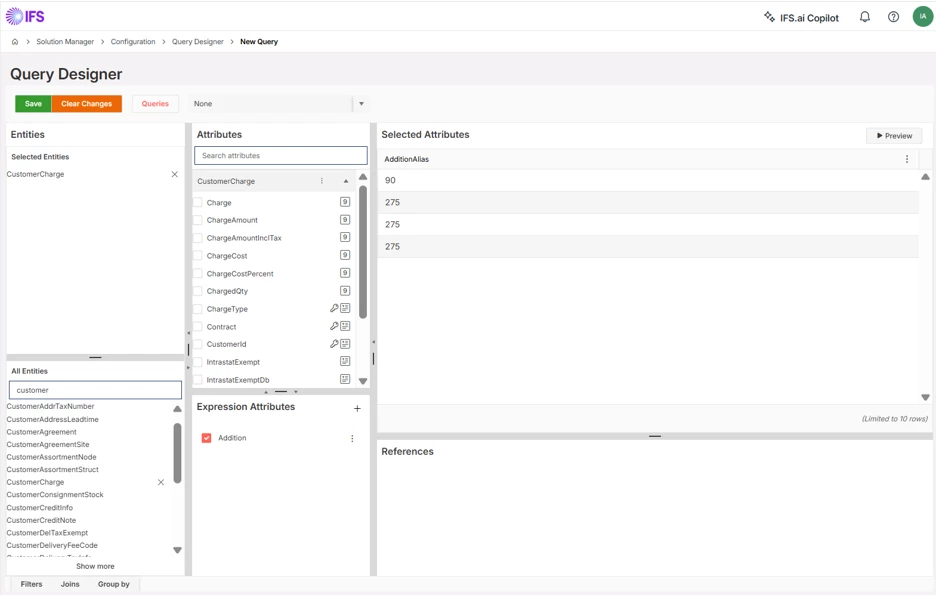
3. Numeric Calculation by rounding a value with ROUND
ROUND(ChargeAmount, 0) + ROUND(ChargeCost, 0)
Output: ChargeAmount = 99.50 and ChargeCost = 10.40: → ROUND(99.50, 0) = 100 → ROUND(10.40, 0) = 10 → 100 + 10 = 110
4. Customer Summary by combining string and numeric calculations
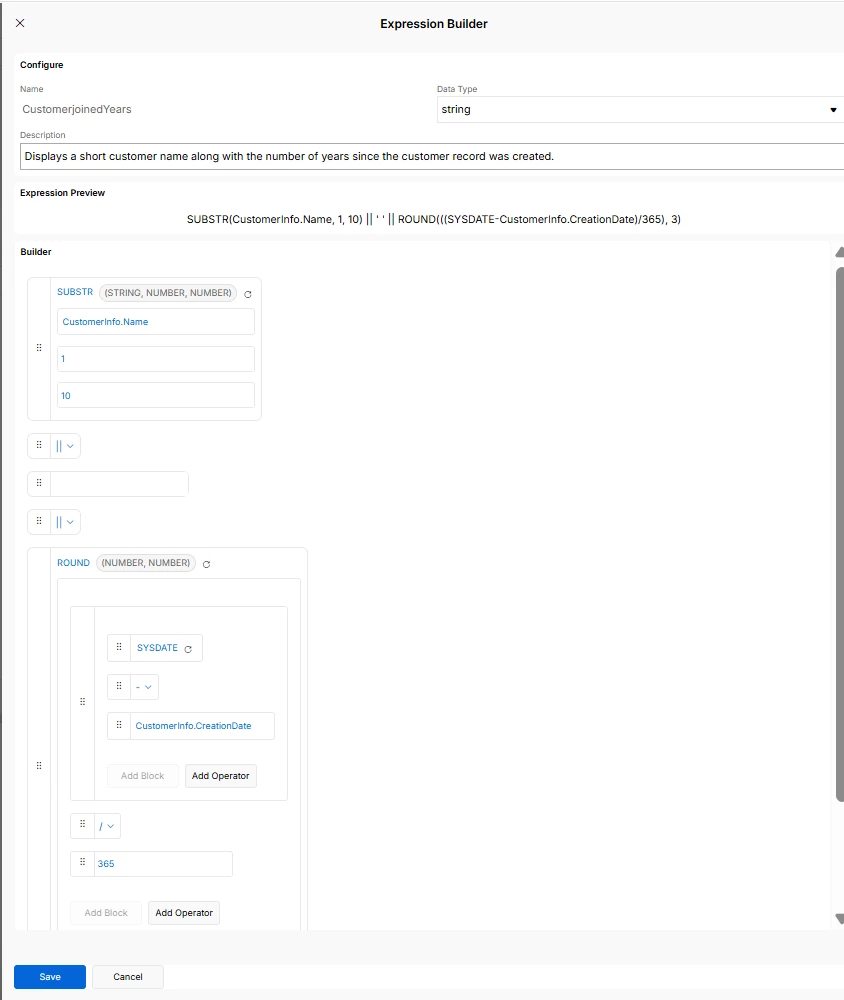
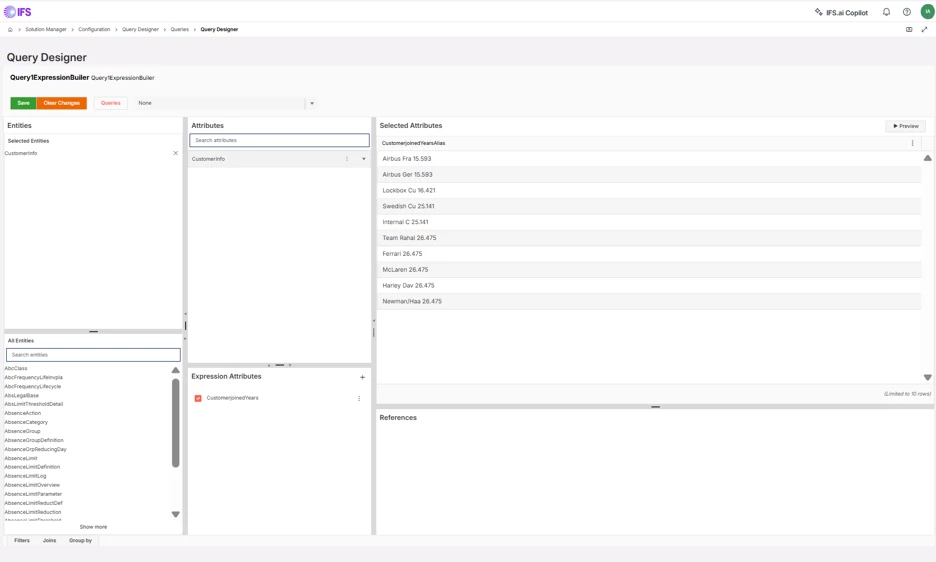
SUBSTR(CustomerInfo.Name, 1, 10) || ' - ' || ROUND((SYSDATE - CustomerInfo.CreationDate) / 365, 3)
Output: Ander - 4.256
What it does:
Extracts the first ten characters of the customer’s name and combines it with the number of years since the customer record was created, rounded to three decimal places. This demonstrates how to combine string formatting and numeric calculations to create meaningful, business-friendly outputs.
The Takeaway
The Expression Builder isn’t just another feature it’s a productivity boost. It empowers analysts, business users, and developers alike to make queries smarter, cleaner, and more business‑ready without complex SQL.
Haven’t tried it yet? Dive in today and start building queries that work harder for you.