is it possible to re-order Page Parameters for a lobby - instead of deleting them and adding them back again in your preferred sequence?
Thanks for helping!
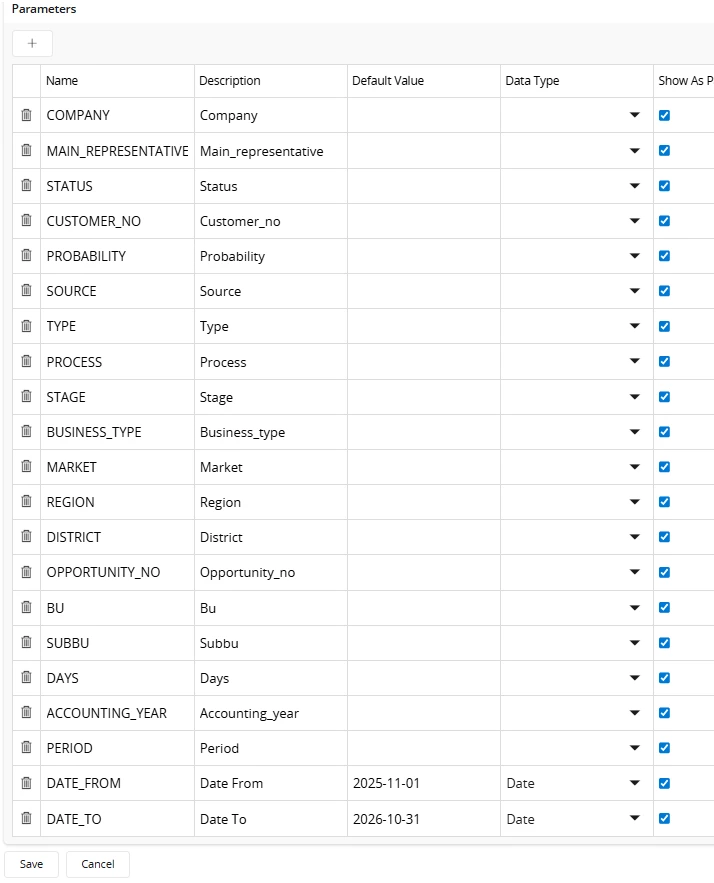

is it possible to re-order Page Parameters for a lobby - instead of deleting them and adding them back again in your preferred sequence?
Thanks for helping!
Best answer by ashen_malaka_ranasinghe
Hi
In IFS Cloud, page parameters in a lobby are typically presented in the same sequence in which they are defined or added during configuration. Based on the available documentation, while there are extensive capabilities for rearranging layouts, fields, and visual elements through Page Designer, there is no explicit support mentioned for reordering page parameters themselves after they have been created.
As a result, what you are experiencing is expected behavior: once page parameters are defined, their order is effectively fixed in the UI, and there is no built-in mechanism (such as drag-and-drop or re-sequencing) to adjust their position. This is consistent with how page parameters are treated in lobby configurations, where they are primarily used for filtering and navigation rather than as configurable UI elements.
Therefore, in practice, the only reliable way to control the order of page parameters is to recreate them in the desired sequence. Alternatively, if you are working with exported lobby definitions, you can modify the parameter order at the configuration level (for example, within the exported structure) and then re-import the lobby. However, this approach is considered a workaround rather than a standard feature.
In summary, reordering page parameters directly within the lobby configuration UI is not currently supported and recreating them remains the standard approach to achieve the desired ordering.
Enter your E-mail address. We'll send you an e-mail with instructions to reset your password.