Question

Lobby Element Navigation with Custom Field in IAL

  • January 9, 2025
  • 3 replies
  • 182 views

Forum|alt.badge.img+4

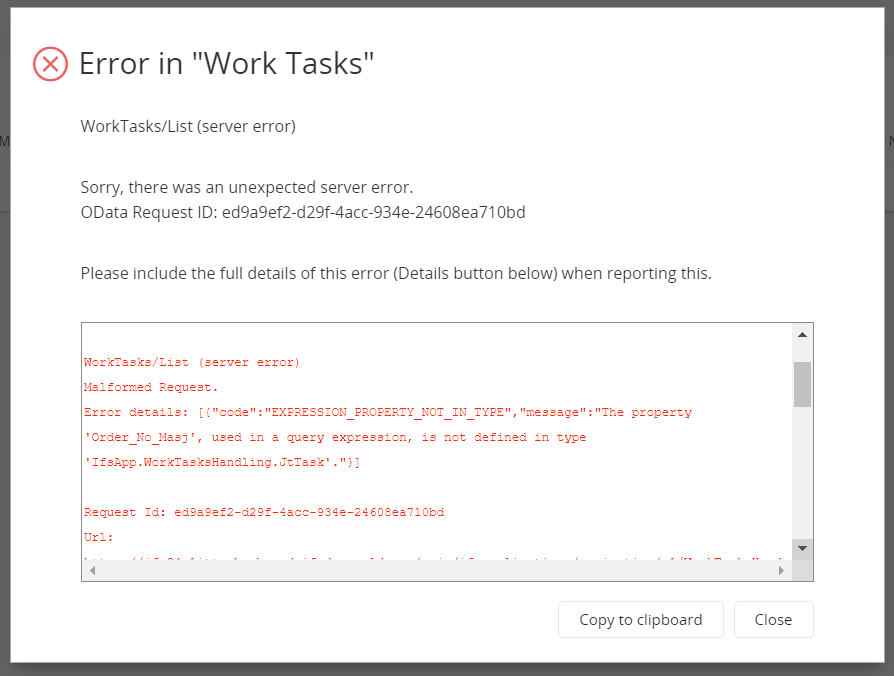
I have a Lobby element that is connected to a datasource that is using an IAL to get the data. I can’t seem to get the navigation to work in the lobby element to open up Customer Order Lines and filter that by a custom field. I’ve set the datasource in the List in Page Designer after I added in the custom field as well and it still errors out with this: "The property 'Free_Charge_Reason', used in a query expression, is not defined in type 'IfsApp.CustomerOrderLinesHandling.CustomerOrderJoin'."}]


Is their something I’m missing here?

 

3 replies

Mohamed Asjath
Do Gooder (Employee)
Forum|alt.badge.img+4
  • Do Gooder (Employee)
  • January 10, 2025

Hi ​@RyanSleight,

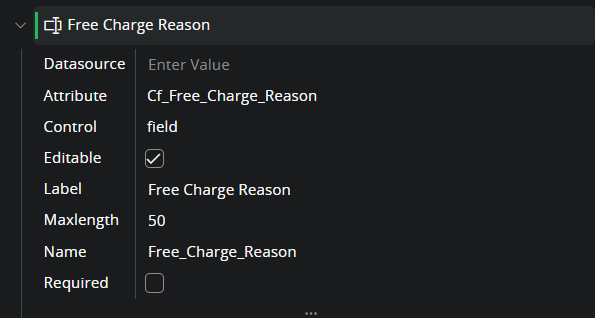
The mentioned server error occurs because the attribute name specified in the navigation URL is either undefined or does not match the expected value (refer to Image_1).

Could you please update the attribute name (Free_Charge_Reason)in the navigation URL to "Cf_Free_Charge_Reason" and verify if the issue is resolved?


Thanks
Asjath


Forum|alt.badge.img+4
  • Author
  • Do Gooder (Customer)
  • January 10, 2025

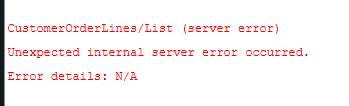
@Mohamed Asjath Replacing it with Cf_ caused this error to occur:


Forum|alt.badge.img+3
  • Do Gooder (Customer)
  • January 10, 2025

Hi ​@RyanSleight 
do also

  1. Check Query Expression

    • Validate the SQL query or data source associated with the Lobby element. Ensure that Cf_Free_Charge_Reason is available and used in the query.
  2. Refresh Metadata

    • If changes are made to the custom field or data source, refresh metadata in IFS Cloud to apply the updates.
  3. Log Validation

    • Check server logs for further errors if navigation still fails after correcting the field name. Look for errors related to missing attributes or query expressions.