Solved

Lobby Datasource disappears after save and does not appear in dashboard elements or Lobby Datasources

  • March 19, 2026
  • 8 replies
  • 116 views

Forum|alt.badge.img+4

Hi,

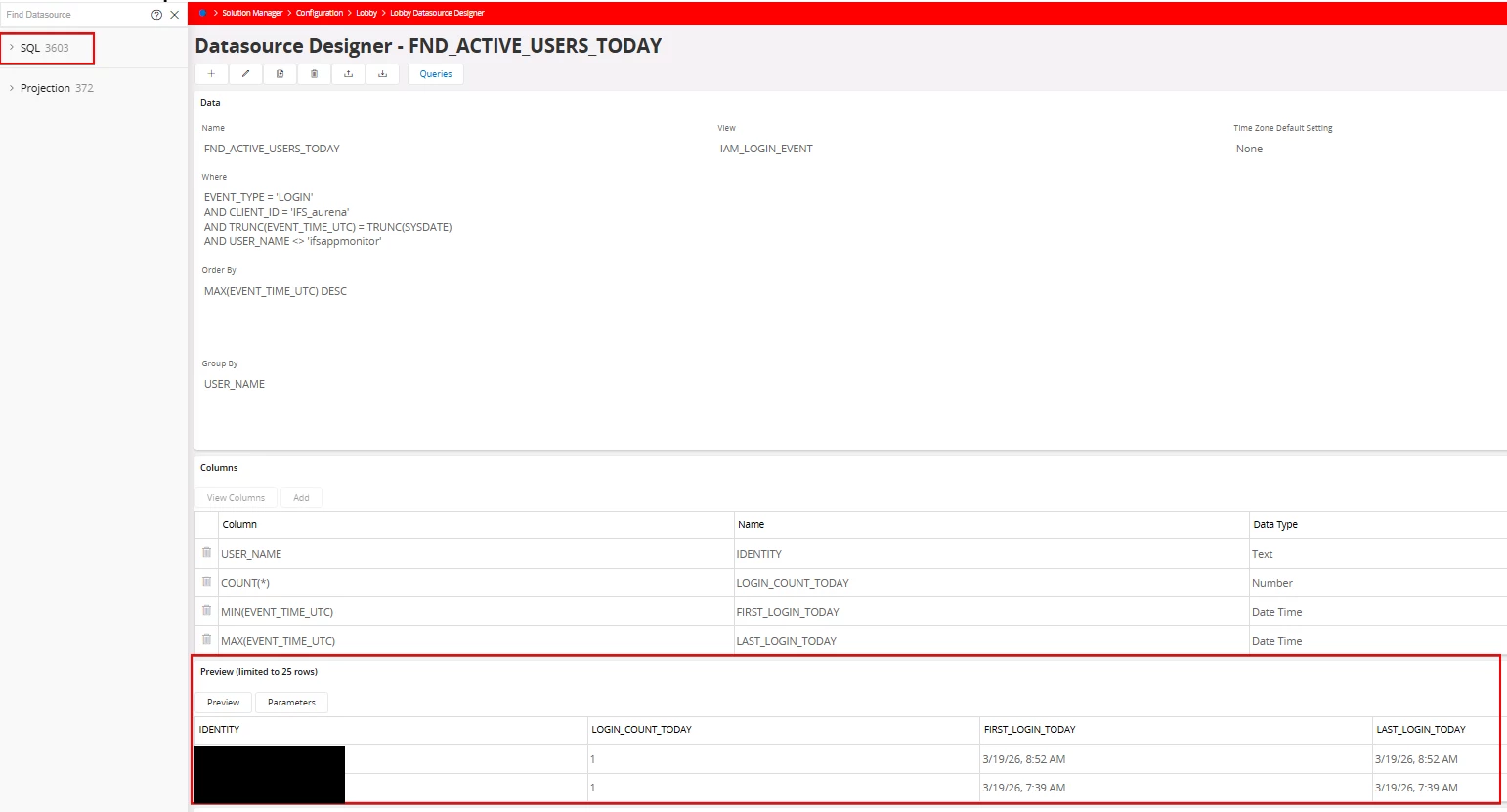
I suspect the issue may be related to the view/query I am using. I created a new Lobby Datasource, saved it successfully, and was able to preview output. However, when I try to add it to an element/dashboard, the datasource does not exist.

When I go back and check, the datasource is completely gone. The SQL counter also returns to its previous value (it increases when I create it, then drops back after it disappears).

I also checked permissions, and the datasource does not appear under Lobby Datasources there either.
 

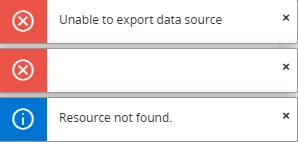
Additionally, if I try to export the newly created Lobby Datasource after saving it, I receive the attached error.

Has anyone seen this behavior before, or is there a known limitation related to the type of view/query being used?

 

Best answer by OnkarPawar

Since it works with IFSAPP, I'd recommend checking  "Permission set to be granted Lobby presentation objects by default" Parameter in System parameters. the issue might be resolved by correcting the system parameter. You may find the following documentation helpful: https://docs.ifs.com/techdocs/25r1/040_tailoring/250_lobby_configurations/060_security/#system_parameter_for_data_access_configurations_in_lobbies 

8 replies

Forum|alt.badge.img+4
  • Author
  • Sidekick (Customer)
  • March 19, 2026

I am no longer thinking this is an issue with the view. This seems like a bug within the version. I used to be able to create these datasources in 24R1 but in 25R1 I can't even mimic a datasource I created in the past.


@IFS Community 


Forum|alt.badge.img+3
  • Sidekick (Customer)
  • April 16, 2026

We are seeing the exact same issue as well.  Currently on 25R1.5.


Forum|alt.badge.img+4
  • Author
  • Sidekick (Customer)
  • July 29, 2026

We are seeing the exact same issue as well.  Currently on 25R1.5.

We just recently updated to 25R1.14 from 25R1.12. We are still experiencing this issue. I created an IFS case to investigate as it seems this is not yet on their radar.


Side note: When this community post was created, we were on 25R1.8


Link
Superhero (Customer)
Forum|alt.badge.img+23
  • Superhero (Customer)
  • July 31, 2026

Did you test it with the IFSAPP user?


Forum|alt.badge.img+4
  • Author
  • Sidekick (Customer)
  • July 31, 2026

Did you test it with the IFSAPP user?

This functionality works when using the IFSAPP user. However, that is not the issue. In 24R1, users with the appropriate permissions could access this functionality, but those same permissions no longer provide access in newer versions.

Restricting this functionality to the IFSAPP user seems counterintuitive, as it is essentially the same as creating a Quick Report, but with additional features for visualizing the resulting data.

I would also consider this a bug because I could not find any documented change, release note, or other record indicating that this functionality was intentionally restricted to the IFSAPP user in newer versions.


Forum|alt.badge.img+1
  • Do Gooder (Customer)
  • Answer
  • August 7, 2026

Since it works with IFSAPP, I'd recommend checking  "Permission set to be granted Lobby presentation objects by default" Parameter in System parameters. the issue might be resolved by correcting the system parameter. You may find the following documentation helpful: https://docs.ifs.com/techdocs/25r1/040_tailoring/250_lobby_configurations/060_security/#system_parameter_for_data_access_configurations_in_lobbies 


Link
Superhero (Customer)
Forum|alt.badge.img+23
  • Superhero (Customer)
  • August 7, 2026

That's what I think, too.

Make sure the user has access to the required projection and table.


Forum|alt.badge.img+4
  • Author
  • Sidekick (Customer)
  • August 7, 2026

Since it works with IFSAPP, I'd recommend checking  "Permission set to be granted Lobby presentation objects by default" Parameter in System parameters. the issue might be resolved by correcting the system parameter. You may find the following documentation helpful: https://docs.ifs.com/techdocs/25r1/040_tailoring/250_lobby_configurations/060_security/#system_parameter_for_data_access_configurations_in_lobbies 

Where was this when I was looking for it!? Good find! After granting the FND_LOBBY_ADMIN permission to a user, the problem is gone. What is weird is that we have an ALL permission set which has all projections, lobby pages, and system privileges assigned to it… I would have thought this would work considering the system privilege “LOBBY DATASOURCE DESIGNER” is part of those granted.


That said, it looks like the system parameter was added in 24R2 which would explain why we were unable to do this after our upgrade from 24R1 to 25R1.


Thanks again!