


A. What is your idea?
1) Classification
Choose ONE: keep the applicable option and delete the rest.
- Opportunity for improvement
2) Brief description
This requirement is based on the behavior of the IFS Cloud 25R2 SU8 version.
When users scroll down on Form (Detail) pages in IFS Cloud, the main toolbar containing actions such as Create, Duplicate, Delete, and other commonly used commands scrolls out of view. As a result, users must navigate back to the top of the page to access these functions.
This creates a poor user experience, particularly when working with lengthy records such as Work Orders, where users often need to perform actions after reviewing information located near the bottom of the page. The additional scrolling increases the number of user interactions required to complete routine tasks and reduces overall efficiency.
Furthermore, there is no alternative method available other than keyboard shortcuts, which are rarely used by end users. As a result, users must rely on scrolling back to the top of the page to access toolbar actions, creating unnecessary effort and reducing efficiency.
The current behavior introduces unnecessary effort for users performing day-to-day transactions and creates an inconsistency in the navigation experience across different areas of the application.
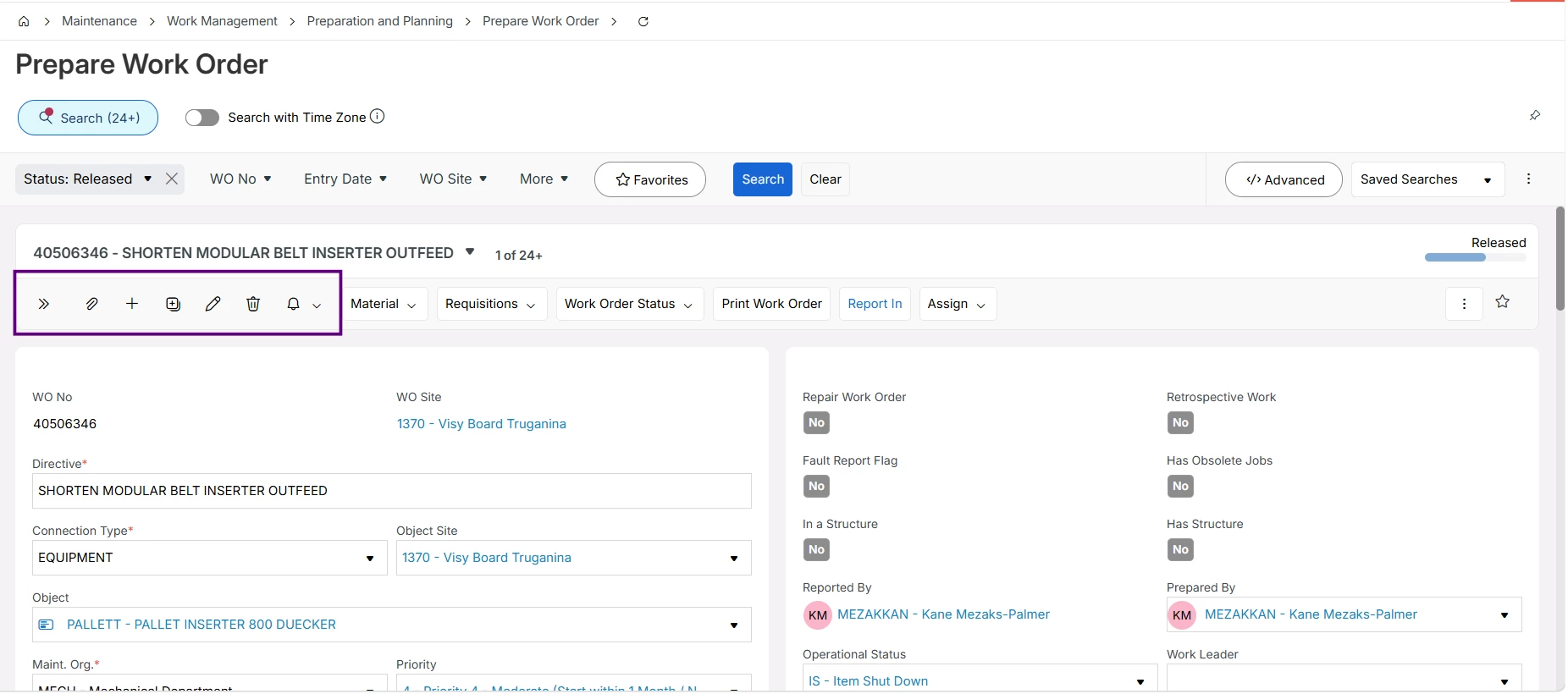
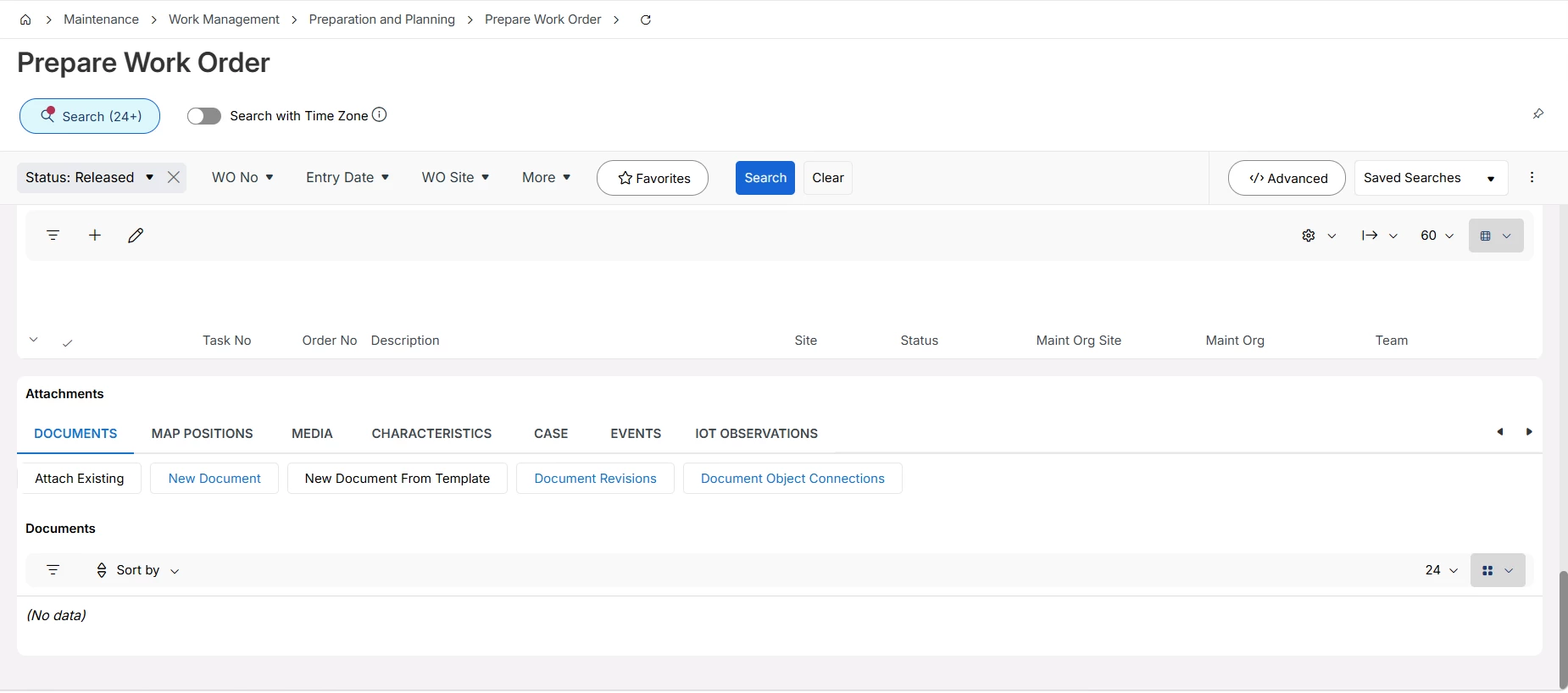
As advised by IFS, commands can be accessed using the "." shortcut, this approach is also not intuitive for most users and is not a commonly recognized pattern in web applications.
Therefore, in order to improve usability and efficiency, the main toolbar on Form (Detail) pages and commands should remain visible while users scroll through the page, similar to the behavior available on Form Windows in previous IFS Applications versions.
B. Context and scope
1) Who is affected?
Choose ONE or MORE: keep the applicable options and delete the rest.
- Internal users
2) Frequency
Choose ONE: keep the applicable option and delete the rest.
- Daily
C. Value and impact
1) What is the business outcome?
Choose ONE or MORE: keep the applicable options and delete the rest.
- Improves productivity or efficiency
- Reduces cost or manual effort
- Enhances user experience
2) Impact scale
Choose ONE: keep the applicable option and delete the rest.
- 5 — Enterprise-wide
3) Workaround
If there is a workaround, describe it briefly. Otherwise write “No workaround”.
Write here:
Workaround is to use keyboard shortcuts, which is not used by the users at all.
D. Evidence and examples
Attach screenshots, documents, or examples using the buttons below. If helpful, summarize key supporting evidence here.
Write here:
Screen captures are given above
E. Additional details
1) Enter support ticket ID reference (If applicable)
Write here:
…
2) Would you like to participate in validation or early testing?
Answer “Yes/No”.
Yes

