I am trying to add an image to Report Designer Layout (Client Version Apps 8 SP1 ) . As per the F1 document image path has set . But getting this message while trying to save the image ?
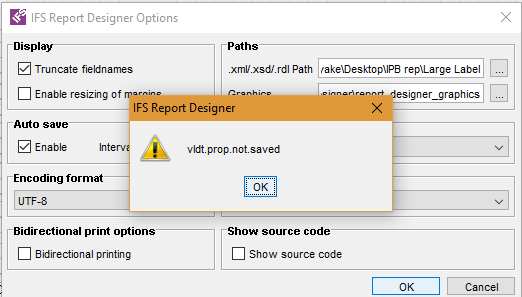
How can I fix this ?

 +2
+2I am trying to add an image to Report Designer Layout (Client Version Apps 8 SP1 ) . As per the F1 document image path has set . But getting this message while trying to save the image ?
How can I fix this ?
Best answer by Rusiru Dharmadasa
Make sure that the location where the Report Designer is installed is writable for the user who is you are logged as. Also make sure folder/files there are not read only. You will need to do the same for the location where your report layout is saved.
Enter your E-mail address. We'll send you an e-mail with instructions to reset your password.