


Question

is this a bug? Quick Report parameter wrapped in quotes on re-navigation

  • December 4, 2025
  • 5 replies
  • 73 views

Peter982
Do Gooder (Partner)
Forum|alt.badge.img

Hi, I’m running into an issue with navigation from a lobby element to a quick report. Not sure whether this is expected behavior in IFS or a potential bug.


Context:

I have a Lobby element that navigates to a quick report and applies a filter based on the selected Site parameter. Example:
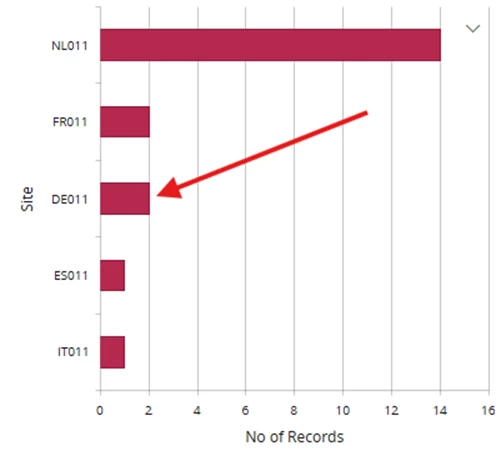
 

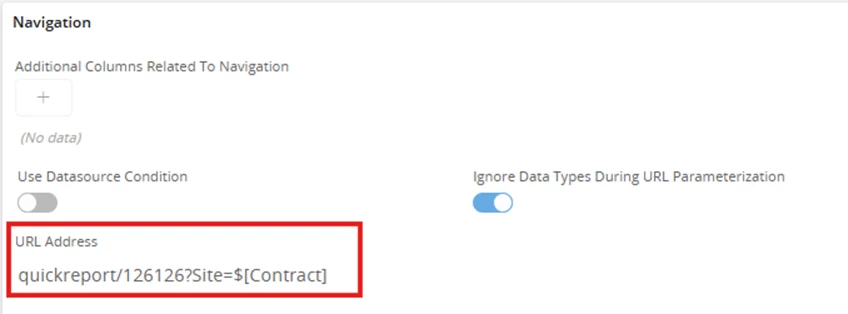
Lobby element navigation setup:
 

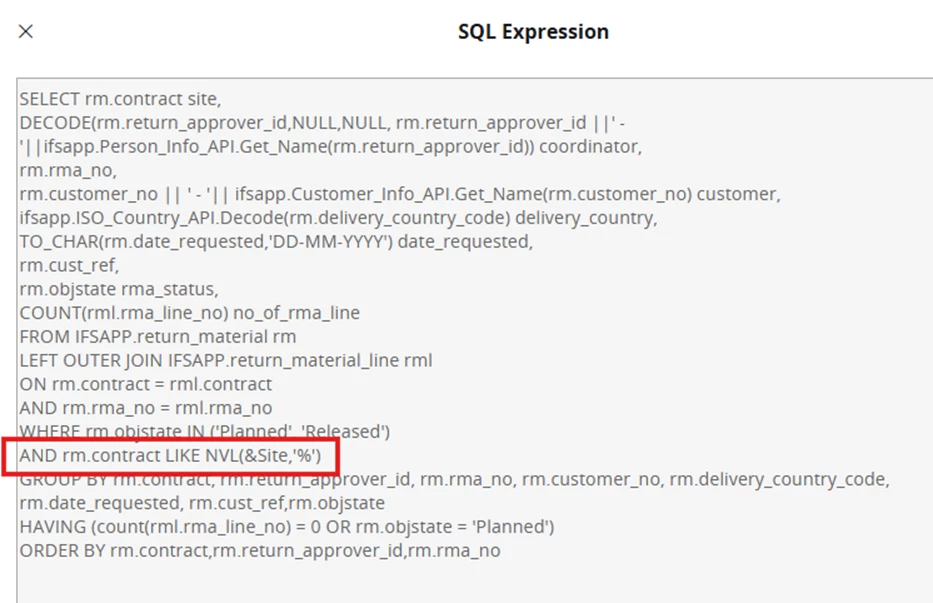
Quick Report SQL:
 

Observed behavior / Problem:

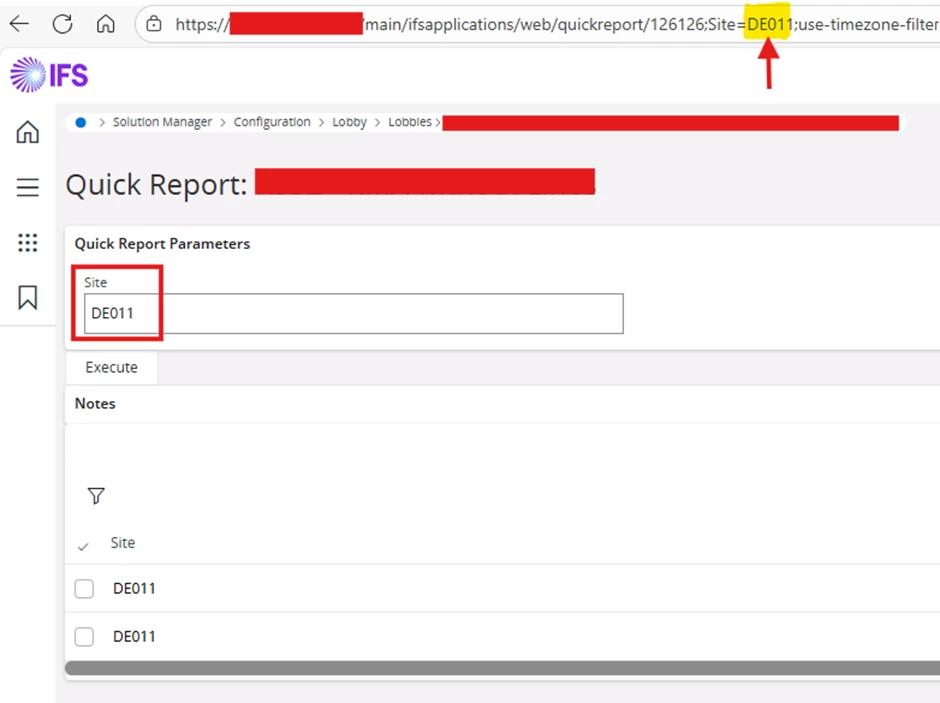
First navigation: When selecting the Lobby element for the first time, everything works as expected. The Quick Report opens and correctly filters the data based on the selected Site:
 

Subsequent navigation: When returning to the Lobby and selecting the element again (either with same Site or a different one), the parameter passed to the Quick Report suddenly contains ‘Quotes’. This causes the filtering to fail. 
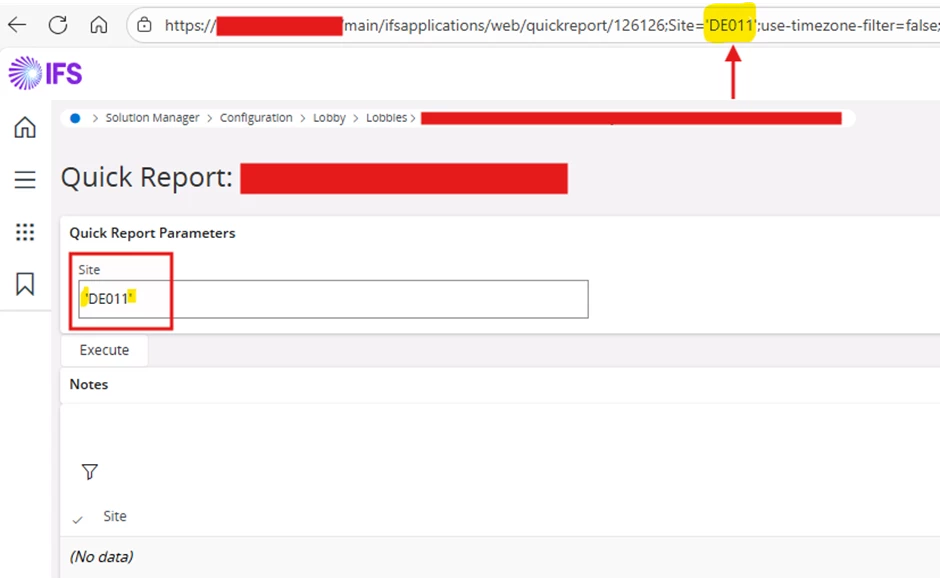
 

Has anyone experienced this behavior before? Is this a known/new issue with Lobby to Quick Report navigation, or is there something wrong in my configuration?




5 replies

NickPorter
Superhero (Customer)
Forum|alt.badge.img+18
  • Superhero (Customer)
  • December 4, 2025

Does the behavior differ depending on how you ‘return’ to the lobby?  i.e. if you use the back arrow vs using the breadcrumbs or navigator to go back to it?

Seems buggy to me but if it only happens in some ways and not others it might help IFS to debug that last step.

Nick 


Peter982
Do Gooder (Partner)
Forum|alt.badge.img
  • Author
  • Do Gooder (Partner)
  • December 4, 2025

@NickPorter, this behavior occurs when using the browser Back button OR when using the breadcrumbs to return to the Lobby.

If I instead refresh the Lobby page before selecting the element again, the parameter is passed correctly (whithout quotes)


NickPorter
Superhero (Customer)
Forum|alt.badge.img+18
  • Superhero (Customer)
  • December 4, 2025

Sounds like a bug. 

My guess is it encapsulates the parameter value for legitimate reasons when generating the report rather than, then doesn’t reverse that after use.  Probably should reverse it or perhaps alternatively load the parameter into a different variable and encapsulate that for use, leaving the real parameter value unchanged. Refreshing the lobby page would reload that parameter value, replacing the goofed up encapsulated version with the true value.

I would definitely submit a formal support ticket if you haven’t already.

Good luck!

Nick


Forum|alt.badge.img+17
  • Superhero (Partner)
  • December 4, 2025

Hi


I noticed a little bit different issue with Quick Report which are attached to the Navigator through Navigator Designer. I looks like first run works fine but each next subsequent attempt causes and server error. Seems like parameter is beeing passed wrongly.


It is going to be corrected in 25R1 SU8


WyrDavidB
Hero (Partner)
Forum|alt.badge.img+9
  • Hero (Partner)
  • December 5, 2025

I have a similar issue - where the navigation from the lobby element wraps the variable in single quotes.
I was convinced I had a solution earlier but can’t see that I made a note of it.

I’ll check further and report back if I find my earlier fix.
If that doesn’t work, then I will need a resolution so will follow this thread!