Question

IFS Report Designer Connection Error

  • May 7, 2026
  • 7 replies
  • 46 views

Forum|alt.badge.img+1

I installed the IFS Report Designer application by following the instructions in the topic below.


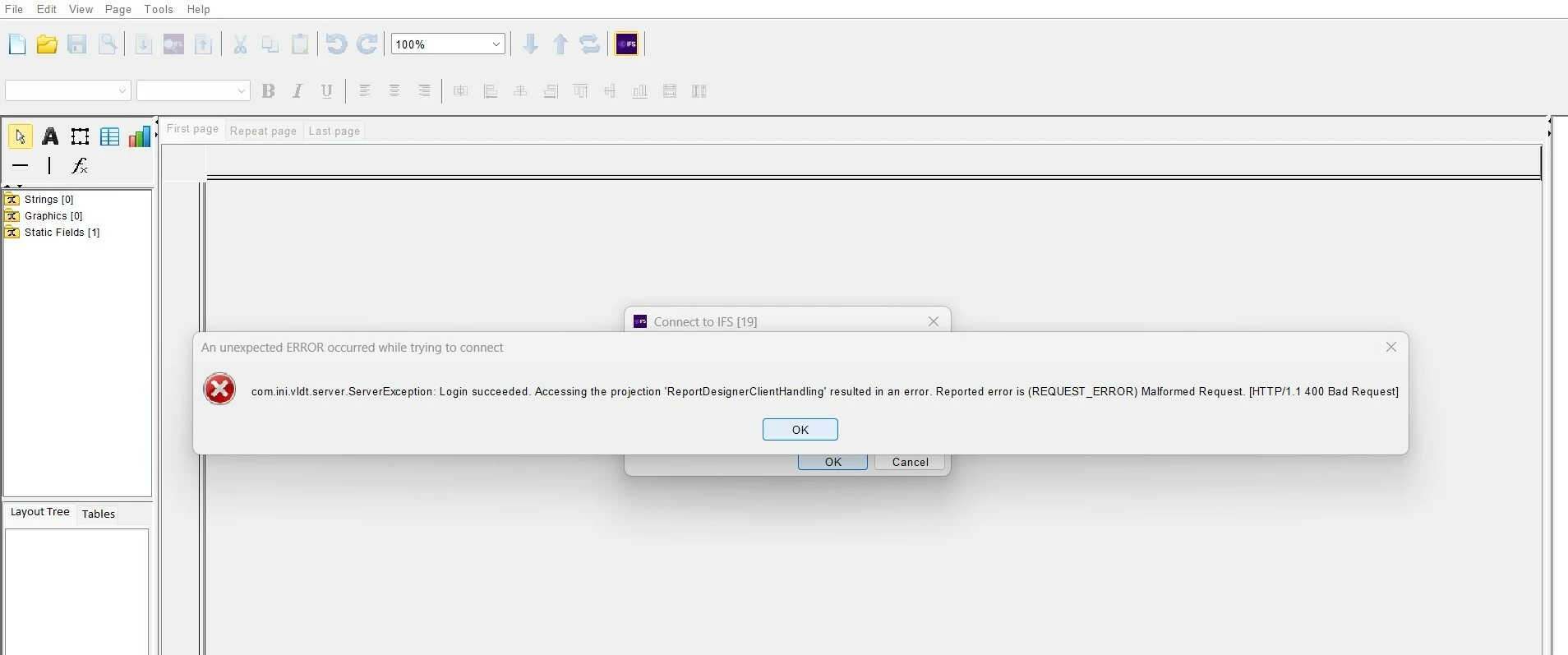
When I try to log in, after entering the username and password (I log in using the IFS app), I receive the following error.



7 replies

Forum|alt.badge.img+12
  • Hero (Partner)
  • May 7, 2026

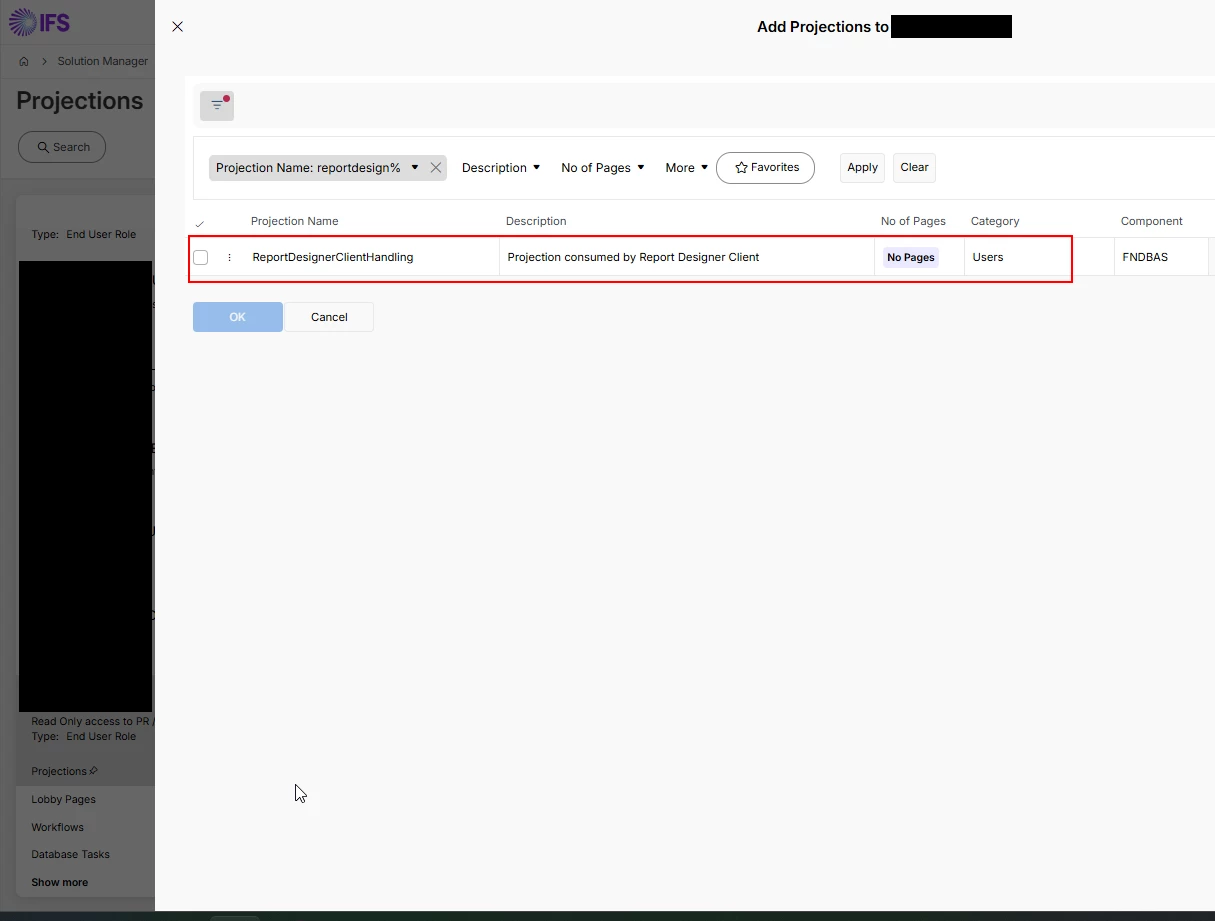
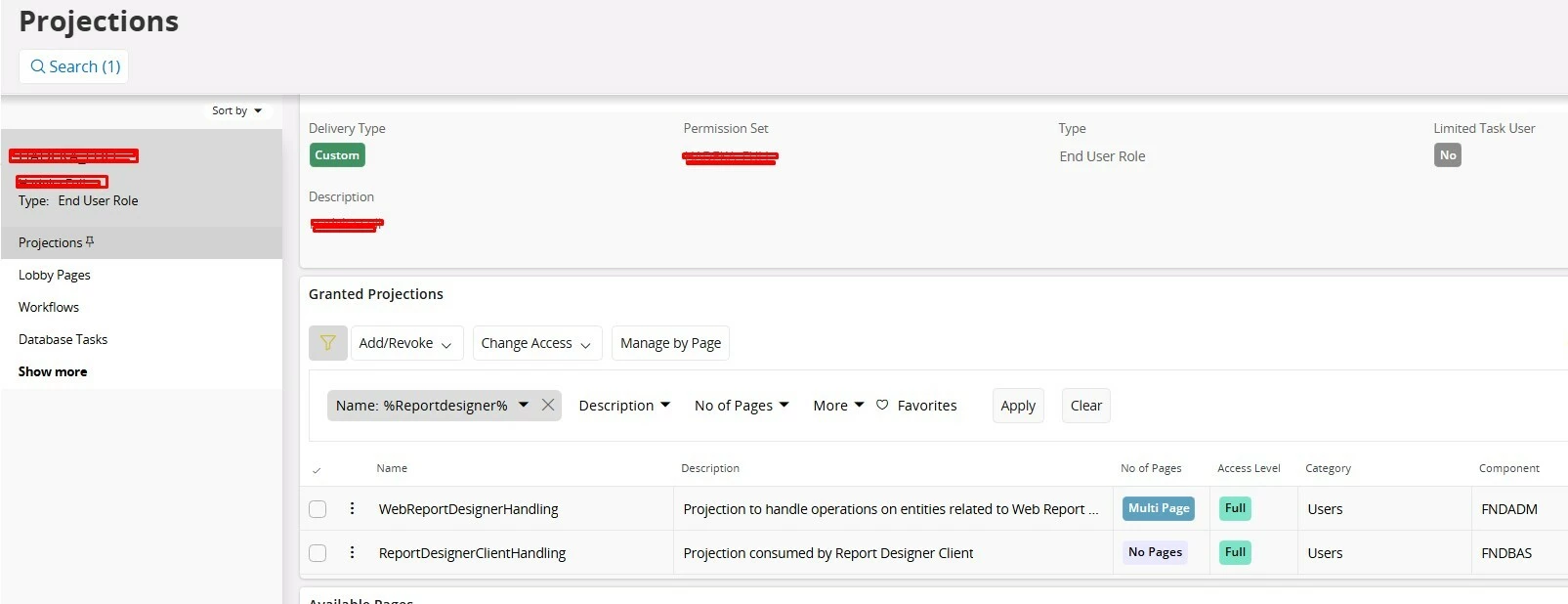
Your permission set doesn’t let you access Report Designer.


Go to your permission set and add the following projection


Forum|alt.badge.img+1
  • Author
  • Do Gooder (Customer)
  • May 7, 2026

I thought the same thing and added the permission set, but I am still getting the same error.


Forum|alt.badge.img+12
  • Hero (Partner)
  • May 7, 2026

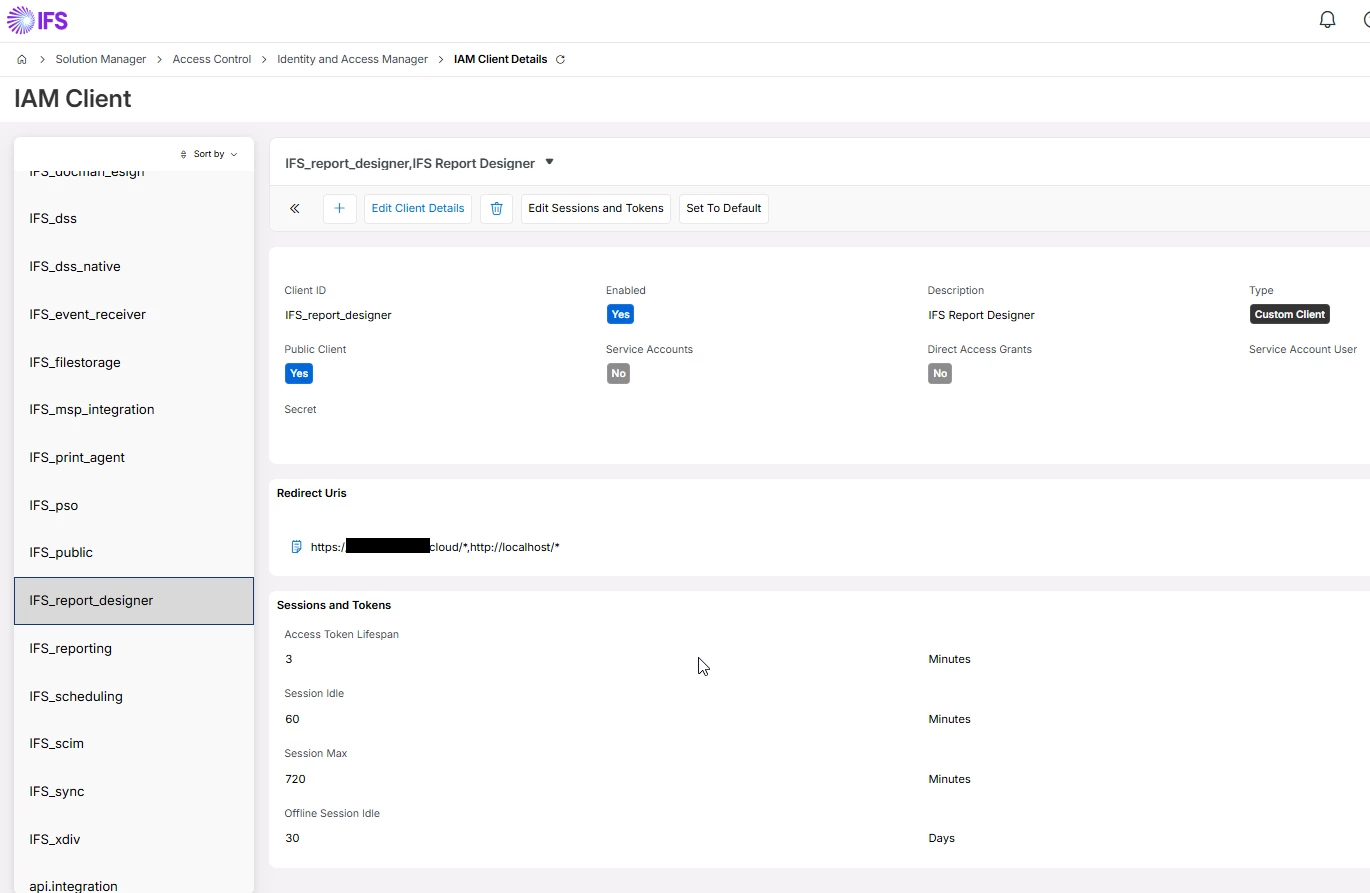
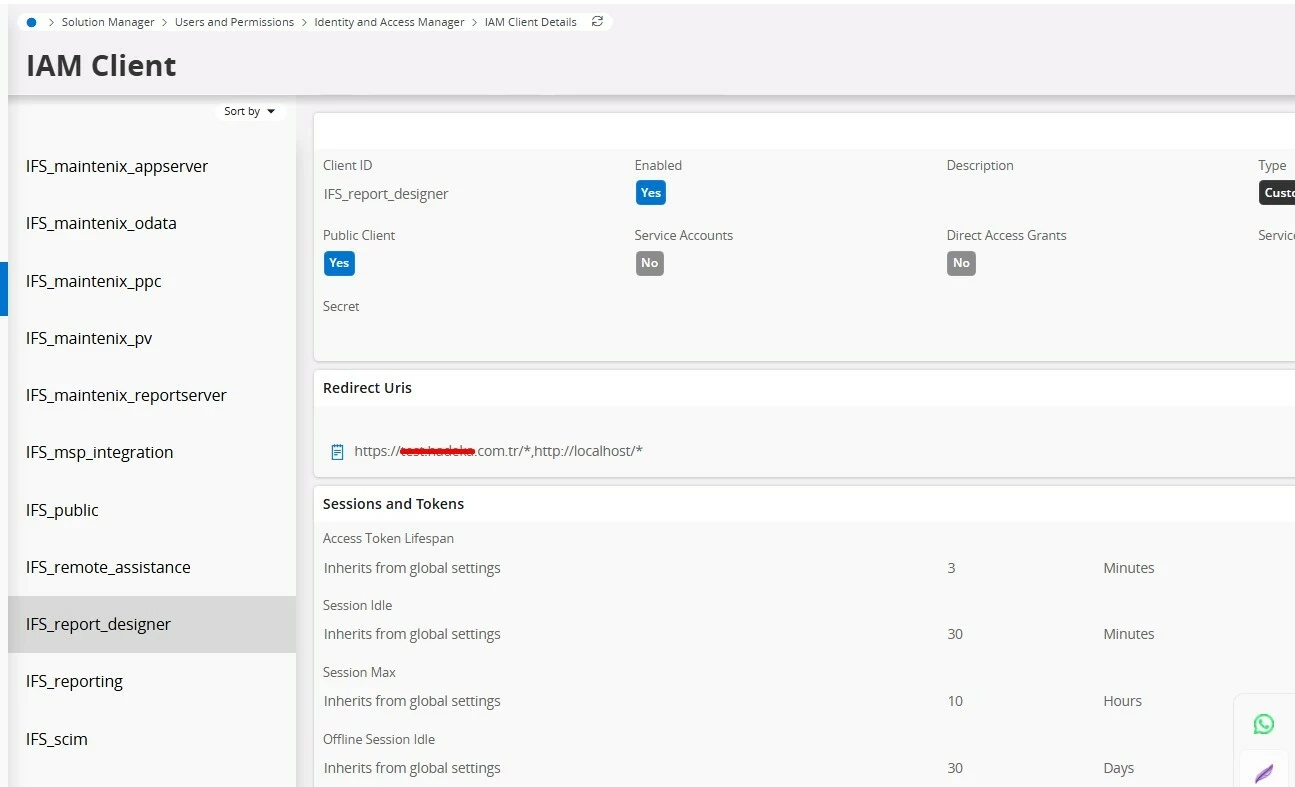
Have you defined the IAM Client


Also, the Certificate installed?


Forum|alt.badge.img+1
  • Author
  • Do Gooder (Customer)
  • May 7, 2026

Of course, i defined the IAM Client and installed certificate.


ashen_malaka_ranasinghe
Hero (Employee)
Forum|alt.badge.img+14

Hi ​@e.cakir,

Can you try latest version as a workaround and check the behavior?

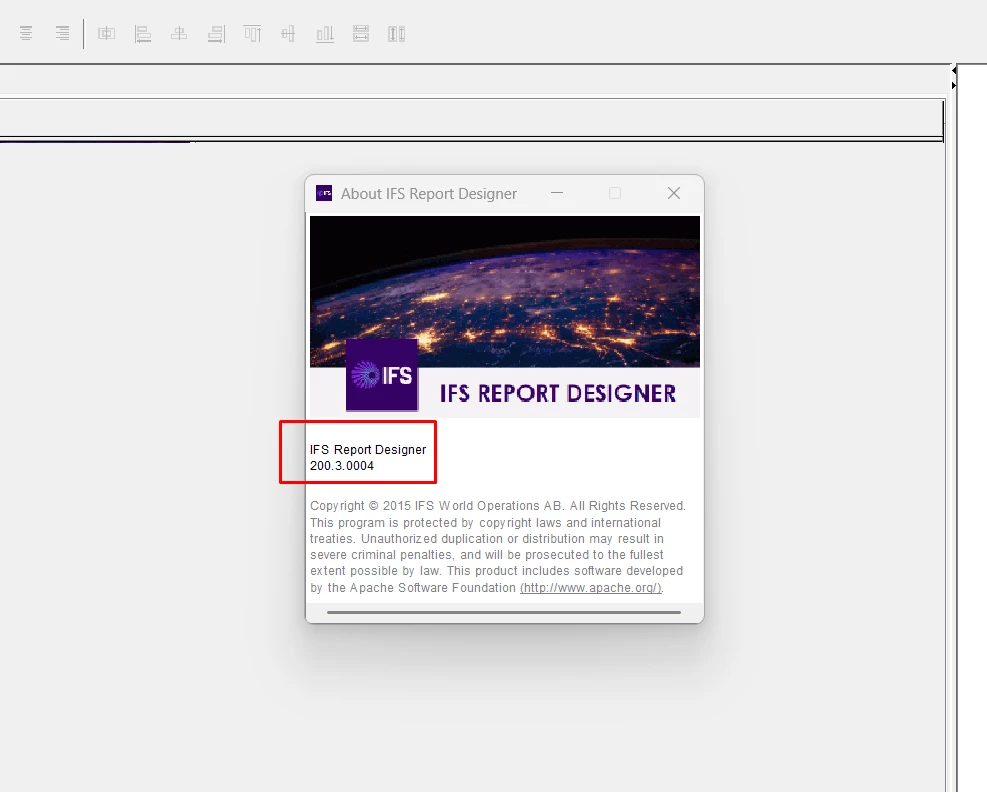
The latest version is 200.3.0004

Latest version can be download from https://developer.ifs.com/tools/repdesigner


Forum|alt.badge.img+1
  • Author
  • Do Gooder (Customer)
  • May 7, 2026

it’s the lastest version


ashen_malaka_ranasinghe
Hero (Employee)
Forum|alt.badge.img+14

Hi ​@e.cakir,

Refer to the following community article for a workaround.

IFS Report Designer cannot connect – 400 Bad Request (Malformed Request) when accessing ReportDesigner ClientHandling projection (IFS Cloud 24R2) | IFS Community

Also, create a support case to IFS regarding this matter.