Solved

IFS PRINT AGENT ERROR

  • October 17, 2023
  • 5 replies
  • 408 views

Forum|alt.badge.img+7

IFS PRINT Agent is getting following error 

[006] 10/17/2023 12:47:07 PM: Error while looking for jobs. Reason:Internal Server Error

[006] 10/17/2023 12:47:07 PM: Value too large for column.

ORA-12899: value too large for column "SYS"."DBMS_ALERT_INFO"."NAME" (actual: 32

[005] 10/17/2023 12:47:17 PM: Looking for jobs...

[005] 10/17/2023 12:47:17 PM: Error while looking for jobs. Reason:Internal Server Error

[005] 10/17/2023 12:47:17 PM: Value too large for column.

ORA-12899: value too large for column "SYS"."DBMS_ALERT_INFO"."NAME" (actual: 32

[006] 10/17/2023 12:47:27 PM: Looking for jobs...

Best answer by Pheonix

Found the Error. Print agent name was too long. 

5 replies

Forum|alt.badge.img+7
  • Author
  • Do Gooder
  • Answer
  • October 17, 2023

Found the Error. Print agent name was too long. 


Forum|alt.badge.img+2
  • Do Gooder (Customer)
  • October 24, 2023

Where is the print agent name located at?


Forum|alt.badge.img+7
  • Author
  • Do Gooder
  • October 24, 2023

@rramireddy Its located property file or Print agent monitor


Forum|alt.badge.img+2
  • Do Gooder (Customer)
  • October 24, 2023

@Pheonix , I apologize but I don’t follow which file am I looking to adjust the print agent name length?


Technical Toby
Superhero (Employee)
Forum|alt.badge.img+14
  • Superhero (Employee)
  • September 3, 2026

Hi ​@rramireddy 

I am well aware that this is already outdated. But I would like to share this as well.

The maximum for the name can be 12 characters. Why?

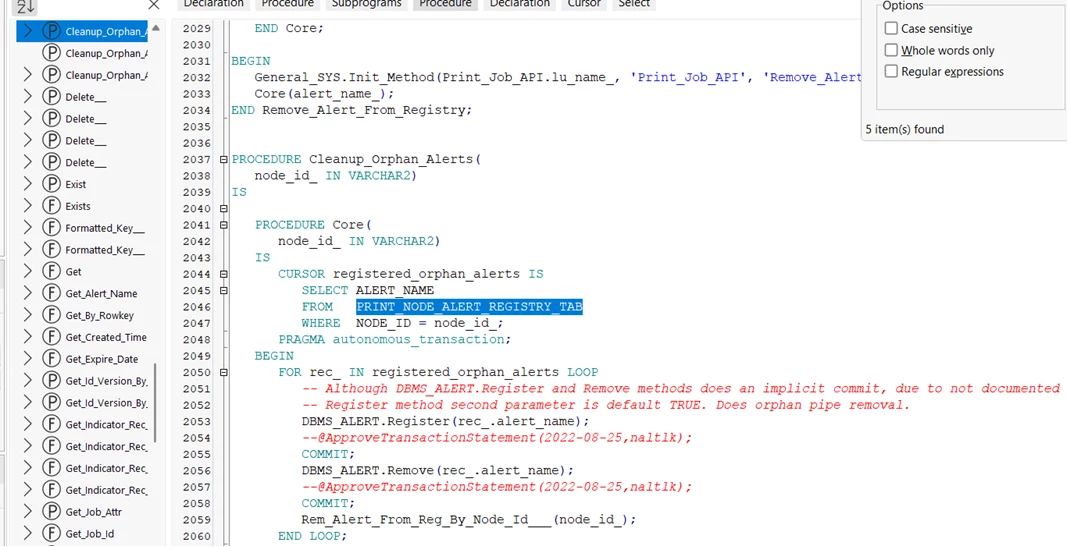
IFS Creates a so called print node alert registry

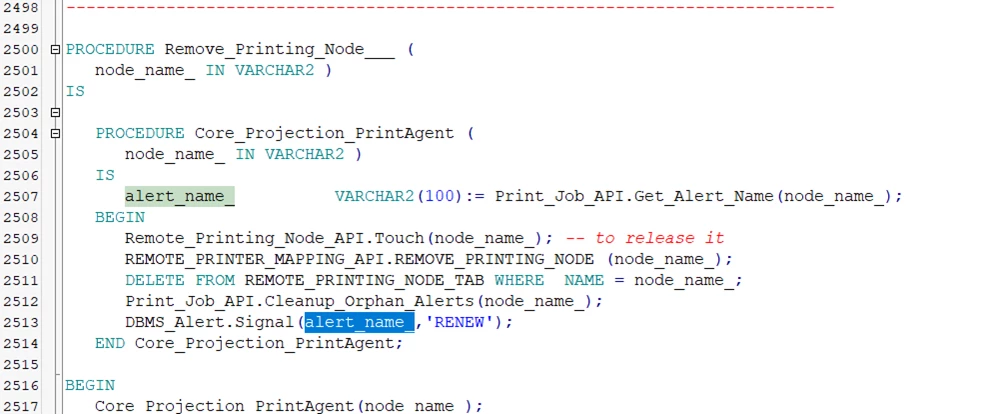
Which is used from time to time.. actually almost every instance of a print job, to create data in dbms_alert as well

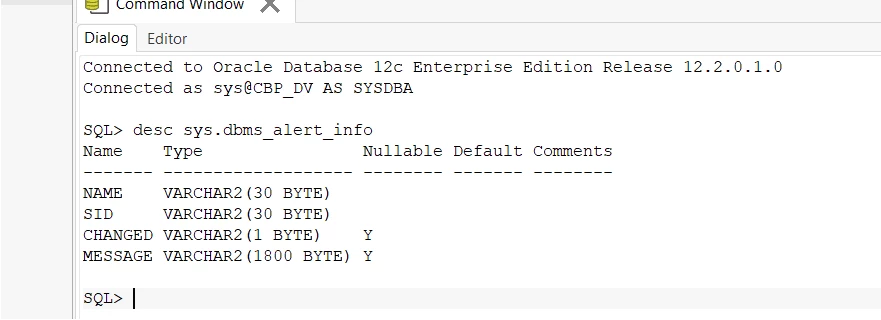
In the end, the dbms_alert can only cover 30 Bytes


When your NODE_ID exceeds 12 characters, this is the end result.

An error for all those calls where DBMS_Alert is in use.

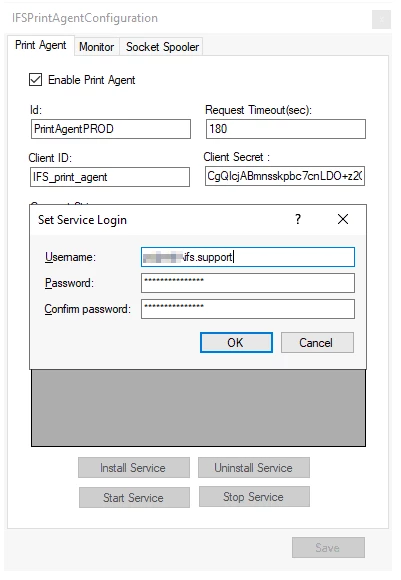
Which basically means you have to change the name in the pring agent config.

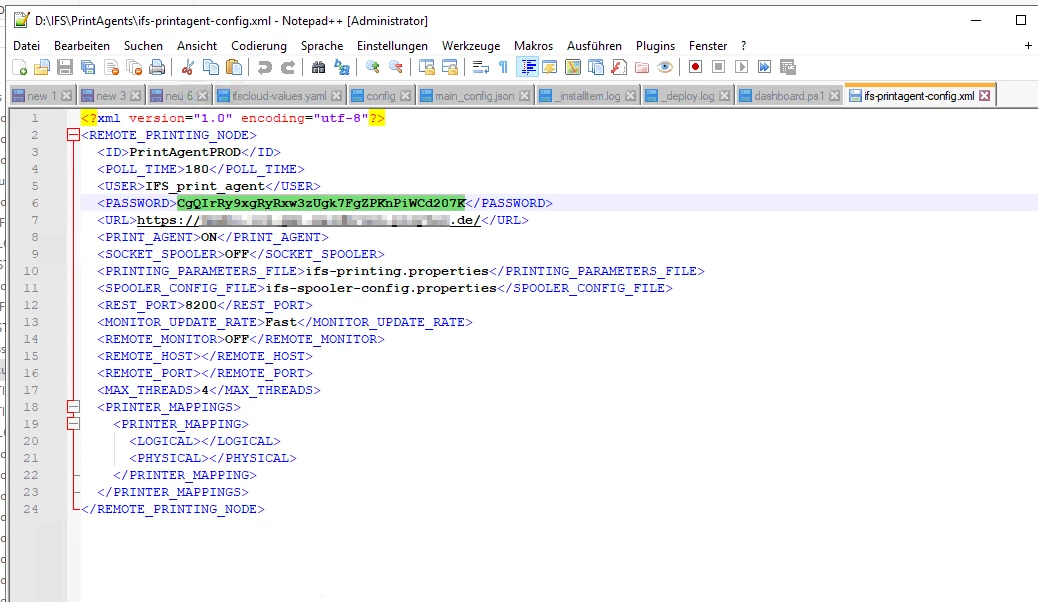
Either via the config
By changing the ID in the top left corner


Or in the config.xml

on the top left


Sorry for the screenshots being marked everywhere but the ID :)

Kind regards,

Tobias