

Solved

IFS Developer Studio hints and guidance

  • December 28, 2022
  • 14 replies
  • 782 views

LevFredrB
Sidekick (Partner)
Forum|alt.badge.img+4

Working in earlier with IFS Developer Studio using Marble, I do remember that I could get hints and guidance when writing code. For example, if a added an attribute to projection entity, I could easily see (by a tool tip or something alike) which settings/preferences I could use for that object. Like a reference documentation in the editor.

Is this still possbile to switch on? What do I miss in my setup?

/Fredrik
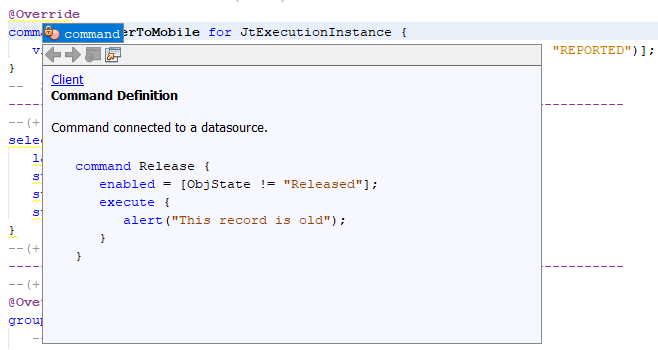
 

Best answer by Tomas Ruderfelt

If you start writing and press <ctrl> + <Space>, or if you put the cursor on an existing keyword and press the same combination, you will get following window:

Is that functionality not working for you?

14 replies

Forum|alt.badge.img+21
  • Superhero (Employee)
  • Answer
  • December 28, 2022

If you start writing and press <ctrl> + <Space>, or if you put the cursor on an existing keyword and press the same combination, you will get following window:

Is that functionality not working for you?


LevFredrB
Sidekick (Partner)
Forum|alt.badge.img+4
  • Author
  • Sidekick (Partner)
  • December 29, 2022

Yes Tomas, that was what I was looking for. Thanks, I had forgotten it 🙂


hamalk
Superhero (Employee)
Forum|alt.badge.img+14
  • Superhero (Employee)
  • January 4, 2023

Hi @LevFredrB 


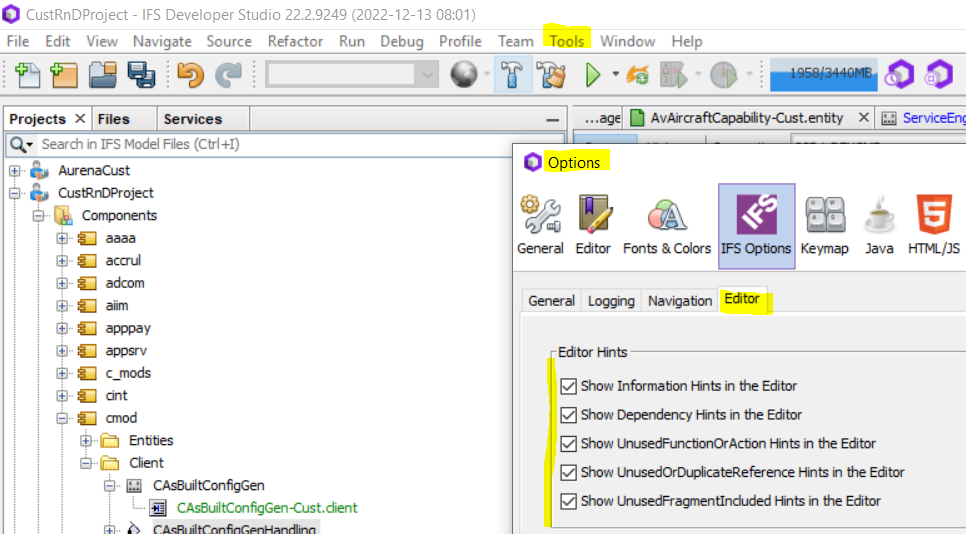
Also you can regulate this capability from Tools> Options menu

/Harshini


Forum|alt.badge.img+9
  • Do Gooder
  • September 1, 2023

Hi @LevFredrB 


Also you can regulate this capability from Tools> Options menu

/Harshini

Hi Harshini, Do we have any documentation with Syntax as we had for earlier versions like Centura?

Thanks.


hamalk
Superhero (Employee)
Forum|alt.badge.img+14
  • Superhero (Employee)
  • September 3, 2023

@shewa 

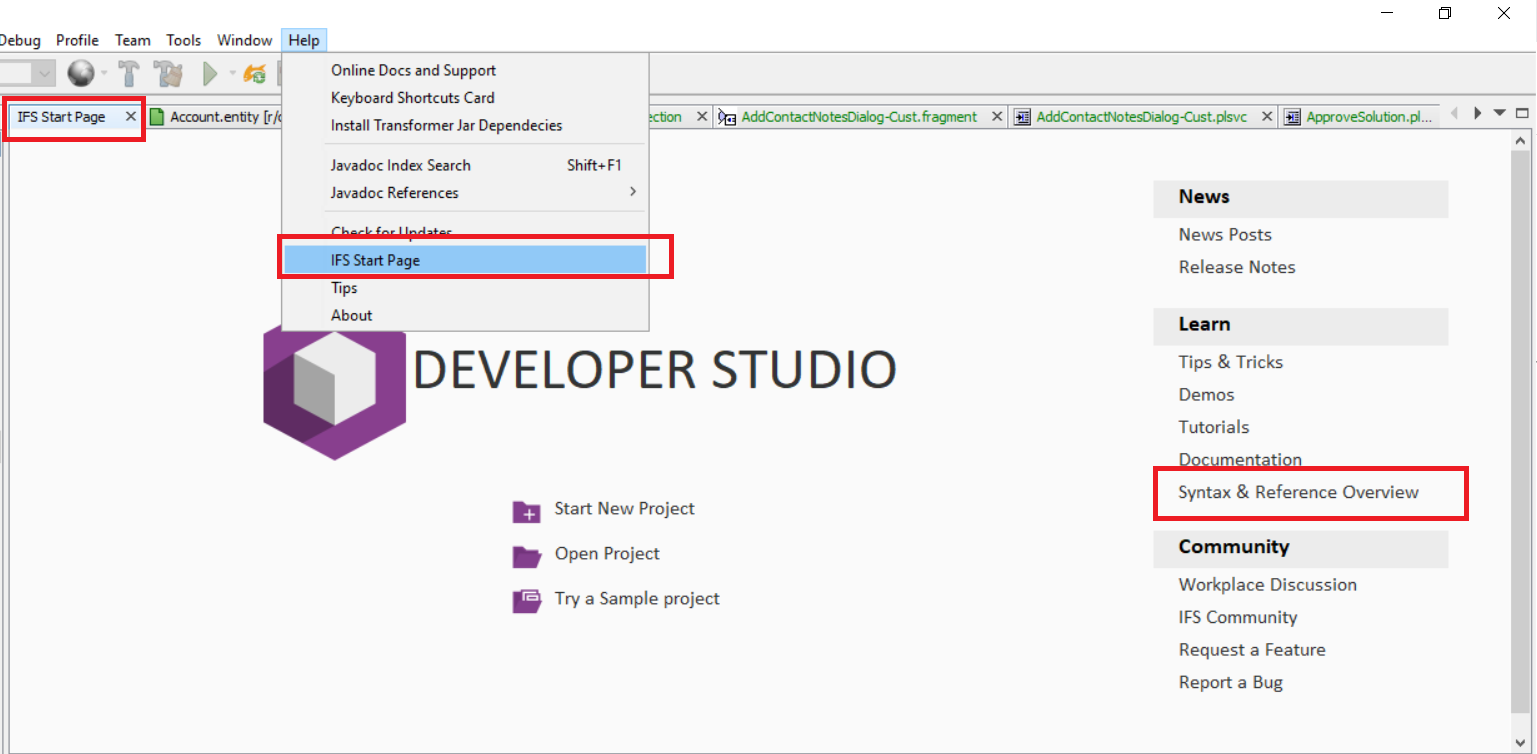
open up the start page of developer studio and navigate to “Syntaxes and References”


Forum|alt.badge.img+9
  • Do Gooder
  • September 4, 2023

@shewa

open up the start page of developer studio and navigate to “Syntaxes and References”


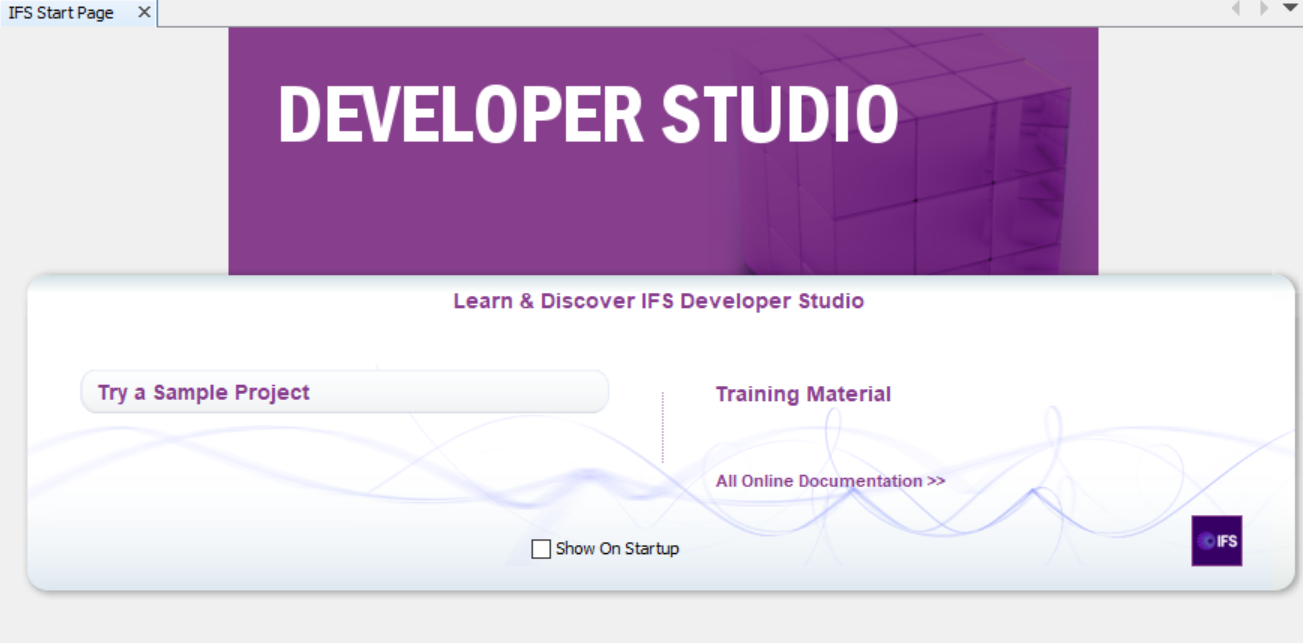
Thanks for your respond Harshini. IFS Start Page opens up below and there is not link as above. ‘All Online Documentation’ is not bringing up anything. Version I am using is IFS Developer Studio 23.1E.9419 (Build 2023-05-11 10:06)

Any thoughts?


PhillBronson
Hero (Customer)
Forum|alt.badge.img+13
  • Hero (Customer)
  • November 7, 2025

@hamalk 
Some of my employees cannot use the hover and Ctrl+Click to “Click to jump to external declaration” functionality. I have looked at my setup and logs in attempts to see anything different with our setups. I do not see anything different at the moment.

Is there a setting that we have available to control this functionality, or steps we can take to fix this difference?


Forum|alt.badge.img+12
  • Hero (Customer)
  • November 7, 2025

To be honest Phil this barely works for me as well (the control click). Most often it just does nothing…


It’s really frustrating when working in big mazes that involve a lot of fragments, when you’re just trying to figure out where a particular element has been declared so you can look at its source, end up having to either check all fragments individually or do a text search of the Core files.


PhillBronson
Hero (Customer)
Forum|alt.badge.img+13
  • Hero (Customer)
  • November 7, 2025

@SimonTestard thanks!


That is so strange, it works for me very reliably! All my guys have had your experience.


Its gotta be something.

Do you know an IFS employee that we can tag in this?


Forum|alt.badge.img+12
  • Hero (Customer)
  • November 7, 2025

To be honest I think you already did, ​@hamalk seems to be the most useful employee on this community forum with regards to all matters Studio Developer :)


hamalk
Superhero (Employee)
Forum|alt.badge.img+14
  • Superhero (Employee)
  • November 10, 2025

@PhillBronson 


May i know the Developer studio tool version which you are currently using ?


And try the RMB option “Clear and Refresh Code Completion Cache”  in Developer Studio. This often resolves stale cache issues that block suggestions.


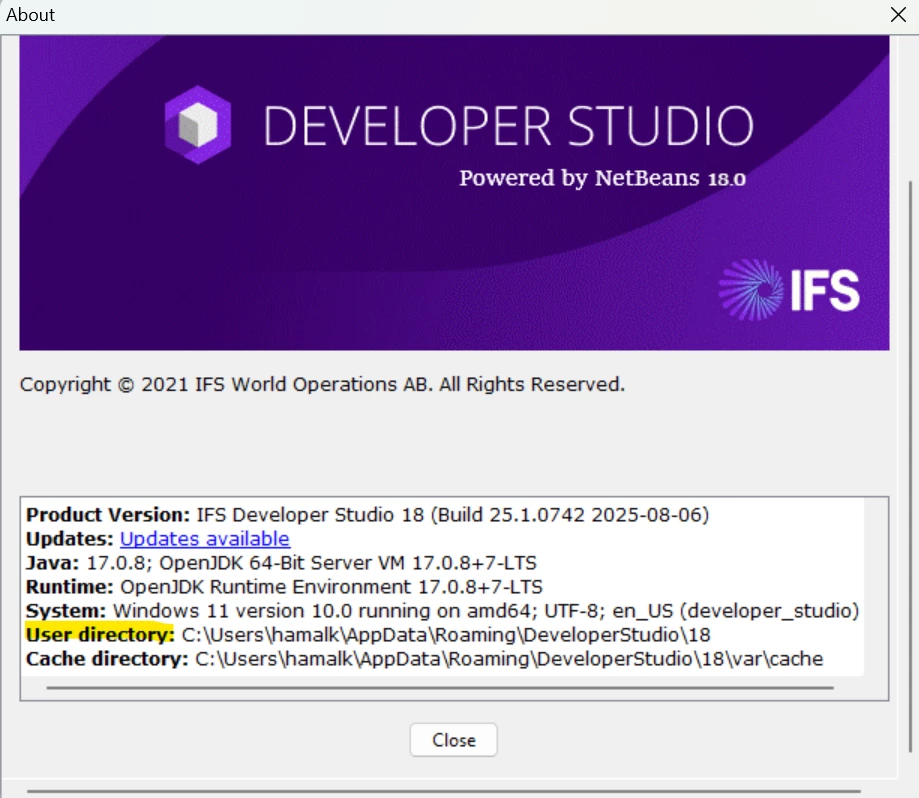
If above is not going work, try to clear the User Directory and restart the tool. 


Forum|alt.badge.img+12
  • Hero (Customer)
  • November 11, 2025

hey ​@hamalk 


I think the Code Completion hints itself do work fine (at least they do for me), it’s just that when you want to control click on a declaration to “Jump to External Declaration”, for instance if you’re using a list in a client file, but that list has been declared and defined in a Fragment.


I’m not sure what the control click feature is even supposed to “do” because for me it doesn’t seem to actually be doing anything ? I would expect control clicking to effectively open the fragment in which the list was defined so that you can see how it was defined?


PhillBronson
Hero (Customer)
Forum|alt.badge.img+13
  • Hero (Customer)
  • November 11, 2025

Our version `Product Version: IFS Developer Studio 18 (Build 25.2.0897 2025-10-21)`

All other values match yours.

After saving a copy of the User Directory, we tried suggestions on one of my team’s machines, this did not seem to resolve the issue.

@hamalk, would any information from the IDE Log be helpful to you?


PhillBronson
Hero (Customer)
Forum|alt.badge.img+13
  • Hero (Customer)
  • September 22, 2026

@SimonTestard following up on this thread in case it helps anyone else. I have now been able to get Ctrl+Click ("Jump to External Declaration") working consistently across all installations and machines on our team.


It might seem counterintuitive, but the behavior has been very consistent for us. As far as I can tell, there is one simple rule:


The file you are trying to navigate to must have a project owner.


This applies regardless of whether you are navigating from Cust → Core or Core → Core.


For example, in a typical structure:


Core Files

CustomerProject

└─ Workspace


The Core Files exist alongside the project rather than inside a project. Because of this, the Core Files have no project owner and Ctrl+Click navigation does not work.


One possible solution would be to move the Core Files inside a customer project. This works, but it either requires maintaining duplicate copies of the Core Files or designating one of the active development projects as the owner of the shared Core Files. We preferred to keep ownership separate by introducing a dedicated dummy project for the Core Files (still setup as Customization Project).


The approach we chose was:


DummyProject

├─ Workspace

├─ Core Files

└─ CustomerProject

└─ Workspace


By creating a DummyProject that owns the Core Files and then placing the actual development projects underneath it, we only need a single set of Core Files while still providing a project owner.


After updating references to the new Core Files location we performed:

- Clear and Refresh Model Cache

- Restart Developer Studio


A useful validation step is to look at the Developer Studio title bar.


When a Cust file is open, the title bar should show: “CustomerProject - IFS Developer Studio 18 <version>”


When a Core file is opened, the title bar should show: “DummyProject - IFS Developer Studio 18 <version>”


If no project is shown in the title bar, the file does not appear to have a project owner and navigation will not work.


There are still a few quirks. For example, there have been occasions where the Fragments folder was not visible under Client for a component, even though Ctrl+Click navigation was otherwise working correctly. In those cases, right-clicking Core Files and selecting Refresh resolved the issue for us.


Overall, after assigning the Core Files to an owner project, clearing and refreshing the model cache, and restarting Developer Studio, this approach has worked consistently across all installations and machines on our team.