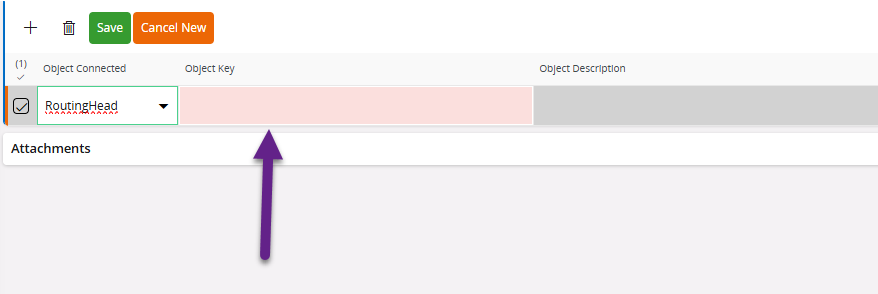
We are on 24R1 and I enabled an object connection of EcoActionObjectConn and EcrObjectConn on the RoutingHead and DocIssue logical units. I’ve refreshed the object connection cache but when I go to the Change Request screen and into the object connection tab, I do see the RoutingHead LU but it does not seem to be pulling in a default drop down list of object keys. it’s the same story with the DocIssue LU.
Is there a reason for this? It seems to work with the EngPartRevision LU. See image below.
I just hope to get a better understanding if there’s something I potentially missed or if this is some sort of bug. Thank you.
Best answer by jayoneil98
I was provided some instructions from IFS tech support regarding this:
1.Log in to the environment. 2.Open a new tab and go to following links (please enter your environment url in the relevant section)
Please note that theses link does not open any pages.
3.Log out from the environment and log in again.
I had this issue come up again in 25R1. The instructions above worked for me but it seems to be that I have to run it every time a new object connection gets created or added.
Thank you for the update @jayoneil98 . I believe it is a cache issue it is working fine in some environments but not in every environment. We are still doing some testing.
Please note that theses link does not open any pages.
3.Log out from the environment and log in again.
I had this issue come up again in 25R1. The instructions above worked for me but it seems to be that I have to run it every time a new object connection gets created or added.
Please note that theses link does not open any pages.
3.Log out from the environment and log in again.
I had this issue come up again in 25R1. The instructions above worked for me but it seems to be that I have to run it every time a new object connection gets created or added.