Question

IFS APPS 9 Default Printer

  • Apr 5, 2023 12:13 PM UTC
  • 5 replies
  • 357 views

Forum|alt.badge.img+1

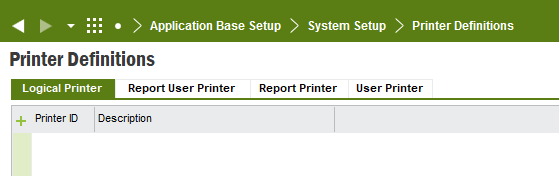
Hello, I’m new to IFS and I’m having issues with setting my default printer. I've attached a screen shot of the current printer but I would like to change it to a printer that is on the network. how can I change this?

Thank you!

5 replies

Link
Superhero (Customer)
Forum|alt.badge.img+23
  • Superhero (Customer)
  • Apr 5, 2023 12:20 PM UTC

Hi @ebryan 

you can change it on the screen print manager. It depends on your report, which you want to print.


Forum|alt.badge.img+1
  • Author
  • Do Gooder (Customer)
  • Apr 5, 2023 12:34 PM UTC

I'm not sure if I have the permissions to access this location. ill attach a screen shot of my application for reference 


Forum|alt.badge.img+8

Yes you’re lacking the permission. This kind of configuration is normally done by an ERP administrator. So you will need to contact that guy in your company.


Link
Superhero (Customer)
Forum|alt.badge.img+23
  • Superhero (Customer)
  • Apr 5, 2023 1:51 PM UTC

Hi @ebryan 

generally, this permission is for administrators only. Talk to your IFS administrator regarding your concern. 


Forum|alt.badge.img+1
  • Author
  • Do Gooder (Customer)
  • Apr 5, 2023 2:10 PM UTC

Thank you! I've contacted them and i hope to hear back soon