

Solved

IEE on Laptop window truncated, how to fix?

  • March 18, 2026
  • 3 replies
  • 35 views

Forum|alt.badge.img+16

Community,


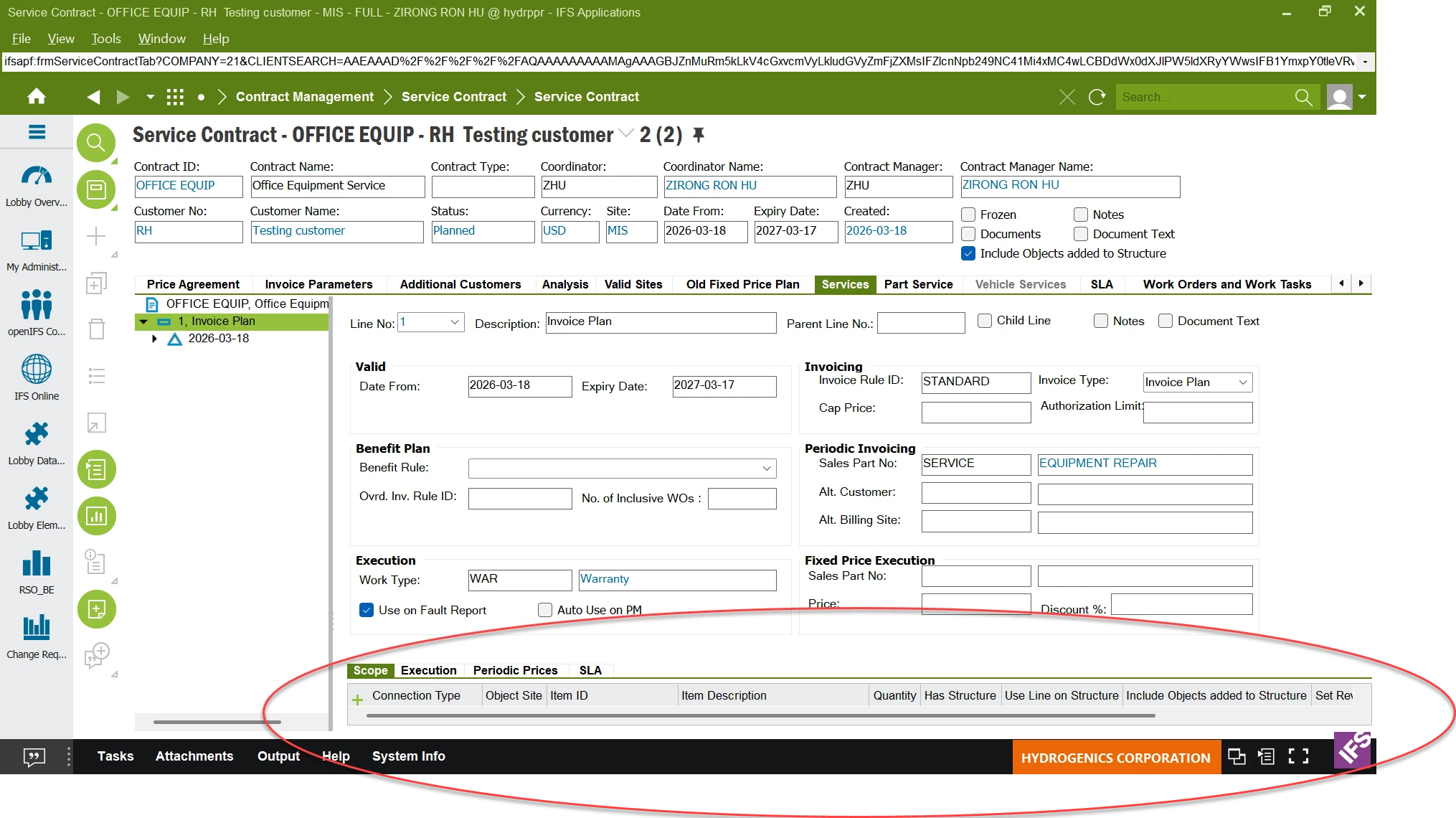
Anyone has the experience to fix below issues, see screenshot below, IEE on my laptop is truncated. any idea how to fix this?  Thank you.
 

Best answer by Lingesan08

Hi ​@ronhu ,

From your screenshot:

  • Bottom part of the window is cut off
  • Status bar / buttons not fully visible

 This is usually not an IFS bug, but a display scaling / resolution issue

 What people usually find

Most common causes:

  • Windows display scaling (125% / 150%)
  • Laptop high DPI resolution
  • IEE not fully DPI-aware in Apps10

 Result:

  • UI gets truncated
  • especially bottom panels

 Fixes that usually work

✔ Option 1 (most common fix)

Set Windows scaling to 100%

  • Go to:
    • Display Settings → Scale
  • Change:
    • 125% / 150% ➝ 100%

 Restart IEE after change

✔ Option 2

Adjust screen resolution

  • Use recommended resolution
  • Avoid custom scaling combos

✔ Option 3 (works well in many cases)

Override DPI scaling for IEE:

  1. Right-click IEE shortcut
  2. Properties → Compatibility
  3. Click “Change high DPI settings”
  4. Enable:
    • “Override high DPI scaling behavior”
    • Set to Application

✔ Option 4

Try:

  • Maximizing window
  • Or using external monitor (often works fine there)

 Less common but possible

  • Custom lobby / projection with fixed layout
  • Old Apps10 patch level (some UI fixes came in later updates)

3 replies

  • Do Gooder (Employee)
  • March 19, 2026

Hi, Please try with the below.

Quick Shortcuts

  • F11: Press this to Maximize Work Area. This will hide the Navigator and other side panes, giving the table more vertical room to breathe.
  • Shift + F11: Toggles Full Screen mode, which removes all application borders to maximize space.

Forum|alt.badge.img+7
  • Do Gooder (Partner)
  • Answer
  • April 2, 2026

Hi ​@ronhu ,

From your screenshot:

  • Bottom part of the window is cut off
  • Status bar / buttons not fully visible

 This is usually not an IFS bug, but a display scaling / resolution issue

 What people usually find

Most common causes:

  • Windows display scaling (125% / 150%)
  • Laptop high DPI resolution
  • IEE not fully DPI-aware in Apps10

 Result:

  • UI gets truncated
  • especially bottom panels

 Fixes that usually work

✔ Option 1 (most common fix)

Set Windows scaling to 100%

  • Go to:
    • Display Settings → Scale
  • Change:
    • 125% / 150% ➝ 100%

 Restart IEE after change

✔ Option 2

Adjust screen resolution

  • Use recommended resolution
  • Avoid custom scaling combos

✔ Option 3 (works well in many cases)

Override DPI scaling for IEE:

  1. Right-click IEE shortcut
  2. Properties → Compatibility
  3. Click “Change high DPI settings”
  4. Enable:
    • “Override high DPI scaling behavior”
    • Set to Application

✔ Option 4

Try:

  • Maximizing window
  • Or using external monitor (often works fine there)

 Less common but possible

  • Custom lobby / projection with fixed layout
  • Old Apps10 patch level (some UI fixes came in later updates)

Forum|alt.badge.img+16
  • Author
  • Hero (Customer)
  • April 2, 2026

@Lingesan08 Thank you very much.


