Solved

How to get Logged-In User Id in Workflow

  • May 7, 2026
  • 4 replies
  • 80 views

Abdul
Superhero (Partner)
Forum|alt.badge.img+20

Hi all,

It's regarding, how to get Logged-In User Id in Workflow.

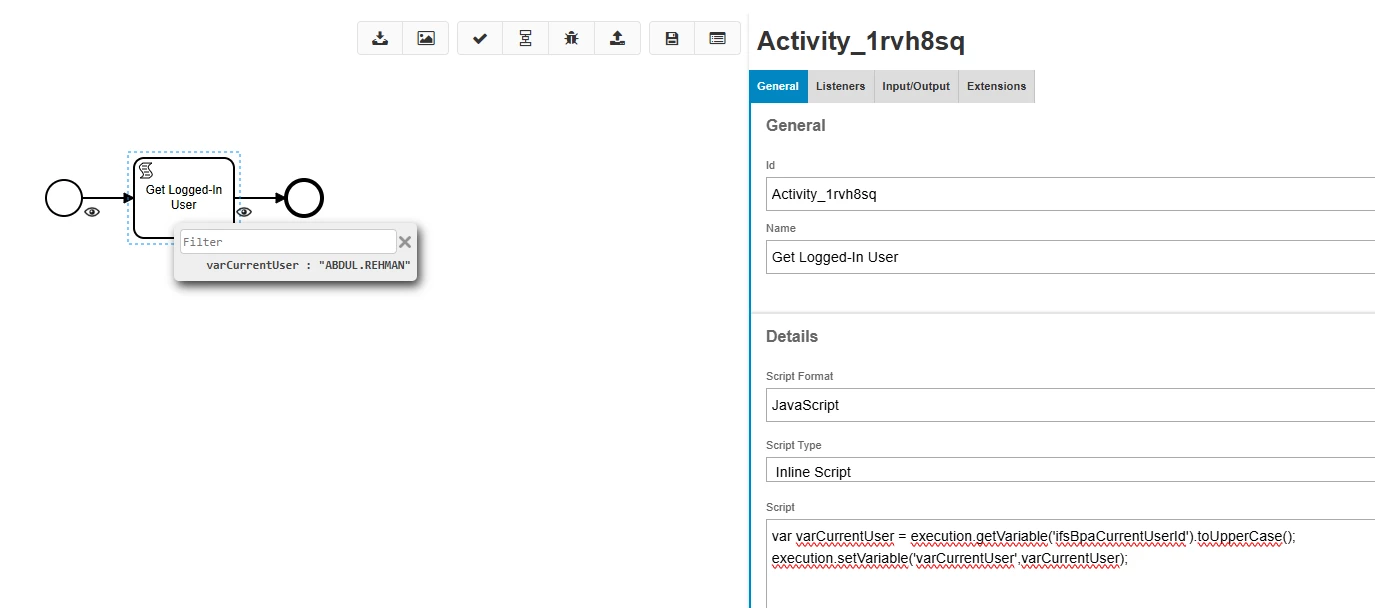
I have successfully fetched the Logged-In User Id with single block workflow (Thanks ​@dsj for guiding).
 

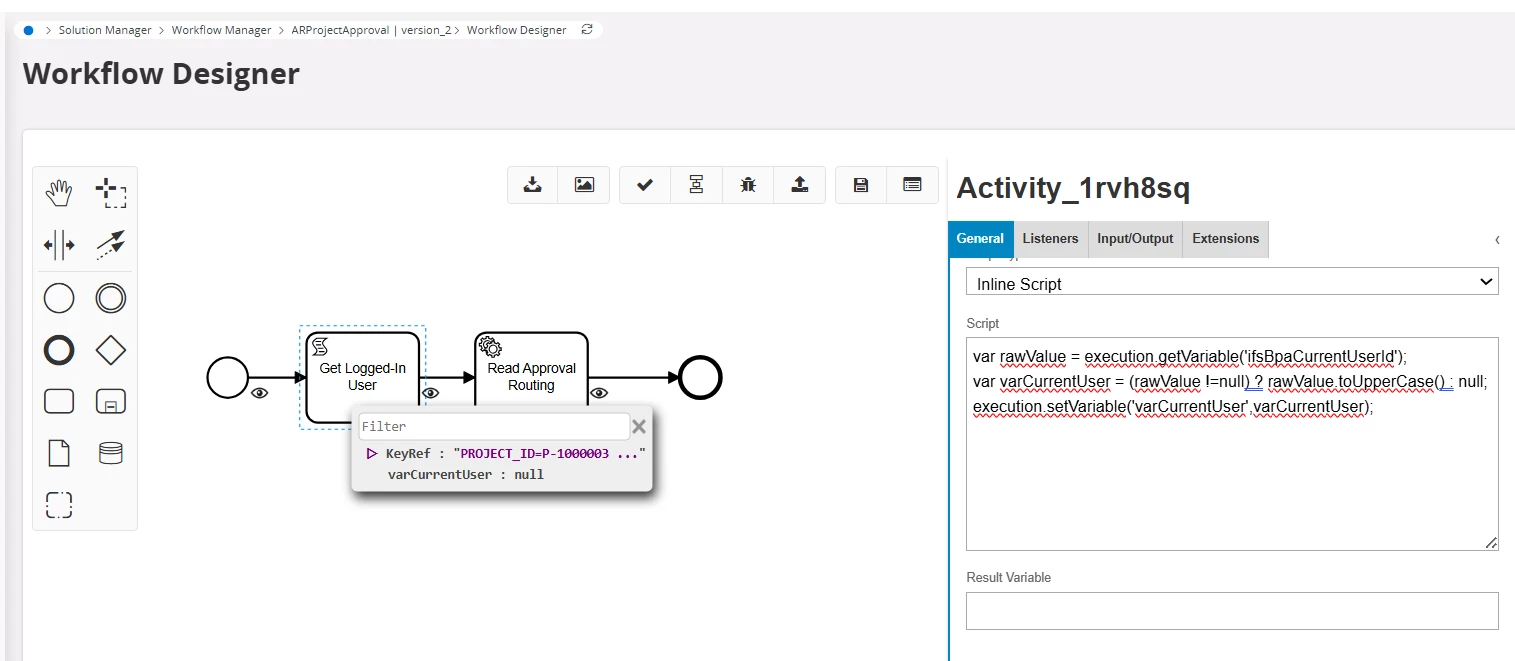
However, workflow returns the null value with same script when adding another block to read ApprovalRouting data.
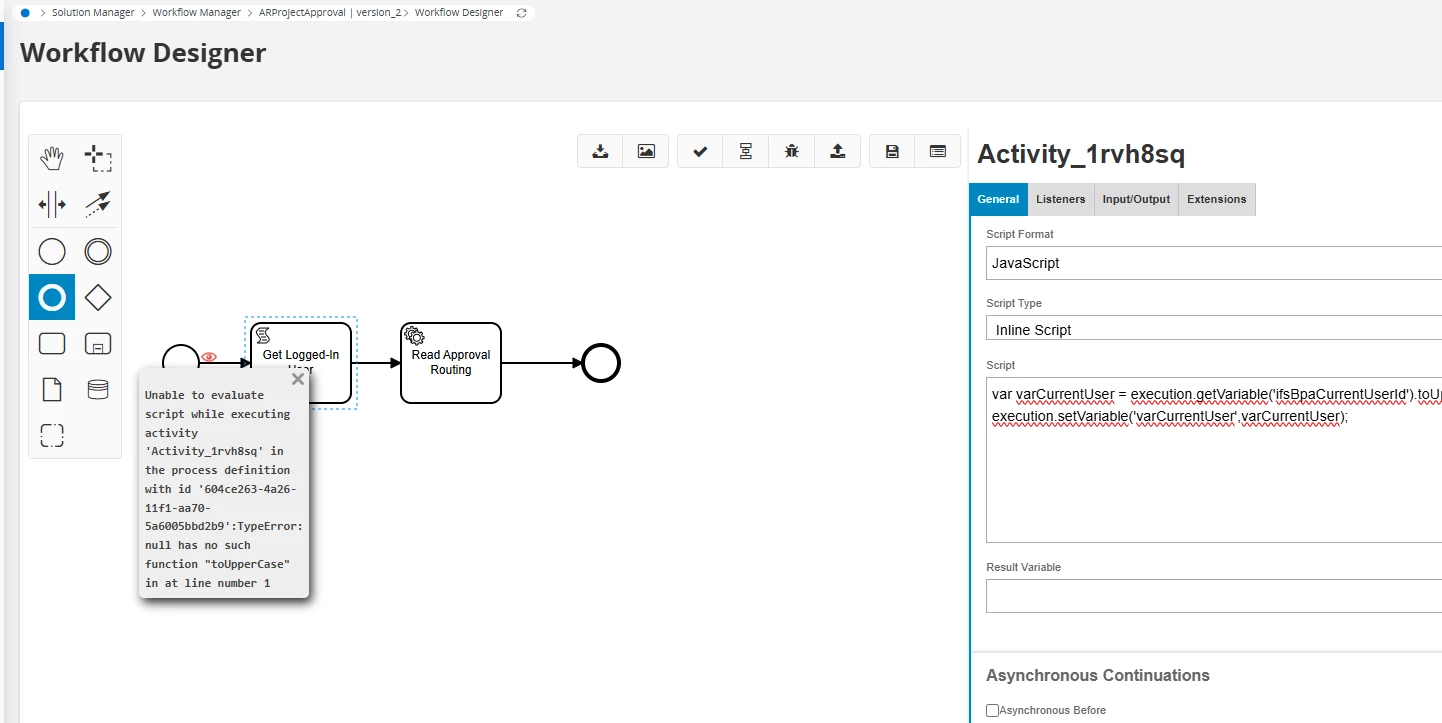
 

I noticed another behaviour as well. If I test workflow just after validating the BPMN for Workflow Command, sometime randomly it works.
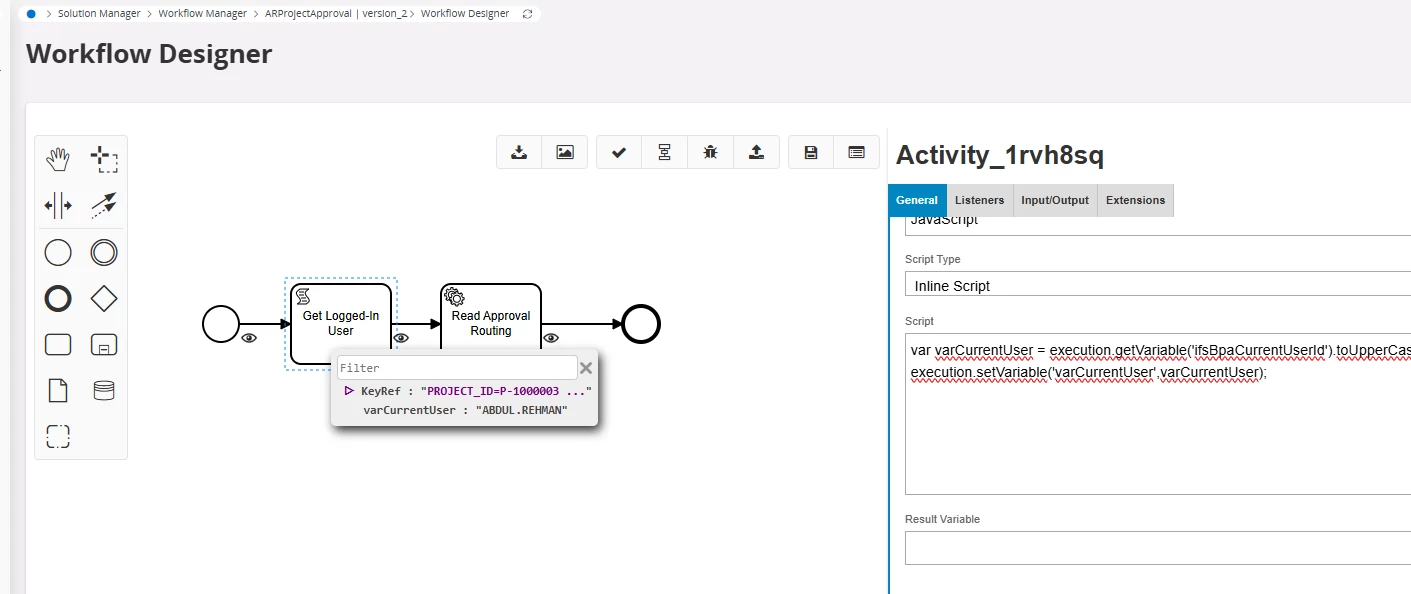
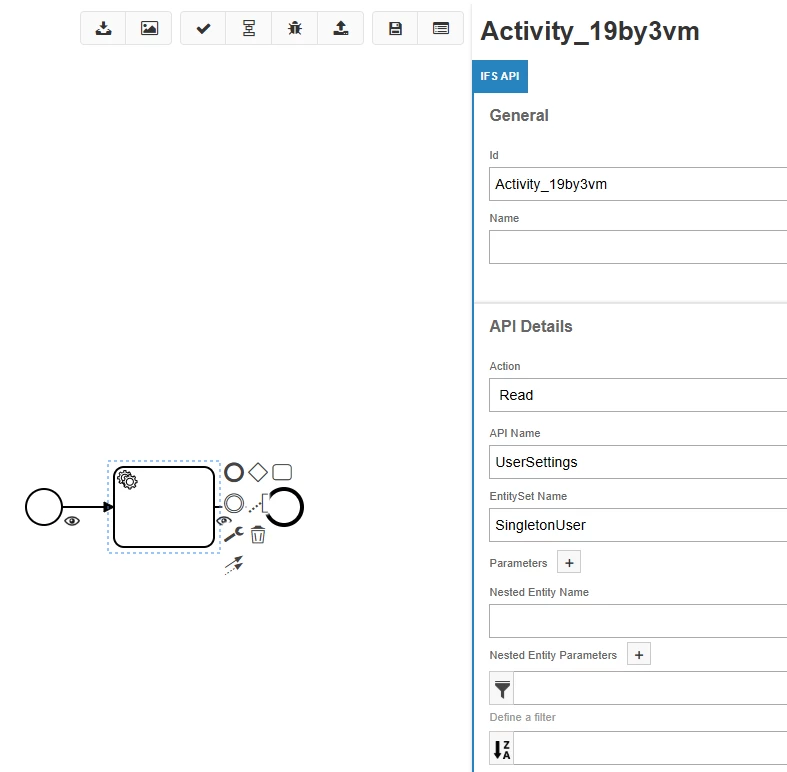
 

@dsj will appreciate your input.


Best answer by karale

Try using the SingletonUser (or CurrentPerson) EntitySet of the UserSettings API.


I’ve noticed the same issue, that the workflow variable doesn’t always get populated.


4 replies

Forum|alt.badge.img+5
  • Do Gooder (Employee)
  • May 8, 2026

Hi ​@Abdul ,

Did you check the logging with the same user both times?

According to the error:

TypeError: null has no such function "toUpperCase"

from:

var varCurrentUser = execution.getVariable('ifsBpaCurrentUserId').toUpperCase();

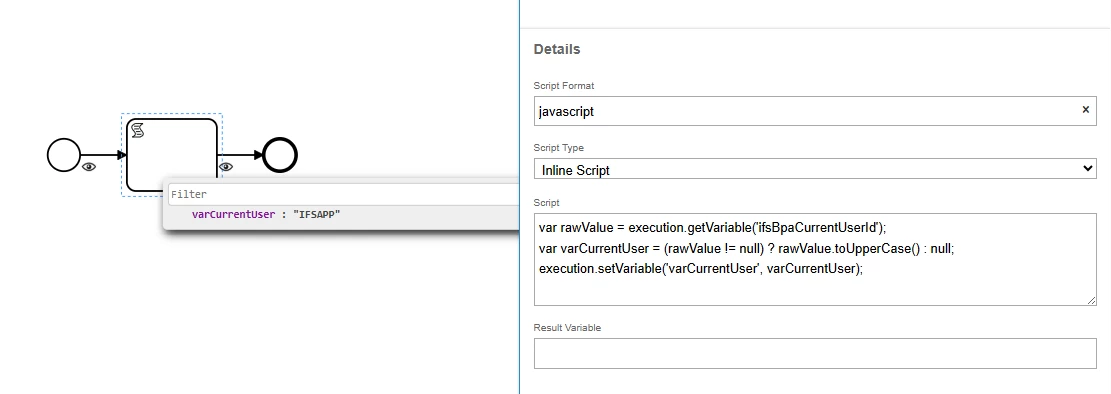
it seems that execution.getVariable('ifsBpaCurrentUserId') is returning null sometimes, so .toUpperCase() cannot be called on it.

It is better to check whether ifsBpaCurrentUserId is null before calling .toUpperCase().


Abdul
Superhero (Partner)
Forum|alt.badge.img+20
  • Author
  • Superhero (Partner)
  • May 8, 2026

Hi ​@pdollk,

Yes, I checked that too, however, still same behavior.


  • Answer
  • May 11, 2026

Try using the SingletonUser (or CurrentPerson) EntitySet of the UserSettings API.


I’ve noticed the same issue, that the workflow variable doesn’t always get populated.


Abdul
Superhero (Partner)
Forum|alt.badge.img+20
  • Author
  • Superhero (Partner)
  • May 11, 2026

@karale, thank you! it’s working perfectly.