Question

How to edit CommandGroups?

  • June 18, 2026
  • 5 replies
  • 27 views

Forum|alt.badge.img+3

Hi.

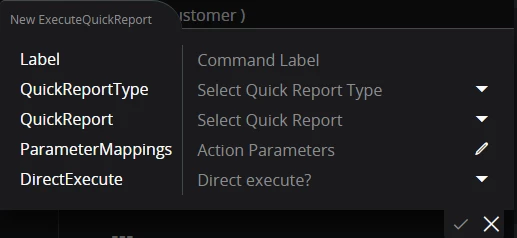
I’ve created a CommandGroup button called ‘QuickRaport’ – how can I edit it? For example, to change the label or the variables. There’s an option to duplicate the button, but I still can’t edit it.

Do you know how to do this?

Application service update: 25.1.4 Framework service update: 25.1.12

Thank you

Tomek 

5 replies

PhillBronson
Hero (Customer)
Forum|alt.badge.img+11
  • Hero (Customer)
  • June 18, 2026

The Commandgroups don’t really have variables, but you can change the label and name. If you keep expanding the various chevrons and/or ellipses, you should see your Command under content. If it is blue you can click it and that will open up its editing area….where *some* things can be changed. Last I checked you couldn’t change or see your parameters in the GUI after creation, so you had to recreate it if a change is needed. You can see the values in the devtool extension….

Adding Commands - Technical Documentation For IFS Cloud


Forum|alt.badge.img+3
  • Author
  • Do Gooder (Customer)
  • June 19, 2026

Hi Phil,

I'm asking how to edit an ExecuteQuickReport that has already been created.

How do I change parameters in an object that has already been saved and published?


Thank you.

Tomek


Forum|alt.badge.img+3
  • Author
  • Do Gooder (Customer)
  • June 19, 2026

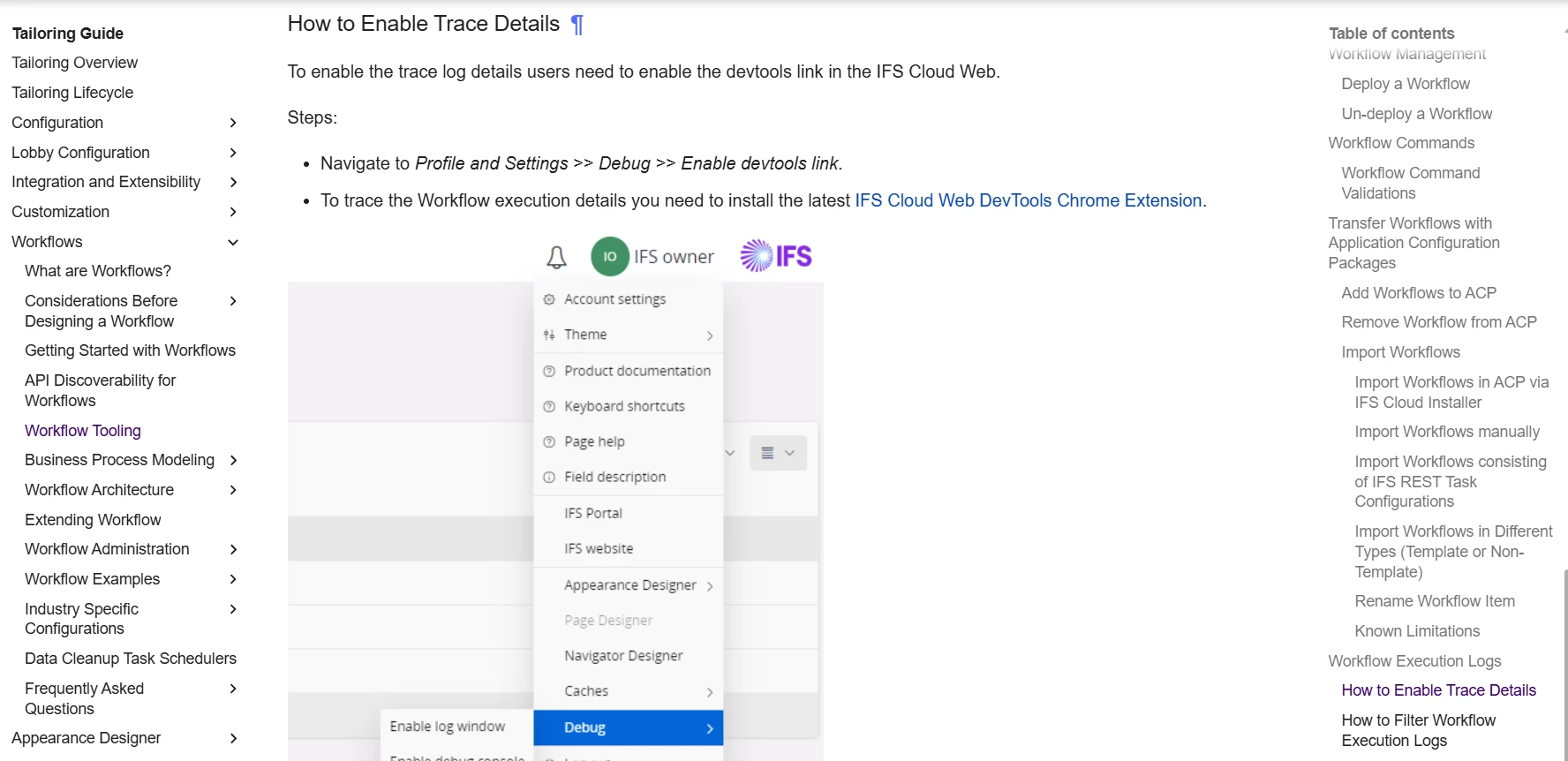
You can see the values in the devtool extension….

Could you tell me how to open the devtool and view the values?


PhillBronson
Hero (Customer)
Forum|alt.badge.img+11
  • Hero (Customer)
  • June 19, 2026

Its in the technical documentation here: Workflow Tooling - Technical Documentation For IFS Cloud

Youll have to scroll down on the page


Forum|alt.badge.img+3
  • Author
  • Do Gooder (Customer)
  • June 19, 2026

OK, thank you.

But how will that help me? I still don’t know how to edit it.