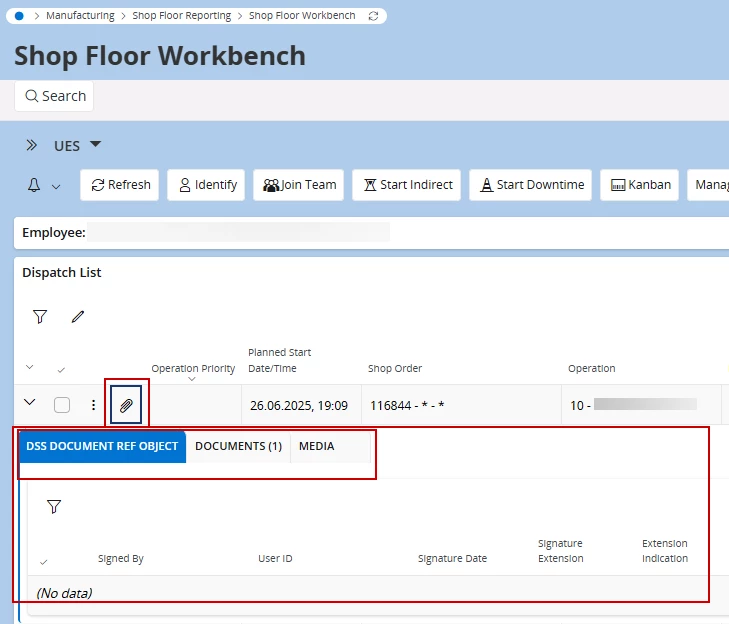
Do anybody knows if we can move/hide tabs in Attachments Panel with PageDesigner?
We can modify the contents of each tab, but how I can move it?
We are on 24.2.5.
After upgrade we got a new tab in attachments for Shop Floor Workbenck, and this tab is set as default tab, but not relevant for us.
It would be nice to either hide it or move it as the last tab.
Best answer by Abdul
Hi @barner,
Attachment panels across the application controls through the Object Connection screen.
To disable the attachment panel for the SFW dispatch list completely, delete the ShopOrderOperation entity entry from the Object Connection screen. Please refet to the screenshot below.
Likewise, to hide the selected tab, edit the service list as highlighted.
Attachment panels across the application controls through the Object Connection screen.
To disable the attachment panel for the SFW dispatch list completely, delete the ShopOrderOperation entity entry from the Object Connection screen. Please refet to the screenshot below.
Likewise, to hide the selected tab, edit the service list as highlighted.