Question

Filter My Document Approvals for specific document class

  • August 26, 2026
  • 2 replies
  • 20 views

Forum|alt.badge.img+11

Is there a way to navigate from a Lobby Element to the projection My Document Approvals, but filter for only document classes that start with ACCT?

2 replies

Abdul
Superhero (Partner)
Forum|alt.badge.img+20
  • Superhero (Partner)
  • August 27, 2026

Hi ​@TosohLBlum,

It is not possible to configure lobby navigation with Filter/Parameter for My Documents Approvals screen.

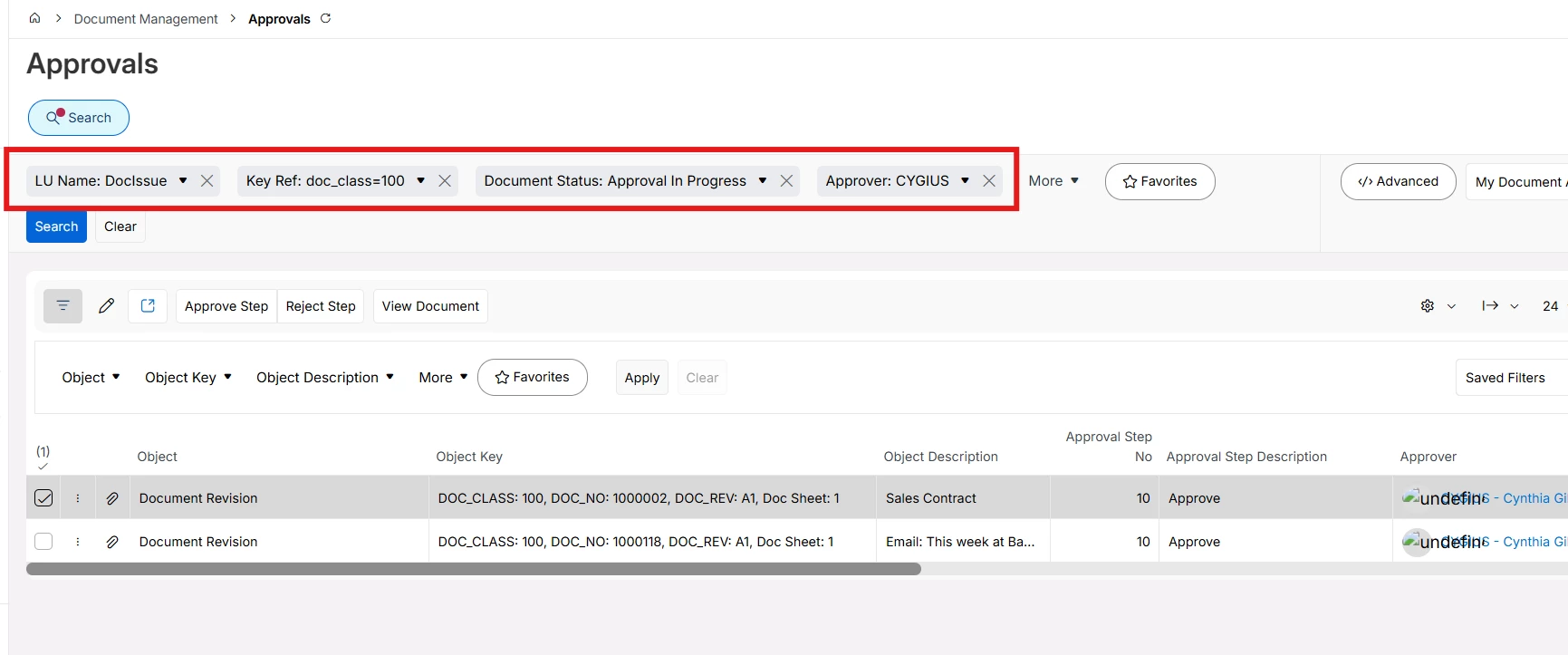
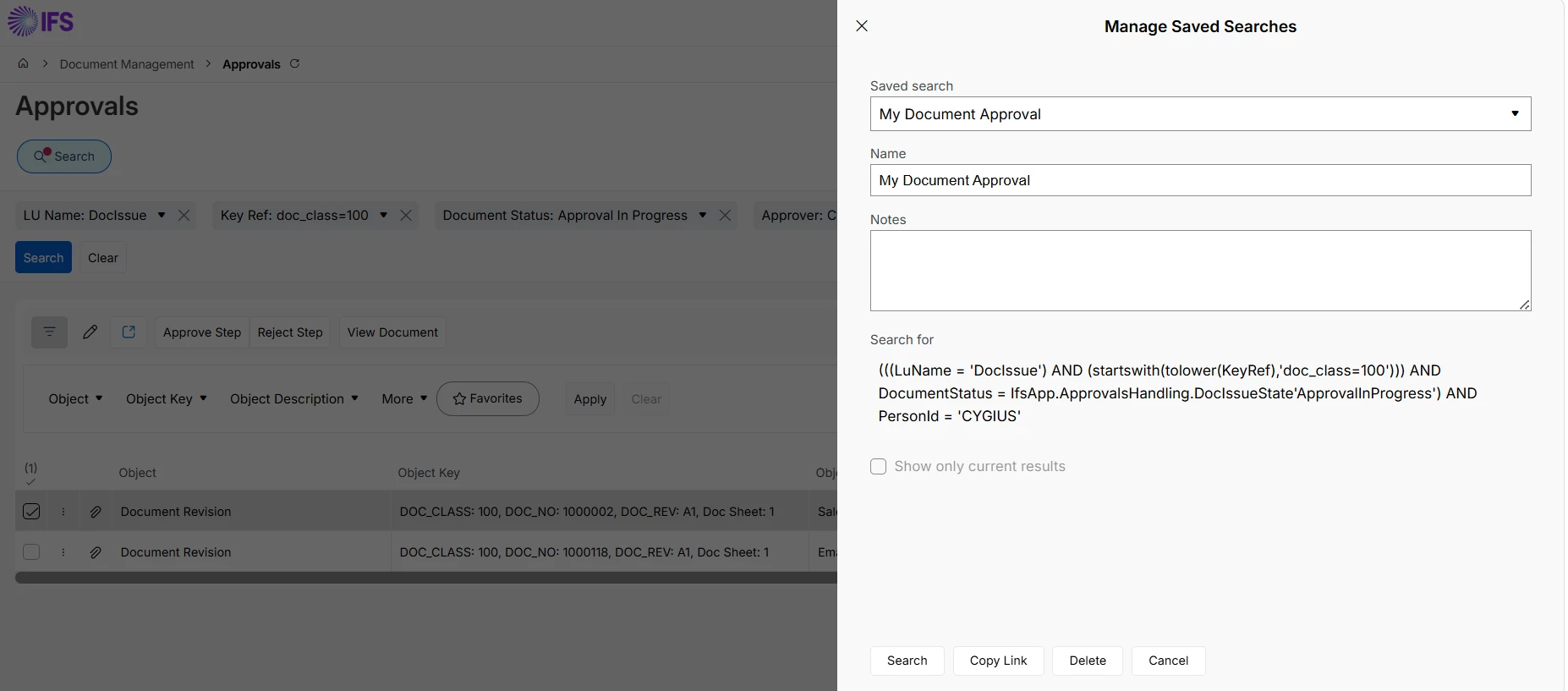
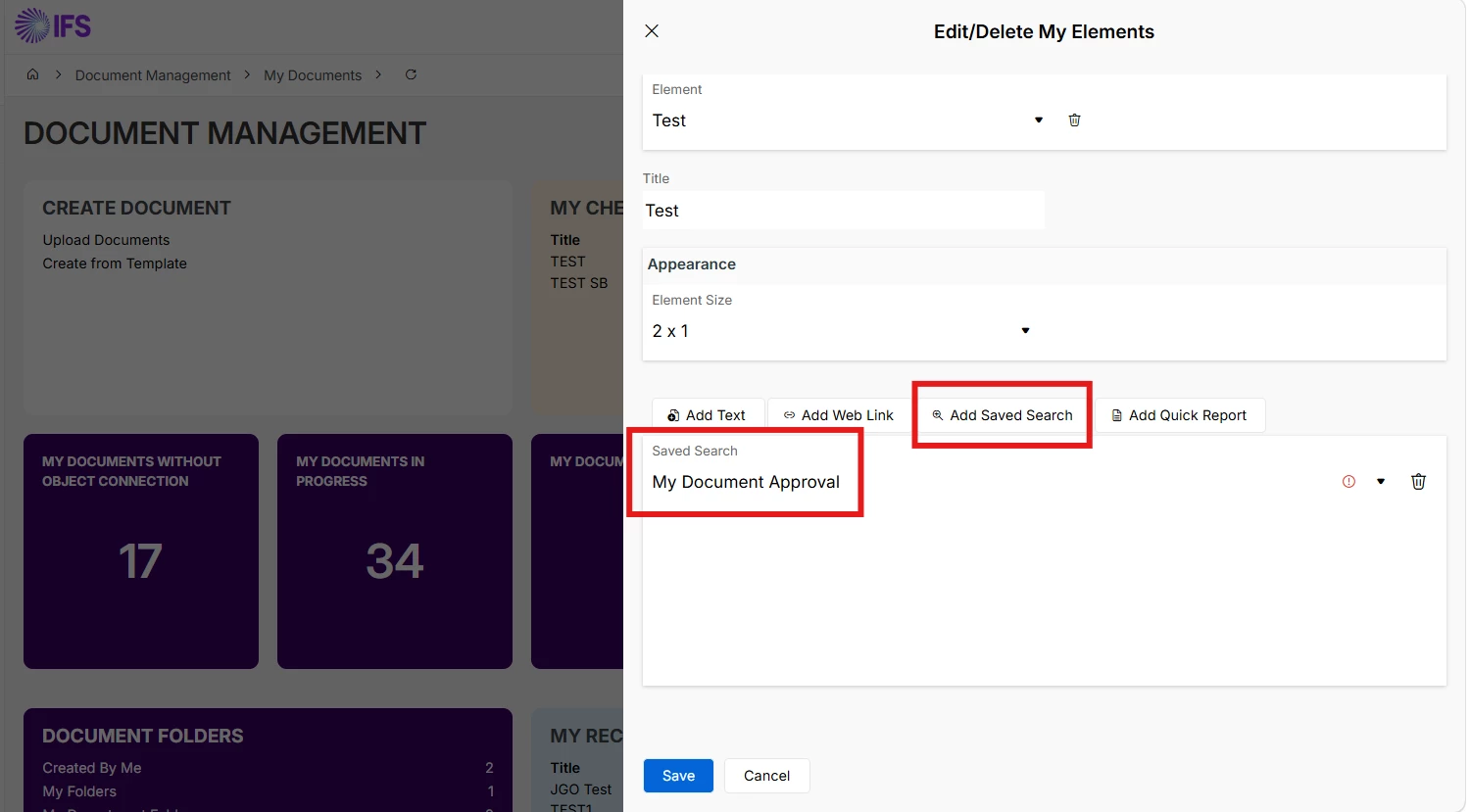
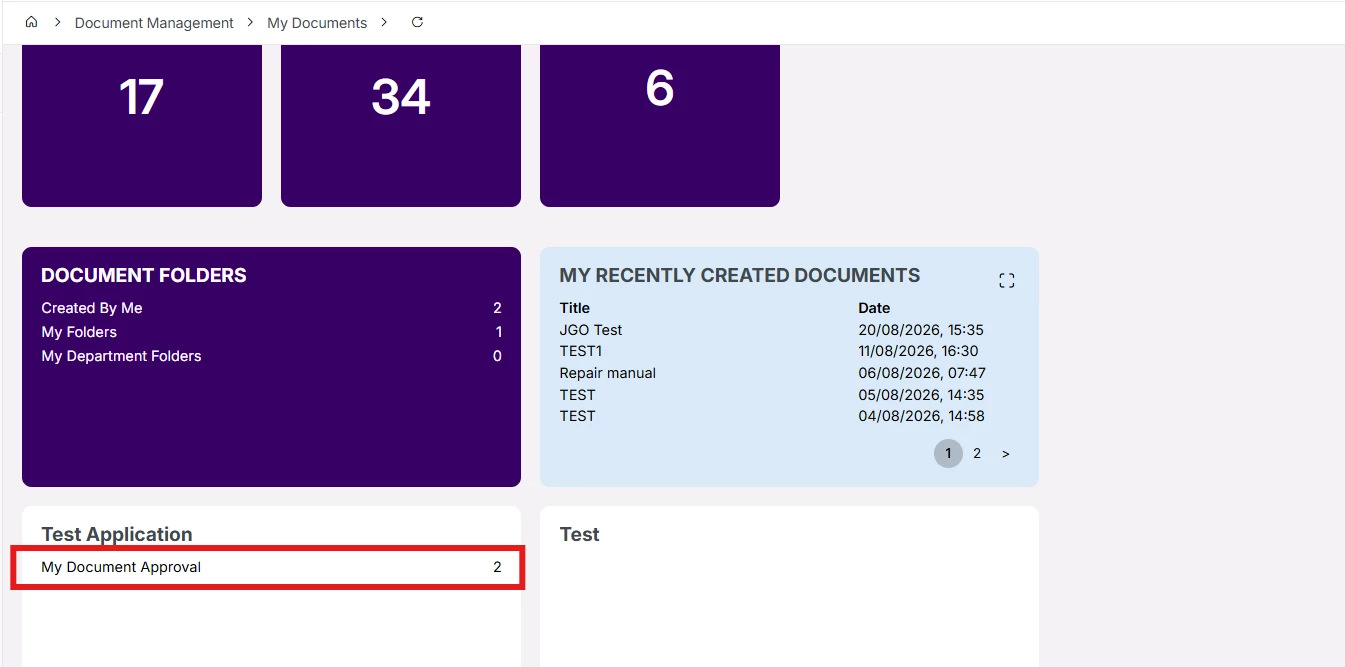
Instead, you can use Approval screen for the same purpose, and it is also possible to configure lobby navigation with desired Document Class.

Please follow Steps.

  1. Filter all the Documents pending for your Approval.
  1. Create a Saved Search for the filter.


  1. Add your Saved Search in a lobby element. 


Marcel.Ausan
Ultimate Hero (Partner)
Forum|alt.badge.img+22
  • Ultimate Hero (Partner)
  • August 27, 2026

hi ​@TosohLBlum.

I don’t think this is possible, because My Document Approvals doesn’t have the Search functionality. You can only filter in the Unattended or Rejected sections. Filtering doesn’t change the URL. Navigation from a Lobby Element to another page and applying a search criteria, is done by including the search criteria in the navigation URL.