


Solved

Expose Standard Field on Overview - Customers & Corporate Form

  • April 15, 2026
  • 2 replies
  • 17 views

Forum|alt.badge.img+7

Hi there IFS Community!

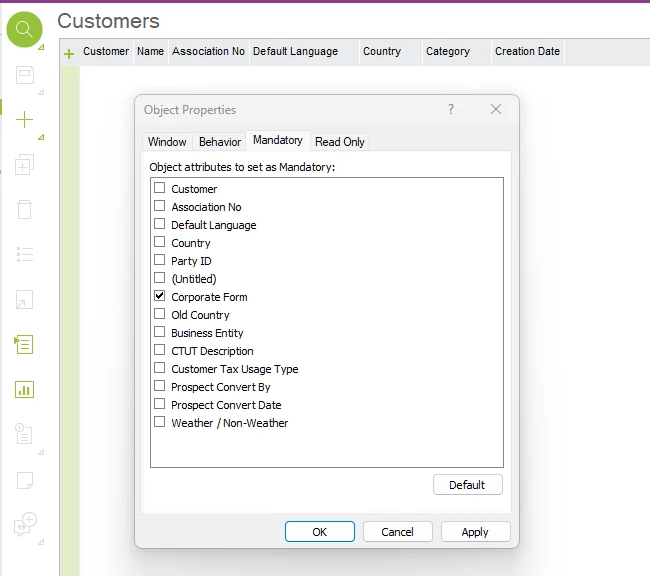
I have a hopefully interesting issue that I’d like a larger audience in reviewing. I received a request to expose the field CORPORATE_FORM, associated with the CustomerInfo LU on the Customers overview screen (Presentation Object ID tbwCustomerInfoOverview). I can see that there’s the option to make a mandatory field in the Properties > Mandatory tab, but no option to expose it via the column chooser.

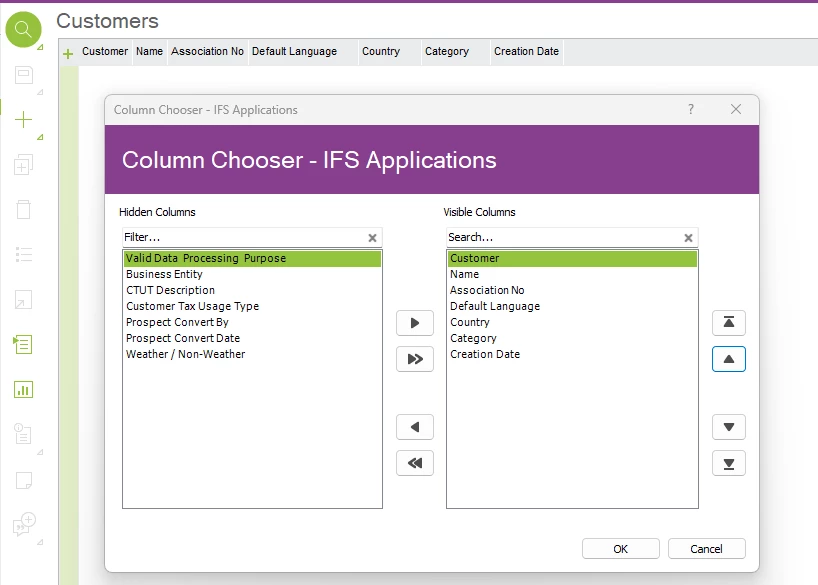
Is this normal behavior for this overview screen, or would I need to make “dumb” custom read-only fields to expose these fields? Other read-only custom fields are presentable just fine, so it has me a tad puzzled on whether I’m missing something, or need to bite the bullet and make this a “recursive” read-only field.

Customers overview aware of Corporate Form field
 

Corporate Form not available in Column Chooser (custom fields available)
 

Thank you everyone for taking the time to review, and look forward to any discussions :)

Regards,

Randy
Best answer by Abdul

Hi ​@EsiRandyG,

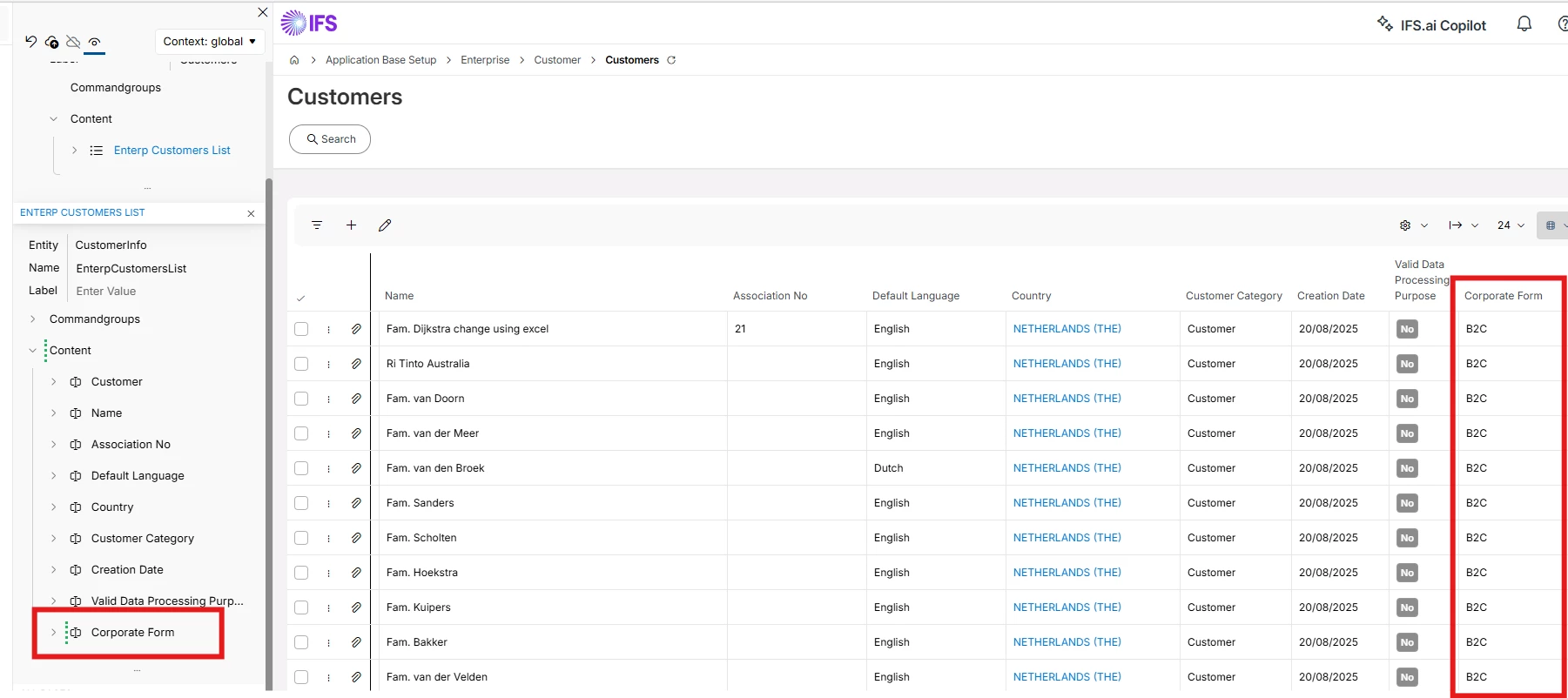
Yes, your findings are correct, it is not possible to expose CORPORATE_FORM field directly to Customers overview screen, and it is only possible by creating a read only custom field, however, that is not the case for IFS Cloud version, and CORPORATE_FORM can be added to the Customers overview screen through Page Designer itself since both Customer and Customers screens belongs to the same entity.

Please refer to the screenshot below.

Hope this helps.


Regards

Abdul Rehman

2 replies

Abdul
Superhero (Partner)
Forum|alt.badge.img+20
  • Superhero (Partner)
  • Answer
  • April 15, 2026

Hi ​@EsiRandyG,

Yes, your findings are correct, it is not possible to expose CORPORATE_FORM field directly to Customers overview screen, and it is only possible by creating a read only custom field, however, that is not the case for IFS Cloud version, and CORPORATE_FORM can be added to the Customers overview screen through Page Designer itself since both Customer and Customers screens belongs to the same entity.

Please refer to the screenshot below.

Hope this helps.


Regards

Abdul Rehman


Forum|alt.badge.img+7
  • Author
  • Sidekick (Partner)
  • April 15, 2026

I appreciate the confirmation, ​@Abdul

I’ll let the team know that this is not natively an option in their Apps 10 install and see whether they’d like to explore read-only custom fields (I don’t think they will, I think they’re wanting to leverage a Find and Replace process to mass-update Customer records.)

Thanks again!

Regards,

Randy


