Solved

Event Action email formatting

  • Mar 30, 2021 7:54 PM UTC
  • 5 replies
  • 1611 views

Forum|alt.badge.img+17

Hello all, 

I’m attempting to format an Event Action email with return carriages. I assumed that it would be formatted similar to how a Streams notice is, but that does not appear to be the case. 

Is it possible to create formatted messages in email notifications from Event Actions? I did not see anything in the help section that indicated special formatting was required.

Any help would be greatly appreciated.

Event formatting
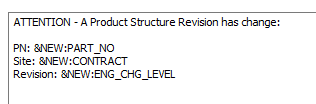
emailed output is single line:

 

Best answer by EntShehaM

You can always use <br/> tag to line separation for example,


ATTENTION - A Product Structure Revision has changed:<br/>
<br/>
PN: &NEW:PART_NO<br/>
Site : &NEW:CONTRACT<br/>
Revision : &NEW:ENG_CHG_LEVEL<br/>


View original
This topic has been closed for replies.

5 replies

Forum|alt.badge.img+28
  • Superhero (Customer)
  • Mar 30, 2021 8:14 PM UTC

Yes, it is possible, we have numerous multi-line email events.  We don’t have any special formatting that I’ve seen.


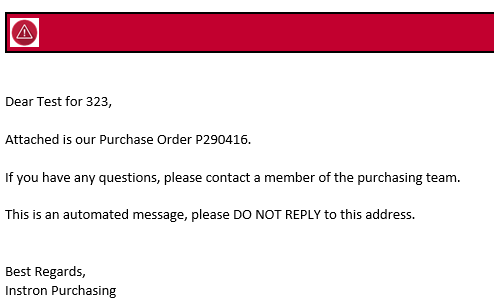
Dear &PDF_PARAMETER_4,


Attached is our Purchase Order &PDF_PARAMETER_6.
 
If you have any questions, please contact a member of the purchasing team.

This is an automated message, please DO NOT REPLY to this address.
 
 
Best Regards,
 
Instron Purchasing


Makes me wonder if it is something within your email system processing, I don’t think it is related to the event action itself.


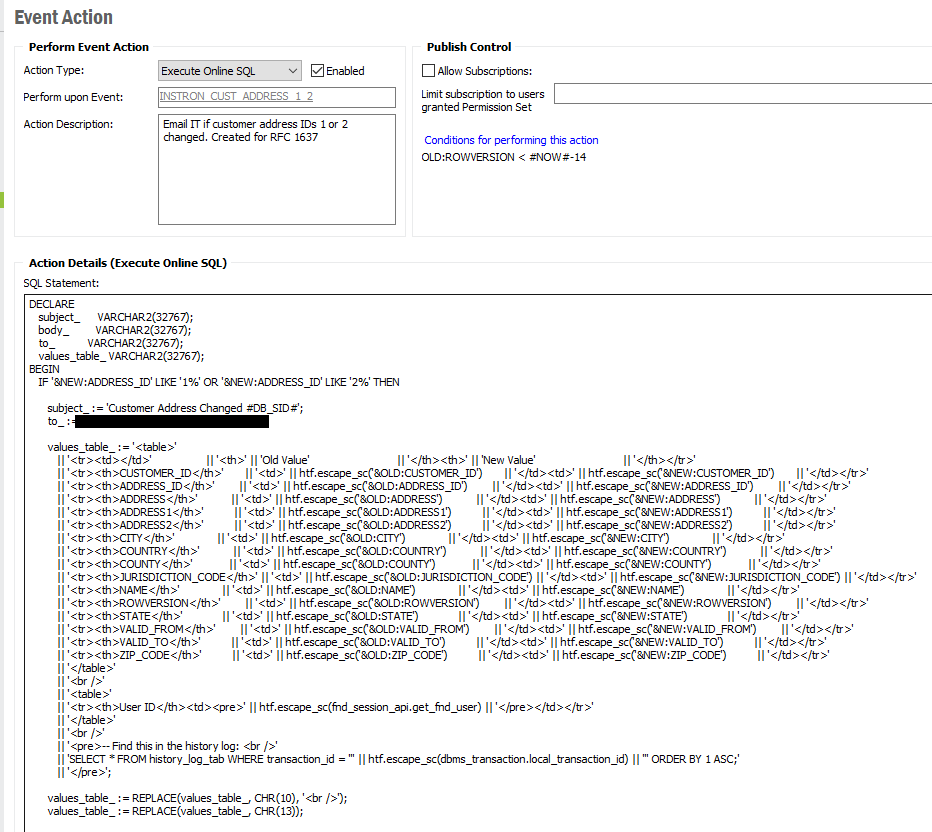
We also have some that are XML formatted with coloration as well using Execute Online SQL rather than the Email action.


Mike.Hollifield
Hero (Partner)
Forum|alt.badge.img+8

Chad,


Check your MAIL_SENDER1 settings, if it's set to HTML email then it's like the spaces are striped out of your email body.


You could try formatting your email as HTML using <br> tags to preserve the line breaks.


william.klotz
Superhero (Customer)
Forum|alt.badge.img+21
  • Superhero (Customer)
  • Mar 30, 2021 10:44 PM UTC

Hi @cjohnson ,


We have seen this issue from time to time and it always been the Outlook client trying to be smart and stripping the carriage return and line feed.  


Regards,

William Klotz


EntShehaM
Hero (Partner)
Forum|alt.badge.img+5
  • Hero (Partner)
  • Answer
  • Mar 31, 2021 6:07 AM UTC

You can always use <br/> tag to line separation for example,


ATTENTION - A Product Structure Revision has changed:<br/>
<br/>
PN: &NEW:PART_NO<br/>
Site : &NEW:CONTRACT<br/>
Revision : &NEW:ENG_CHG_LEVEL<br/>


Forum|alt.badge.img+17
  • Author
  • Superhero (Customer)
  • Apr 1, 2021 6:51 PM UTC

@EntShehaM That was it. Thank you so much. I didn’t know you could do that!