Question

Error in Get when using IFS REST Partner Connector in Boomi.

  • Jan 9, 2024 10:10 PM UTC
  • 3 replies
  • 139 views

Forum|alt.badge.img+5

Hi All,

I am getting following error when trying process to get data using IFS REST Partner connector in boomi.
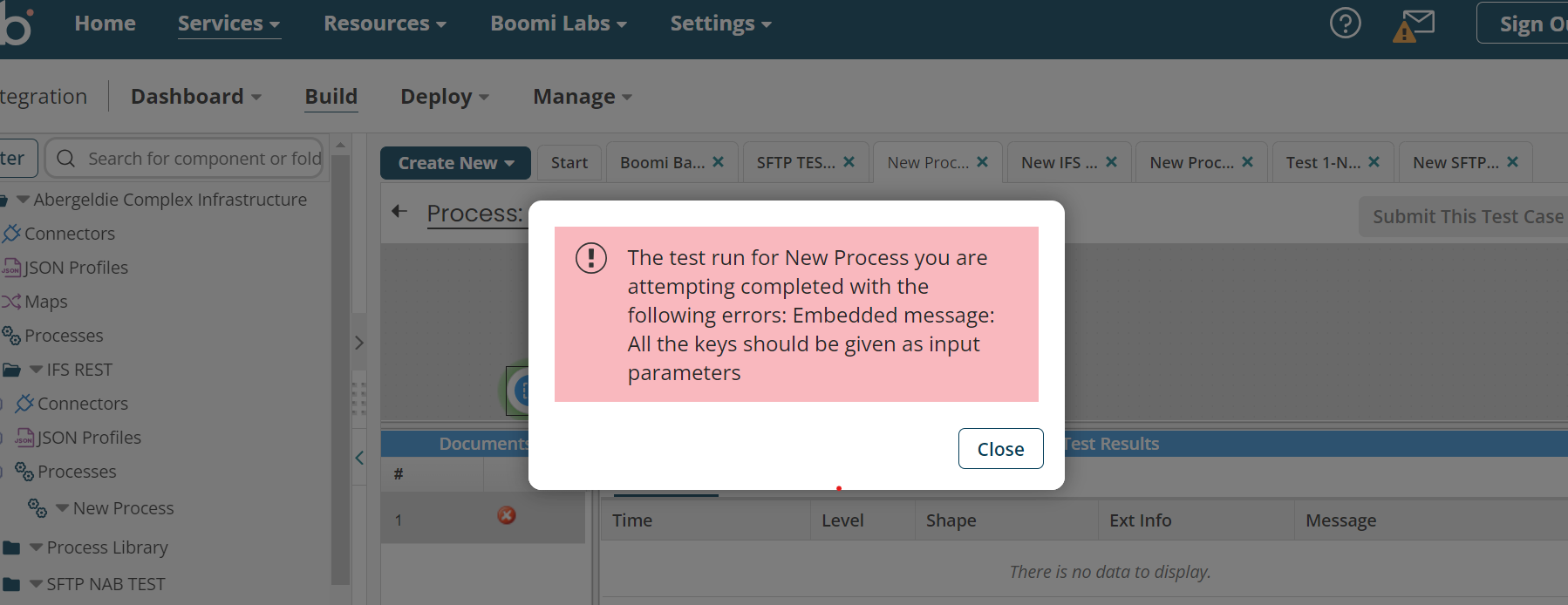
Please let me know how I can add input parameters and what are those input parameters I should input.


Thanks,

Sachini

3 replies

Forum|alt.badge.img+3
  • Do Gooder (Employee)
  • Jan 10, 2024 2:11 AM UTC

Hi Sachini,


When you click on configure button of connector


you can give the input parameters in the Parameters tab


These parameters are based on the request profile that was generated by the connector when importing the API. (Note that, there are multiple ways to give input to a connector which is common to all of the connector in Boomi)


Regards,

Denam


Forum|alt.badge.img+5
  • Author
  • Sidekick (Customer)
  • Jan 10, 2024 11:04 AM UTC

Hi Denam,

Thank you so much. It worked. How can I get all values? In here it gave the result according to parameters. Suppose I want to get all purchase orders, Then how can I do that without giving parameters.

Thank you,

Sachini


Forum|alt.badge.img+3
  • Do Gooder (Employee)
  • Jan 10, 2024 11:06 AM UTC

In that case, you have to use the action type “Query”. Get implies Get by key and Query is equal to Get all.