Question

Error Camunda on date when try delete an Agreement Sales Part Deal

  • June 17, 2026
  • 4 replies
  • 46 views

Forum|alt.badge.img+1

Hello,

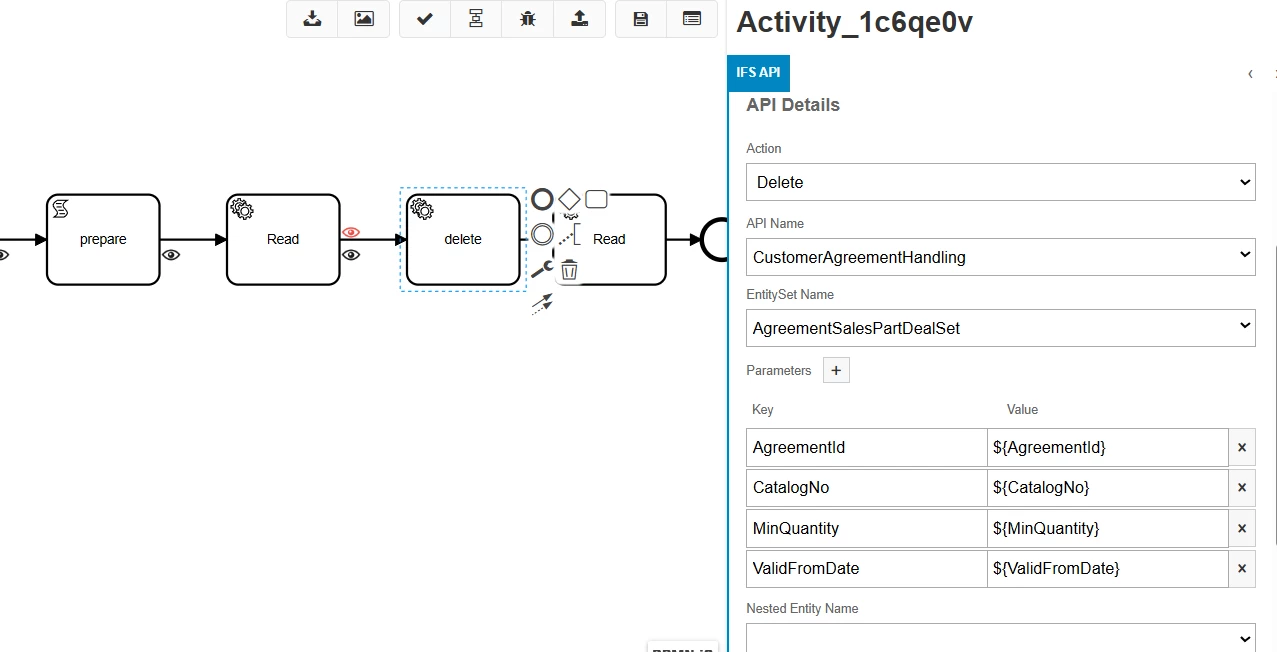
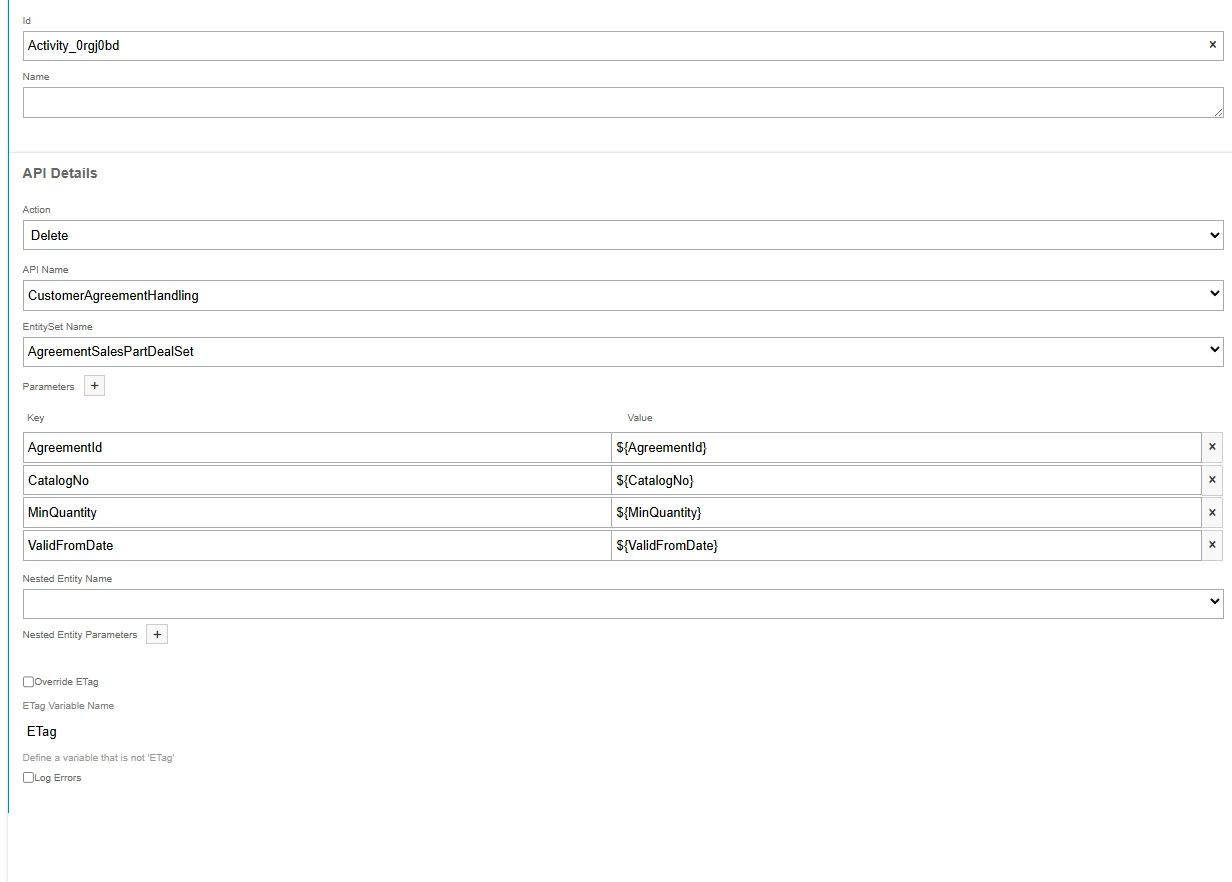
In my workflow, I am trying to delete an entity from AgreementSalesPartDealSet.

However, I am encountering an issue with the date field:

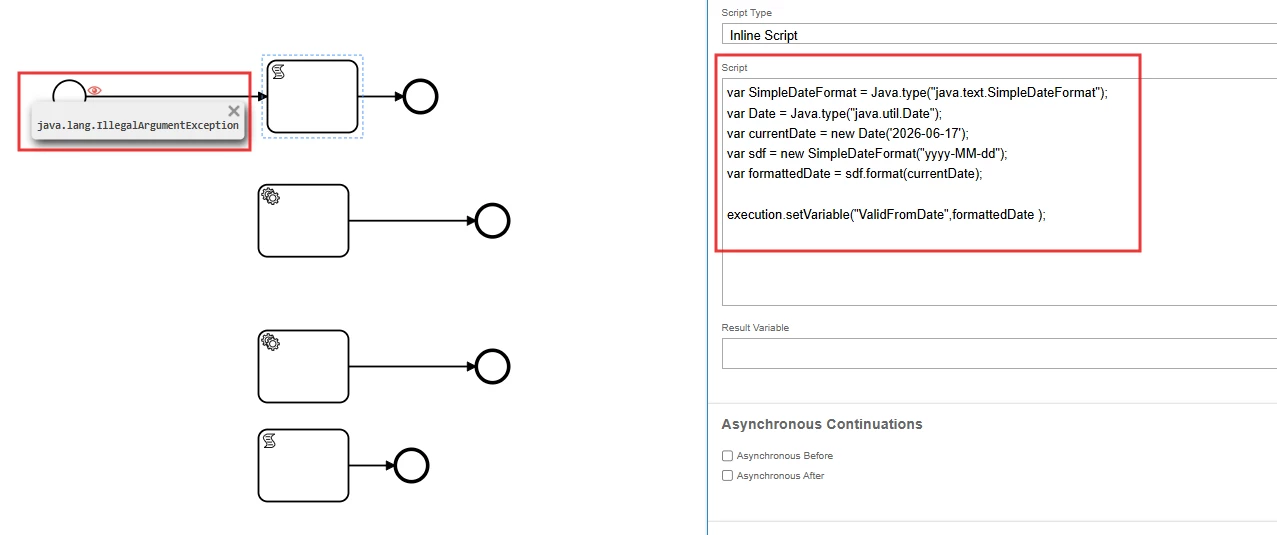
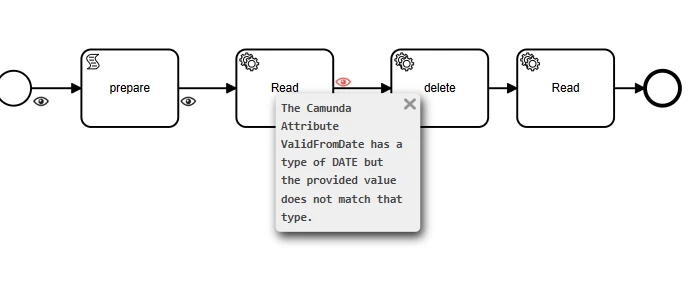
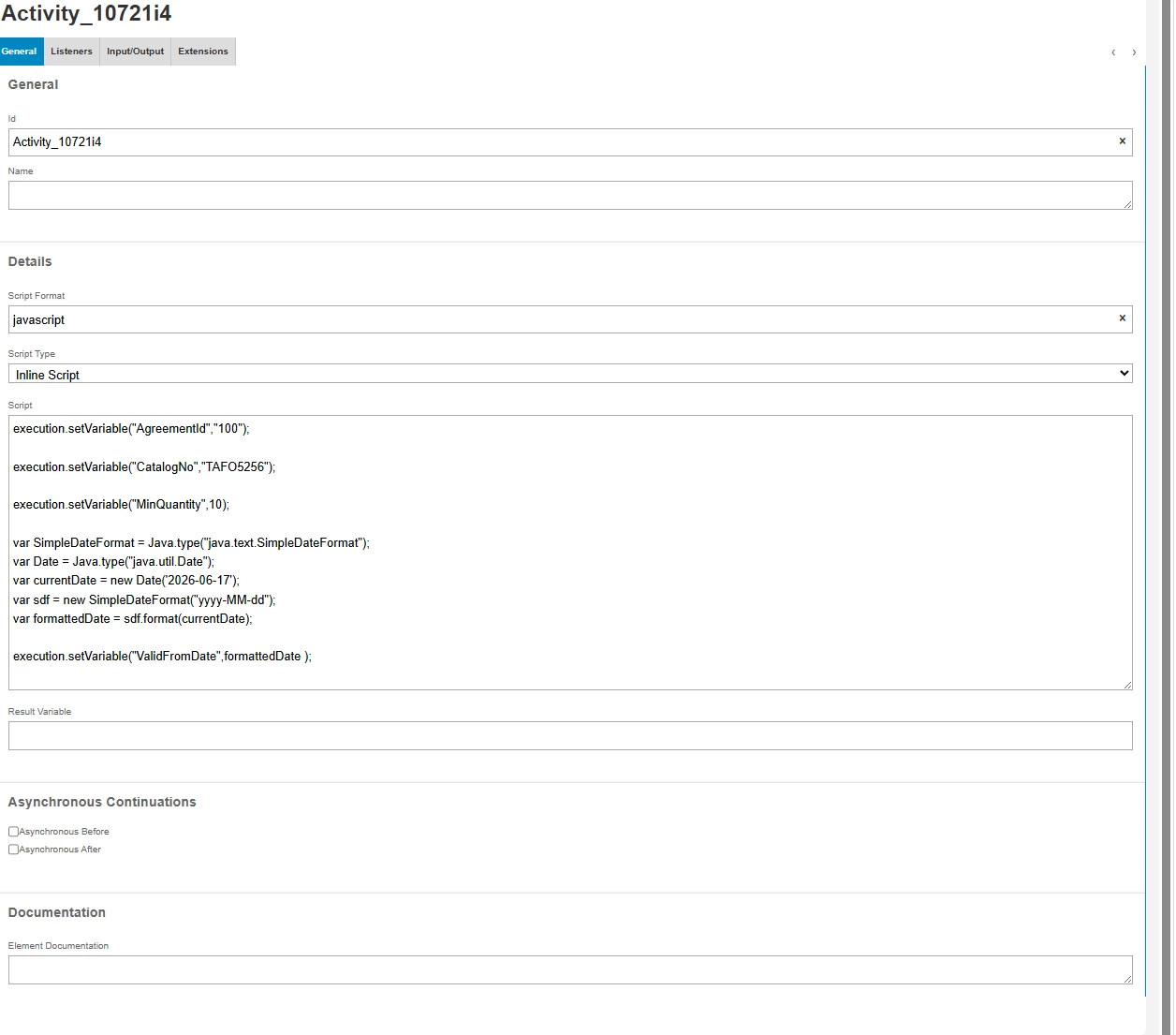
The Camunda attribute ValidFromDate has a type of DATE, but the provided value does not match that type.

I am pretty sure I did something wrong, even though I followed the documentation.

https://docs.ifs.com/techdocs/25r2/040_tailoring/500_business_process_automation/080_workflow_examples/#date_example


What did you think of it, and where did I make a mistake?


Workflow annex:


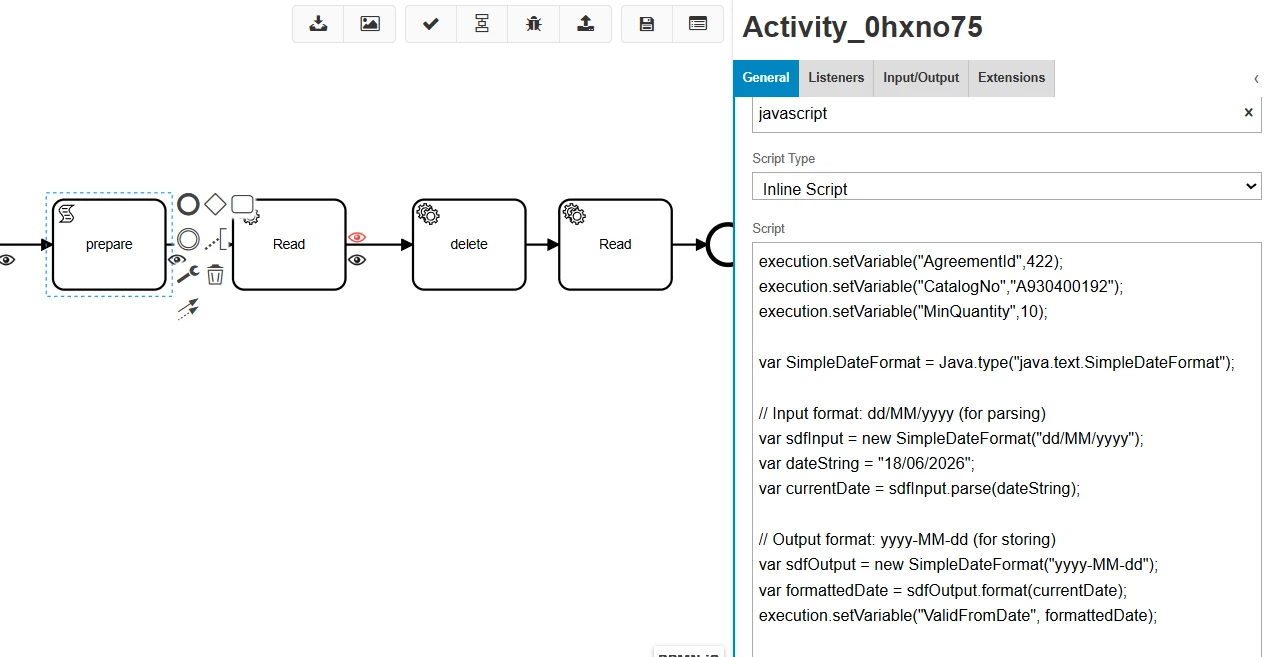
Activity Script Task: set Variables
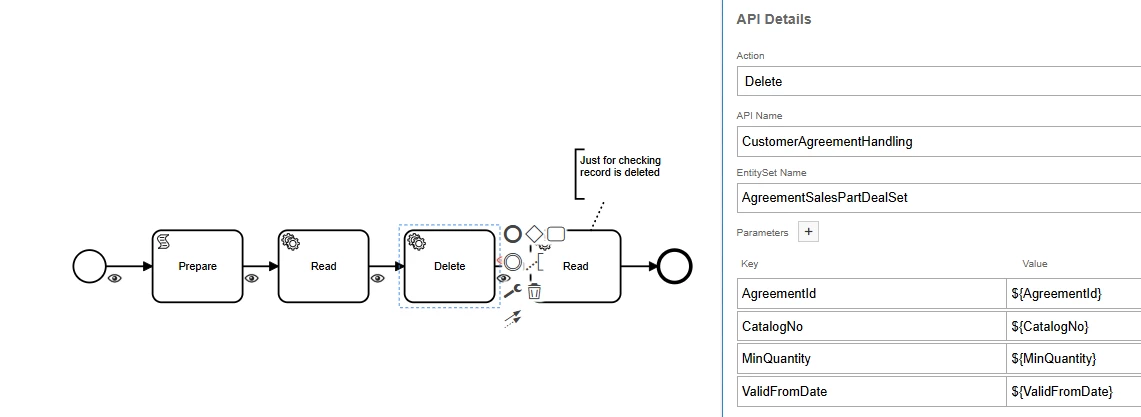
Activity IFS API: DELETE AgreementSalesPartDeal
 

4 replies

Forum|alt.badge.img+5
  • Do Gooder (Employee)
  • June 17, 2026

Hi ​@RECA Pierre ,

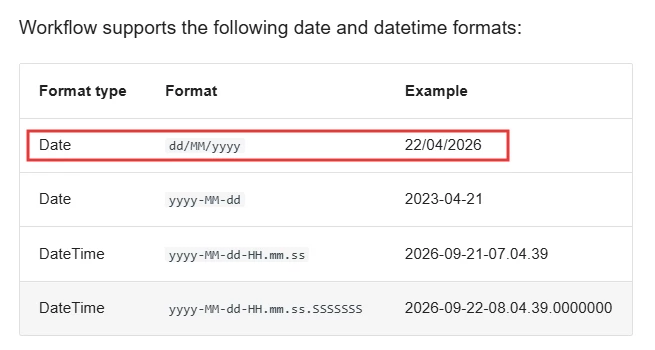
In the Tech Docs, sample code is provided for converting date and timestamp formats. However, you will need to write the JavaScript code based on your specific requirements and the format expected by the API or workflow.


I noticed two things:

1. new Date('2026-06-17') may not work as expected in Camunda 7 JavaScript

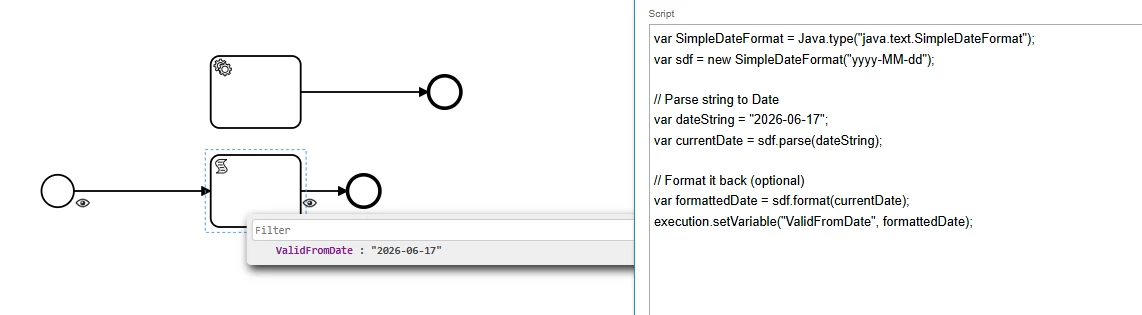
In Camunda 7's JavaScript engine (Nashorn), Java date handling differs from standard browser JavaScript. Parsing string dates using new Date('2026-06-17') can fail or produce unexpected results.

You may want to use something like:

var SimpleDateFormat = Java.type("java.text.SimpleDateFormat");
var sdf = new SimpleDateFormat("yyyy-MM-dd");

// Parse string to Date
var dateString = "2026-06-17";
var currentDate = sdf.parse(dateString);

// Format it back (optional)
var formattedDate = sdf.format(currentDate);
execution.setVariable("ValidFromDate", formattedDate);


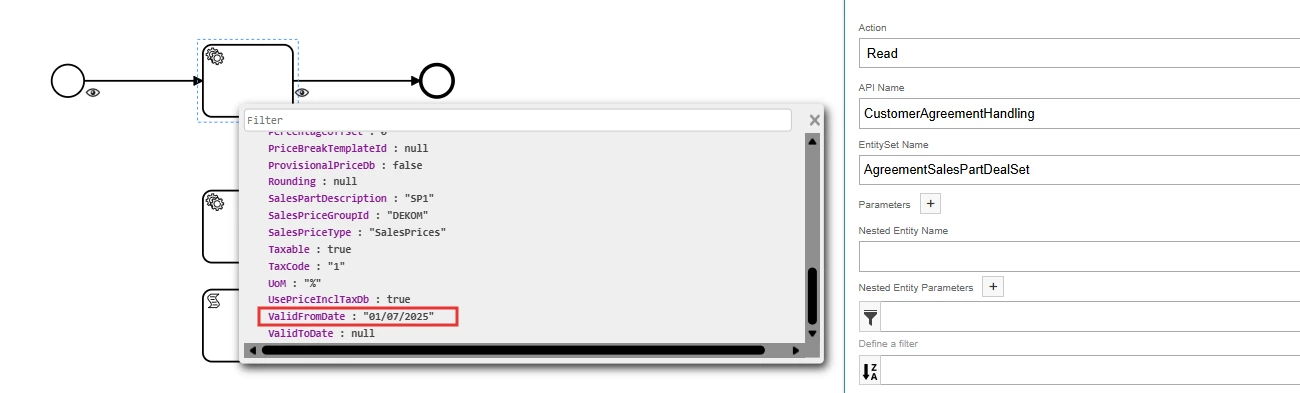
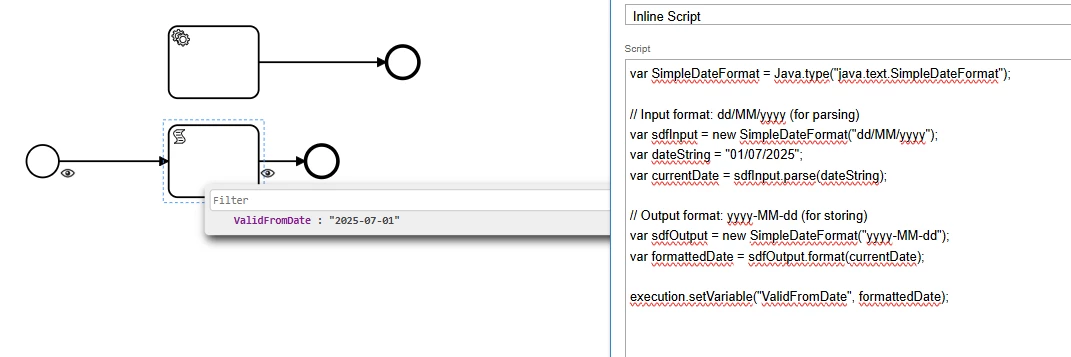
2. When reading AgreementSalesPartDealSet using CustomerAgreementHandling, the ValidFromDate value is returned in a format similar to:

01/07/2025


Therefore, you may need to provide the date in the same format. You can use JavaScript to convert or format the date before passing it to the API.

var SimpleDateFormat = Java.type("java.text.SimpleDateFormat");

// Input format: dd/MM/yyyy (for parsing)
var sdfInput = new SimpleDateFormat("dd/MM/yyyy");
var dateString = "01/07/2025";
var currentDate = sdfInput.parse(dateString);

// Output format: yyyy-MM-dd (for storing)
var sdfOutput = new SimpleDateFormat("yyyy-MM-dd");
var formattedDate = sdfOutput.format(currentDate);

execution.setVariable("ValidFromDate", formattedDate);


Forum|alt.badge.img+1
  • Author
  • Do Gooder (Customer)
  • June 17, 2026

Thank ​@pdollk for the fast reply,

I’m now fine with these two suggestions you gave me.

Many thanks.


However, even if I format ValidFromDate as dd/MM/yyyy or yyyy-MM-dd, I still get this error:

The Camunda attribute ValidFromDate has a type of DATE, but the provided value does not match that type.

This happens when I try to delete AgreementSalesPartDealSet using CustomerAgreementHandling.


Could you check whether it’s a configuration issue on my side or something you can reproduce?


Forum|alt.badge.img+5
  • Do Gooder (Employee)
  • June 17, 2026


Hi ​@RECA Pierre 

As I understand it, you are trying to delete a specific record from AgreementSalesPartDealSet using the CustomerAgreementHandling API. Correct me if I’m wrong.

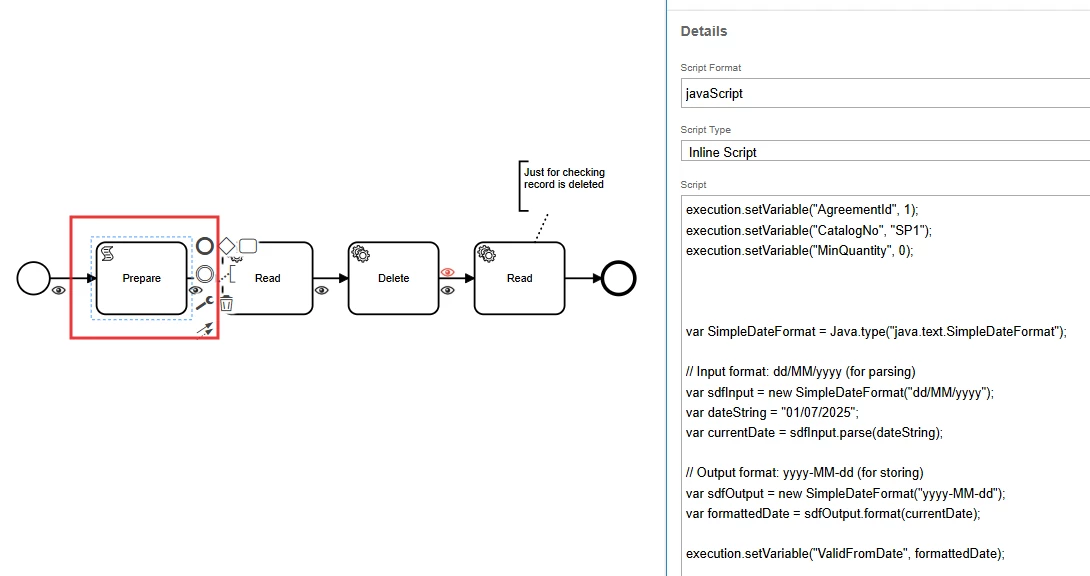
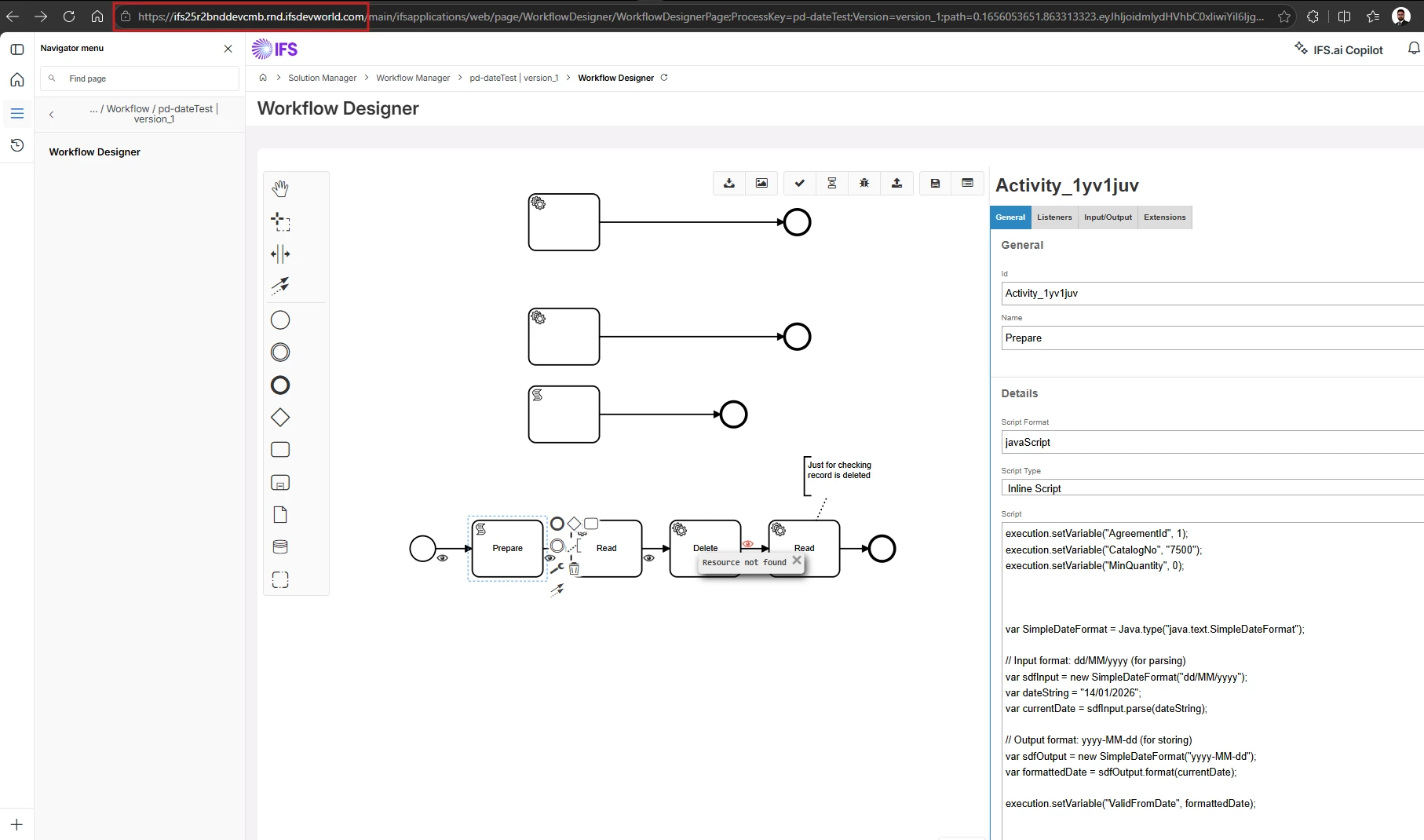
Task 1: Prepare the data

  • AgreementId: 1

  • MinQuantity: 0

  • ValidFromDate: "01/07/2025"

  • CatalogNo: "SP1"

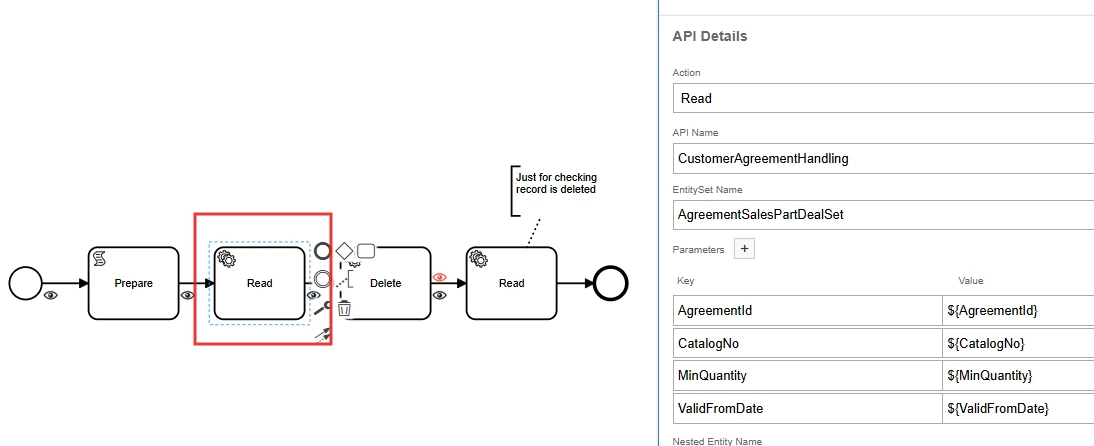
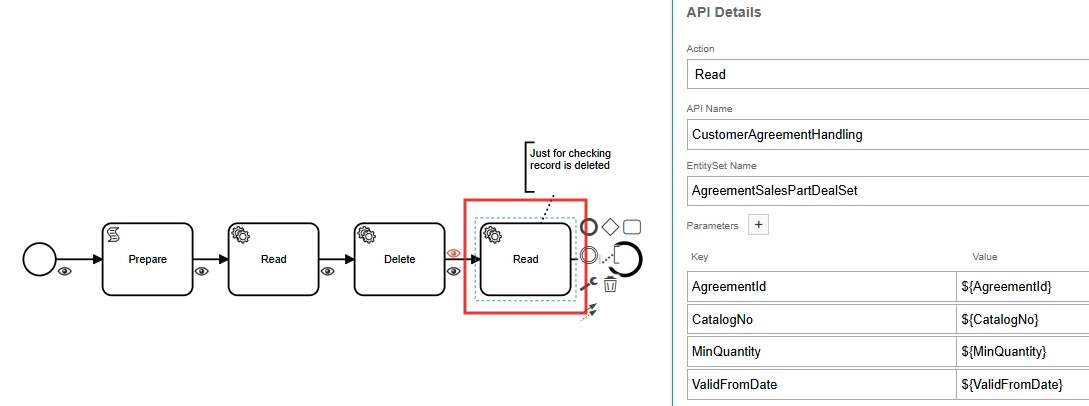
Task 2: Read the specific record

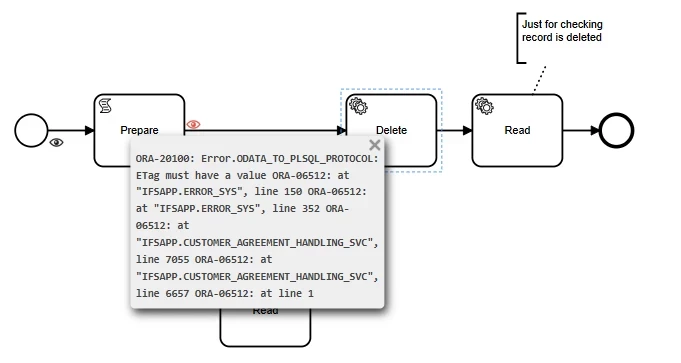
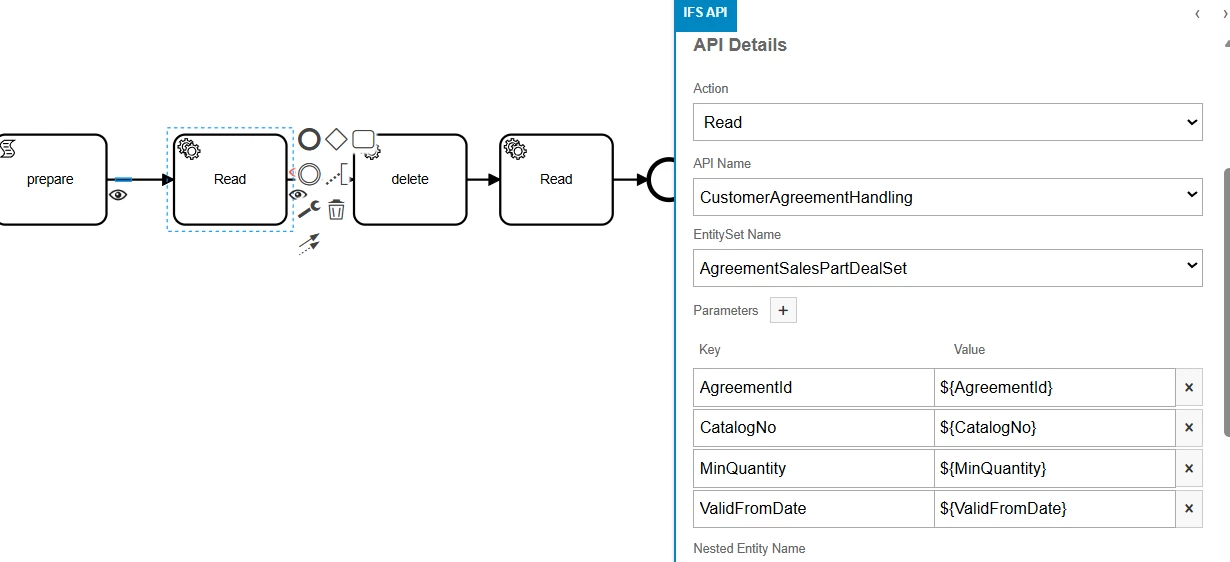
I had to add this task because I received an error stating that the ETag must have a value. To populate the ETag before deleting the record, I first read the specific record.

Task 3: Delete the specific record

Delete the record using the values obtained from the previous step.

Task 4: Verify the deletion

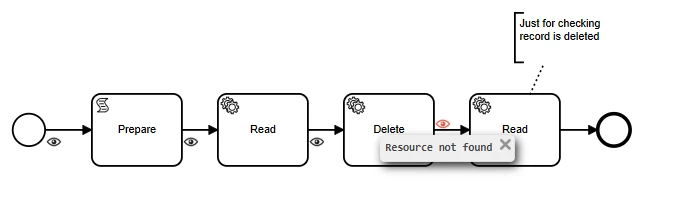
Add another read operation to verify that the record has been deleted. If the deletion is successful, the read operation should fail with a "Resource not found" error.

Final Result

After debugging the workflow, I received the "Resource not found" error in the final read operation, which confirms that the specific record was deleted successfully. "

I also did not receive the following error during my testing:

"The Camunda attribute ValidFormDate has a type of DATE, but the provided value does not match that type.”


Forum|alt.badge.img+1
  • Author
  • Do Gooder (Customer)
  • June 18, 2026

Thank ​@pdollk ,

It's pretty clear, and I like the way you explain everything step by step.

However, I'm still getting the same error, so I think something is wrong with my environment.

I'm working on 25R2:

Application service update: 25.2.5

Framework service update: 25.2.6

IFS Cloud Web version: 25.2.6.20260507080051.0

IFS Client Services version: 25.2.6.20260507030616.0

IFS Client Notification version: 25.2.6.20260507033613.0

IFS Chat version:

IFS OData provider version: 25.2.6.20260505100339.0


I also tried it in another environment (24R1).


Application service update: 24.1.4

Framework service update: 24.1.12

IFS Cloud Web version: 24.1.12.20250501071452.0

IFS OData provider version: 24.1.12.20250429101702.0


In 24R1, everything works fine.

Did I miss any configuration changes in 25R1, especially in the workflow settings?