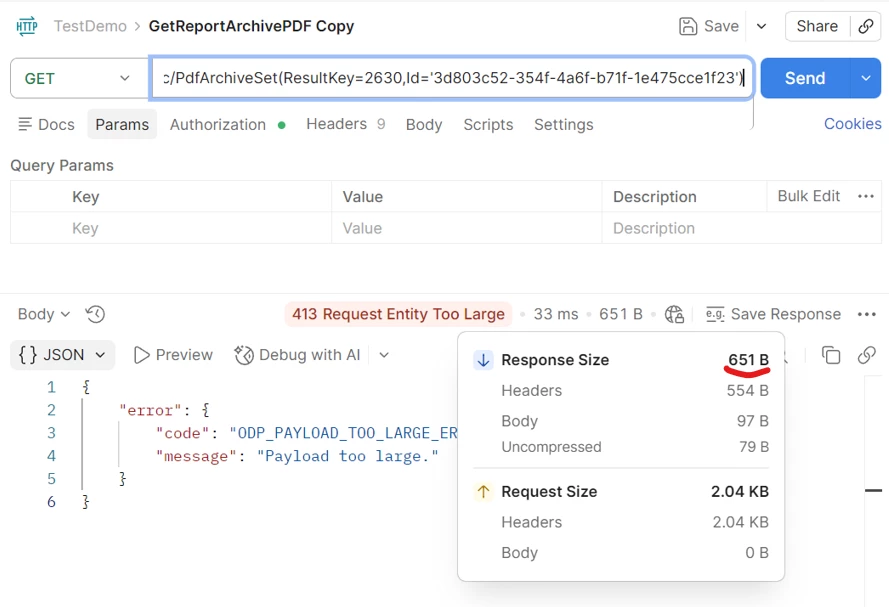
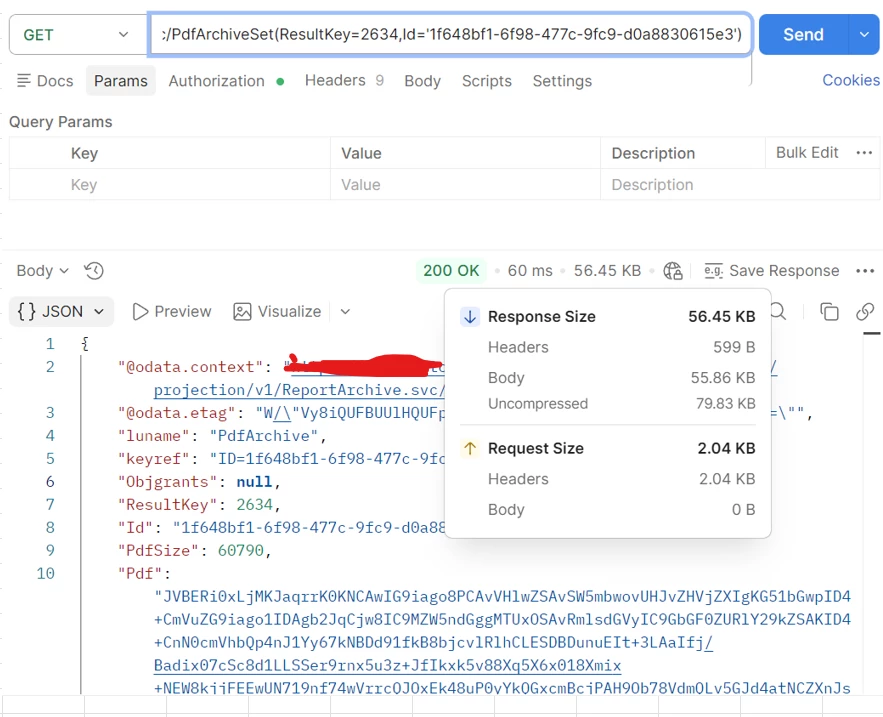
We need to integrate PDF files with surrounding systems. However, even when retrieving only a single record, we sometimes encounter the error "ODP_PAYLOAD_TOO_LARGE_ERROR" due to large file sizes(Greater than 64 KB). Could you please advise on possible solutions or workarounds?
Request: https://xxxxxxx.com/b2b/ifsapplications/projection/v1/ReportArchive.svc/PdfArchiveSet$top=1 Error: <ERROR>{"error":{"code":"ODP_PAYLOAD_TOO_LARGE_ERROR","message":"Payload too large."}}</ERROR>
Results smaller than 64 KB are OK.
Best regards, Feng
Best answer by Lingesan08
Hi All
We need to integrate PDF files with surrounding systems. However, even when retrieving only a single record, we sometimes encounter the error "ODP_PAYLOAD_TOO_LARGE_ERROR" due to large file sizes(Greater than 64 KB). Could you please advise on possible solutions or workarounds?
Request: https://xxxxxxx.com/b2b/ifsapplications/projection/v1/ReportArchive.svc/PdfArchiveSet$top=1 Error: <ERROR>{"error":{"code":"ODP_PAYLOAD_TOO_LARGE_ERROR","message":"Payload too large."}}</ERROR>
Results smaller than 64 KB are OK.
Best regards, Feng
Hi @feng
This is expected behavior. The error "ODP_PAYLOAD_TOO_LARGE_ERROR" typically comes from payload size limits in the projection/ODP layer, where large base64-encoded PDFs exceed the allowed threshold (often around ~64 KB in response payload).
A few possible approaches:
Avoid returning the full PDF in the OData response. Instead, use a document/file streaming approach or direct download API if available.
Check if compression or reducing PDF size is possible before storing/retrieving.
Consider splitting the use case (e.g., metadata via projection, file via separate endpoint).
If deployed behind a gateway/reverse proxy, verify if additional size limits are enforced there.
In general, large binary content is not ideal for OData responses in IFS, and using file/document APIs is the recommended approach.
We need to integrate PDF files with surrounding systems. However, even when retrieving only a single record, we sometimes encounter the error "ODP_PAYLOAD_TOO_LARGE_ERROR" due to large file sizes(Greater than 64 KB). Could you please advise on possible solutions or workarounds?
Request: https://xxxxxxx.com/b2b/ifsapplications/projection/v1/ReportArchive.svc/PdfArchiveSet$top=1 Error: <ERROR>{"error":{"code":"ODP_PAYLOAD_TOO_LARGE_ERROR","message":"Payload too large."}}</ERROR>
Results smaller than 64 KB are OK.
Best regards, Feng
Hi @feng
This is expected behavior. The error "ODP_PAYLOAD_TOO_LARGE_ERROR" typically comes from payload size limits in the projection/ODP layer, where large base64-encoded PDFs exceed the allowed threshold (often around ~64 KB in response payload).
A few possible approaches:
Avoid returning the full PDF in the OData response. Instead, use a document/file streaming approach or direct download API if available.
Check if compression or reducing PDF size is possible before storing/retrieving.
Consider splitting the use case (e.g., metadata via projection, file via separate endpoint).
If deployed behind a gateway/reverse proxy, verify if additional size limits are enforced there.
In general, large binary content is not ideal for OData responses in IFS, and using file/document APIs is the recommended approach.
@Lingesan08 Thank you for your support. The PDF is retrieved as binary (stream) content via a dedicated streaming endpoint, for example: /ArchiveDocumentSet(...)/Pdf.