Question

Display dynamic images in a new Report Designer layout

  • August 5, 2020
  • 2 replies
  • 806 views

Forum|alt.badge.img+2

I am trying to add non logo type images to Report  Designer layout (Client Version Apps 8  SP1 ) based on different report conditions. I have set the default graphics path as a file location in the machine and Explicit run time path in the server as below .
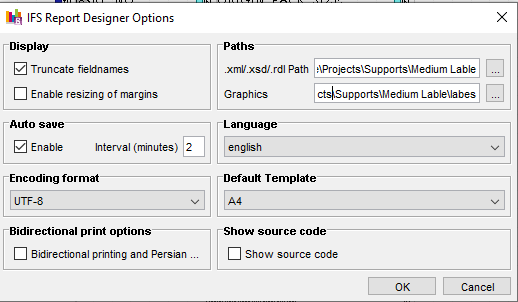
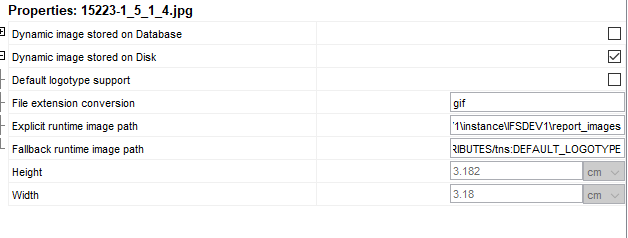
Client Machine

The image files are physically presented in the folder path in application server . But I was not able to display  the image in the report . 

Can anyone provide any guidance or point me to the step I might be missing?

Thanks

2 replies

Rusiru Dharmadasa
Superhero (Employee)
Forum|alt.badge.img+20

Hope you already have the technical documentation with you. Given that see below path, it has a step by step guide which should work for you. 


Foundation1 / Open Development / Report Development / Report Designer / Layout Design / Working With Images / This page


.../045_open_development/010_report_development/050_report_designer/020_layout_design/100_working_with_images/default.htm


Forum|alt.badge.img+2
  • Author
  • Do Gooder (Partner)
  • August 18, 2020

Thank you .