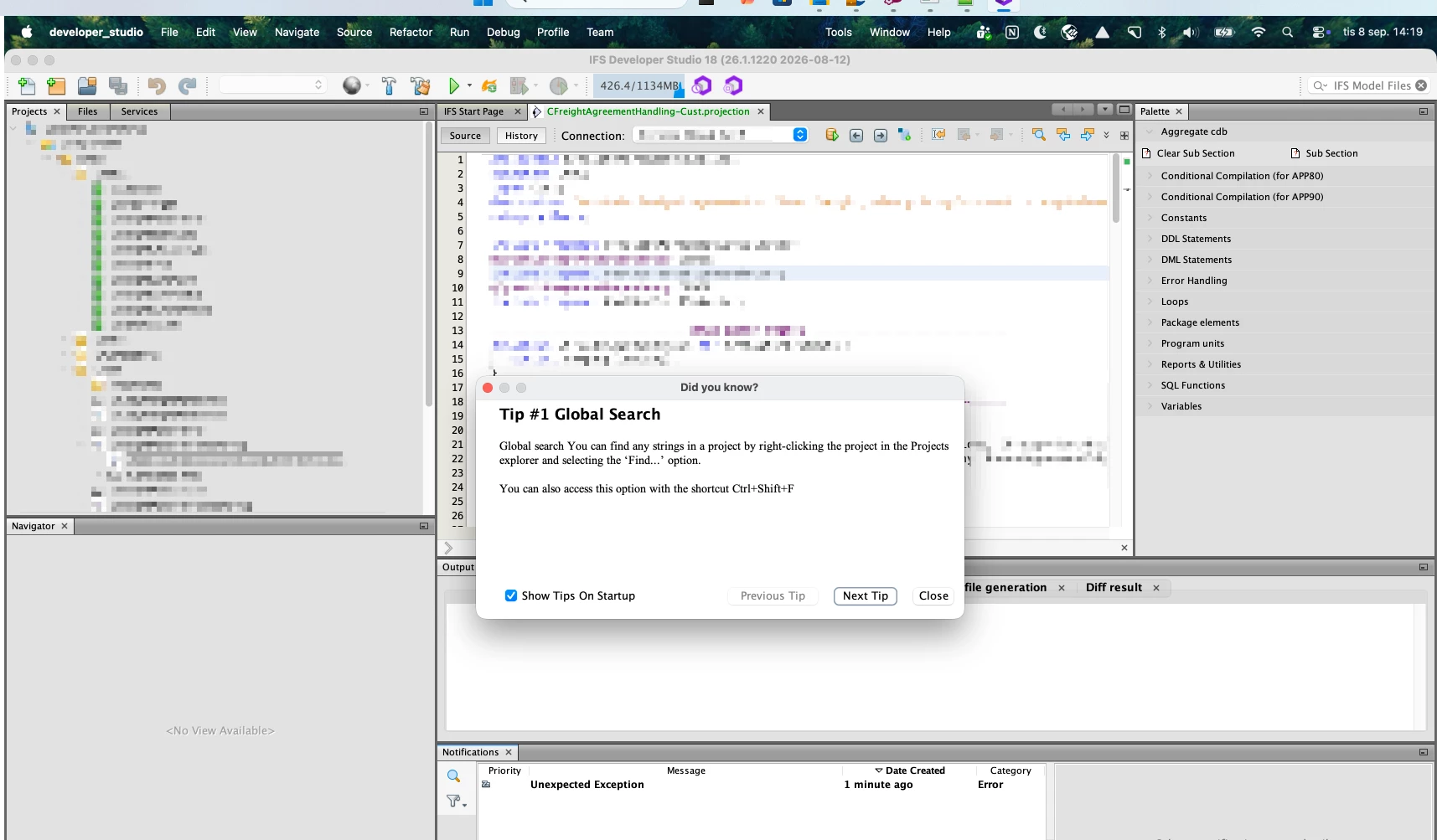
With IFS Cloud, clients can access the system without needing a Windows-based device, which is a great flexibility benefit. However, for developers, the use of Developer Studio still requires a Windows operating system. This means it cannot be used on macOS devices.
Given that Developer Studio is based on NetBeans, which is a cross-platform application, it shouldn't be technically difficult for IFS to provide a macOS-compatible version. Offering such support would significantly enhance the development experience and flexibility for Mac users.
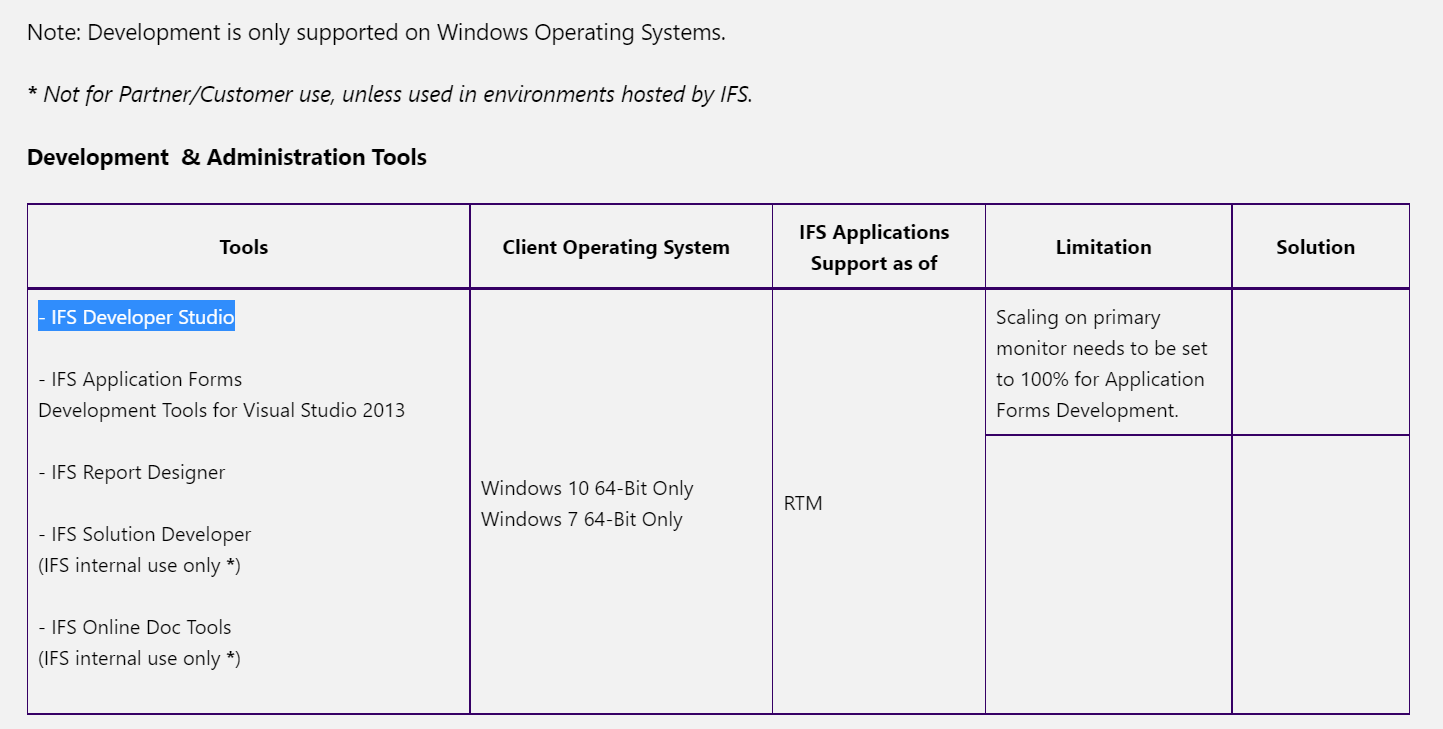
Development is only supported on Windows Operating Systems.
Not for Partner/Customer use, unless used in environments hosted by IFS._*
Therefore we need to do some investigations and see whether we can provide the tooling support in MAC as it's not straightforward.
There should be a installer to support in MAC (Mac installer (.dmg))
Update Center support to give tool updates
Need to allocate resources to troubleshoot issue if something goes wrong.
Do accept the fact that Offering such support would significantly enhance the development experience and flexibility for Mac users, but still we do not have that as a roadmap item
Development is only supported on Windows Operating Systems.
Not for Partner/Customer use, unless used in environments hosted by IFS._*
Therefore we need to do some investigations and see whether we can provide the tooling support in MAC as it's not straightforward.
There should be a installer to support in MAC (Mac installer (.dmg))
Update Center support to give tool updates
Need to allocate resources to troubleshoot issue if something goes wrong.
Do accept the fact that Offering such support would significantly enhance the development experience and flexibility for Mac users, but still we do not have that as a roadmap item
A related question: does anywone have any experience with running IFS Developer Studio and IFS Report Designers etc. in Windows 11 using Parallels on a Mac?
A related question: does anywone have any experience with running IFS Developer Studio and IFS Report Designers etc. in Windows 11 using Parallels on a Mac?
Yes, I run IFS Developer Studio and the Report Designers in Windows 11 using Parallels on a Mac, and it works very well. I haven't had any issues with that setup.
I have also managed to run IFS Developer Studio 18 natively on macOS :) because it's built on the NetBeans Platform (pure Java/Swing), so once you give it a real JDK there's no Windows-specific code left to fight, even the IFS Update Center worked fine!
I converted an existing Windows installation with a small script that:
fixes CRLF line endings in the shell launchers,
points jdkhome to a local Temurin 17 JDK, and
configures a separate macOS userdir.
Most of Developer Studio actually works surprisingly well.
One issue I encountered is that Developer Studio resets its own heap setting (-Xmx) back to the installer default of 1024 MB between sessions, which is too low since Studio generally needs 4 GB or more. I worked around this by explicitly passing -Xmx4096m in the launch command, which overrides the value in the configuration file.
The main blocker I found was code generation.
Using right-click → Generate fails with errors such as:
ifs.dev.base.ApplicationException: Cannot find required model [X.entity]
or:
Cannot find any model to use for code generation
The exception originates around GenCodeAction → SaveUsedModels → NetBeansUFFileToRecordResolver.
It appears that the model/path resolver cannot correctly locate custom entity and utility models in the project when running on macOS. I didn't investigate that part further.
Apart from code generation, everything else I tested worked.
So a native macOS also seems surprisingly close to working, but the model resolution/code generation issue is currently the main blocker.
@arwid Thanks for sharing your findings of running (Developer Studio) DS in MAC OS, yes you mentioned we also encountered some limitations when running DS in MaC OS. Code Generation is a primary requirement in DS and without that support it doesn’t seems to be so useful.