I am experimenting with the new “IFS Intelligence. Saw your post popped up and figured what heck let’s see what it does
It says:
The log identifies the cause more precisely: the automatic update catalog is malformed, resulting in a partial/inconsistent update.
Key evidence:
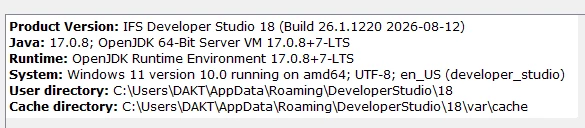
Developer Studio started as Build 26.1.1220.
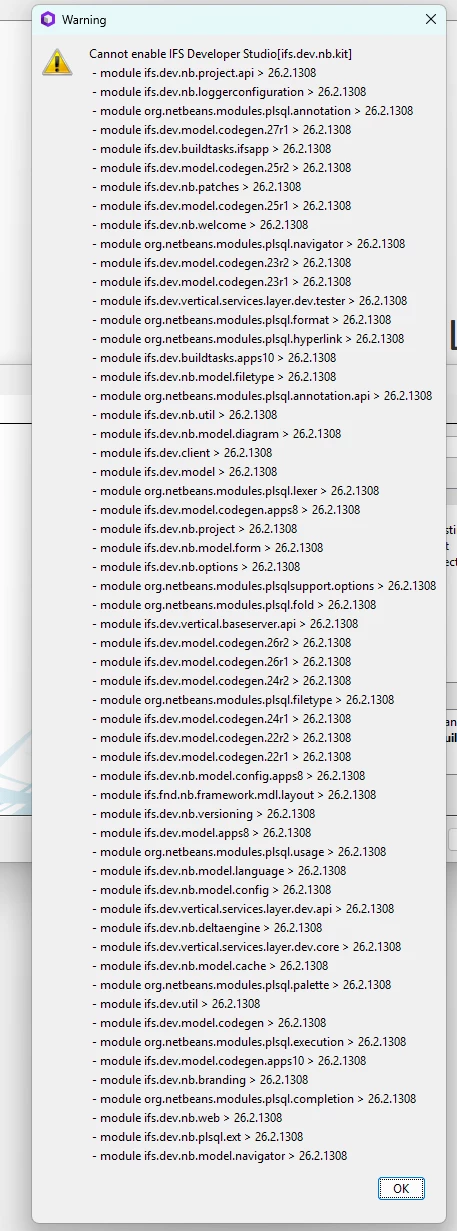
The updater found components for 26.2.1308.
While reading the update catalog, it reported: Attribute "OpenIDE-Module-Name" is required and must be specified for element type "manifest"
It then tried to enable the Developer Studio kit against 26.2.1308, but dozens of required modules were not available at the matching level.
The bundled Java 17.0.8 starts correctly, so the log does not indicate a JDK problem. Background scanning merely finishes just before the updater triggers the failure; it is not the underlying cause.
Recommended response
Do not keep retrying the automatic update or rely on clearing the cache alone. Restore/reinstall the complete 26.1.1220 build, or install a complete 26.2.1308 package after IFS corrects the update repository. Installing into a clean directory is preferable to repairing the mixed installation. Preserve the project sources and existing user directory before reinstalling.
This should also be reported to IFS with messages.log, highlighting the malformed update catalog entry and the mismatch between builds 26.1.1220 and 26.2.1308.
A concise forum reply:
The log confirms a partial automatic update rather than a project or Java issue. Developer Studio starts on build 26.1.1220, but the updater detects 26.2.1308 and reports a malformed update-catalog manifest: OpenIDE-Module-Name is missing. The Developer Studio kit then cannot enable because its dependent modules are not all available at the matching build. I would reinstall the complete 26.1.1220 package, or wait for a corrected full 26.2.1308 update, and report the catalog error to IFS Support with messages.log. Clearing the cache alone is unlikely to resolve it.