Question

Customize email message in emailing reports

  • August 25, 2026
  • 2 replies
  • 24 views

Forum|alt.badge.img+6

Hi,

I need to send the Invoice Report to a specific email address using the Print Dialog, as shown below.
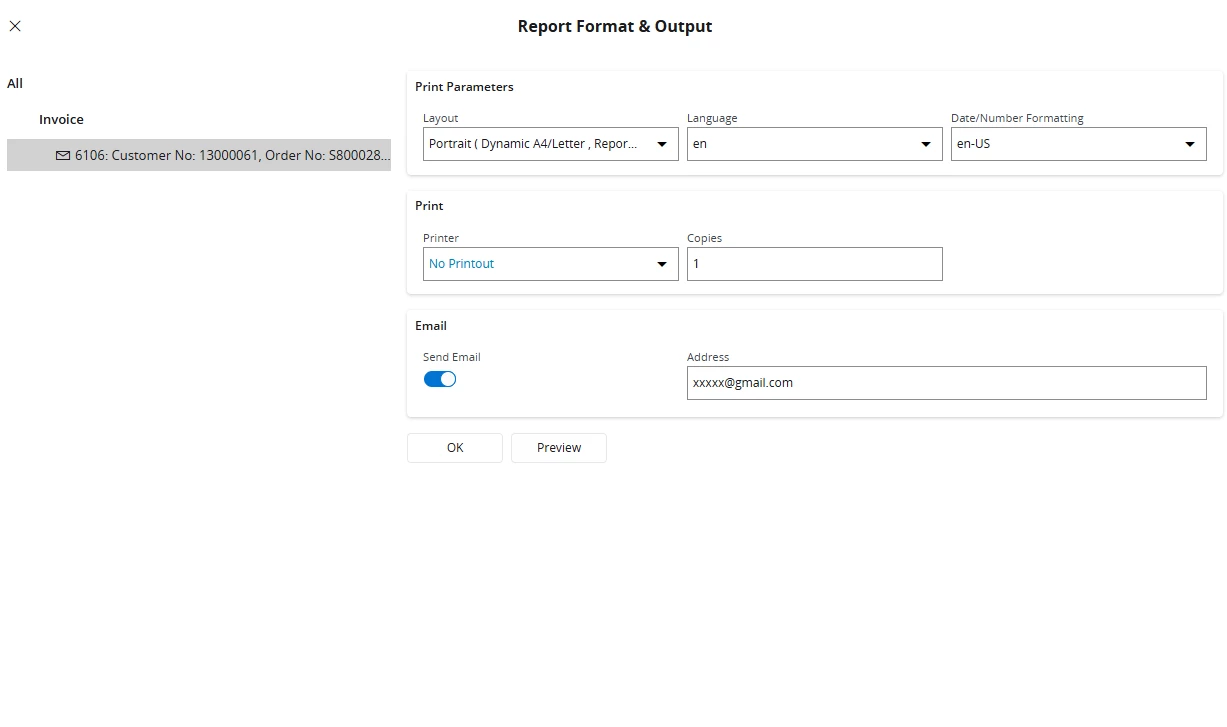
I receive an email as shown below.
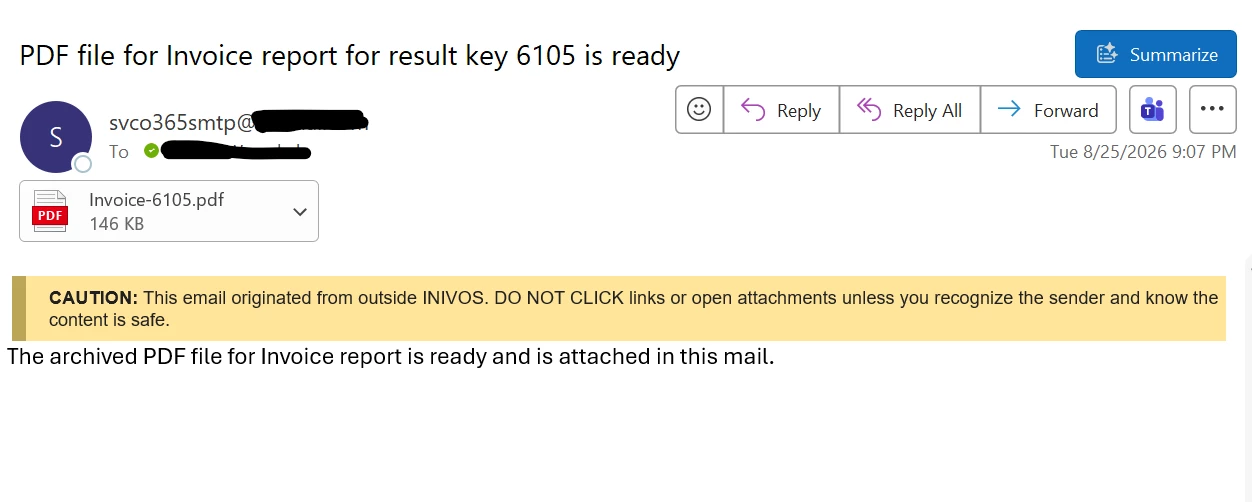
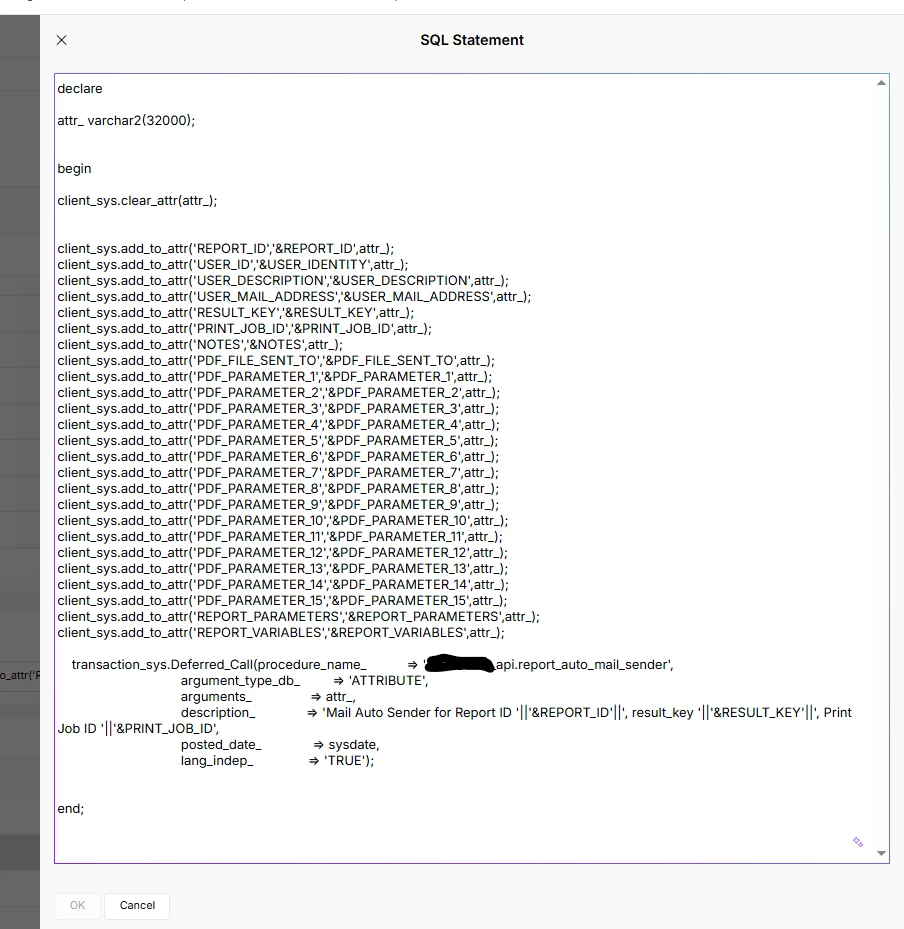
As a solution, I created a new Event Action under the PDF_REPORT_CREATED event. I need to know how to map the email address entered in the Print Dialog to the Event Action so that the report is sent to the specified email address.

Has anyone implemented something similar or know how the email address from the Print Dialog can be accessed/mapped to the PDF_REPORT_CREATED event?

Any guidance would be appreciated. Thanks!

2 replies

Forum|alt.badge.img+10
  • Hero (Employee)
  • August 26, 2026

To send an email with the PDF attachment of the above-named report you should follow the instructions given at the following location of the IFS Cloud Technical Documentation library:

          Technical Documentation  »  Reporting And Analysis  »  Reporting  »  Operational Reporting  »  Report Output  »  Emailing Reports (for 26R1 - earlier releases are similarly described in Tech Docs)

Note how the Events Action Configuration portion of this page allows entry of a parameter value to set the recipient.  An example of how to set parameter values is given near the bottom of this page.

The Event, Event Action, Report Rule and Routing Rule functionality should be considered when deciding how to route reports such as the one requested in this post.  The IFS Connect sender for outbound emails would also need to be configured correctly.  There are a number of “moving parts” so to speak which need to be put into place to allow outbound emails to be sent to desired recipient.

When printing of the report in question is also desired the Print Manager and, if installed, the Print Agent features would also need to be configured.  Printing and emailing of reports are separate subsets of the overall category of Reporting with the IFS Cloud application.


ashen_malaka_ranasinghe
Superhero (Employee)
Forum|alt.badge.img+14

Hi ​@Nethmi98,

The email address entered in the Print Dialog is generally handled by the standard report emailing functionality and is not exposed as an event parameter in the PDF_REPORT_CREATED event.

PDF_REPORT_CREATED is triggered after the report has been formatted and archived, and its Event Actions run separately from the Print Dialog email process. Because of this, the email address entered in the Print Dialog is typically not available for mapping within a PDF_REPORT_CREATED Event Action.

If you need to use PDF_REPORT_CREATED, the usual approach is to derive the recipient email address from business data (customer, supplier, person, custom field, etc.) within the Event Action itself rather than relying on the address entered in the Print Dialog.

Unless someone has implemented a customization for this purpose, I am not aware of any standard functionality that passes the Print Dialog email address to the PDF_REPORT_CREATED event context.