Question

Customer Statement of Account "Created From"

  • August 17, 2026
  • 3 replies
  • 67 views

Forum|alt.badge.img+11

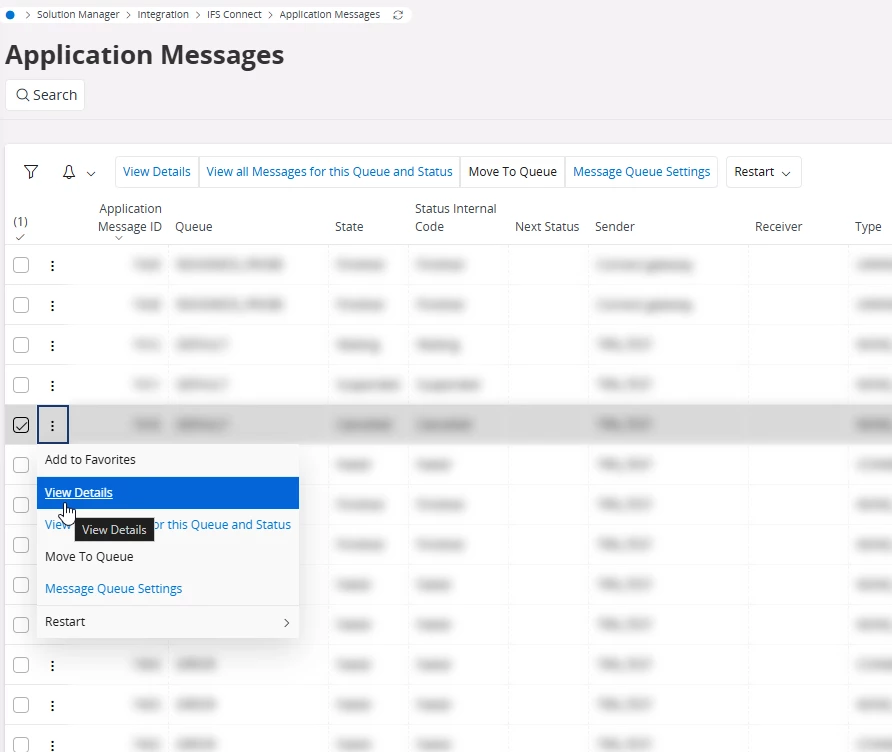
I am using Cloud 25R1 and Customer Statements of Account are not sending, I think because the “Created From” account is set to IFSPRINT. It should be IFSCONNECT (see screencap). I don’t know how to change that, hopefully someone can help.

3 replies

Tharshan SM
Hero (Customer)
Forum|alt.badge.img+6
  • Hero (Customer)
  • August 17, 2026

Hi ​@jdoherty,

I don’t think Created From IFSPRINT is the issue. Since the Customer Statement of Account is generated through the print process, IFSPRINT is an expected origin. IFSCONNECT is used for messages originating from IFS Connect and is not normally something you manually change on the application message.

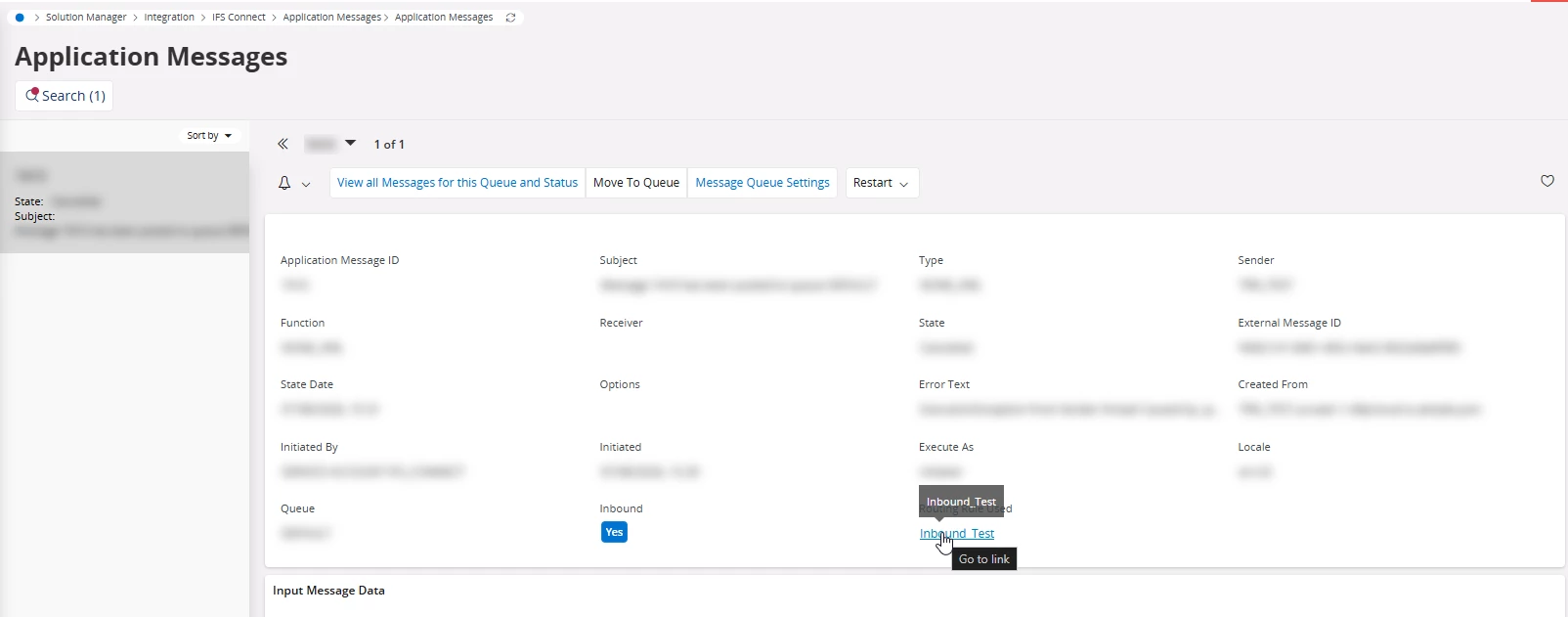
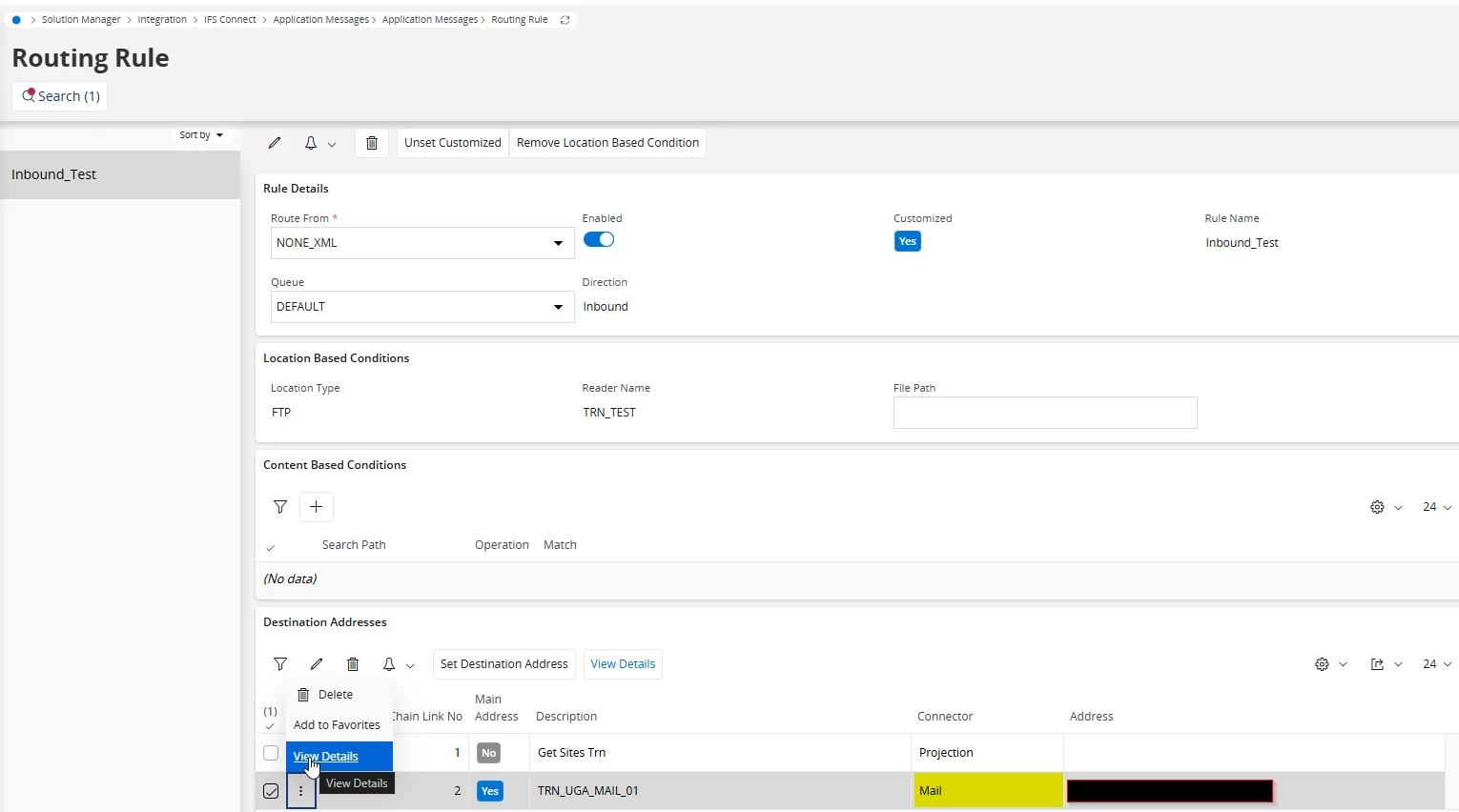
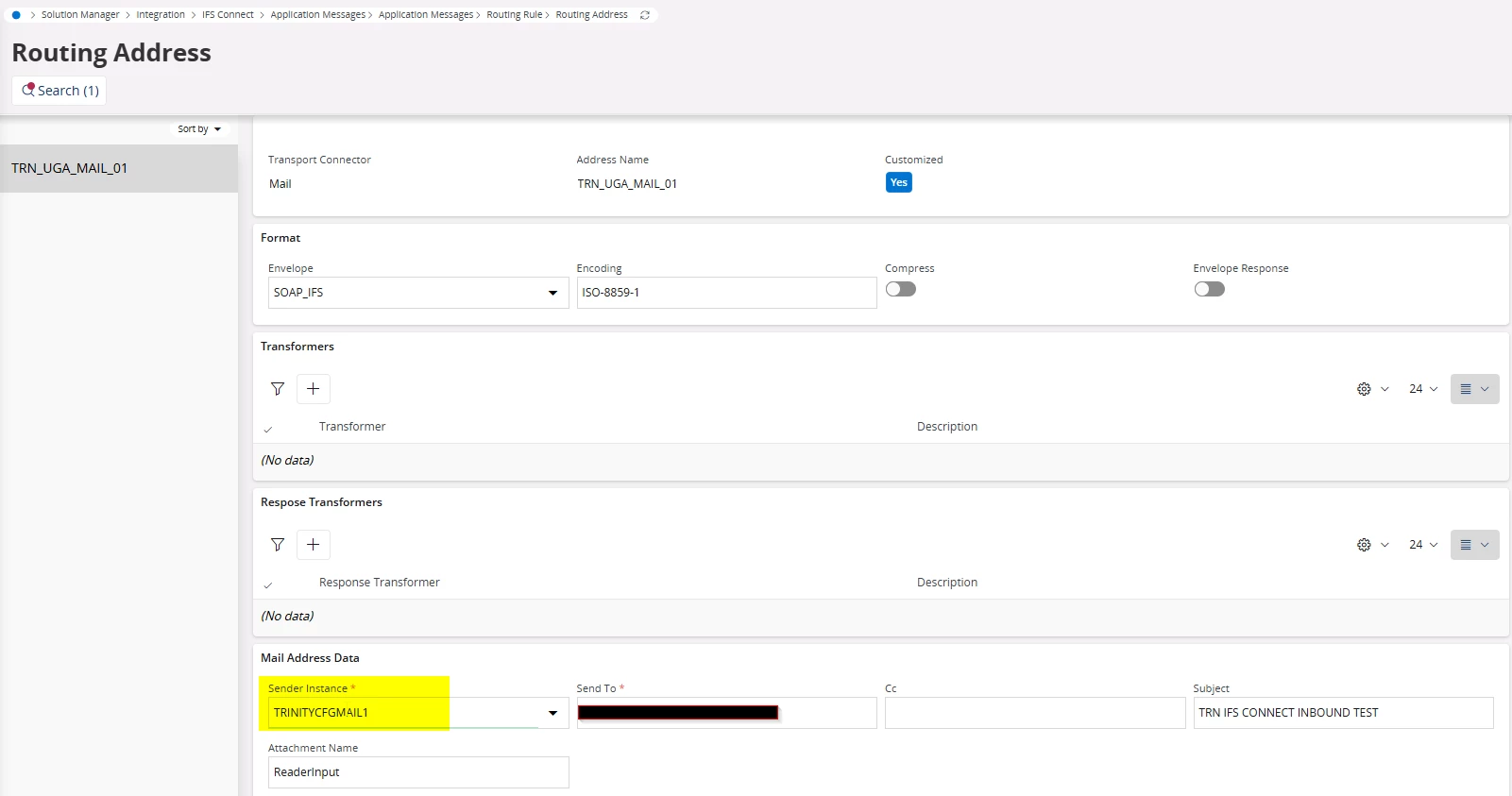
Could you open one of the failed messages and share the Error Text? It would also help to check the address line at the bottom of the message and provide its State, Error Text and Sender Instance.

That should show whether the actual problem is related to.

Regards,


Forum|alt.badge.img+11
  • Author
  • Hero (Customer)
  • August 17, 2026

Hi ​@jdoherty,

I don’t think Created From IFSPRINT is the issue. Since the Customer Statement of Account is generated through the print process, IFSPRINT is an expected origin. IFSCONNECT is used for messages originating from IFS Connect and is not normally something you manually change on the application message.

Could you open one of the failed messages and share the Error Text? It would also help to check the address line at the bottom of the message and provide its State, Error Text and Sender Instance.

That should show whether the actual problem is related to.

Regards,

Error text is 


ExecutionException from Sender thread 
Caused by: ifs.fnd.connect.senders.ConnectSender$PermanentFailureException: Fatal error while sending data... 
Caused by: ifs.fnd.connect.senders.ConnectSender$TemporaryFailureException: Error while sending data... 
Caused by: com.sun.mail.smtp.SMTPSendFailedException: 530 5.7.57 Client not authenticated to send mail. Error: 535 5.7.3 Authentication unsuccessful [DU7P250CA0019.EURP250.PROD.OUTLOOK.COM 2026-08-17T14:16:37.661Z 08DEFA8BDB638D86]


Tharshan SM
Hero (Customer)
Forum|alt.badge.img+6
  • Hero (Customer)
  • August 18, 2026

Hi,

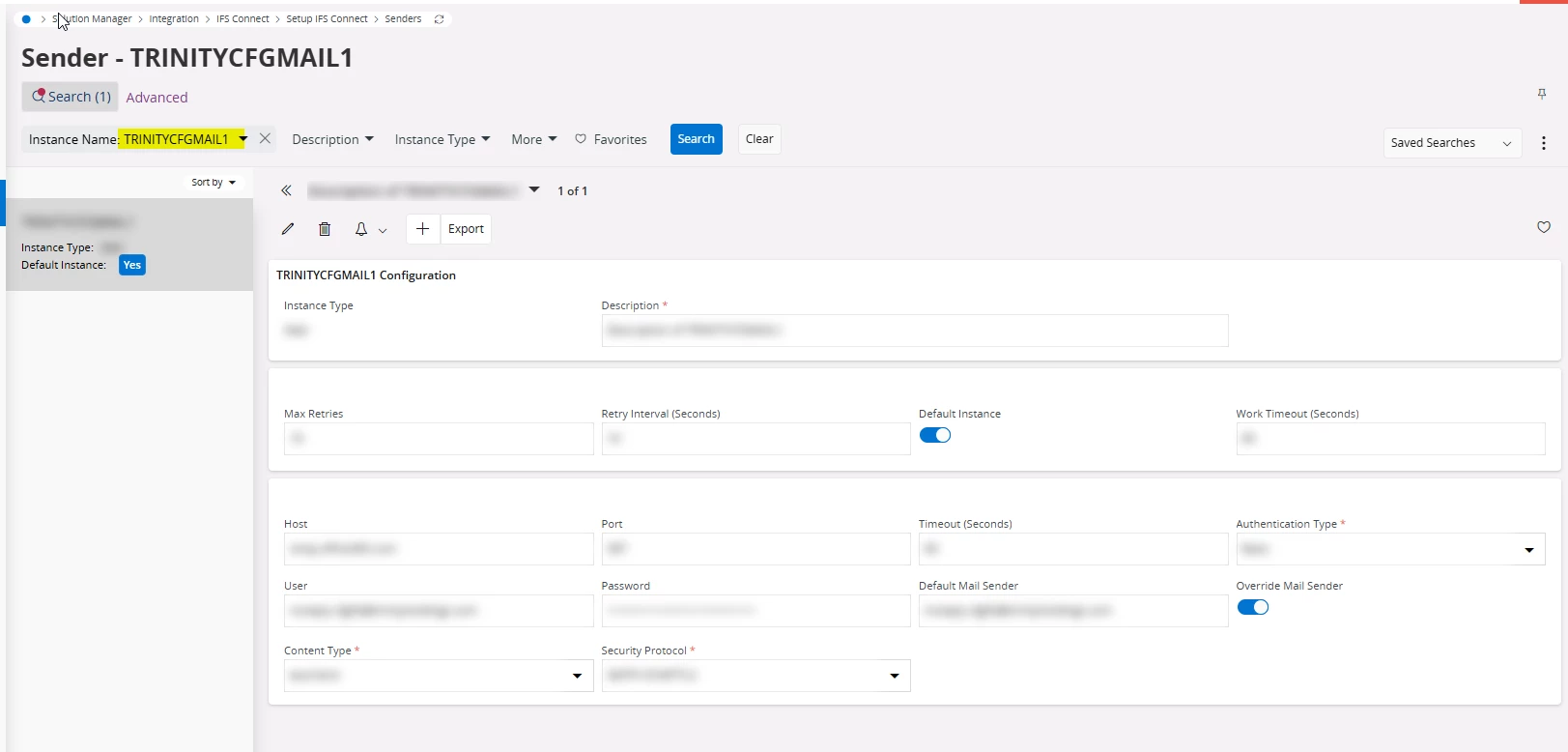
Thanks for sharing the error. It looks like the issue is with SMTP authentication, as clearly stated in the error text, not the created from value. Please check the Mail Sender's credentials and authentication type.

You can find the sender through Application Message → Routing Rule Used → Mail Routing Address → Sender Instance, or under Setup → IFS Connect → Senders. Once corrected, retry the failed message.