

Question

Custom Page Visible to Some Users Only Through Alternate Navigator Path

  • November 19, 2025
  • 4 replies
  • 45 views

ethanfiggs
Sidekick (Partner)
Forum|alt.badge.img+4

Hi everyone,

I’m looking for some guidance on an unusual behavior we’re seeing in IFS Cloud related to a custom page for Terminal Printers.

One of our customers has a custom page that was created for managing Terminal Printers.

Despite having all of the required projections and permissions, the users are unable to see the Custom Terminal Printers page under the expected location in the navigator (under Printer Definitions).
However, the same custom page is accessible to them if they navigate via:

Solution Manager → Configuration → Page Configurations → Term Printers

So the permissions themselves appear to be working — the users can access and use the custom page — but the navigator entry does not appear for them, even though it does appear for the admin user who originally created/configured the page.

At this point, I haven’t been able to identify why the navigator entry isn’t appearing for the users despite having the same underlying projections enabled. I’ve reviewed the projections, security, and custom page configuration, and everything looks correct on paper.

Has anyone run into similar behavior where:

  • A custom page is accessible through Page Configurations

  • …but the corresponding navigator entry does not appear for users with the same permissions?

If so, were there specific settings in the Custom Page, Navigator Configuration, Permission Sets, or Page Configuration ownership that caused this?

Any guidance or ideas on what else to check would be greatly appreciated.

Thanks in advance!
Ethan

4 replies

Forum|alt.badge.img+8
  • Do Gooder (Customer)
  • May 14, 2026

Did you find a solution to this? We are using 24R2 and I have the same issue.

I created custom page and used navigator designer to add page to navigator and published. I then refreshed the dictionary cache. If I give a user with permission to the page the direct path address to the page they can get to the page and edit as expected but cannot navigate to the page.


Abdul
Superhero (Partner)
Forum|alt.badge.img+20
  • Superhero (Partner)
  • May 14, 2026

Hi ​@pshields,

Once, I also faced the similar issue in 24R2, although, seems R&D has fixed the issue in 26R1.

I fixed the issue with following steps.

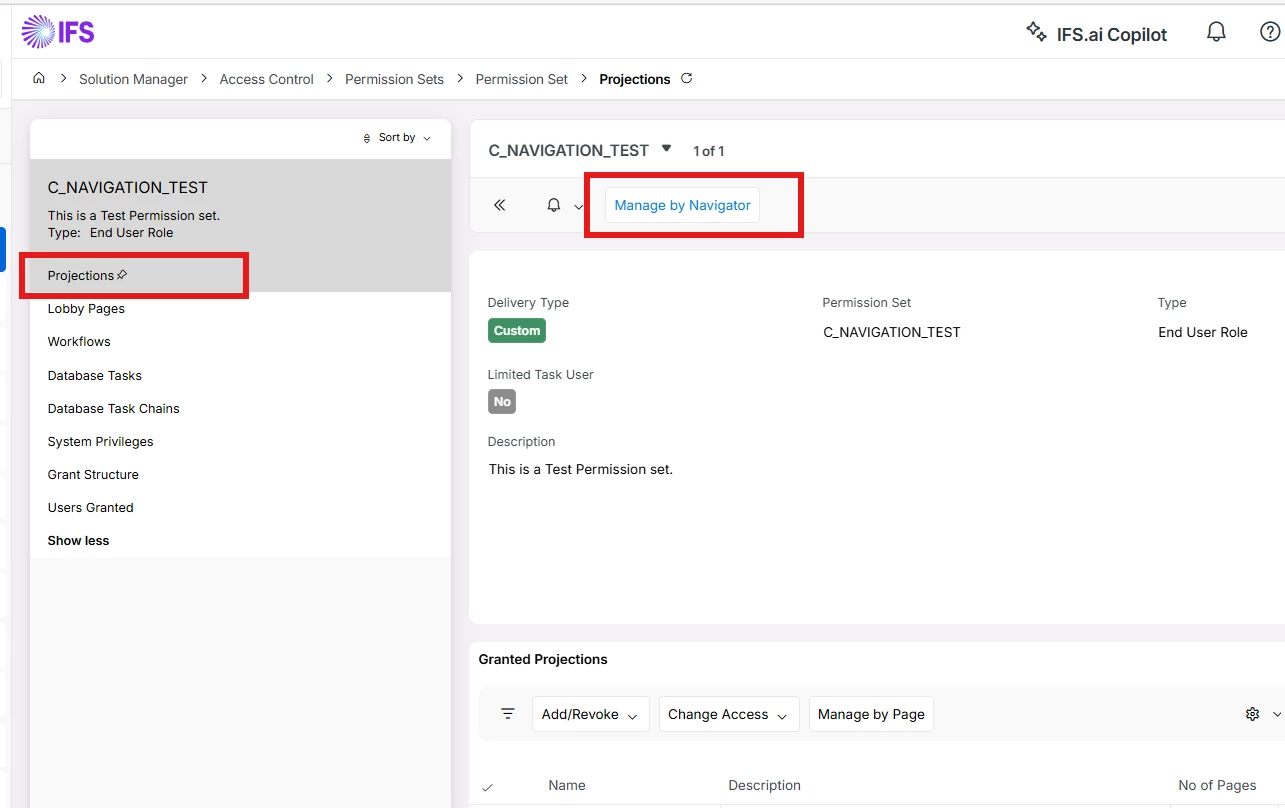
  1. Open Permission Set which grants custom page access to end user. Click on Projections section and then Manage by Navigator option.


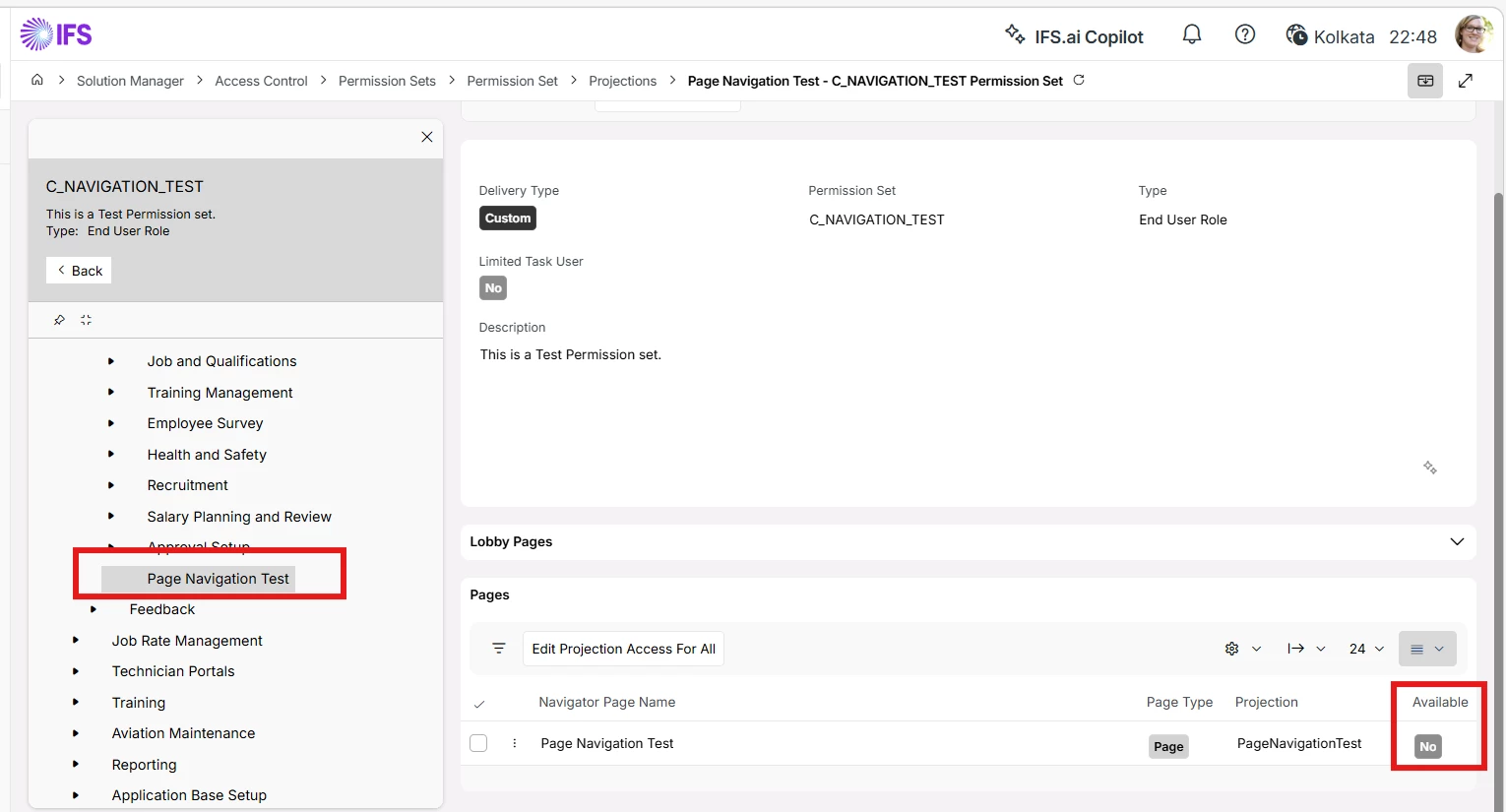
  1. Expand and locate custom page navigation node under Navigator Tree, Main. E.g., I have created a custom page under Human Capital Management/HCM Services. Click on custom page node and check whether navigation Available option is Yes.


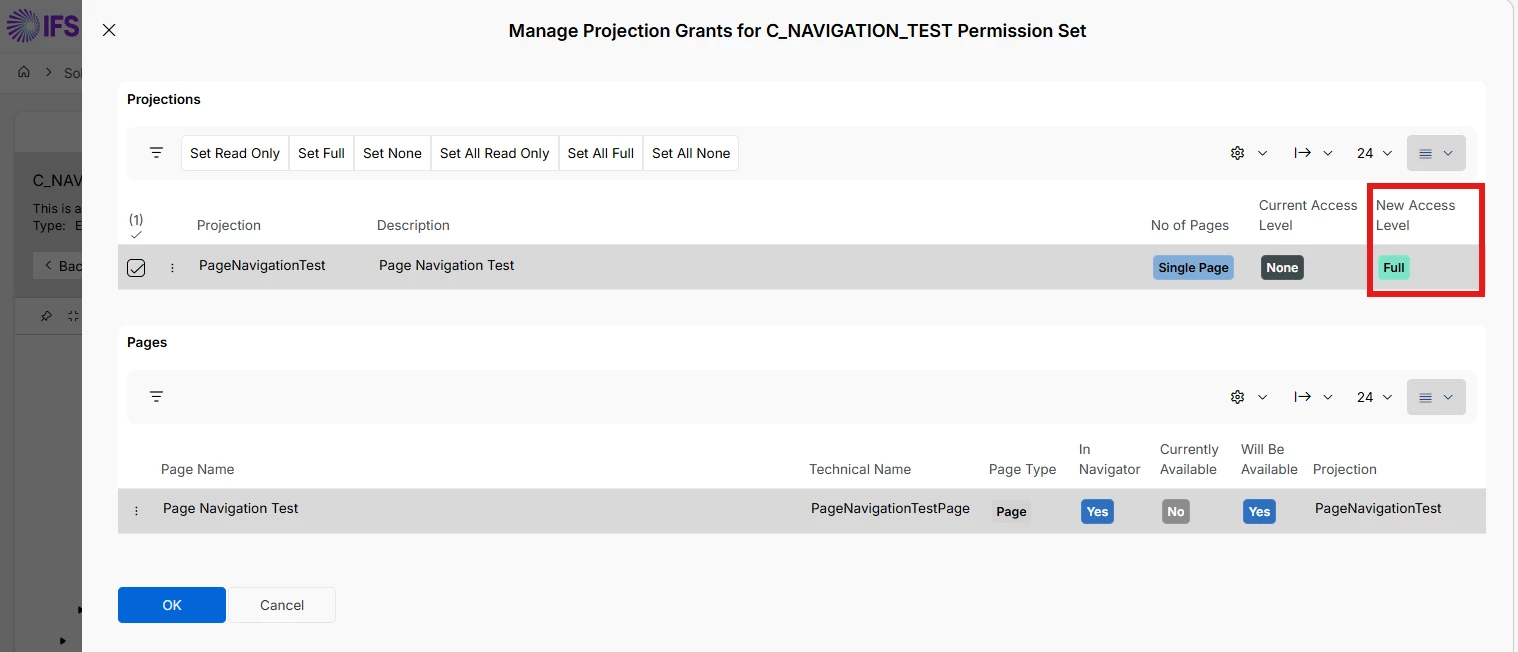
  1. If navigation Available option is No, then select the custom page record and click on Edit Projection Access For Selected Pages option. Set new access using the respective option like Set Read Only/Set full etc. and ensure New Access level should not be None.


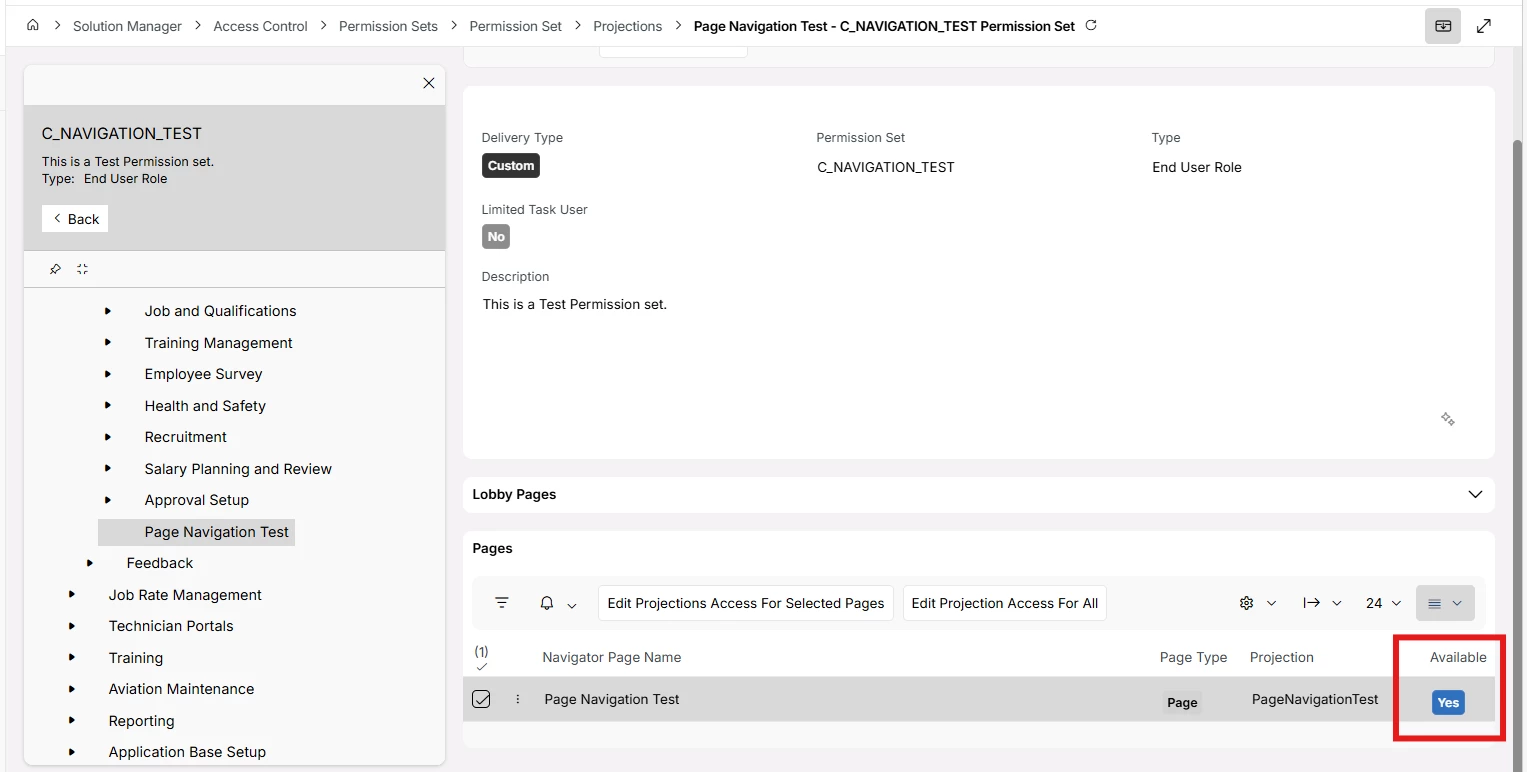
  1. This will change Navigation Available option to Yes. 


Hope this helps.


Regards

Abdul Rehman


Forum|alt.badge.img+8
  • Do Gooder (Customer)
  • May 14, 2026

Thank you Abdul for the detailed solution. I think now my problem is I managed to create the custom projection but have done something wrong and it does not have a page, even though it shows under Page Configurations with page type equal Custom


Forum|alt.badge.img+8
  • Do Gooder (Customer)
  • May 15, 2026

Turns out I had 2 problems. A record is not being created in the table FND_PROJECTION_USAGE_TAB which is discussed in the below post

Unable to grant access to Custom Page in Aurena | IFS Community

and I did not use the correct values when creating the custom navigator item. I ran the script in the post and fixed my menu item and it now works