Answer

Custom IFS Report in Multiple Language

  • November 19, 2020
  • 4 replies
  • 1005 views

Forum|alt.badge.img+2

Hi 

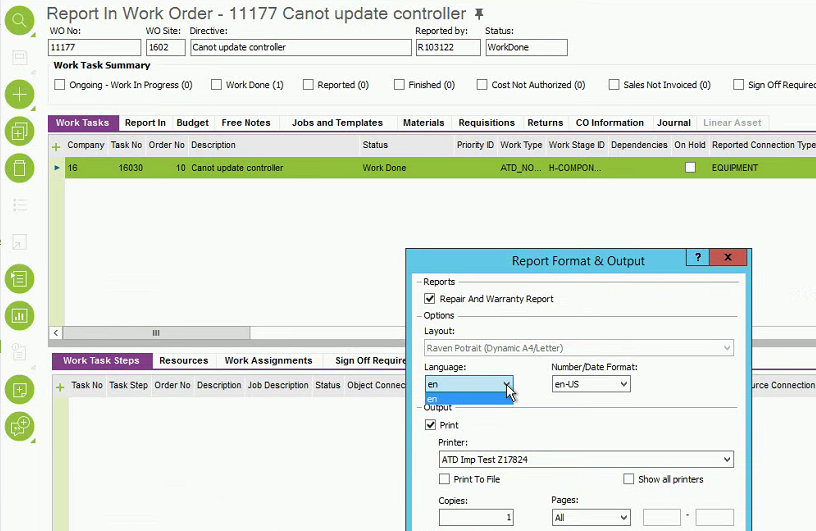
I developed a custom IFS report designer report for Apps 10 customer. They want this report to be in both English and Dutch. So after I deploy the report, i also Scan Translatable Code and add the translation for the report in both English and Dutch. After that i did the Refresh Cache and Refresh Language Cache also. But when I try to run the report, i only get option to select English as the language and Not Dutch. 

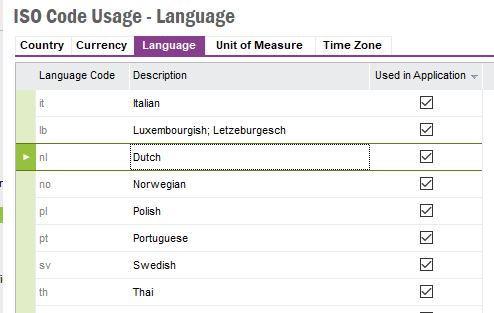
Where in case of standard IFS reports, i see the dropdown with all valid language. Any idea what i missed?



Best answer by Darius Gafron

Hi ASRIFS2,


to enable different languages you need to translate at least the Report Title in the specific language. That´s the value from you screenshot. That´s the reason why it works. 

But you´ve done a mistake. Your translations should be in Layer Cust not Core. 


Best regards,

Darius 

This topic has been closed for replies.

4 replies

Forum|alt.badge.img+28
  • Superhero (Customer)
  • November 19, 2020

Do you have Dutch enabled as a Language?


Forum|alt.badge.img+2
  • Author
  • Do Gooder (Partner)
  • November 19, 2020

Thank Shawn


Yes it is enabled and it works fine for other standard IFS reports.  Now i added a Translation for main report and refreshed cache and it worked. I am still not sure what made it work though. But now i see both English and Dutch


Forum|alt.badge.img+6
  • Hero (Partner)
  • Answer
  • November 19, 2020

Hi ASRIFS2,


to enable different languages you need to translate at least the Report Title in the specific language. That´s the value from you screenshot. That´s the reason why it works. 

But you´ve done a mistake. Your translations should be in Layer Cust not Core. 


Best regards,

Darius 


Forum|alt.badge.img+2
  • Author
  • Do Gooder (Partner)
  • November 19, 2020

Thanks Darius


That was helpful.