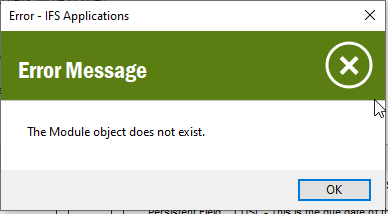
Yes, I think it should be PURCH. Not sure how this has happened. Try a full dictionary cache refresh just to make sure this is not a cache problem. If it persists then I think you would need to repair the data from this table (DICTIONARY_SYS_TAB).
I hope this is one of your TEST environments so you can test there first.
Update : The underlying view PURCHASE_PART_SUPPLIER has comments referencing the correct module (PURCH). The view PURCHASE_PART_SUPPLIER_CFV references CUSOBJ.
It looks like some corruption has happened within the dictionary cache at some point.
To correct, Is it just a case of manually amending DICTIONARY_SYS_TAB so that the LU_NAME PurchasePartSupplier associated module is PURCH rather than CUSOBJ?
Update : The underlying view PURCHASE_PART_SUPPLIER has comments referencing the correct module (PURCH). The view PURCHASE_PART_SUPPLIER_CFV references CUSOBJ.
It looks like some corruption has happened within the dictionary cache at some point.
To correct, Is it just a case of manually amending DICTIONARY_SYS_TAB so that the LU_NAME PurchasePartSupplier associated module is PURCH rather than CUSOBJ?
You shouldn’t have to manually amend the table. You can try un-publishing and then re-publishing the custom fields on PurchasePartSupplier and then do a dictionary cache refresh.