Question

custom command created for LOV referenced custom page does not work.

  • January 6, 2023
  • 4 replies
  • 131 views

Forum|alt.badge.img+4

Hii All

I created a Custom Command for a custom page which has LOV referenced field (Supplied Id ) and several read only fields (name , association no Etc ) which will be auto populated on selecting a supplied ID from LOV. I created a custom command which will navigate to the particular supplier in supplier screen on selecting it . The command is navigating but it does not show any data.

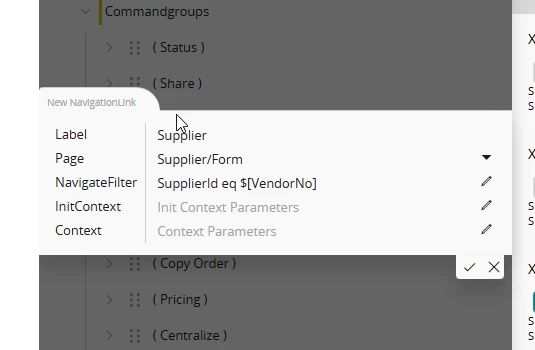
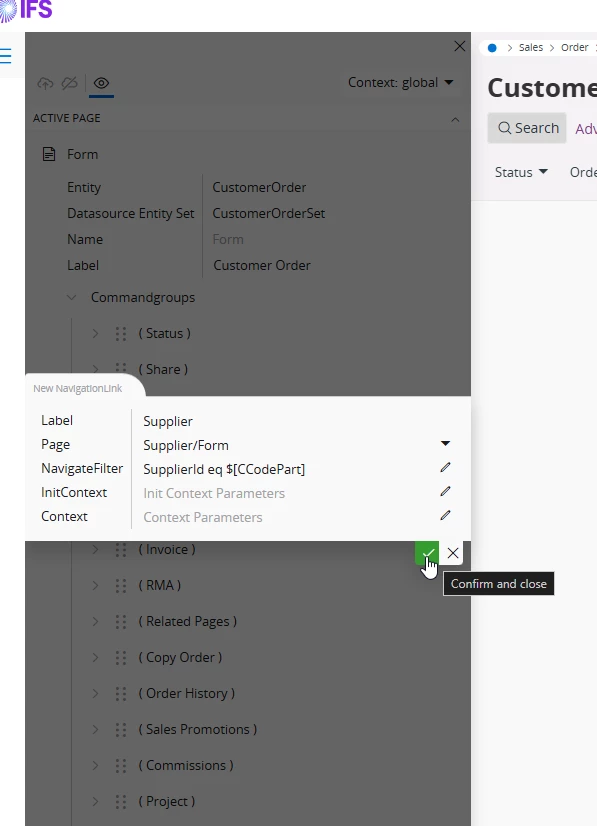
 command name -- Supplier

 Navigation Link -- Page /supplier/Form 

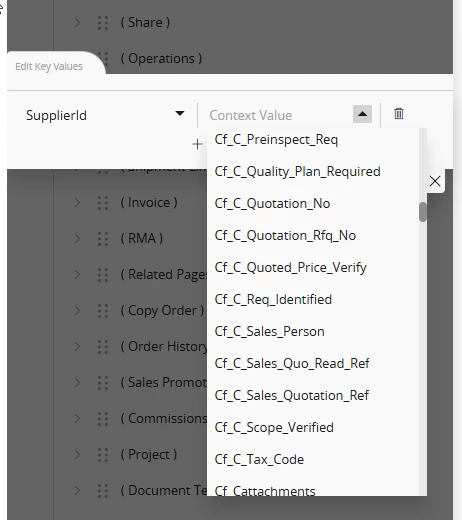
 parameters -- Supplier ID , Supplier Name ( Since Supplier ID field was an referenced LOV , I tried with different parameter too)

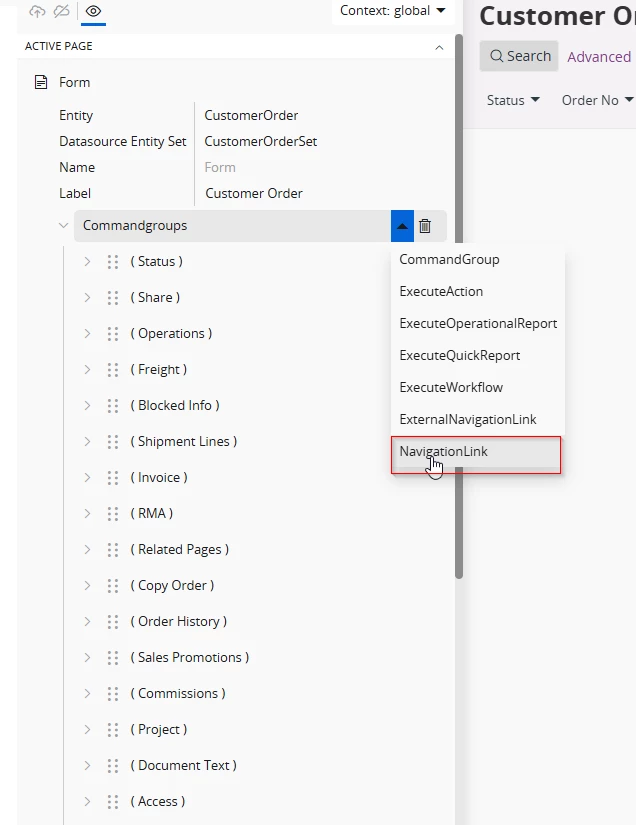
The custom page and command was created through Configuration . I  created the command through Page designer . 
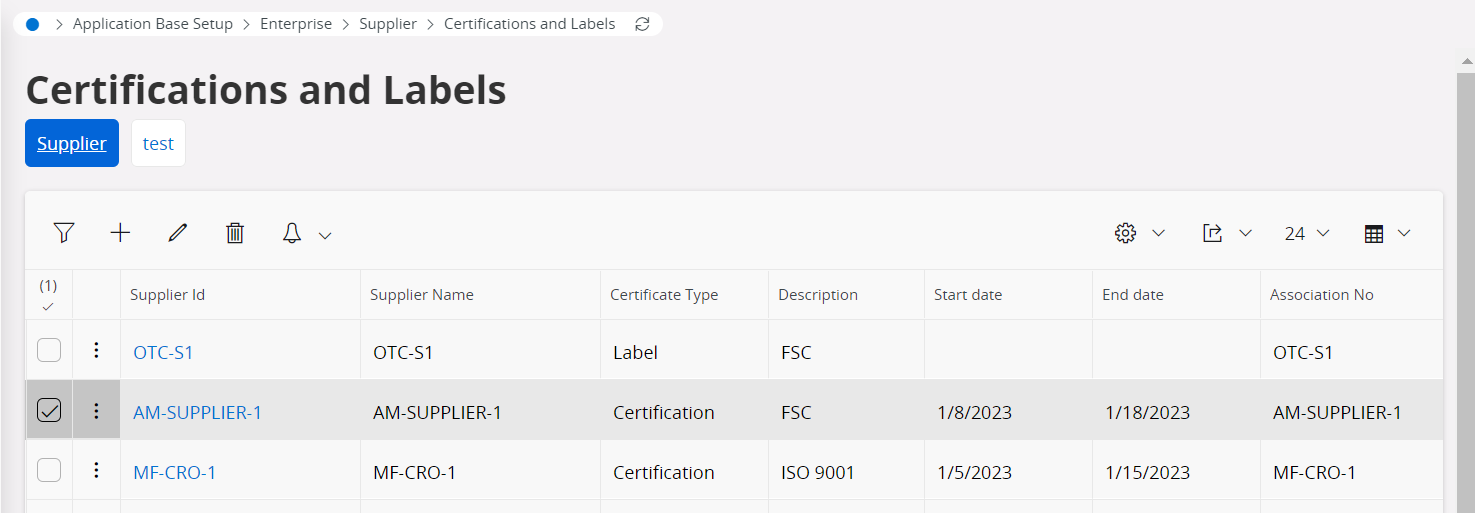
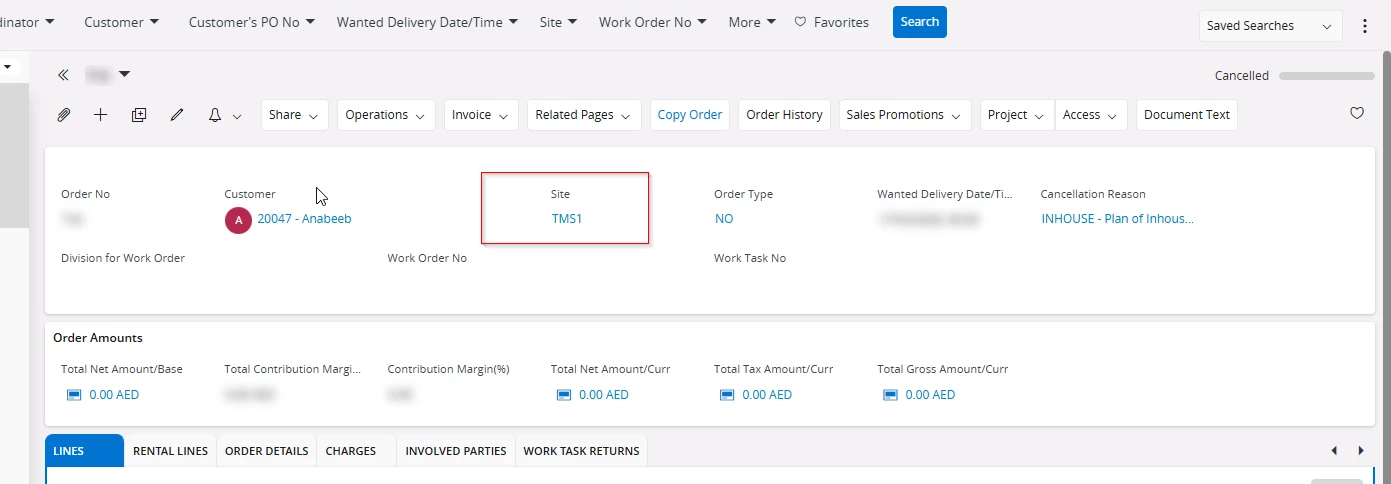
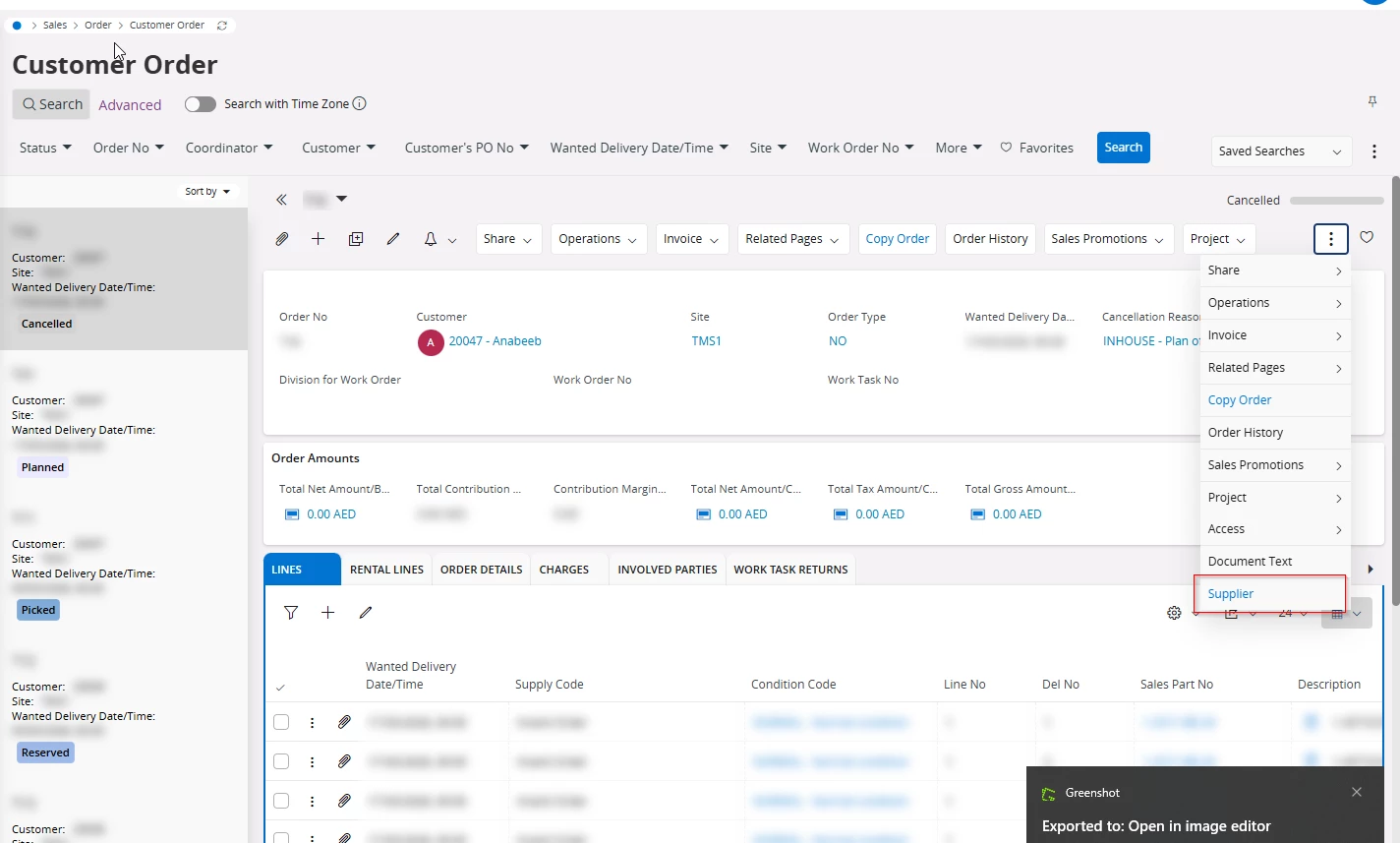
Here on selecting a supplier , The command I created( Supplier) is appearing but on selecting it doesn’t show any data . 

ALSO , The supplier ID is a link here ( which was created through Referenced LOV ) but on clicking that too , it does not take me to the exact supplier , rather shows all the supplier .


Can someone please help me or guide me with this 

Thank you ;)

4 replies

Forum|alt.badge.img+2
  • Do Gooder (Customer)
  • July 29, 2026

Hi

I experience the same as you explain here with Supplier ID not having the link to the specific supplier. This worked in IFS10, but in Cloud we open the page without the search criteria. I see that you posted 3 years ago and no answers. But maybe someone knows if there is some way to fix this now?

Sorry I don’t have an answer to you.


Tharshan SM
Hero (Customer)
Forum|alt.badge.img+6
  • Hero (Customer)
  • July 30, 2026

Hi ​@BWLKARA,

My IFS version is 25R1, and this approach worked for me.


Sometimes it's better to look into how the referenced field is mapped in case you want to use something like this $[Vendor.VendorNo]


Regards


Forum|alt.badge.img+2
  • Do Gooder (Customer)
  • July 30, 2026

Hi ​@BWLKARA,

My IFS version is 25R1, and this approach worked for me.


Sometimes it's better to look into how the referenced field is mapped in case you want to use something like this $[Vendor.VendorName]


Regards

Hi Tharshan
Thanks for your reply.
We are still new to Cloud, so sorry for stupid questions :)

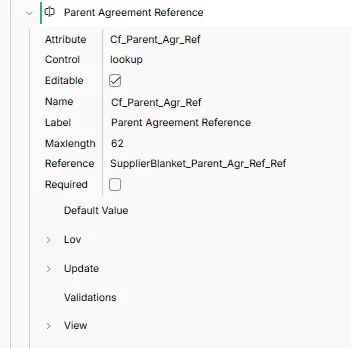
In  my case, I have a custom field in Supplier agreement view, with link to a connected Supplier Agreement. In IFS10 we could use the Zoom option to navigate to the referenced agreement, but in Cloud, the link does not work (yet, anyway).
 

As this is from the field, there is no Commandgroup option here. Are you able to guide me on how to “restore” the link?

Regards.


Tharshan SM
Hero (Customer)
Forum|alt.badge.img+6
  • Hero (Customer)
  • July 30, 2026

Hi ​@BWLKARA,


I think I misunderstood the requirements. It seems you wanted to navigate to the supplier page when clicking the supplier link. In my understanding, this can be achieved through the corresponding page, which already has a supplier reference, or it can be achieved through modification. However, through configuration alone, it's not possible. The solution you can simply add a command button when the user clicks it, it will redirect to the supplier page. Alternatively, if you prefer this as a solution, you can simply add a command in the page designer that does the same thing and pass the supplier ID as well.

And also, a command group is actually a set of command buttons.


In filter path you can pass your custom field
Supplier command to navigate Supplier Page


Regards