Question

Cloud 25R1; Cannot add Additional View to Entity

  • May 27, 2026
  • 8 replies
  • 63 views

Forum|alt.badge.img+11

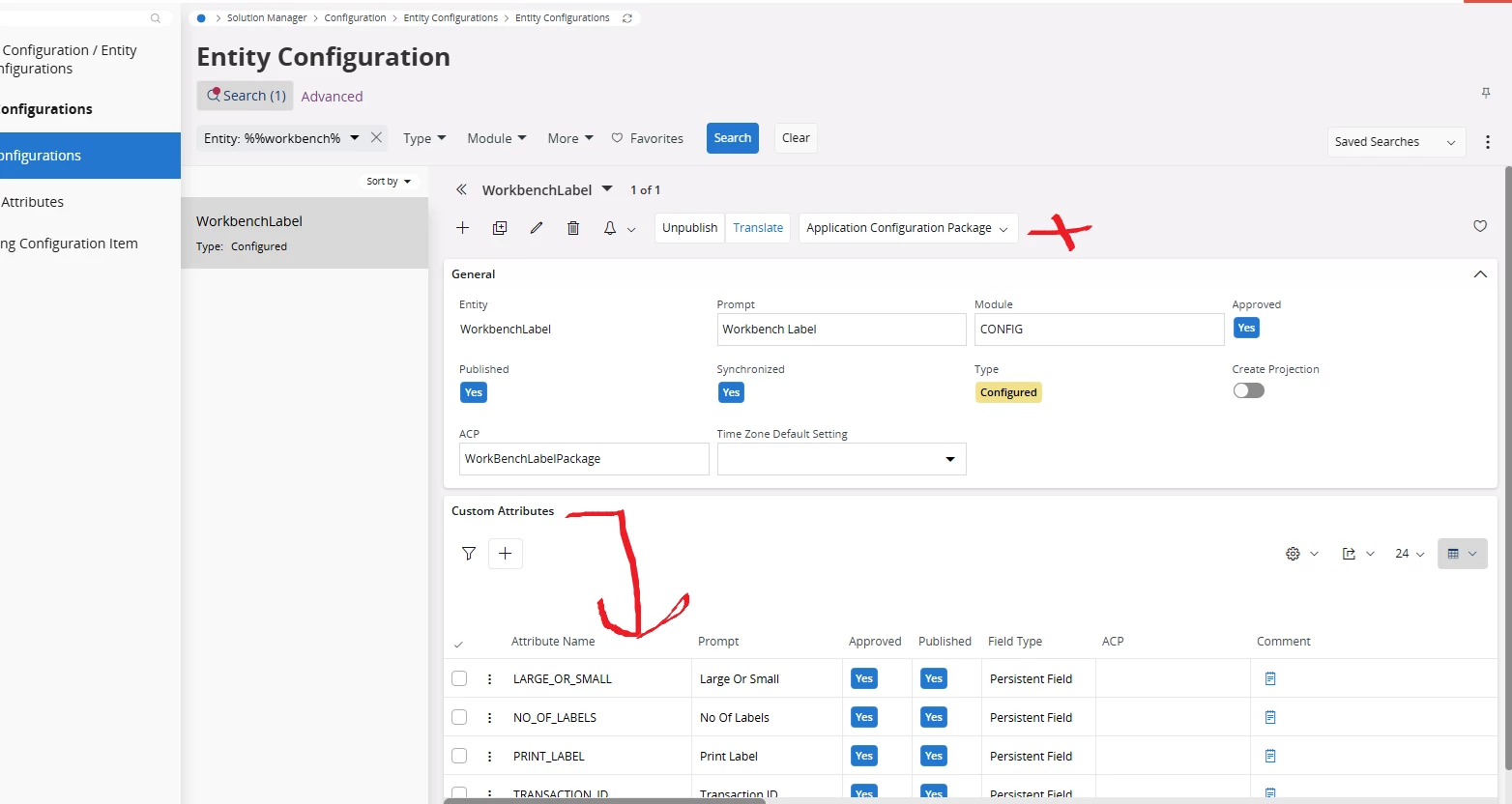
I have a number of custom attributes that I need to add to an Entity (WorkBenchLabel) in Cloud version 25R1. I can see the custom attributes in the Entity Configuration page of WorkBenchLabel but in order to add them in Page Designer I have to add the view that references the custom attributes in the Entity Configuration page.

But “Additional Views” is not present on the  Entity Configuration of WorkBenchLabel (see pic). It should be where the x is.

How do I get around this?

Thank you
 

8 replies

InfFilipV
Hero (Partner)
Forum|alt.badge.img+13
  • Hero (Partner)
  • May 27, 2026

Hi,
you are probably looking for this Entity Associations - Technical Documentation For IFS Cloud

When you don’t define it as reference (via objkey) and instead use normal column, references should be defined in projection configuration.


Forum|alt.badge.img+11
  • Author
  • Hero (Customer)
  • June 3, 2026

Hi,
you are probably looking for this Entity Associations - Technical Documentation For IFS Cloud

When you don’t define it as reference (via objkey) and instead use normal column, references should be defined in projection configuration.

I tried what you suggested but it didn’t work; I need that column to be visible in Shop Floor Workbench.

How have others managed to add custom attributes to Entities that do not allow Additional Views to be added to them? I don’t see how it is possible.


Forum|alt.badge.img+21

“Additional Views” means that if the entity has other views than the base view you can add the custom attributes to those views also.
But the entity you are adding the attributes to is not a STD entity, it is a configured entity so it has no additional views and therefore you do not need that functionality.

I think it might be easier to help you if you explain/show what you are trying to do in page designer.


Forum|alt.badge.img+11
  • Author
  • Hero (Customer)
  • June 3, 2026

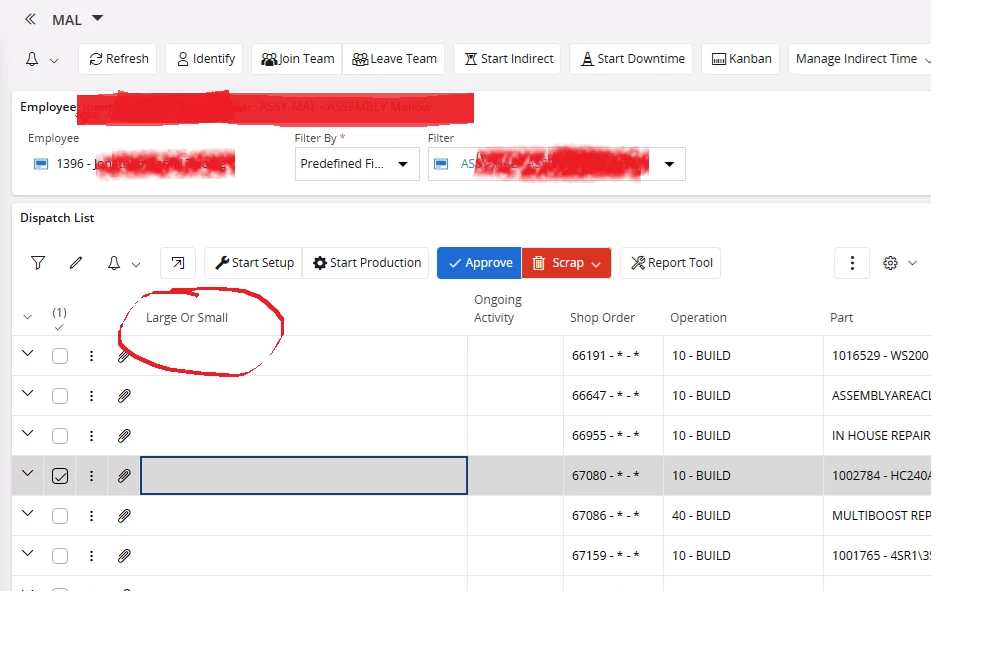
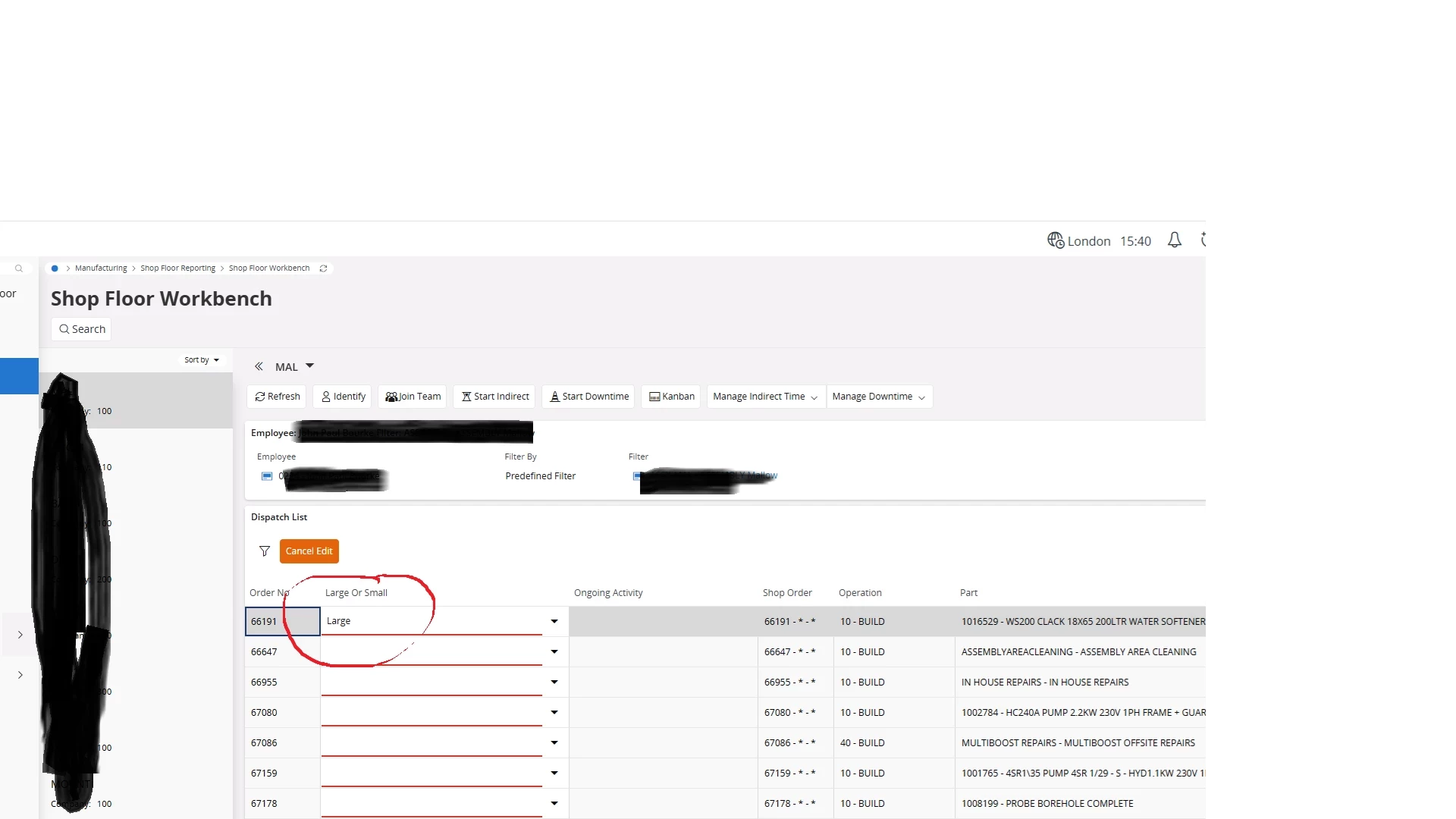
I managed to add the custom attribute to the Shop Floor Workbench (circled below) but it is not editable. I set it as editable when I added it.


InfFilipV
Hero (Partner)
Forum|alt.badge.img+13
  • Hero (Partner)
  • June 4, 2026

Dispatch List is not based on WorkbenchLabel entity - how did you added this attribute here?
I believe you cannot add editable field from another entity.


You could add it to this view as Read Only CF.
Or you need to create same CF in this entity and copy value to your entity via CustomEvent.
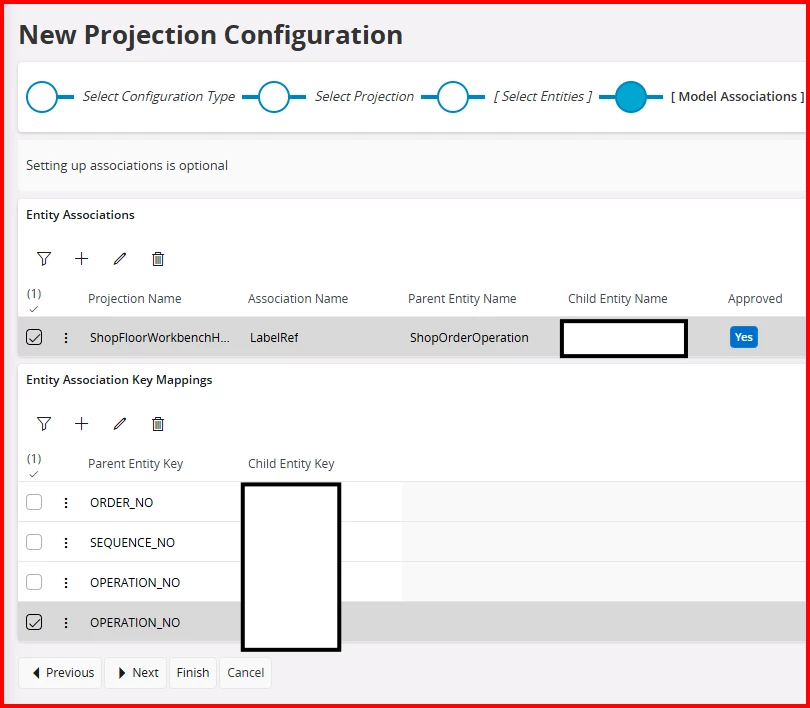
or you must modify Projection Configuration
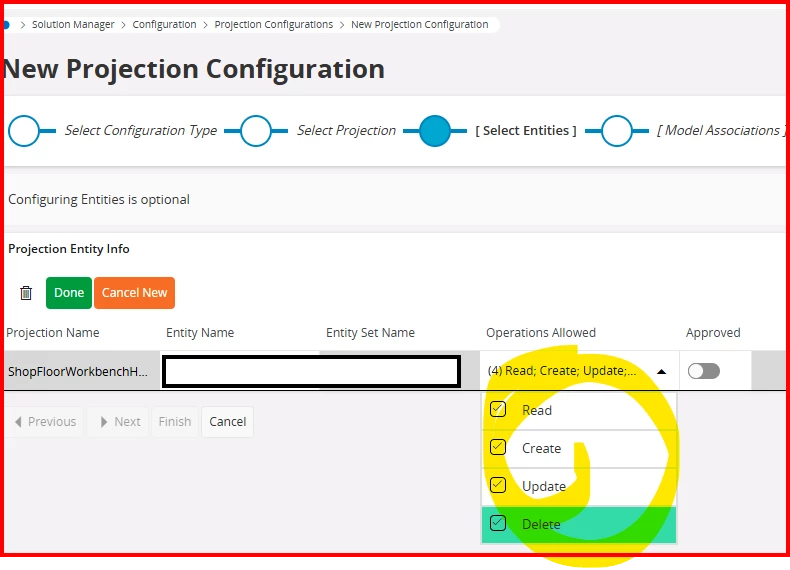
add entity, define reference, define foreign key, and add subtable
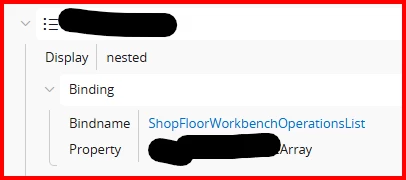
Create new List and configure it to be nested in ShopOrderOperation list


Forum|alt.badge.img+11
  • Author
  • Hero (Customer)
  • June 5, 2026

Thanks InfFilipV, that helped a lot. When I select “Edit” I can now view and select from the combobox but I am unable to save it afterwards.


InfFilipV
Hero (Partner)
Forum|alt.badge.img+13
  • Hero (Partner)
  • June 5, 2026

Sorry, but I have no idea, what steps you did. Could you share more details about Custom Field, Projection Configuration and Page Designer?

Or is not this data specific? - all other fields are uneditable, so maybe the whole list is readonly?


Forum|alt.badge.img+11
  • Author
  • Hero (Customer)
  • June 5, 2026

Sorry, but I have no idea, what steps you did. Could you share more details about Custom Field, Projection Configuration and Page Designer?

Or is not this data specific? - all other fields are uneditable, so maybe the whole list is readonly?

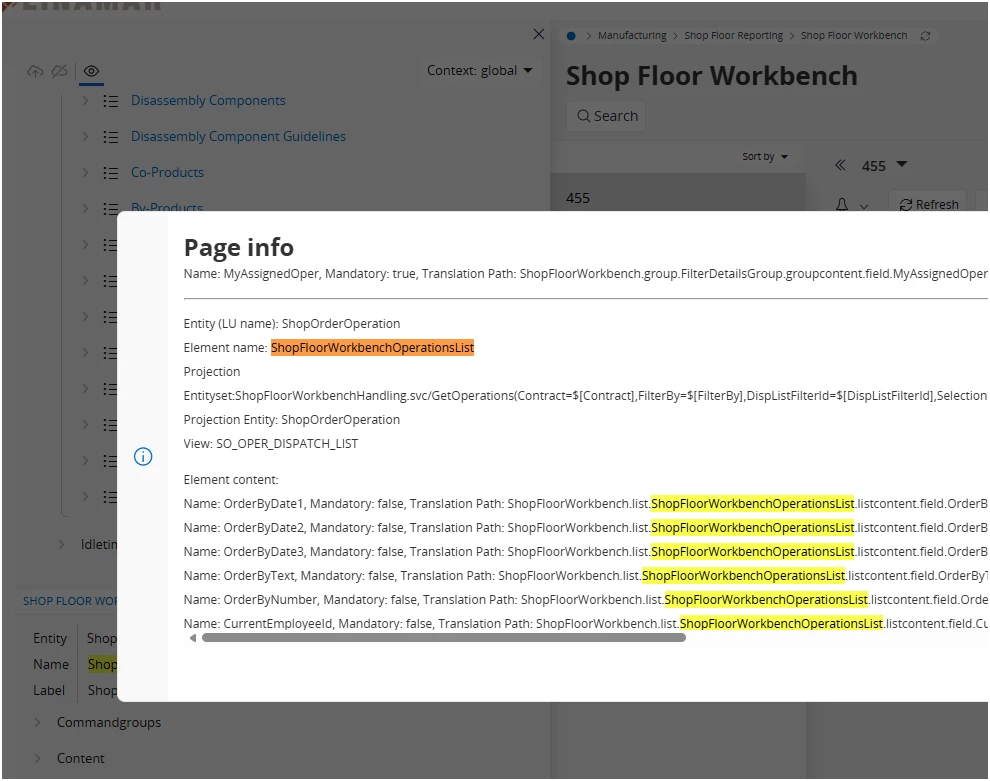
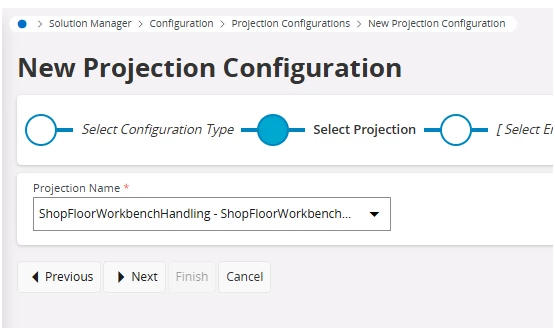
I followed the steps you provided in your screen caps, which allowed me to add a Projection Configuration to the Shop Floor WorkBench Screen. I was then able to add the Custom Attribute (Large or Small) to the Shop Floor Workbench Operations List. This made it visible in Dispatch List section.  When I click on Edit the Custom Attribute becomes editable. All columns in the Dispatch List screen are uneditable however so I don’t think it is something specific to that Attribute.