Question

Change home page - IFS Cloud

  • April 30, 2026
  • 7 replies
  • 30 views

Forum|alt.badge.img+3

Hi,

I’m fairly new to IFS Cloud.

Is it possible to change Home page somewhere as admin/IFSAPP?
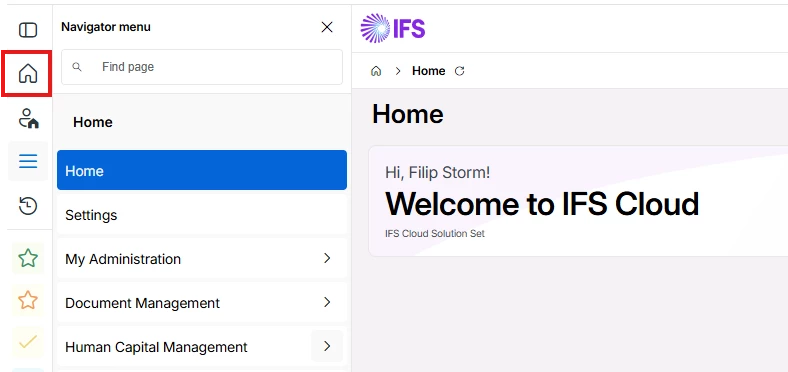


We would like to use a Lobby instead of this homepage that gives us no value.


Best regards,

Filip

7 replies

Forum|alt.badge.img+8

Hi,

Please follow the steps given below & see if it worked for you.
 

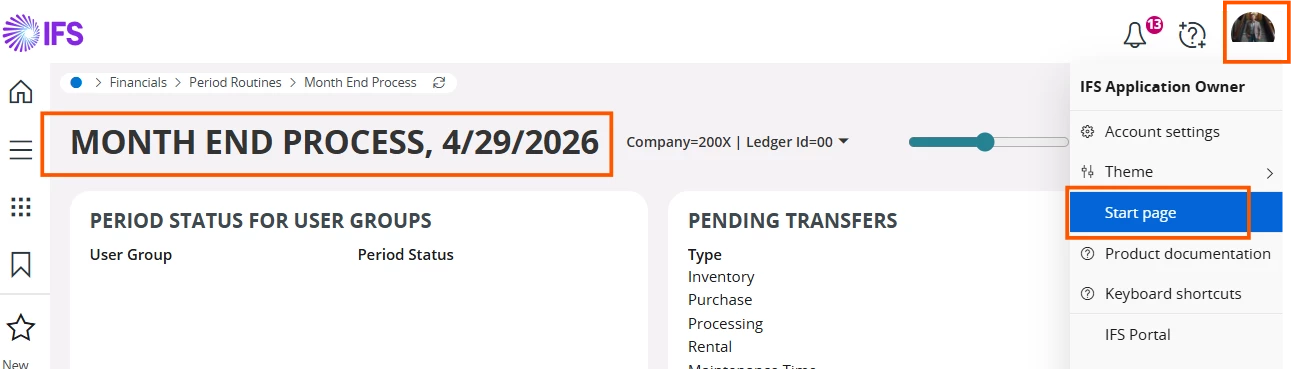
  • Navigate to the relevant lobby page
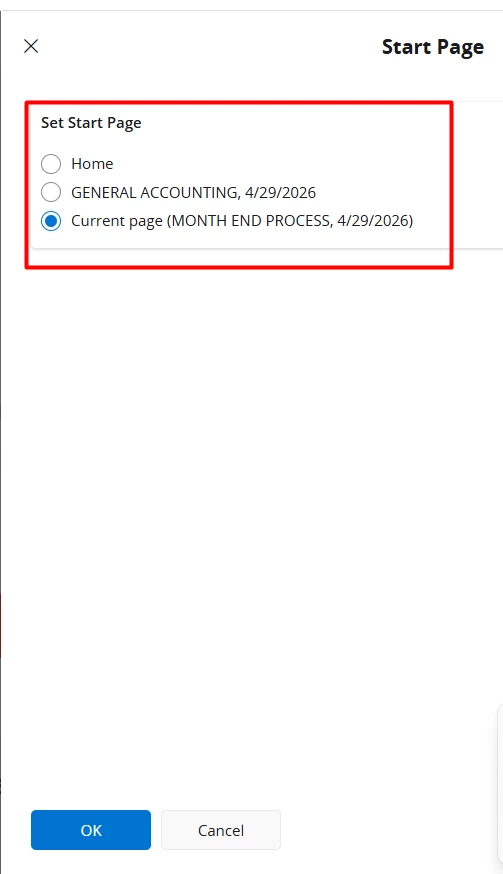
  • Select ‘Start Page’  from the User Menu


  • Select the page & Click OK


Forum|alt.badge.img+3
  • Author
  • Do Gooder (Customer)
  • April 30, 2026

Hi,

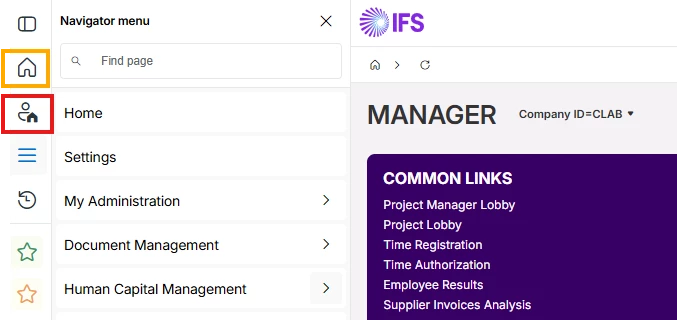
Tried this. It saves wished lobby/page in the red box, but i want to change orange box which is fixed to IFS default start page.


Forum|alt.badge.img+8

Hi,

What is your current IFS Cloud version?


Forum|alt.badge.img+3
  • Author
  • Do Gooder (Customer)
  • April 30, 2026

25.2 SU 1


Forum|alt.badge.img+8

In some Cloud releases users could mark a recently viewed page as Home (blue marker) via thumbnail view. However, it seems in later releases that behavior may have changed and the Home icon may no longer be changeable from Recent Screens.


Abdul
Superhero (Partner)
Forum|alt.badge.img+20
  • Superhero (Partner)
  • May 1, 2026

Hi ​@SEFILLA

@Himarshi Gunathilaka has correctly noticed, it is no more possible to change Home Page using recent screens, however, business user can set their starting page using Start Page option available in user menu.


Regards

Abdul Rehman


Forum|alt.badge.img+4
  • Do Gooder (Partner)
  • May 1, 2026

This can be changed via manage widgets