Solved

can we export navigator configurations in IFS cloud

  • July 16, 2025
  • 3 replies
  • 33 views

RakeshChangeshpur
Sidekick (Partner)
Forum|alt.badge.img+10

Hi Team,


I have few custom pages done through configuration and added it to navigator. How can we export this to add in other instances?

can you please let me know on this. Thank you 

Best answer by Abdul

Hi ​@RakeshChangeshpur,

Yes, you can export the Navigator Configuration for other instances.

Please refer to the steps below.
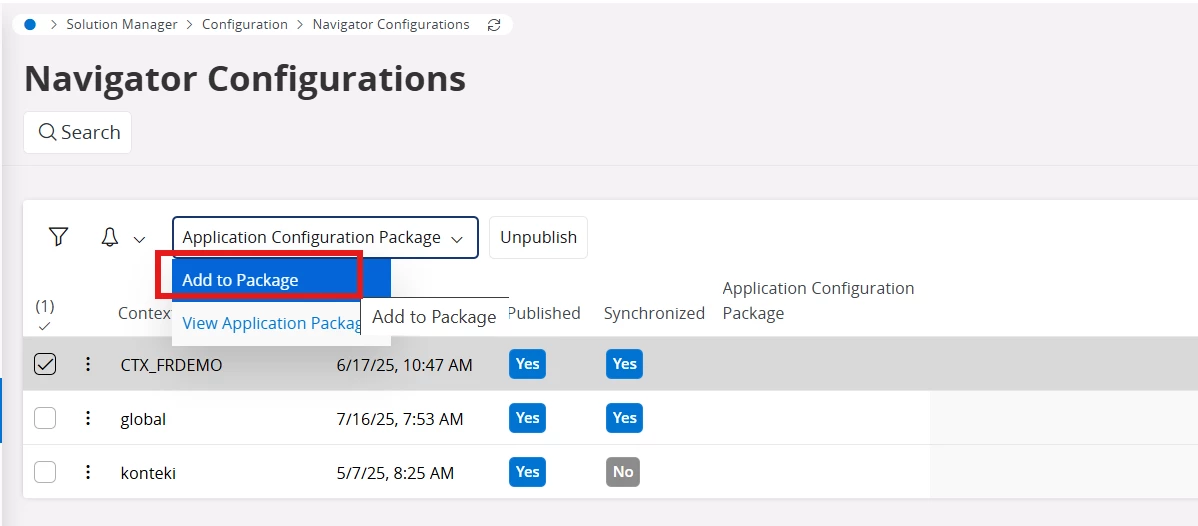
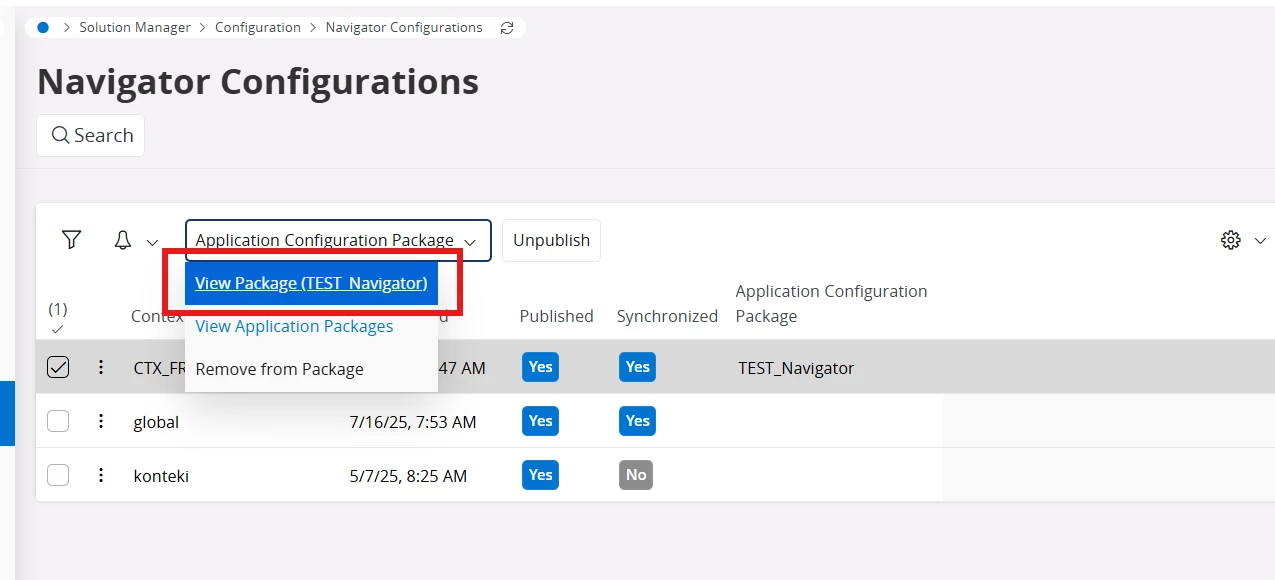
  1. Create a Package for your Navigator Context using Navigator Configurations screen.
  1. Click on View Package (Test_Navigator).
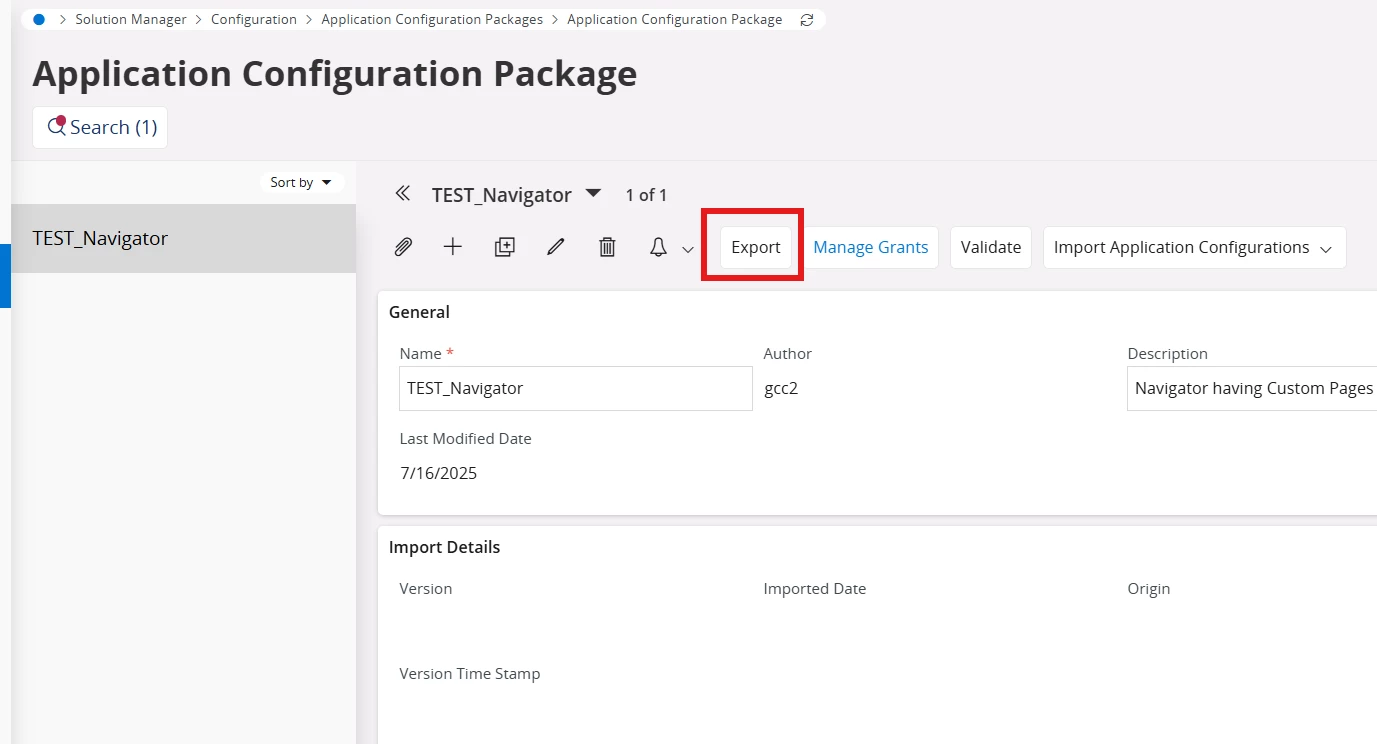
  1. Click on the Export command to export the newly created Package.
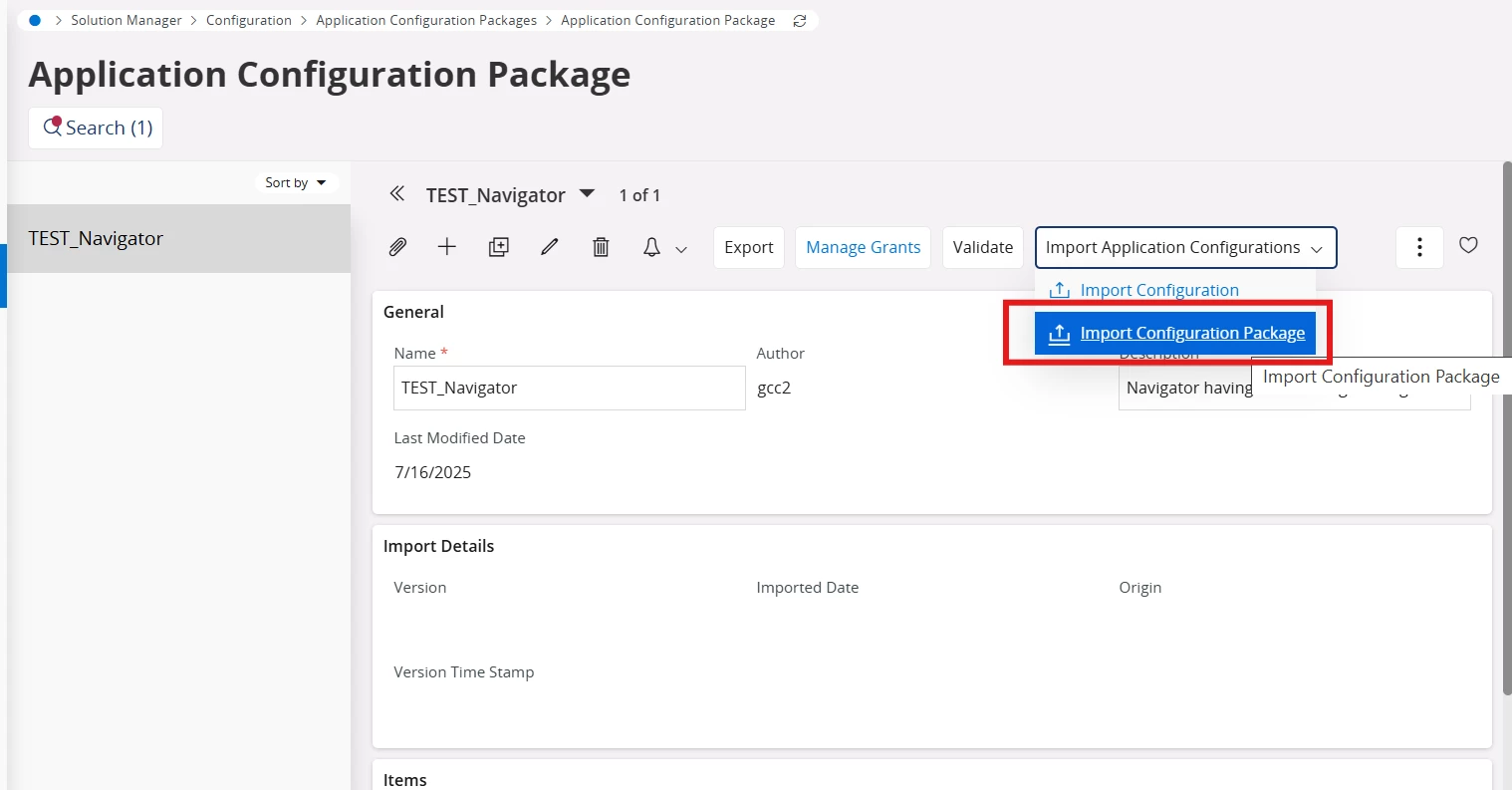
  1. Import the same file in other Instances using the Import Configuration Package command. 


Regards

Abdul Rehman

3 replies

Abdul
Superhero (Partner)
Forum|alt.badge.img+20
  • Superhero (Partner)
  • Answer
  • July 16, 2025

Hi ​@RakeshChangeshpur,

Yes, you can export the Navigator Configuration for other instances.

Please refer to the steps below.
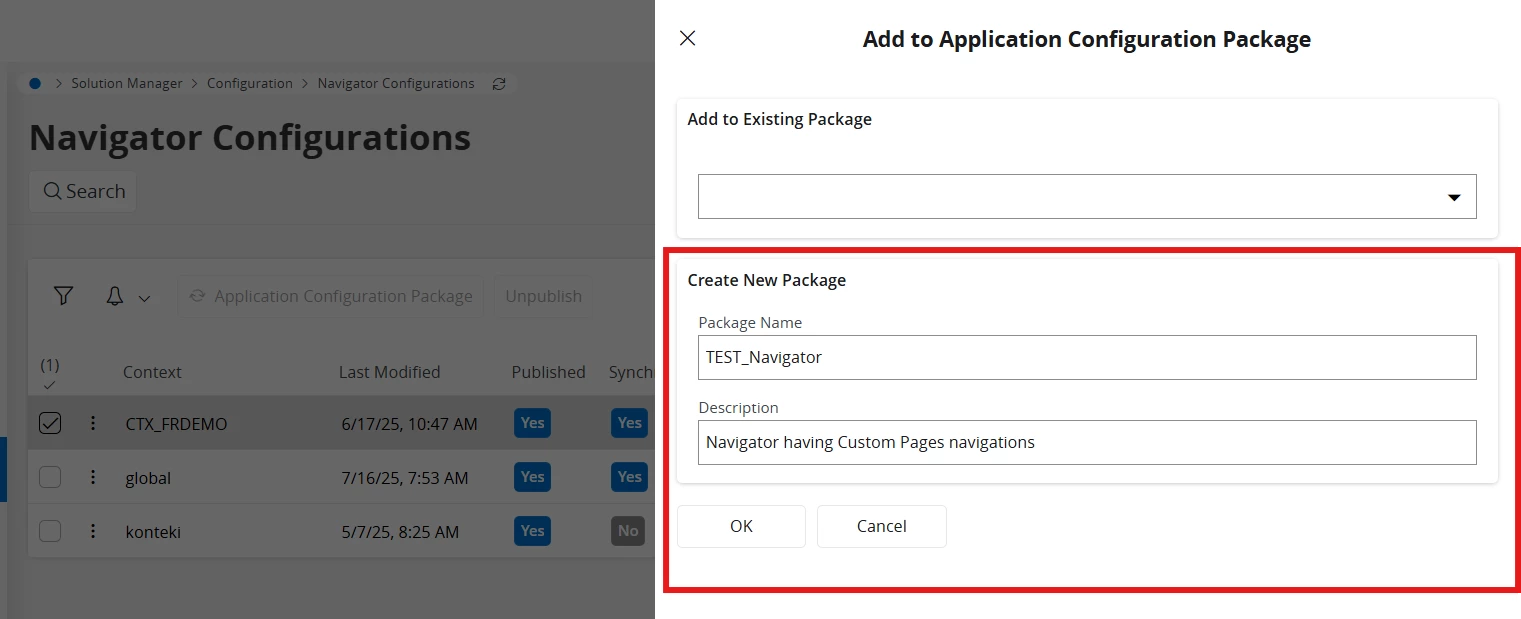
  1. Create a Package for your Navigator Context using Navigator Configurations screen.
  1. Click on View Package (Test_Navigator).
  1. Click on the Export command to export the newly created Package.
  1. Import the same file in other Instances using the Import Configuration Package command. 


Regards

Abdul Rehman


RakeshChangeshpur
Sidekick (Partner)
Forum|alt.badge.img+10

Hi Abdul,


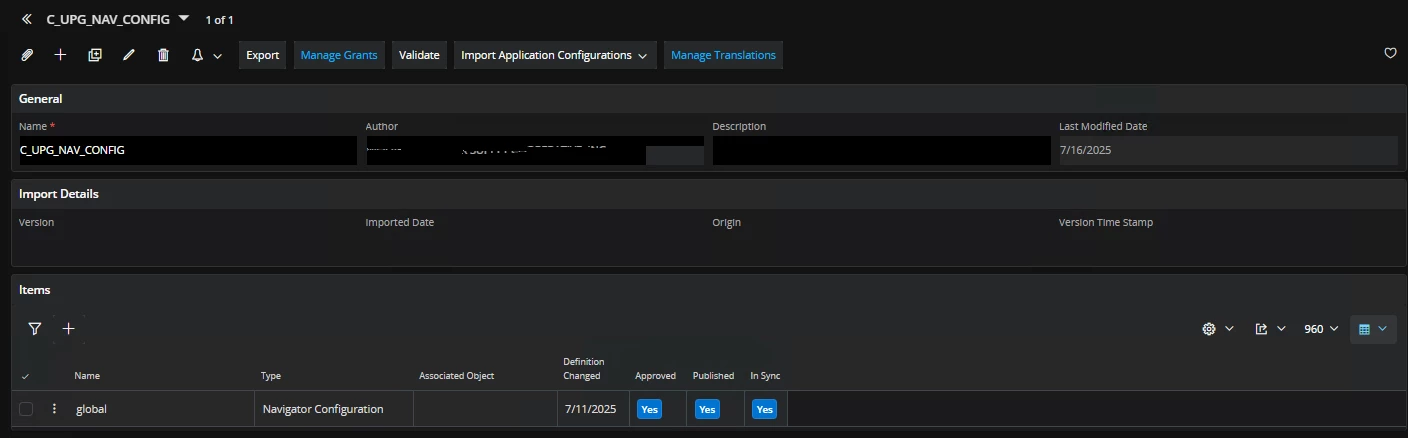
Thanks for the information provided. Does it not display the list(custom page names) in the items section?


i only see one element with below details


Abdul
Superhero (Partner)
Forum|alt.badge.img+20
  • Superhero (Partner)
  • July 17, 2025

@RakeshChangeshpur,

No, it will not display content information in detail. Only higher-level information is available.