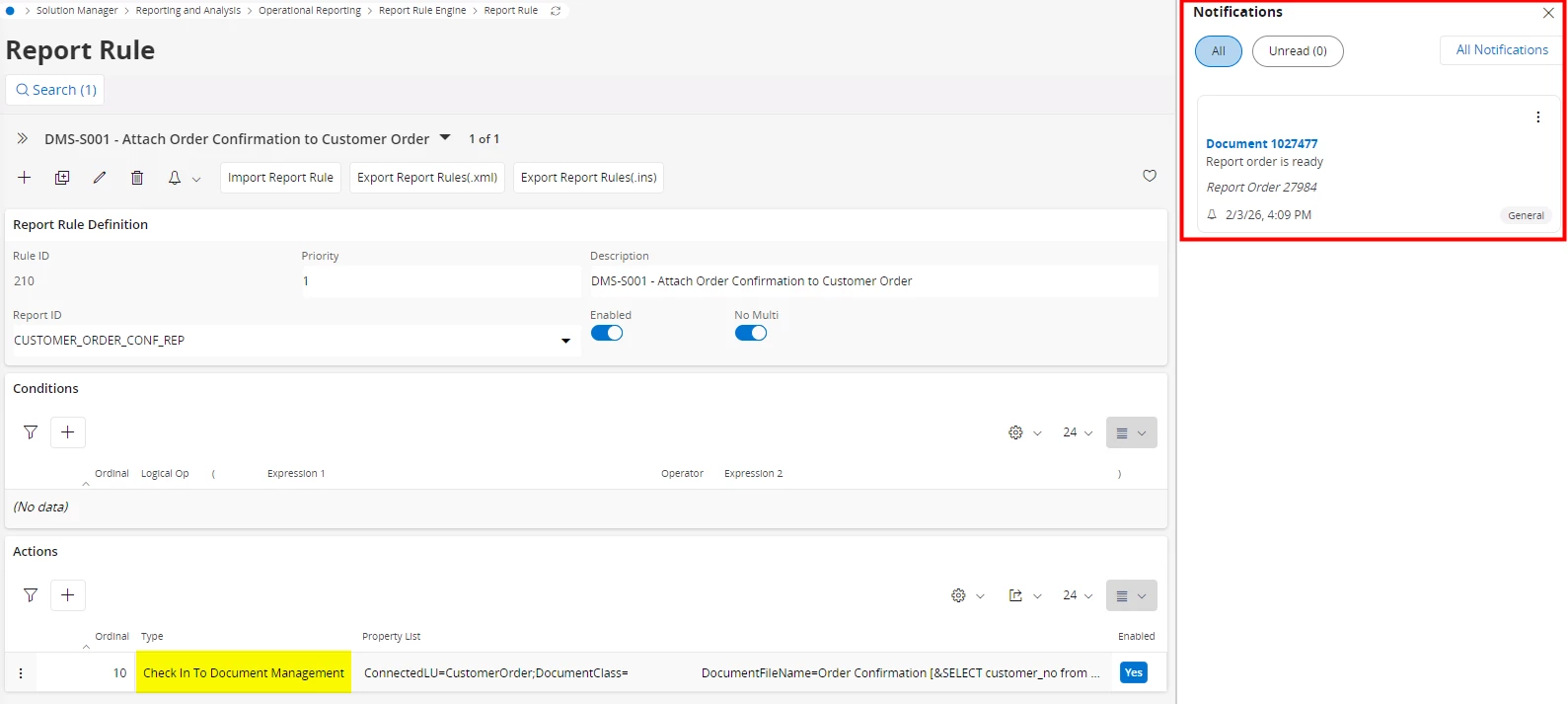
When I create a document using the report rule and attach it to the object, I receive a notification. Can this be disabled somewhere?
Hi @MikeCH,
All notification control in IFS Cloud happens through Subscriptions / Custom Events / In‑solution notifications.
Aurena Sidebar notifications are often triggered because your user is subscribed to a business event.
Go to:
My Administration → Subscriptions (Alerts)There you will see entries such as:
Any subscription listening to document‑related events will generate sidebar notifications.
To stop them: 🔧 Disable or delete the subscription associated with the document creation/check‑in event.
IFS Cloud documentation confirms that Subscriptions control in‑solution notifications (the same ones appearing in the Aurena Sidebar).
Admins can disable the event centrally if it’s not user‑specific.
Solution Manager → Event Actions / Custom Events
Look for events like:
DocumentCreated
DocumentRevisionCreated
DocumentConnected
Inside the event you’ll find an Action of type:
To stop the sidebar notification: 🔧 Remove or disable the Send Notification action from this custom event.
Custom events are used for notification logic outside Document Management, such as push, sidebar, or workflow-driven notifications.
Some setups invoke a Workflow when a new document is created (especially report‑driven documents).
To check:
Workflow Designer → In‑Solution Notification nodes
If your workflow includes a step like “Send Notification”: 🔧 Disable or remove that node.
Workflows are one of the three built‑in ways IFS Cloud triggers in‑solution notifications.
Hope this helps!
Regards,
Pilar
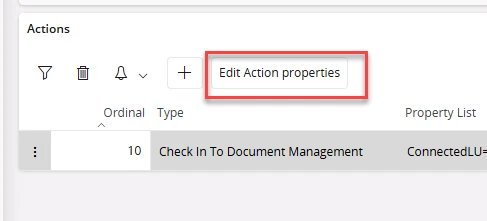
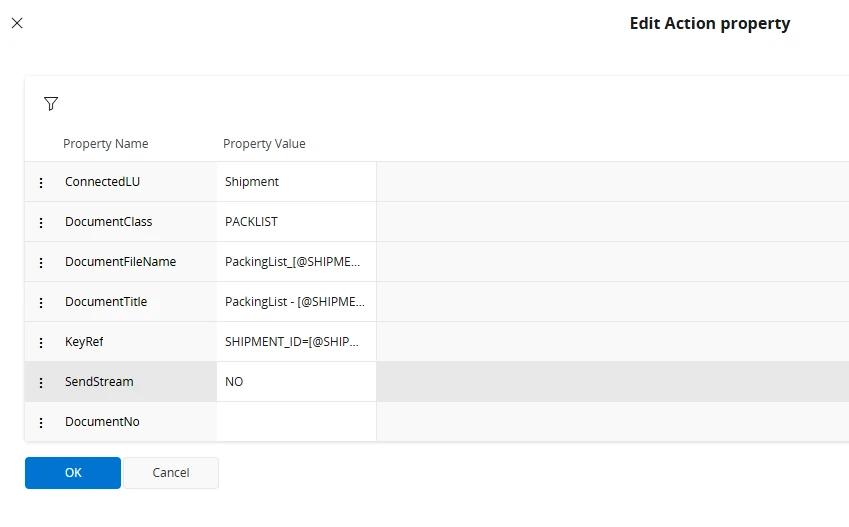
I ran across this issue as well. Found in the Action Properties a “sendstream” setting. Turning this to “NO” seems to have solved the issue for us.
Ask the community for help!
Already have an account? Login
No account yet? Create an account
Enter your E-mail address. We'll send you an e-mail with instructions to reset your password.