

Solved

Barcode font does print in Test environment

  • January 5, 2022
  • 3 replies
  • 346 views

arebbeadle
Hero (Customer)
Forum|alt.badge.img+14

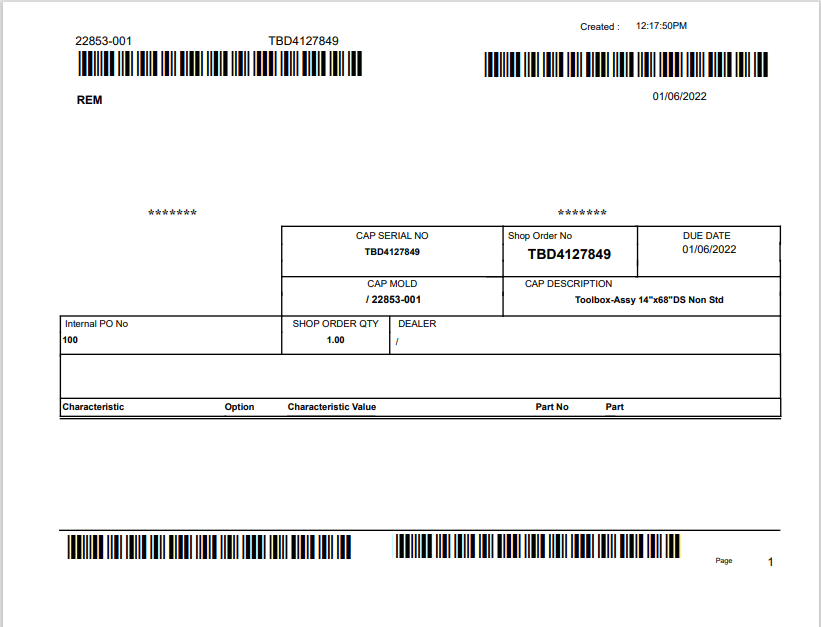
I cannot get a 3of9 barcode font to print from our Apps10 Test environment. We copied a Crystal report from our Production environment to our Test Env. We also copied the 3of9 barcode font from our Production environment to our Test Env. We use Windows Server 2019.

Has anyone seen this issue before?


Best answer by arebbeadle

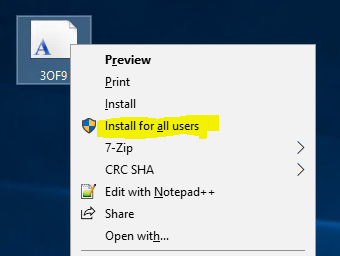
When I copied the font I just put it in the Fonts folder which was wrong.  I needed to RMB click on the file and choose “Install for all users”, which installed the font in C:\Windows\Fonts folder properly.

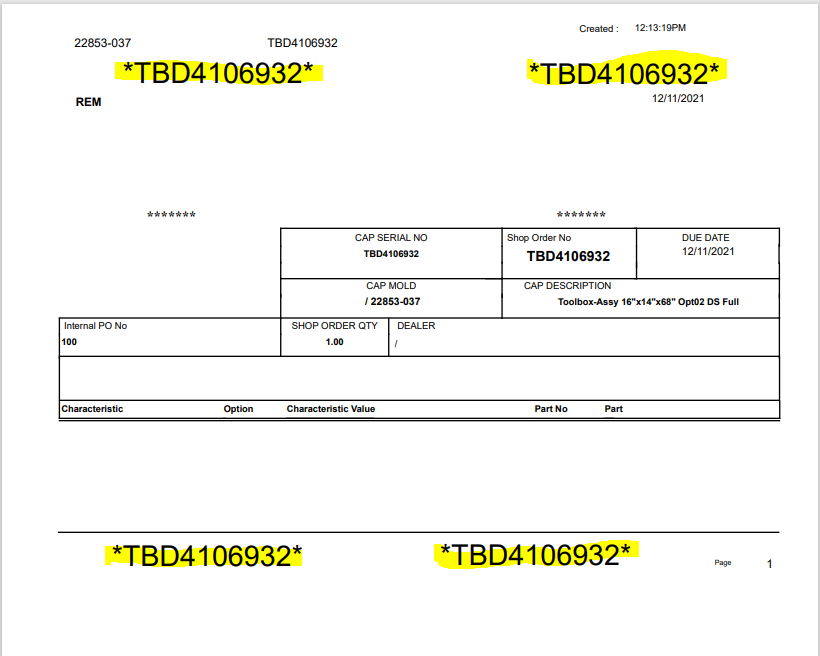
My report is now printing the barcode correctly.


3 replies

arebbeadle
Hero (Customer)
Forum|alt.badge.img+14
  • Author
  • Hero (Customer)
  • January 5, 2022

Sorry typo-

Barcode font does not print in Test environment


Chathuranga Samarakoon
Hero (Partner)
Forum|alt.badge.img+12

Hi @arebbeadle ,


Did you try restarting the server after loading the font ?

If not please try restarting the server after loading the barcode font.


arebbeadle
Hero (Customer)
Forum|alt.badge.img+14
  • Author
  • Hero (Customer)
  • Answer
  • January 6, 2022

When I copied the font I just put it in the Fonts folder which was wrong.  I needed to RMB click on the file and choose “Install for all users”, which installed the font in C:\Windows\Fonts folder properly.

My report is now printing the barcode correctly.