Solved

Aurena - access rights

  • June 17, 2021
  • 6 replies
  • 497 views

Forum|alt.badge.img+2

Hi, 


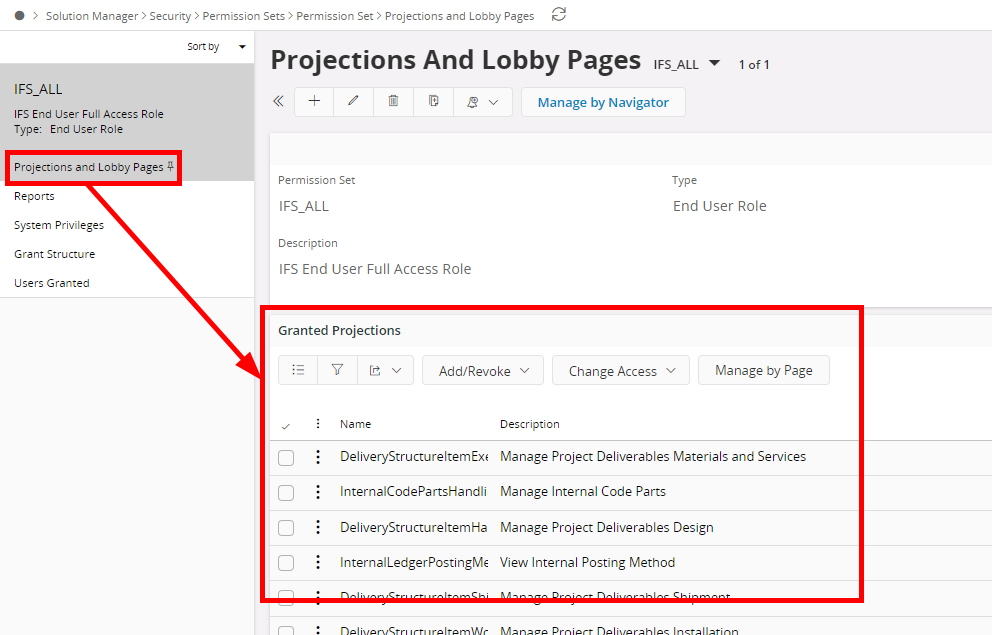
is there any other way how to set access rights for Aurena Users than clicking every item in “Projections” pannel in “Permission set” dialogue ? Some king of faster way how to allow admin to prepare permission sets for Aurena users. 


Thanks, for answers 

Best regards, 


Pavel 
Best answer by Thanushi Jayaweera

Hi @pavelw ,

Please check if you have granted the below permission sets to the user.


The error should be resolved by then.

Hope this information helps you :relaxed:

Best Regards,
Thanushi​​​​​​​

This topic has been closed for replies.

6 replies

Technical Outlaws
Hero (Employee)
Forum|alt.badge.img+11

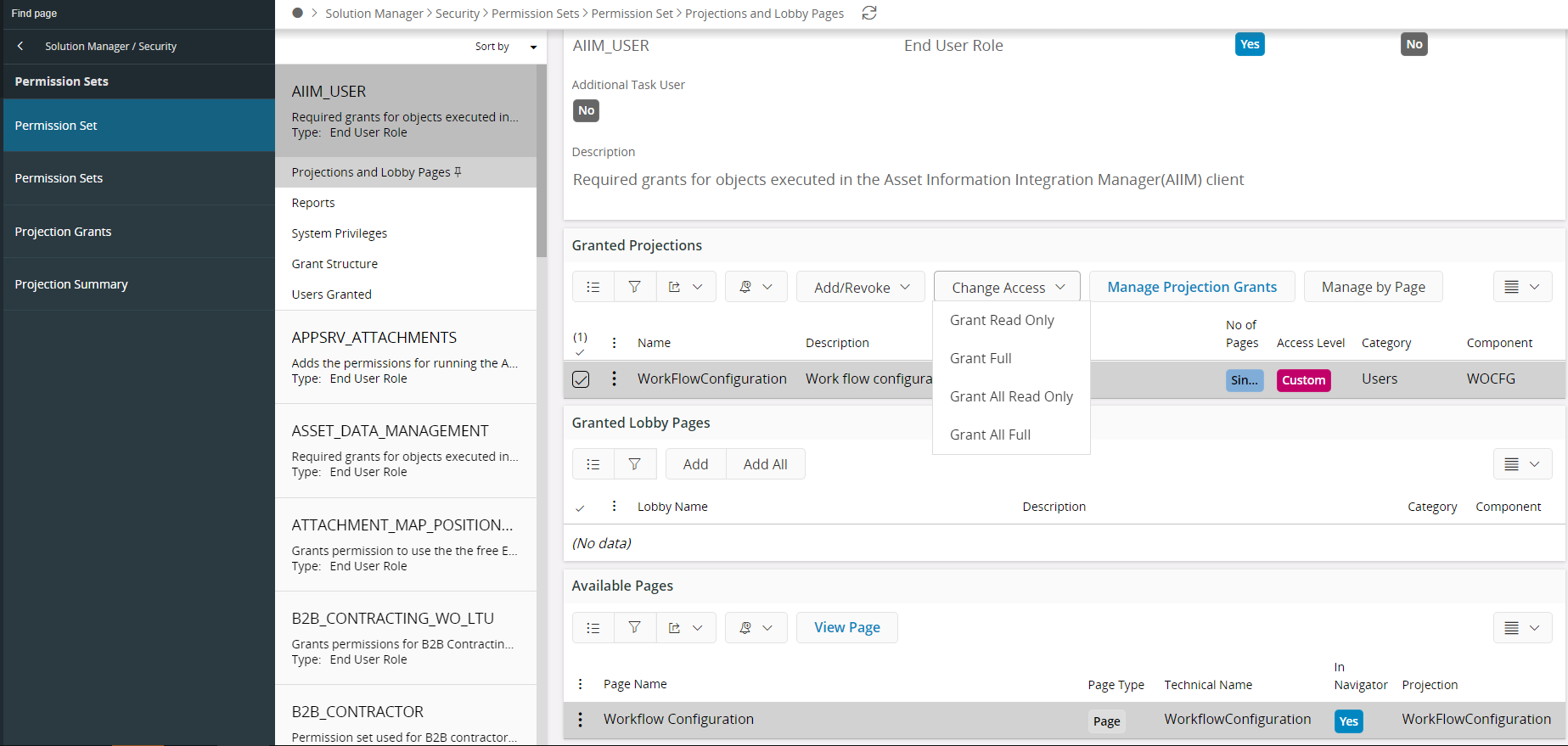
If you are referring to assigning all projections in one go to a permission set, you can do this easily in Aurena by using the Add/Revoke command and select Add All.


Himasha Abeywickrama
Superhero (Customer)
Forum|alt.badge.img+18

Hi @pavelw,


You can grant access to projections using ‘Permission Set’ window in Aurena where you can filter out the projections that you need to give access to and grant them accordingly.


Forum|alt.badge.img+2
  • Author
  • Do Gooder (Customer)
  • June 17, 2021

Hi, 


thanks for answers, problem is I’m not able to login into Aurena because of access rights ( I guess ), please see attached screenshot. 


BR, 


Pavel 


Himasha Abeywickrama
Superhero (Customer)
Forum|alt.badge.img+18

Hi @pavelw,


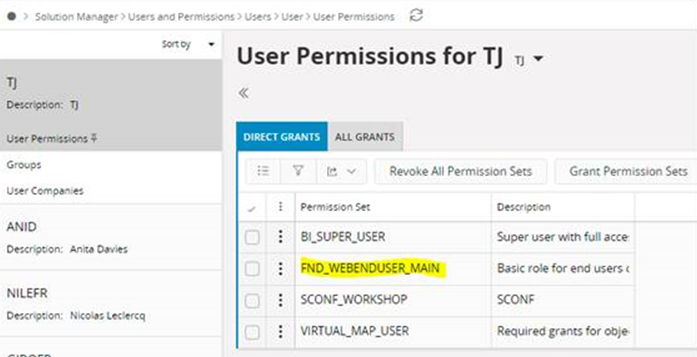
The end user permission set that you should grant to end users for basic Aurena functionality is FND_WEBENDUSER_MAIN, which will contain the functional permission set FND_WEBRUNTIME required to log into Aurena. Please grant yourself permission to FND_WEBENDUSER_MAIN permission set and you should be able to log in without any issues.


Thanushi Jayaweera
Superhero (Employee)
Forum|alt.badge.img+15

Hi @pavelw ,

Please check if you have granted the below permission sets to the user.


The error should be resolved by then.

Hope this information helps you :relaxed:

Best Regards,
Thanushi​​​​​​​


Forum|alt.badge.img+2
  • Author
  • Do Gooder (Customer)
  • June 18, 2021

Hi, 


thanks a lots for information, everything works now. 


  1.