Question

Arial Unicode MS Font Not Available in Layout Studio

  • June 17, 2026
  • 2 replies
  • 15 views

Forum|alt.badge.img

I am currently using Report Studio and working in the Layout Designer.

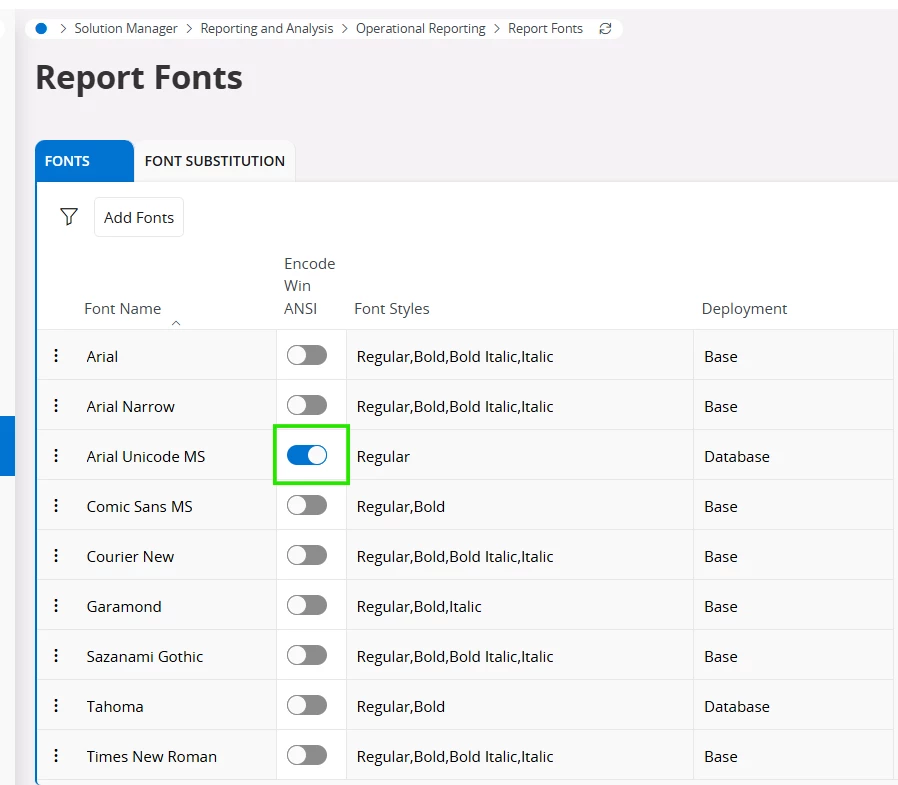
I have successfully added the Arial Unicode MS font in the Report Fonts configuration. However, when I open the Layout Designer and check the font dropdown list, the Arial Unicode MS font does not appear as an available option.

Could you please advise what additional steps are required to make the font available in the Layout Designer? I already try to cache refresh, deployment, or server-side configuration 

Any guidance would be greatly appreciated.

2 replies

ashen_malaka_ranasinghe
Hero (Employee)
Forum|alt.badge.img+14

Hi ​@SiwawutW,

The most common reason for this issue is that adding the font in Report Fonts alone is not sufficient for it to appear in the Layout Designer. Even if the font is successfully uploaded and configured, it will not be visible unless all design-time prerequisites are met.

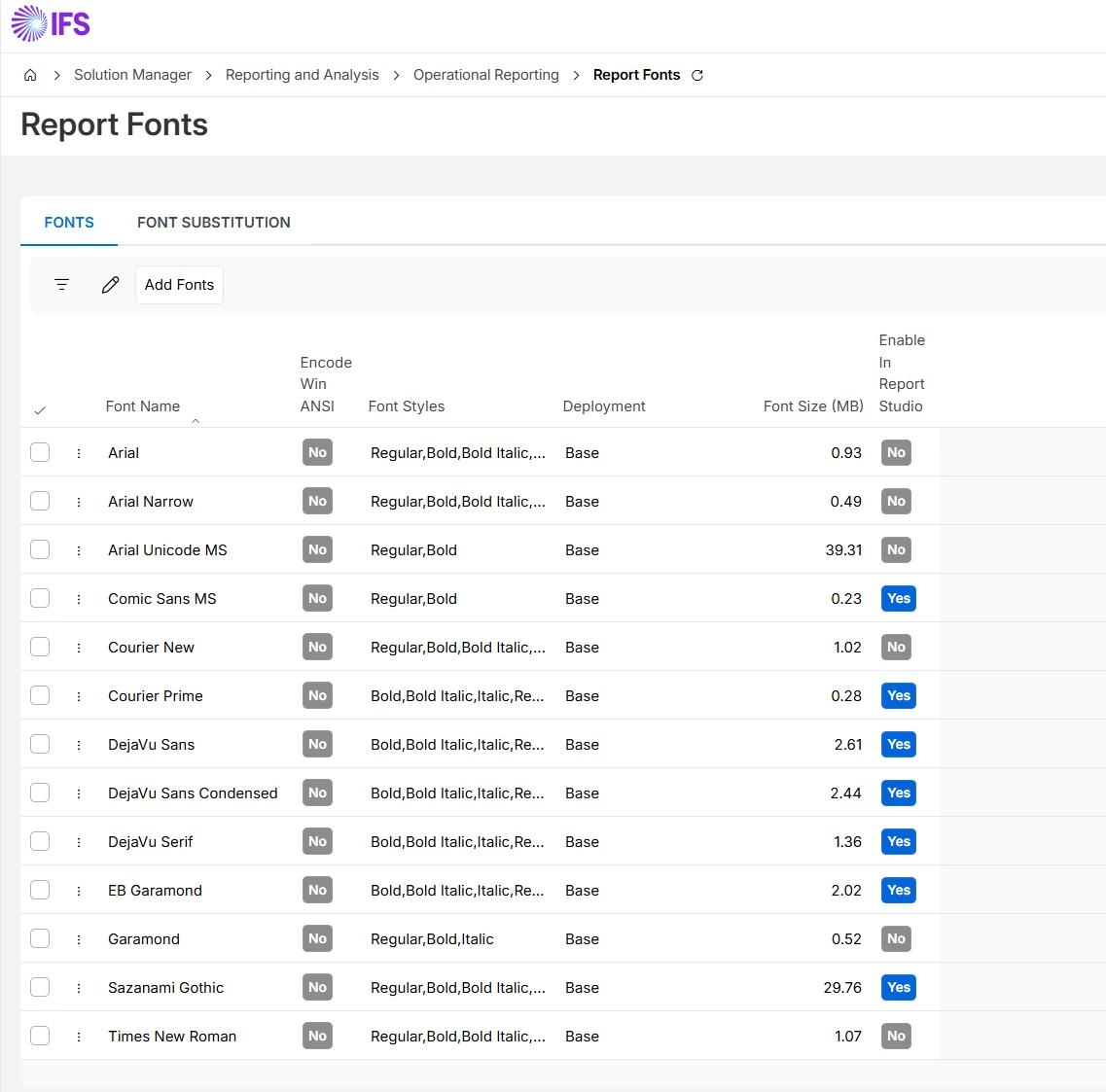
First, ensure that the font is explicitly enabled for Report Studio by turning on the "Enable in Report Studio” option. Without this, the font will not be exposed to the Layout Designer, even though it exists in the configuration.

Secondly, and most importantly, the font must be installed locally on the machine where you are using the Layout Designer. Report Studio depends on locally available fonts during design time, so if Arial Unicode MS is not installed on your system, it will not appear in the font dropdown.

Additionally, you should check whether the total size of enabled fonts is within the supported limit (60 MB), as exceeding this limit can prevent new fonts from being displayed.

If you are using a full backend-driven setup, also verify that the font has been properly imported through the installer and is available in the database and server font directories, as incomplete deployment can lead to similar symptoms.

In your case, since cache refresh and deployment have already been tried, the most likely cause is that the font is not installed locally on your machine, which is required for it to appear in the Layout Designer.

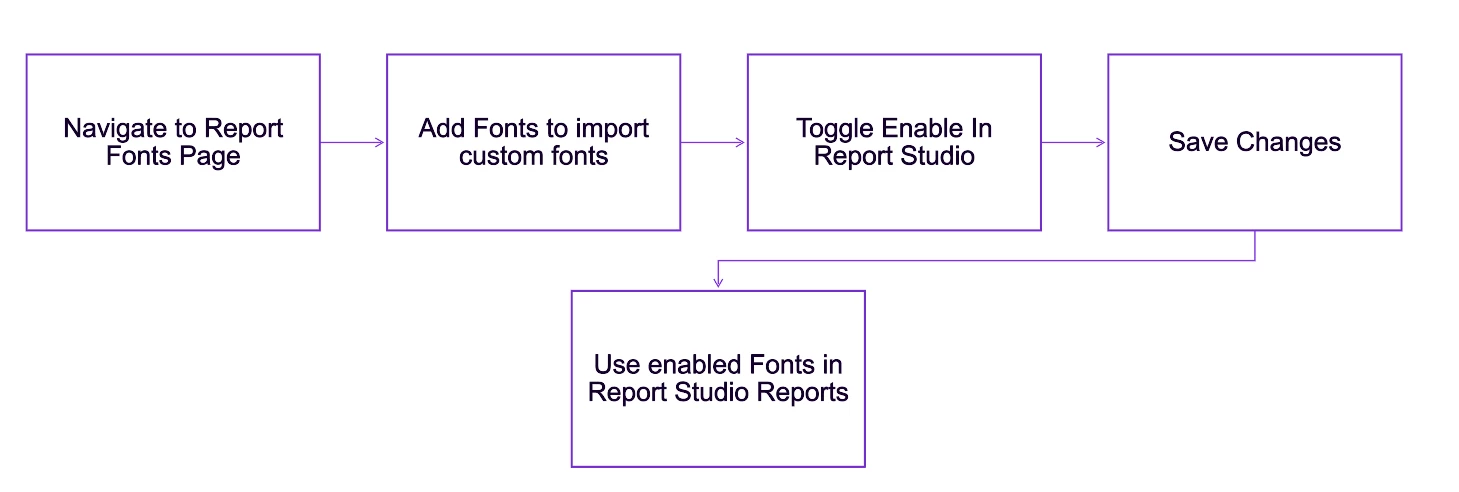
The general workflow for adding custom fonts to the IFS Cloud application is as below:


Forum|alt.badge.img
  • Author
  • Do Gooder (Partner)
  • June 18, 2026

@ashen_malaka_ranasinghe 

Hi Ashen

    I already install font on my machine and also all server(๋just in case) and total font size not over 60MB but font still not show on report studio. in you mention “Enable in Report Studio” Which screen open this option?