Solved

Adding LOV filter IFS Page Designer

  • May 25, 2026
  • 14 replies
  • 56 views

Forum|alt.badge.img+4

Hello Community,

I have a requirement where, when creating a new Purchase Requisition, the user is currently able to select any requisitioner. However, we would like to restrict this so that in the LOV, the user can only see their own requisitioner ID.

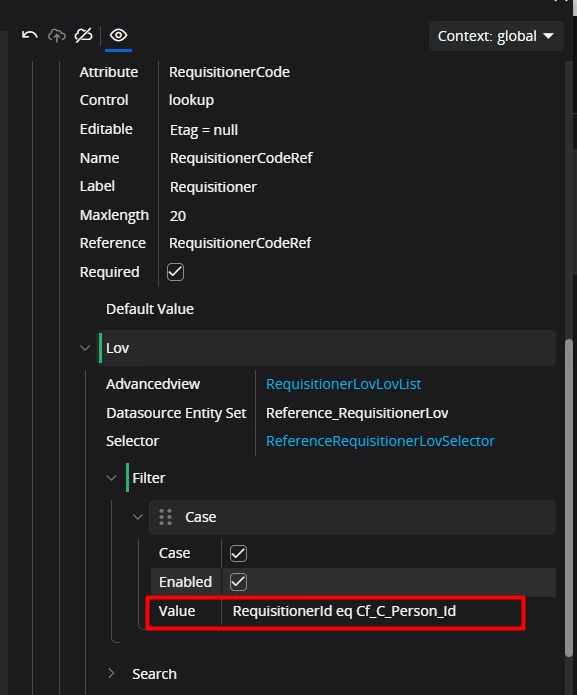
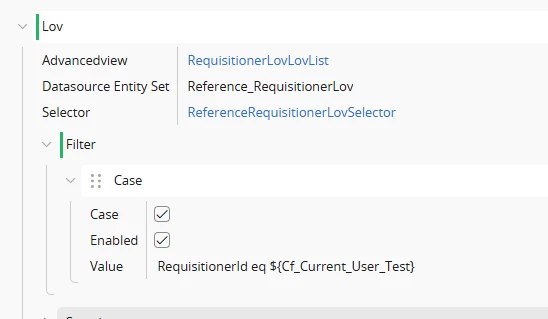
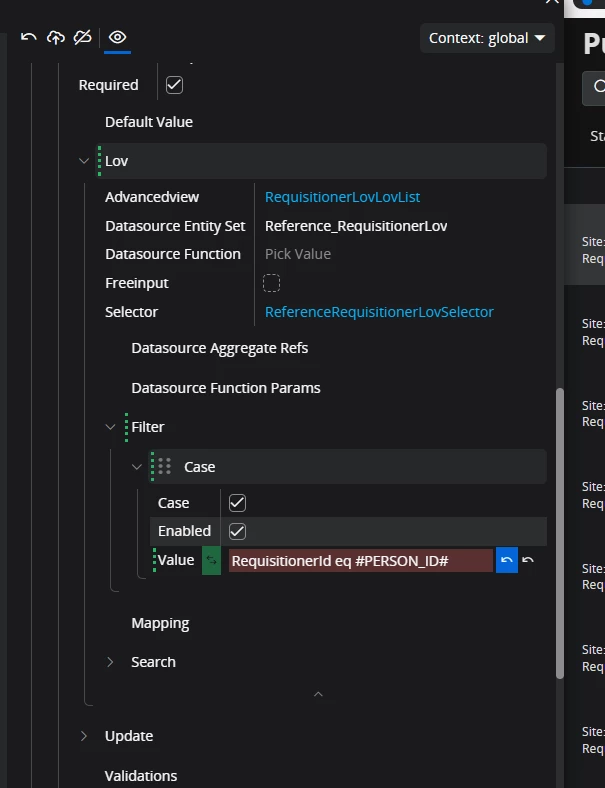
I have already tried the following approach, but I am not sure what I might be missing.

Could anyone please advise on how this can be achieved?
 

Best answer by Abdul

Hi ​@Daniel_Hassan,

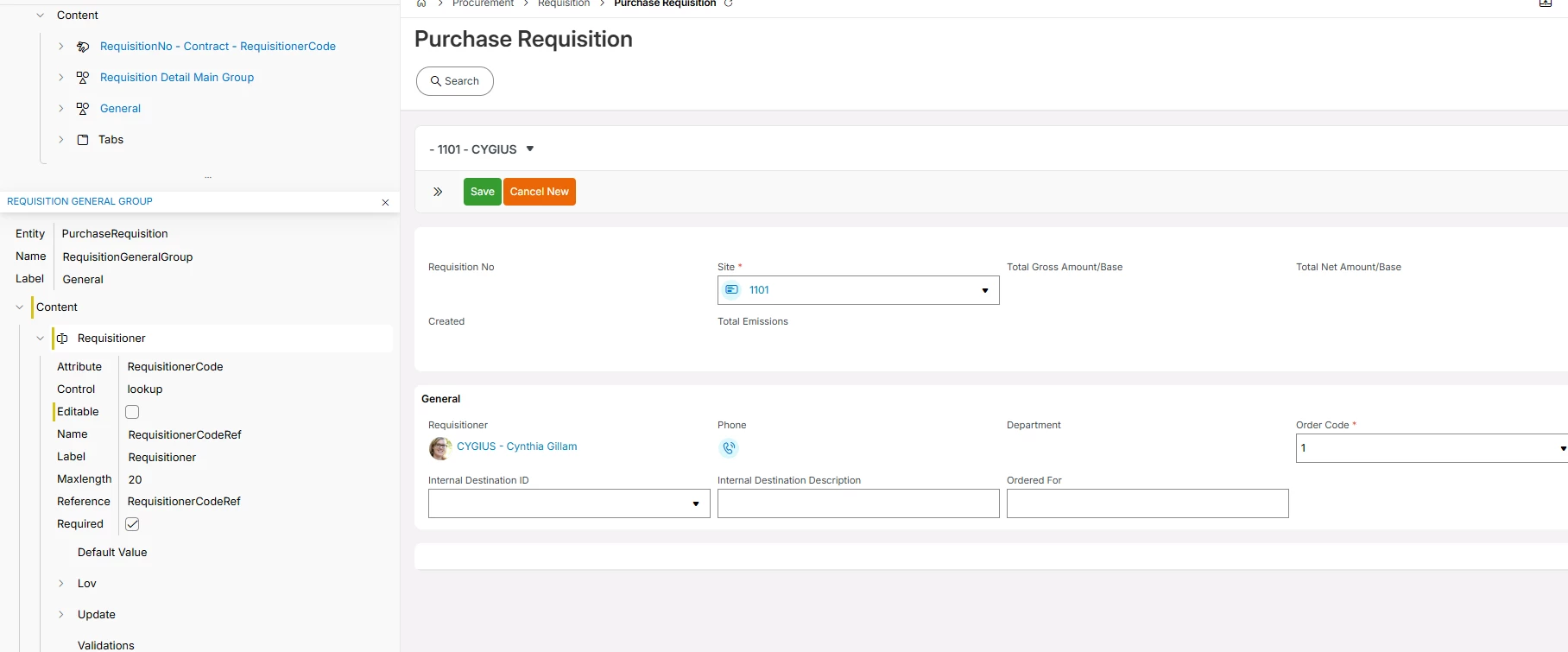
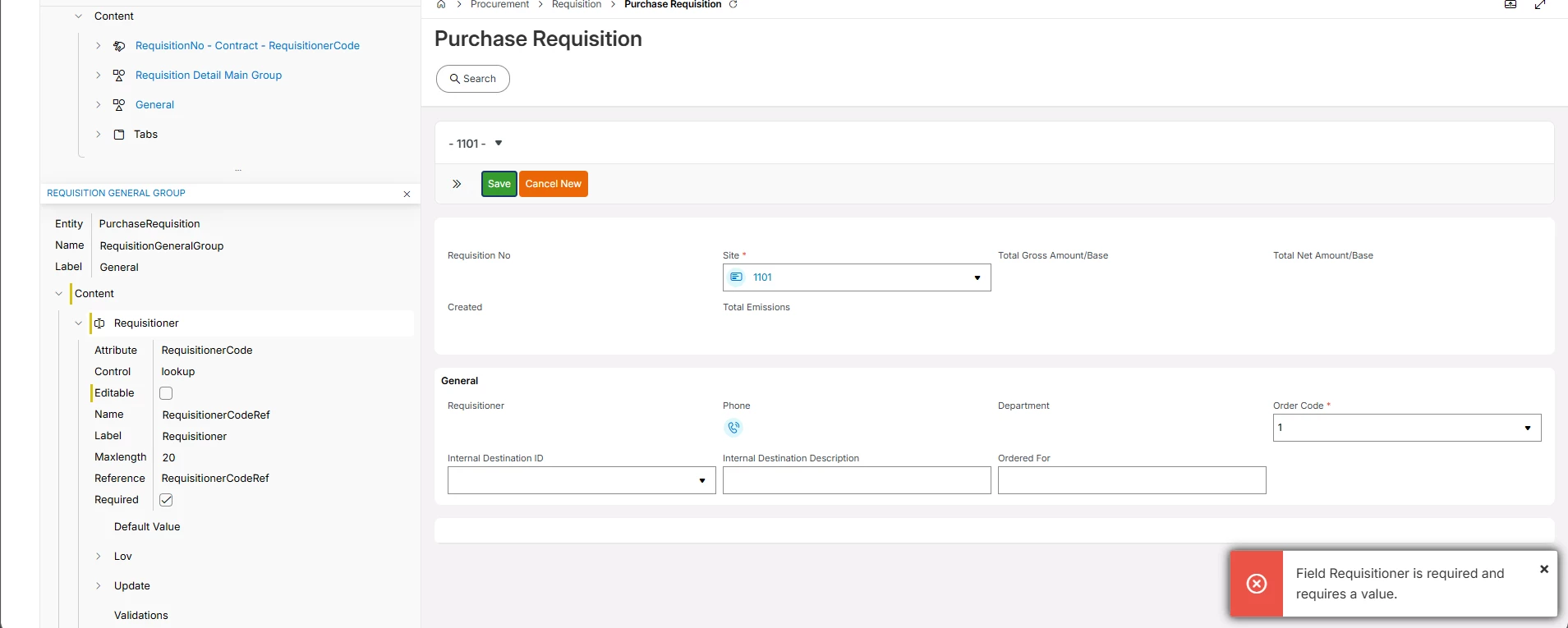
Easiest way is to make Requisitioner field non-editable using Page designer.

Since the default value for Requisitioner for new Purchase Requisition will be current user id itself if defined as a Requisitioner in the master otherwise value will be null, and the system will not allow to save the record.

Please refer to the screenshot below, 

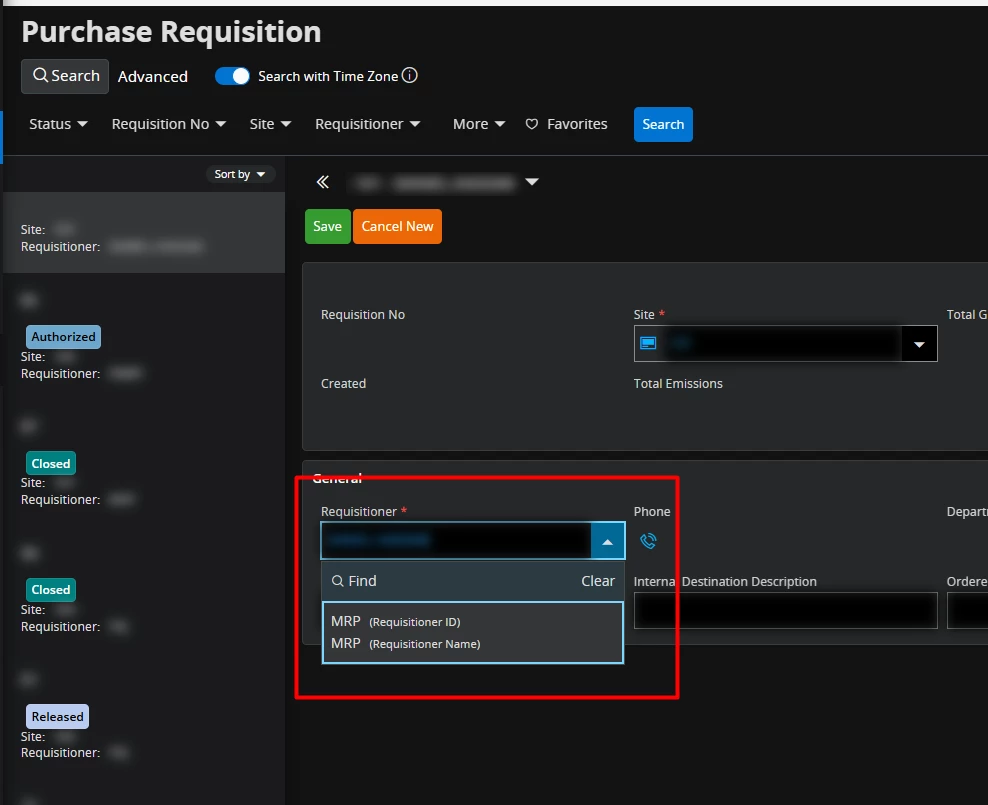
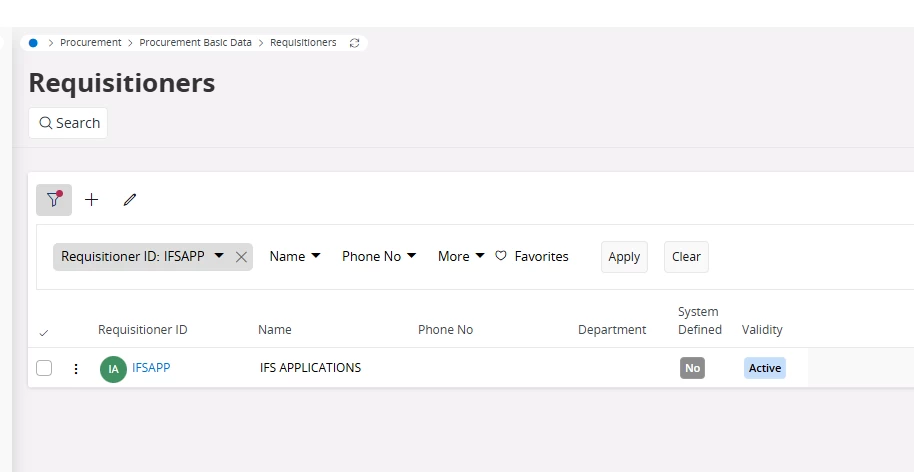
If the current user is not defined as a Requisitioner.


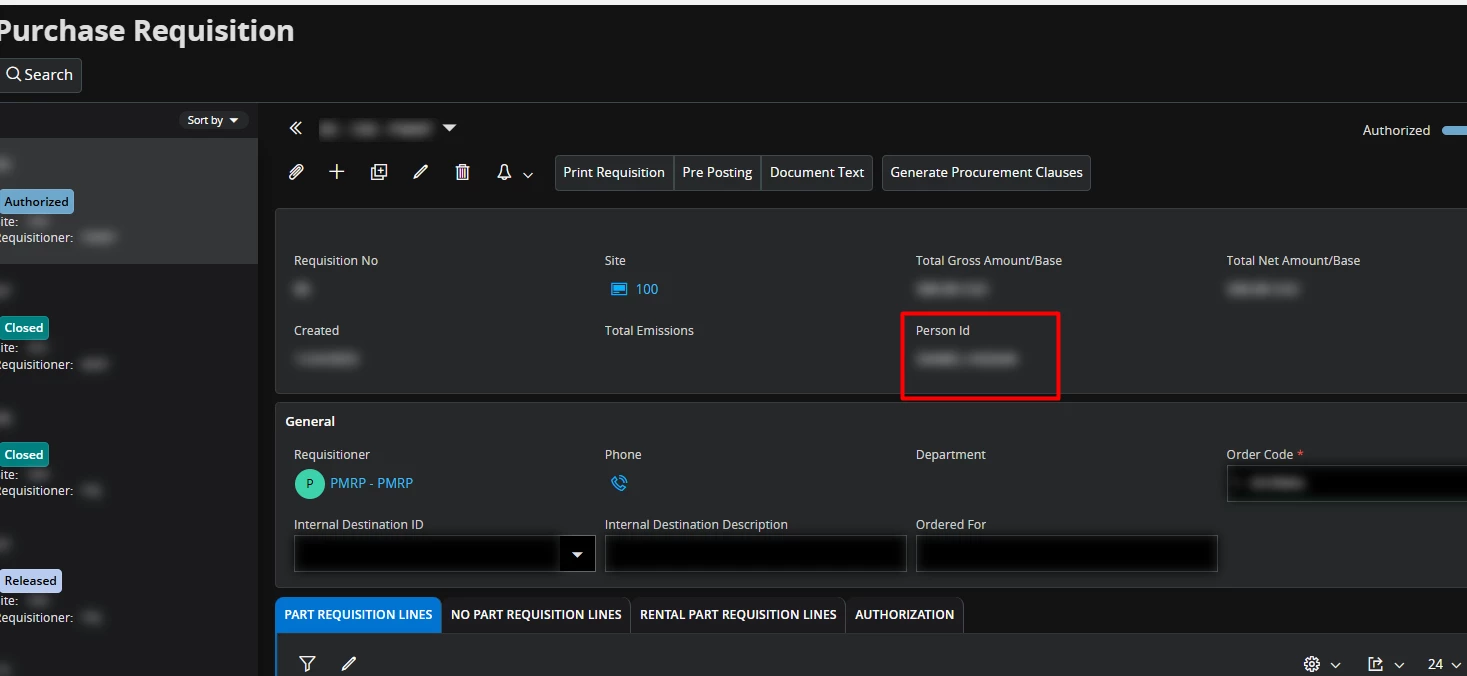
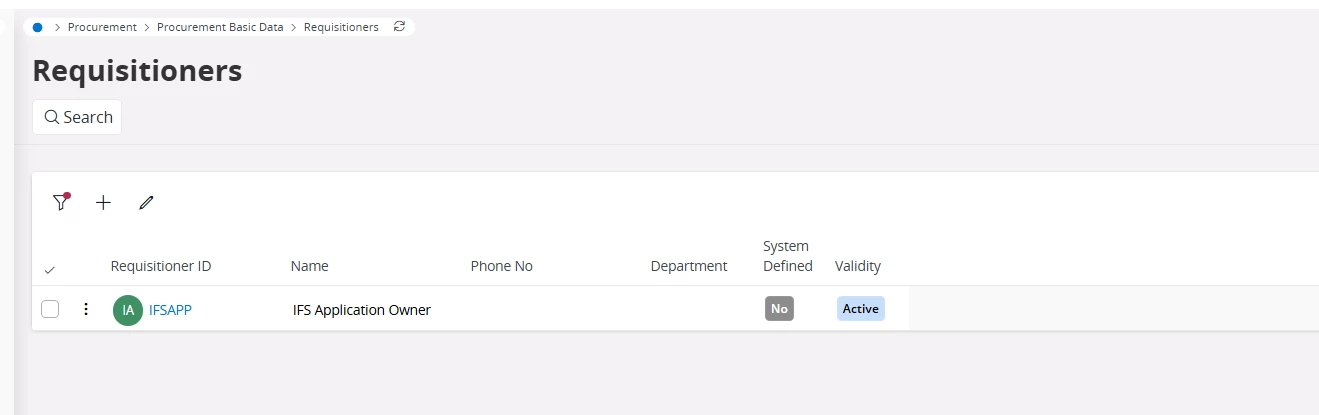
If the current user is defined as a Requisitioner.


Anyway, your idea is also good to set filter value to ‘MRP’ since system will not allow to save the record with Requisitioner to MRP for manual PR.


Regards

Abdul Rehman

14 replies

Hello Community,

I have a requirement where, when creating a new Purchase Requisition, the user is currently able to select any requisitioner. However, we would like to restrict this so that in the LOV, the user can only see their own requisitioner ID.

I have already tried the following approach, but I am not sure what I might be missing.

Could anyone please advise on how this can be achieved?
 

Hi ​@Daniel_Hassan ,

Your filter setup looks correct using #PERSON_ID# variable. Could you confirm if the Context is set correctly in Page Designer and whether the customization has been published and activated?


Forum|alt.badge.img+4
  • Author
  • Do Gooder (Partner)
  • May 26, 2026

Hello ​@Lingesan08 

This is a standard IFS page and standard LOV 

 in this screenshot I have added a hardcoded value Ex: MRP 

working as expected, the only thing I want to do is making it dynamic

Thank you in advance for your support 


  • May 26, 2026

I might be wrong, but I believe in LoV filtering/searching only date attributes accept Context Substitution Variables.


One hacky way to tackle this requirement is to add a read-only custom field to PurchaseRequisition that fetches the current user ID, add that to the page, then use that in filtering. 


Forum|alt.badge.img+4
  • Author
  • Do Gooder (Partner)
  • May 26, 2026

Hello ​@karale 

Thank you for the Suggestion

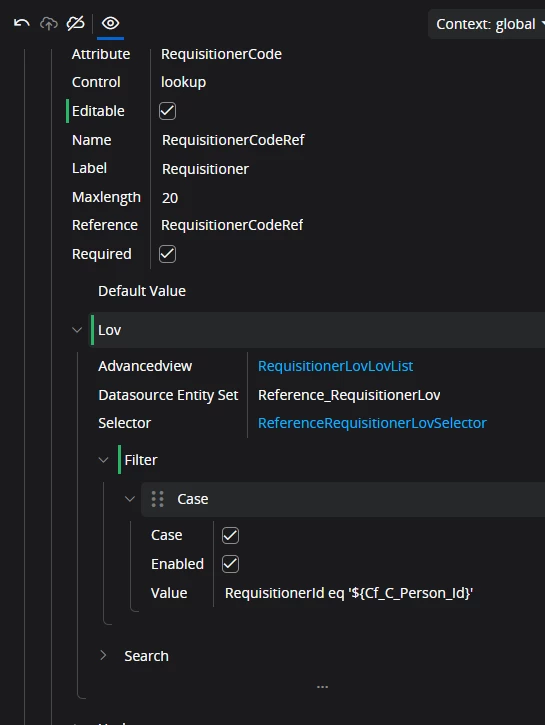
I have added a read only custom field to fetch current user person ID 


and added this new field into the filter


However I get this error

PurchaseRequisition/Form (server error)
Malformed Request.
Error details: [{"code":"EXPRESSION_PROPERTY_NOT_IN_TYPE","message":"The property 'Cf_C_Person_Id', used in a query expression, is not defined in type 'IfsApp.PurchaseRequisitionHandling.RequisitionerLov'."}]

I think the new custom field needs to be added to the LOV


Forum|alt.badge.img+4
  • Author
  • Do Gooder (Partner)
  • May 26, 2026

Hello ​@karale 

Thank you for the Suggestion

I have added a read only custom field to fetch current user person ID 


and added this new field into the filter


However I get this error

PurchaseRequisition/Form (server error)
Malformed Request.
Error details: [{"code":"EXPRESSION_PROPERTY_NOT_IN_TYPE","message":"The property 'Cf_C_Person_Id', used in a query expression, is not defined in type 'IfsApp.PurchaseRequisitionHandling.RequisitionerLov'."}]

I think the new custom field needs to be added to the LOV


  • May 26, 2026


PurchaseRequisition/Form (server error)
Malformed Request.
Error details: [{"code":"EXPRESSION_PROPERTY_NOT_IN_TYPE","message":"The property 'Cf_C_Person_Id', used in a query expression, is not defined in type 'IfsApp.PurchaseRequisitionHandling.RequisitionerLov'."}]
 

Wrap the Cf_C_Person_Id in ${}, so: ${Cf_C_Person_Id}, for example:


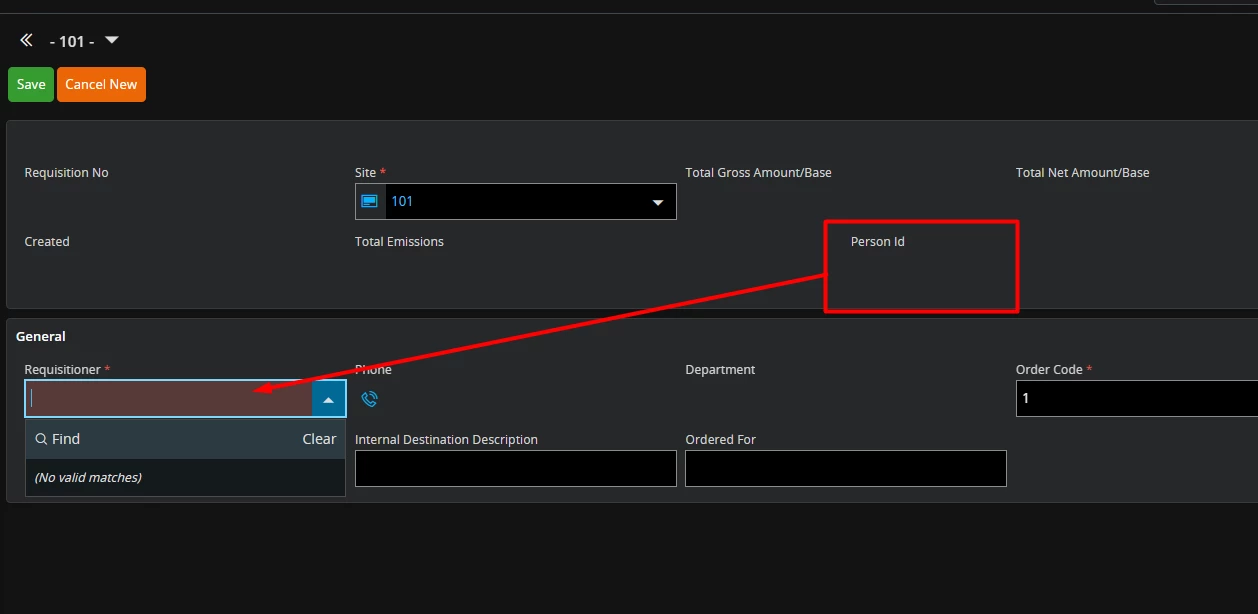
I noticed that the custom field does not populate in the view when creating a new record, and if you click on the LoV the list is empty, but it seems to work by pre-selecting the selected value.. Your results may wary.


The only other way I can think of is a process enrichment workflow pre-selecting current user, then another validation workflow that validates that the requisitioner is current user. But that’s a lot of extra stuff for such a simple thing. If there is no way to user #PERSON_ID#, hopefully IFS will add support for using it soon.


Hello ​@Lingesan08 

This is a standard IFS page and standard LOV 

 in this screenshot I have added a hardcoded value Ex: MRP 

working as expected, the only thing I want to do is making it dynamic

Thank you in advance for your support 

Hi ​@Daniel_Hassan ,

Thanks for clarifying! Since hardcoded value works, the issue is specifically with #PERSON_ID# not resolving dynamically in this context.

Could you confirm which IFS Cloud version you are on? The variable syntax might differ between versions.


Forum|alt.badge.img+4
  • Author
  • Do Gooder (Partner)
  • May 26, 2026

hello ​@Lingesan08 

current version is 25r1


hello ​@Lingesan08 

current version is 25r1

Hi ​@Daniel_Hassan ,

Thank you for confirming the version — IFS Cloud 25R1.

Since the hardcoded value works as expected, the issue is isolated to the dynamic variable resolution of #PERSON_ID# in the LOV filter context.

A few things worth investigating:

1. Variable Syntax Verification In 25R1, confirm the correct system variable syntax in Page Designer — it may need to be referenced differently depending on the context level (Global vs Page).

2. Context Setting Ensure the Context in Page Designer is set appropriately where the variable is being resolved.

3. User Profile Linkage Verify that the logged-in user has a valid Person ID linked to their user profile in: Solution Manager → Users → User Definition → Person ID

If Person ID is not mapped to the user — #PERSON_ID# will return null causing the filter to fail silently.

Hope this helps narrow it down!


Forum|alt.badge.img+4
  • Author
  • Do Gooder (Partner)
  • May 26, 2026

Hello ​@Lingesan08 

I have checked all the above

  1. I’m using global context
  2. person is connected to user


I was trying to use ​@karale suggestion and this format worked 


the case in here is that when creating a new record the custom field do not fetch the current user person ID until the record is saved 


however when saving it does the filtering as excepted

my question in here can we make this read only field fetch the person ID when creating new ?


Abdul
Superhero (Partner)
Forum|alt.badge.img+20
  • Superhero (Partner)
  • Answer
  • May 26, 2026

Hi ​@Daniel_Hassan,

Easiest way is to make Requisitioner field non-editable using Page designer.

Since the default value for Requisitioner for new Purchase Requisition will be current user id itself if defined as a Requisitioner in the master otherwise value will be null, and the system will not allow to save the record.

Please refer to the screenshot below, 

If the current user is not defined as a Requisitioner.


If the current user is defined as a Requisitioner.


Anyway, your idea is also good to set filter value to ‘MRP’ since system will not allow to save the record with Requisitioner to MRP for manual PR.


Regards

Abdul Rehman


Forum|alt.badge.img+4
  • Author
  • Do Gooder (Partner)
  • May 26, 2026

Hello ​@Abdul 

Thank you for your suggestion

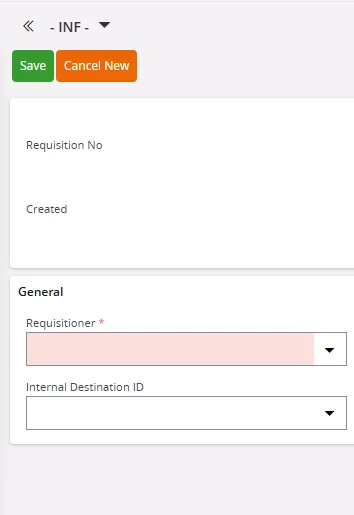
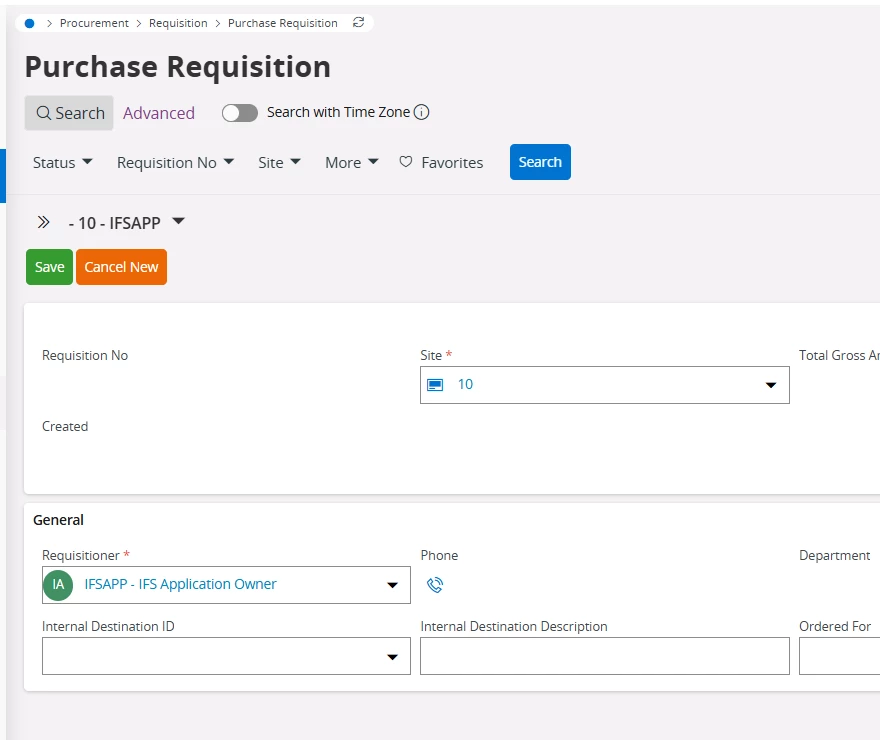
the solution seems to be working for me however when creating new purchase requisition, it shows like this


I’m using IFS app and the user is added as requisitioner 


Forum|alt.badge.img+4
  • Author
  • Do Gooder (Partner)
  • May 26, 2026

Hello ​@Abdul 

I have tried to login with a different user (not IFSAPP) and it was fetching the current user ID by default into the Requisitioner field, and this solution seems to be working 


Thank you all for you support ​@karale and ​@Lingesan08 


Abdul
Superhero (Partner)
Forum|alt.badge.img+20
  • Superhero (Partner)
  • May 26, 2026

Hi ​@Daniel_Hassan,

Do you have any workflow configuration or any other custom check which set requisitioner to null for record insertion?

I checked with IFSAPP as well and it's working as expected.