Question

Adding a multi line field in workflow

  • Oct 26, 2026 4:28 PM UTC
  • 2 replies
  • 36 views

Forum|alt.badge.img+1

Hi Team,

We are on IFS cloud 25R1, We are creating a work flow action from work tasks, when you click a Send Email button it opens an input with 3 fields - EmailTo, EmailSubject and EMailBody.
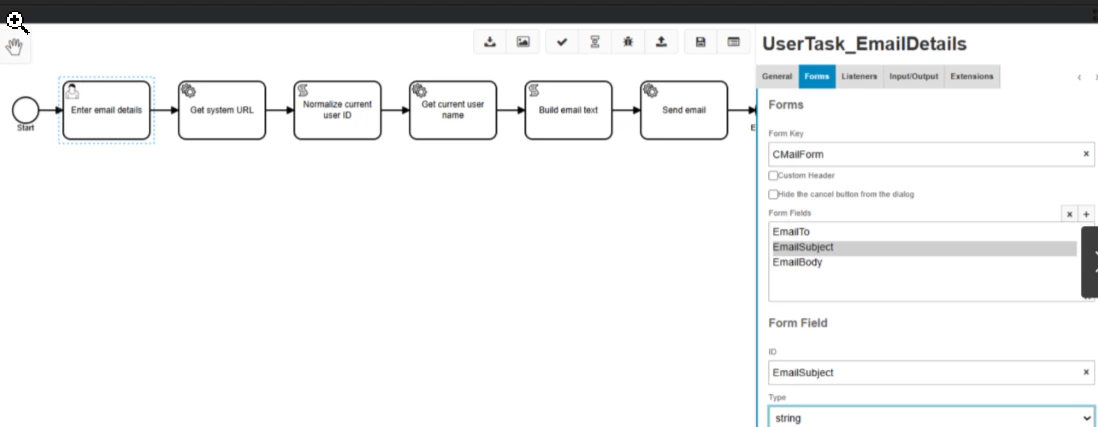
Currently we are using “String” for email body.

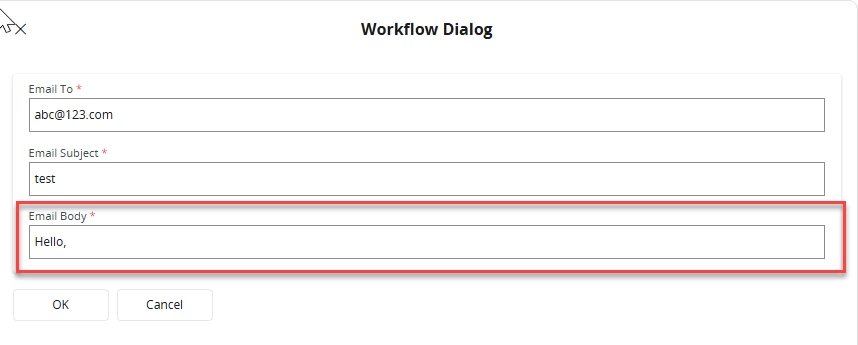
The problem we have is that it only allows a single line entry and the moment a user hits enter the email is sent.
We Tried changing the eMail body to “Text” instead of String, but when we publish it the field does not even appear.
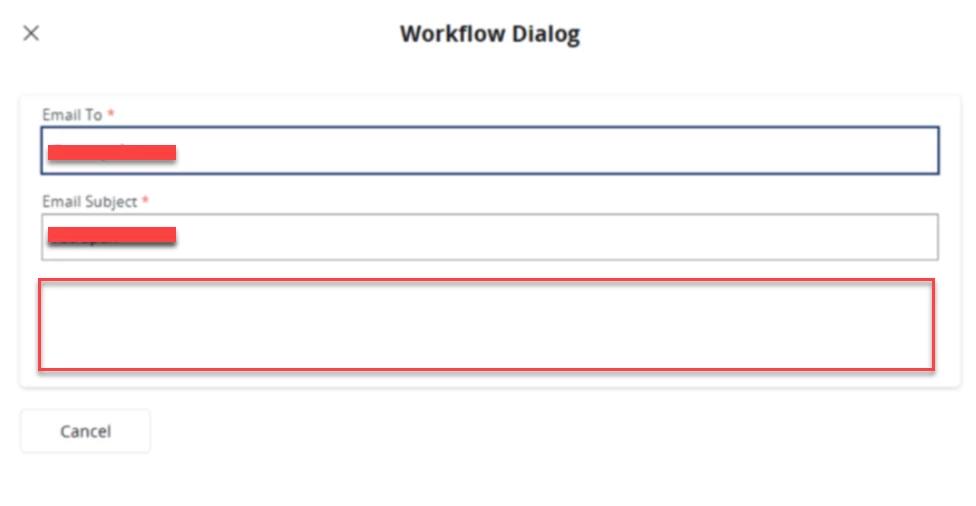
 

Do you know how we could get this as a multi line field?

2 replies

Forum|alt.badge.img+5
  • Do Gooder (Employee)
  • Oct 27, 2026 3:53 AM UTC

Hi ​@Vibhu_Nandakumar ,

As far as I know, you can't get a multiline field in User Forms. bpmn-js-properties-panel 0.46.0 supports only Form Fields (string, long, boolean, date, and enum) and a plain Form Text. It doesn't support a text area or provide a Camunda Forms option.


Forum|alt.badge.img+1
  • Author
  • Do Gooder (Customer)
  • Oct 28, 2026 12:30 PM UTC

Hi ​@pdollk 

Thanks for the reply. Is there a different way to achieve this? I mean I need a form that can have a multi line field and trigger an email on a button click from the Work Tasks page. Is there a way to use something other than a user form as part of the workflow ?