Question

Add a Page to the Supplier Tree Navigator

  • August 6, 2026
  • 3 replies
  • 22 views

Forum|alt.badge.img+1

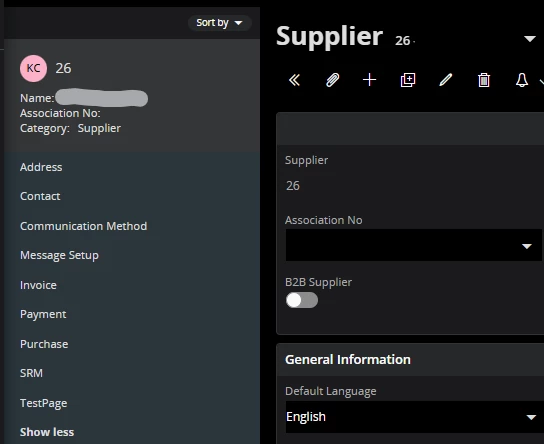
Hi there.  I’m new to this, and I’m trying to add a new page in the supplier record to the circled section below - I’ve read that it’s called a tree navigator. 
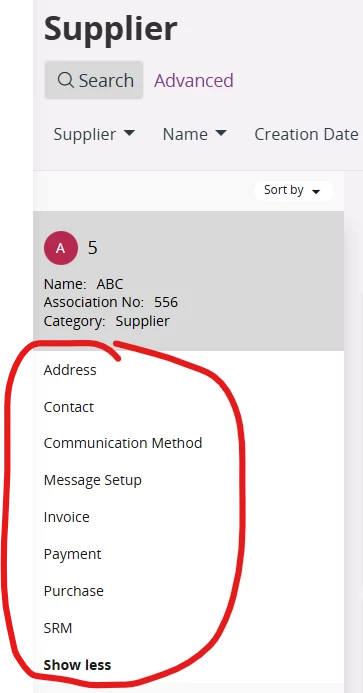


Basically I want to take the Quality section from the Purchase page, inactivate it there, and create a new page for that section so that I can have one set of users with access to the Purchase page, and another set of users for the Quality page (I know I could just add a tab to an existing page, but it’s likely that the quality info that they want to track will expand and require a bunch of custom fields and multiple tabs, so I’d rather just have a new page for it).  


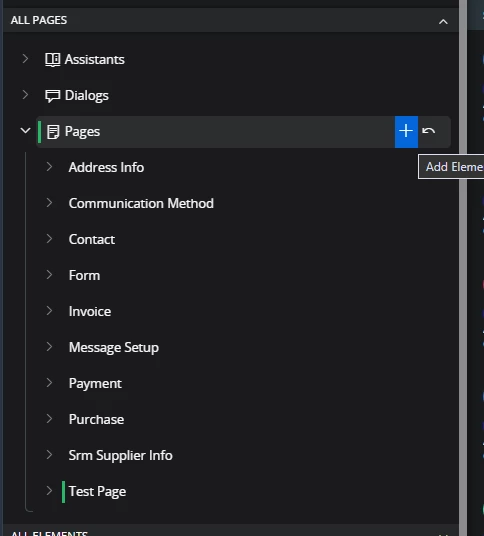
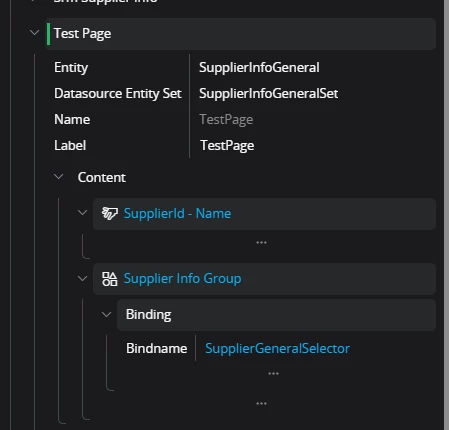
I mimicked the setup of the Purchase page to a new page in Page Designer.  I can see it if I select the new page under Active Page:
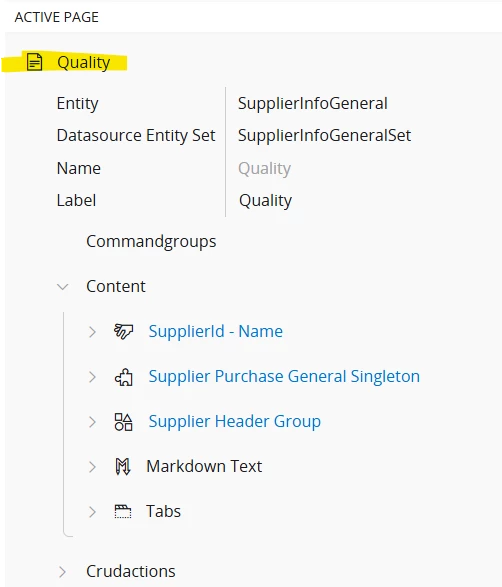
 

But it’s not showing in the tree navigator section.  I saved the changes and published them, cleared the cache, refreshed the browser, but still I can’t see it on the list of pages.  Since it’s the same projection/entity as the the Purchase page, I don’t see how it could be permission related.  What am I missing?  TIA!

3 replies

PhillBronson
Hero (Customer)
Forum|alt.badge.img+13
  • Hero (Customer)
  • August 7, 2026

@michelle.campbell I believe you need to add your page as a navigator entry under that page. I haven’t done this in a configuration, but if it is possible I think you would add that new page under Navigator Designer.


Forum|alt.badge.img+1

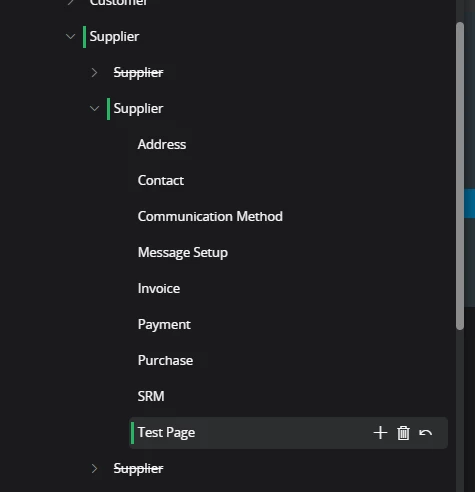
Thanks ​@PhillBronson - I added it in the Navigator Designer under Suppliers, where the rest of the pages showed, but after a refresh and clearing cache, it still doesn’t display.  


I did realize that a new page only handles half of my issue - since the Quality fields are in the same projection/entity as the other fields on the Purchase page, I can’t separate out access through permission sets.  But I did realize I can change the visibility/editability of the fields conditionally based on a permission set or user group.  I still would like to be able to create a separate page for Quality, but if I can’t figure that out, at least I have another route.


PhillBronson
Hero (Customer)
Forum|alt.badge.img+13
  • Hero (Customer)
  • August 7, 2026

@michelle.campbell Glad you able to use (I assume) configuration context to solve your requirement. I figured I would give the answer to the original question to round out this post, in case others have the same question.

Add a page to the list of pages on the client with the tree navigator that you want to configure.


Add the same selector the rest of the pages are using to your new page. All the pages use this same selector plus one other thing that isnt exposed in configurations (making this a working partial solution)


Publish all of that and move on to Navigator Designer.

In Navigator Designer, add your page as an entry under this navigator.


Once this is published, the page should now show as a page under the tree navigator.


---

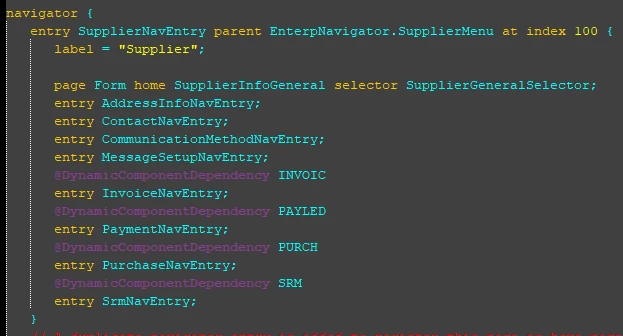
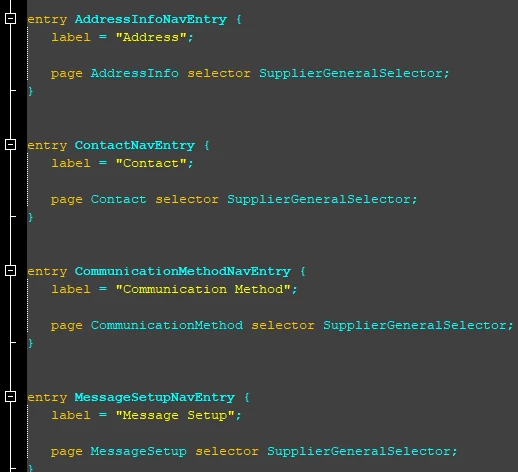
As I mentioned there is one other thing the other pages do that isn’t available as a configuration. They also bind their page to the selector inside their own navigator entry - this entry is the one placed under the navigator entry we did earlier.


Without this additional nesting and binding the result of the solution as a configuration makes the new page in the tree selector act as pure navigation. The navigator on the new page will not have the tree navigator design.