

Solved

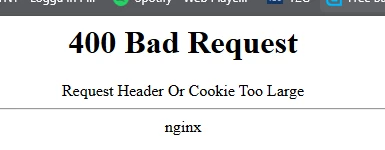
400 BadRequest Error During Login to IFS Cloud 23R1

  • March 24, 2025
  • 3 replies
  • 78 views

dewelk
Sidekick (Employee)
Forum|alt.badge.img+3

Users are randomly encountering a 400 BadRequest error when attempting to log in to IFS Cloud 23R1. This error prevents affected users from successfully logging in. The environment consists of a cluster configuration with three application servers, and client terminals connect to the application gateway during login.
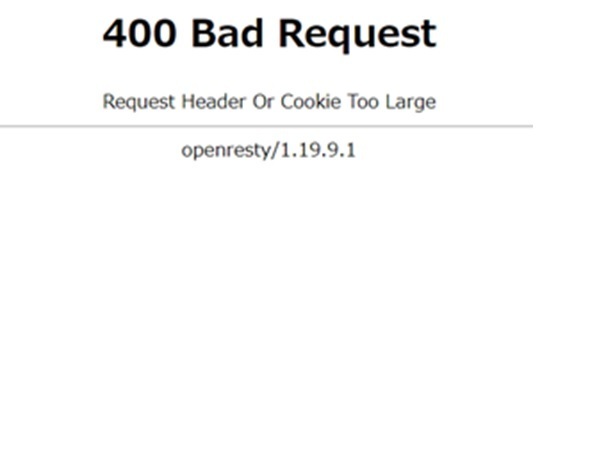
The error is random and temporary, occurring inconsistently across different devices and users; it may stop on one device and start on another, even among terminals with identical settings on the same network, and while it sometimes resolves itself after a wait, clearing the browser cache does not help, with no correlation to the time of day.


Best answer by pasana

This is related to authentication synchronization, resetting the Directory ID and user password will resolve this issue.

3 replies

pasana
Hero (Employee)
Forum|alt.badge.img+8
  • Hero (Employee)
  • Answer
  • March 24, 2025

This is related to authentication synchronization, resetting the Directory ID and user password will resolve this issue.


GISANCAR
Sidekick (Customer)
Forum|alt.badge.img+8
  • Sidekick (Customer)
  • June 25, 2025

We have started to encountered this issue on some computers, started happening some months ago.

Will resetting the Directory ID solve this issue long term, for the user, or is this only something that will work short term and then the cache will build up again? This must be triggered by something, either in IFS or in AD?

If this solves the issue, maybe we should resett the Directory ID for all user - to prevent it from happening for them.


GISANCAR
Sidekick (Customer)
Forum|alt.badge.img+8
  • Sidekick (Customer)
  • June 27, 2025

Error returned, even after we have resetted the Directory ID for a specific user.