Question

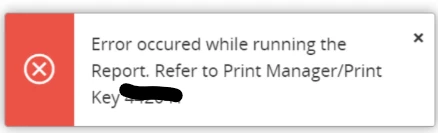
Error running the Report. Refer to Print Manager/Print

  • August 1, 2025
  • 6 replies
  • 86 views

nu_fonka
Do Gooder (Partner)
Forum|alt.badge.img+5

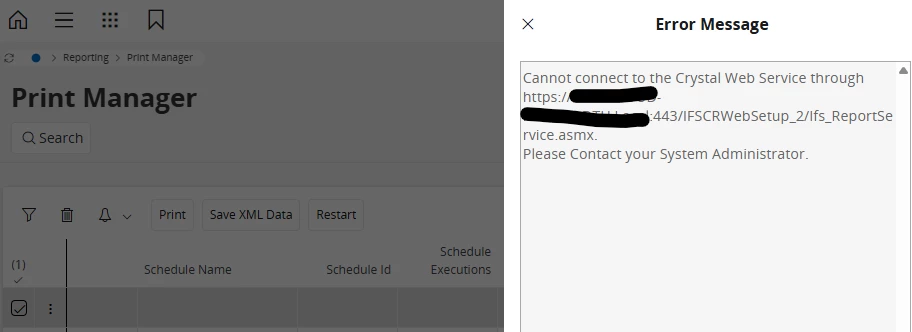
The report shows an error after I click the preview button multiple times in succession(If the clicks are not consecutive, no error occurs.), but it returns to normal after some time passes. How to check and fix the issue.


6 replies

@nu_fonka ,

       This issue is typically caused by multiple rapid preview requests exhausting available sessions/connections to the Crystal Web Service.

       When the limit is reached, new requests fail temporarily with a connection error, but recover after some time when resources are released. Check IIS/app pool limits, increase connection/thread limits, and monitor resource usage on the report server.


nu_fonka
Do Gooder (Partner)
Forum|alt.badge.img+5
  • Author
  • Do Gooder (Partner)
  • April 1, 2026

Hi ​@Lingesan08 


   Could you please share solution(screenshot) how to extend IIS/app pool limit, increase connection/thread limits, and how to monitor resource usage on the report server.

   Because i try to create new app pool mapping 1 CWS/1Apppool but the error is occurs.


nu_fonka
Do Gooder (Partner)
Forum|alt.badge.img+5
  • Author
  • Do Gooder (Partner)
  • May 7, 2026

Hi ​@Lingesan08 


    Do you have any solution for fix this issue.


InfFilipV
Hero (Partner)
Forum|alt.badge.img+12
  • Hero (Partner)
  • May 7, 2026

ashen_malaka_ranasinghe
Hero (Employee)
Forum|alt.badge.img+12

Hi ​@nu_fonka,

Based on what you described (error only when clicking Preview repeatedly in quick succession, and it automatically recovers after some time), this strongly indicates a transient resource/session contention or throttling behavior, rather than a permanent functional defect.

Concurrent report execution requests overload the reporting service (ifsapp-reporting), leading to transient failures/timeouts.

If you perform multiple report requests to the same crystal web service simultaneously, you can get the Error in retrieving the saved PDF report from the Crystal Web Service exception. This limitation is due to an error in Crystal Runtime.

Above is mentioned as a limitation in the IFS Tech Documentation: Configure The Crystal Web Service for IFS Cloud Web - Technical Documentation For IFS Cloud


Forum|alt.badge.img+10
  • Hero (Employee)
  • May 7, 2026

@nu_fonka,

In addition to the details provided by my colleagues above there is another documentation page which explains how to increase the capacity of the Crystal Web Service:

Configure Multiple Crystal Web Service Instances - Technical Documentation For IFS Cloud

There are some IFS customers which rely heavily on Crystal Web Service reports and have a need to increase the capacity of their CWS.  This additional document shows how multiple CWS instances can allow such customers to handle higher volumes of report requests.