


Solved

Voucher Approval Workflow not getting added to Manual Voucher

  • January 8, 2026
  • 4 replies
  • 58 views

Forum|alt.badge.img+2

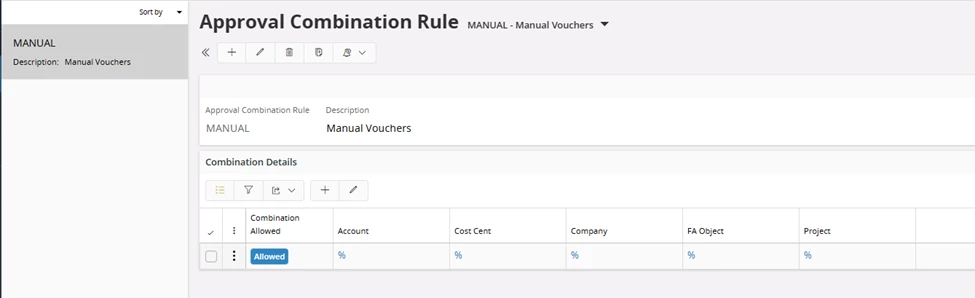
I have setup the voucher approval workflow in our environment and I have it setup with the approval combination rule to allow all combinations. 
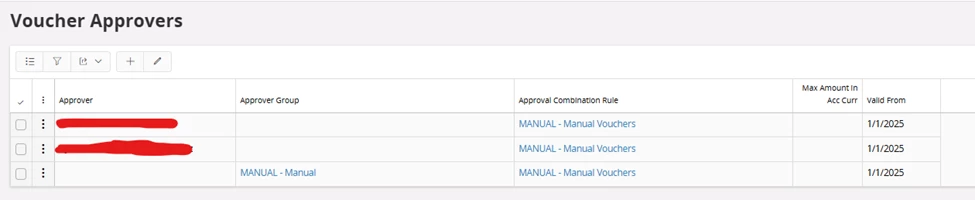
I have the Voucher Approvers setup as below, with the approvers being setup here along with and Approver Group.
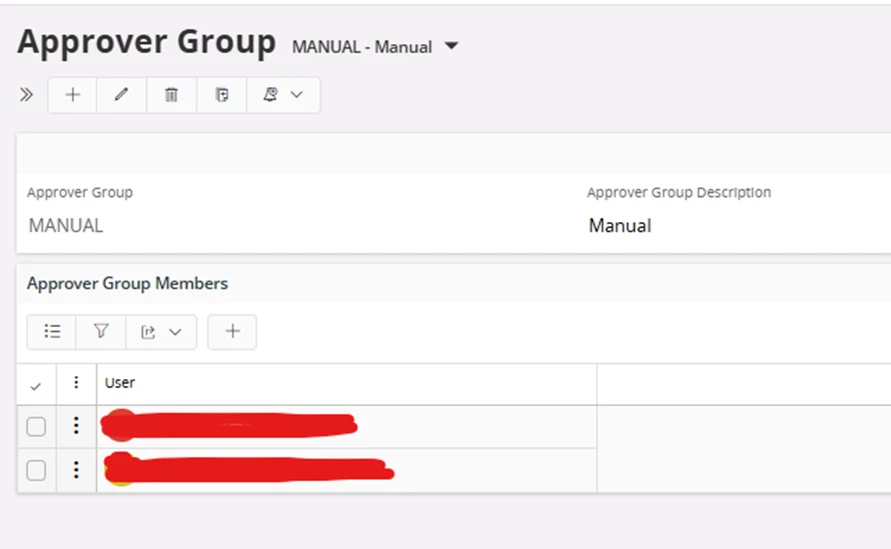
And lastly I have the Approver Assigning Rule setup as below.
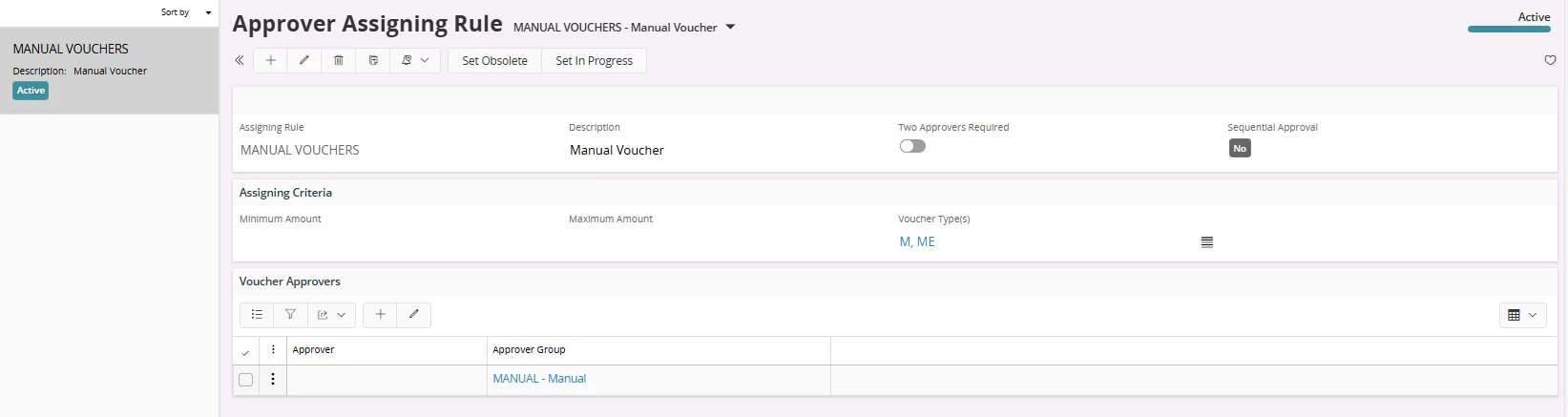
 

I think I have setup all this correctly the thing that I am having a problem with is the fact that as soon as different user than the ones setup here creates a new voucher the Voucher Approval is blank and they have to manually add the Approver Group or Approver.
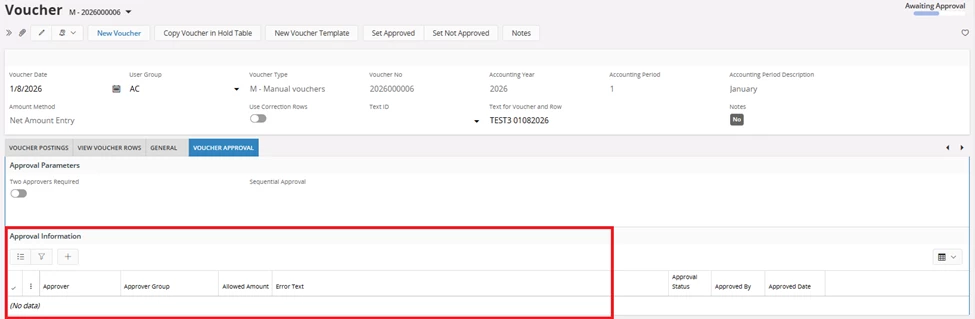
 

I would think this would automatically pull in the Voucher Approval, but it isn’t by any chance is anyone having any issues with this we are on Apps 10 Update 12

Best answer by Narmada G

Hi ​@SAAKAGUILAR ,

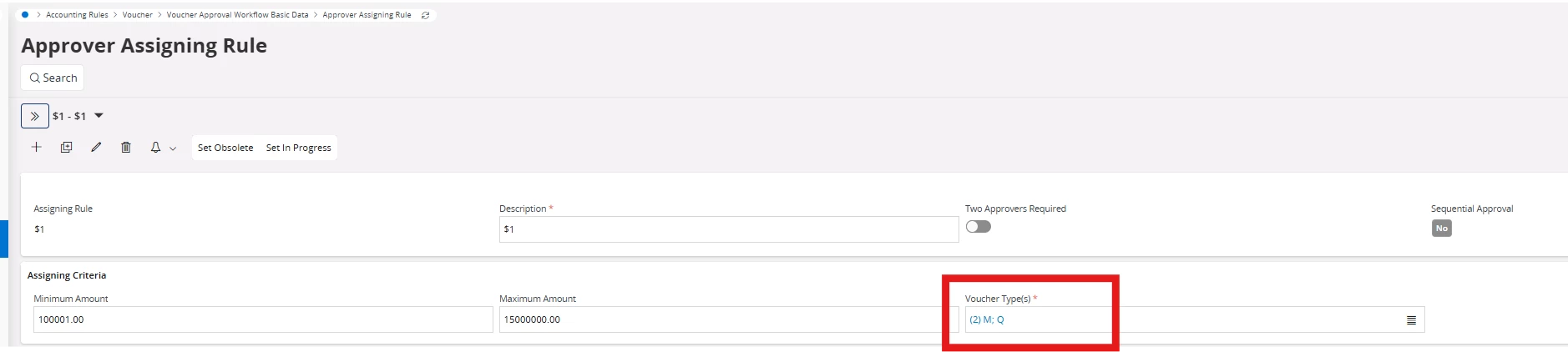
Please try choosing ; as separator for multiple voucher types that you selected in “Approver Assigning Rule”. I’m adding a screen preview below for better clarity. 


4 replies

Forum|alt.badge.img+1
  • Do Gooder (Employee)
  • January 12, 2026

You can for each Voucher type select whether to apply Voucher Approval or not. 


Go to voucher Type page and select “Use Voucher approval Workflow”.


Forum|alt.badge.img+2
  • Author
  • January 12, 2026

You can for each Voucher type select whether to apply Voucher Approval or not. 


Go to voucher Type page and select “Use Voucher approval Workflow”.

Hi I have that setup as well for Voucher Types I have selected in the Approver Assigning Rule


Forum|alt.badge.img+5
  • Sidekick (Employee)
  • Answer
  • January 13, 2026

Hi ​@SAAKAGUILAR ,

Please try choosing ; as separator for multiple voucher types that you selected in “Approver Assigning Rule”. I’m adding a screen preview below for better clarity. 


Forum|alt.badge.img+2
  • Author
  • January 13, 2026

Hi ​@SAAKAGUILAR ,

Please try choosing ; as separator for multiple voucher types that you selected in “Approver Assigning Rule”. I’m adding a screen preview below for better clarity. 


Thank you this is what the problem was!


